
Products compared
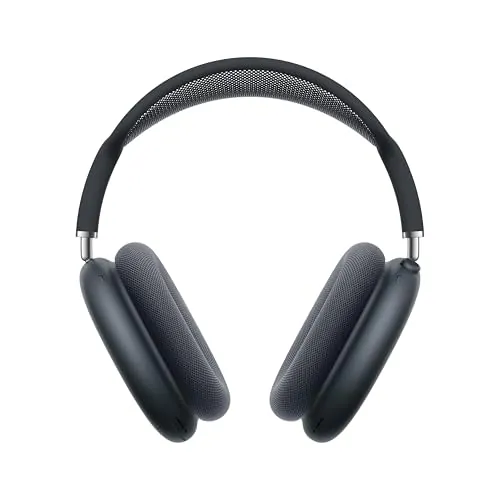
Apple
Apple AirPods Max 2
US Midnight configuration. The listed software requirements and feature availability are specific to AirPods Max 2; do not substitute AirPods Max 1 or the first USB-C revision.
Model MHWK4AM/A
Amazon ASIN B0GSS4SGZR
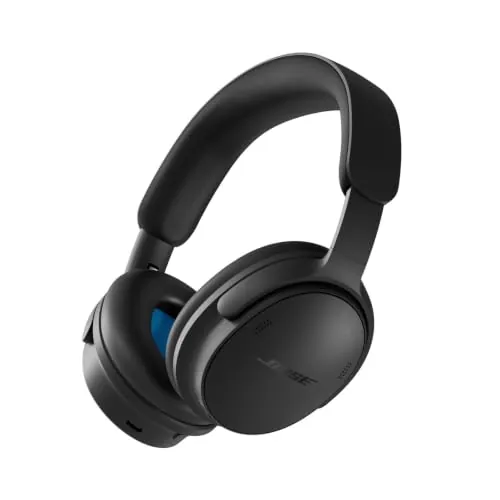
Bose
Bose QuietComfort Headphones (2nd Gen)
US Black standard QuietComfort Headphones (2nd Gen), part 895491-0100. This is the standard QuietComfort model, not QuietComfort Ultra or an earlier generation.
Model 895491-0100
Amazon ASIN B0GXW9C8QC
Differences that matter
What matters most to you?
Choose a priority to see what it changes.
Sources for 3.5 mm analog source and included cable
Start with the devices you will use every day
AirPods Max 2 is built around a supported-device and software list. Apple lists system requirements across its current Apple device families and identifies controls such as the Digital Crown, calls and Siri. The same technical page says AirPods can work as wireless Bluetooth headphones with non-Apple devices, but functionality may be limited. Treat that as a feature-availability check: name the phone, computer and specific Max 2 feature you want, then confirm the required OS and compatible app before buying.
Bose QuietComfort Headphones (2nd Gen) takes a different route for switching between devices: Bose documents multipoint for two active Bluetooth connections and management through its app. The manual says audio is played from one connected device at a time, so multipoint is useful for staying connected to a phone and computer, not mixing their audio.
USB-C is common to both, but the documented workflows differ
Apple documents AirPods Max 2 lossless and ultra-low-latency listening through wired USB-C when the content and app or service are supported. Its US Midnight box lists a USB-C charge cable and Smart Case. The Apple Support article explicitly names Max 2 for this USB-C audio setup. That does not mean every audio source, application or file will use the feature; check the content and supported app you intend to use.
Bose also documents USB-C wired audio, including audio passing to and from the headphones, and says its headphones can be used while charging from external USB power. This makes it a documented wired voice route, but device and conferencing-app support still depends on whether that exact host exposes the Bose headset as input and output. If USB-C meetings are your deciding use, verify the settings on the computer and app you will actually use.
Check 3.5 mm compatibility and cable behavior before travel
The exact Bose Black 2nd Gen product page lists both a USB-C-to-USB-C cable and a USB-C-to-3.5 mm cable. The owner's guide says the 3.5 mm AUX route requires the headphones to be powered on. In that mode, Bluetooth, earcup microphone pickup, calls and headset media controls are disabled; manage calls and playback on the source device. This is a concrete fit for a 3.5 mm seat-back or laptop source if you accept those operating conditions.
The U.S. AirPods Max 2 Midnight package includes a USB-C charge cable. Apple’s Max 2 instructions specify the separately sold Apple USB-C to 3.5 mm Audio Cable for an analog jack. That compatibility does not establish operation with a depleted battery.
Product details
Apple AirPods Max 2
AirPods Max 2 has Apple-platform controls and wired USB-C lossless audio with compatible sources. It also supports wired analog sources with Apple’s separately sold USB-C to 3.5 mm Audio Cable. The exact U.S. Midnight box lists a USB-C charge cable and Smart Case.
- Apple platform requirements
- Apple lists current iOS, iPadOS, watchOS, macOS, tvOS and visionOS device families for system requirements; its page warns non-Apple Bluetooth use may have limited functionality. Confirm the specific feature and OS you need. Source
- Controls and wired audio
- Apple lists Digital Crown controls for volume, playback, calls and Siri. Lossless and ultra-low-latency listening require wired USB-C, compatible content and supported apps/services. Source
- In the box
- Apple's US Midnight purchase page lists AirPods Max 2, Smart Case, USB-C charge cable and documentation; it does not list a 3.5 mm analog cable. Source
- Optional analog cable
- Apple USB-C to 3.5 mm Audio Cable, sold separately. Source
Bose QuietComfort Headphones (2nd Gen)
Bose QuietComfort Headphones (2nd Gen) supports documented two-device Bluetooth multipoint and has both USB-C and USB-C-to-3.5 mm cables listed in its exact Black package. Its digital USB-C route supports audio in both directions, while AUX mode needs power and shifts call/media controls to the source device.
- Bluetooth multipoint
- Bose documents up to two active Bluetooth connections at once, while audio plays from only one device at a time. Source
- Included wired cables
- The exact Black 2nd Gen US page lists a USB-C-to-USB-C cable and a USB-C-to-3.5 mm cable. Its USB-C route carries audio to and from the headset; analog AUX requires power and disables earcup microphone pickup and headset call/media controls. Source
- USB-C use while charging
- Bose says its USB-C audio can continue while connected to external power, including when the headset battery is depleted; the headset must be powered on. Source
Before you buy
Community discussions
Checking pad fit and spoken prompts before buying
Bose QuietComfort Headphones (2nd Gen)
A QuietComfort 2nd Gen shopper wanted to check comfort around piercings, sound leakage, and voice prompts when pressing buttons. They listed noise cancellation as a lower priority for their use.
What to check
When deciding what to take on the move, try switching noise modes and devices with each pair. Pay attention to audible prompts and whether the pads sit comfortably during a long session.
Common questions
Does Bose multipoint play sound from two devices at once?
No. Bose documents connections to two devices at once, but audio plays from one device at a time.QuietComfort Headphones (2nd Gen) Owner's Guide | Bose
Does the AirPods Max 2 box include a 3.5 mm cable?
No. The U.S. Midnight box lists a USB-C charge cable and Smart Case. Apple’s support instructions and accessory list identify a compatible USB-C to 3.5 mm Audio Cable sold separately.Buy AirPods Max 2 - Midnight | Apple Store USSet up AirPods Max with your Mac and other Bluetooth devices | Apple SupportApple Support: wired listening with AirPods Max 2Apple U.S. compatibility list: cables for AirPods Max 2
Can I use the Bose QuietComfort Headphones (2nd Gen) analog cable while switched off?
No. Bose's owner guide says the headphones must be powered on for AUX audio. In AUX mode the earcup microphone and headset call/media controls are disabled, so calls and controls move to the source device.QuietComfort Headphones (2nd Gen) Owner's Guide | Bose
Does AirPods Max 2 USB-C lossless audio work with any track or app?
Apple conditions lossless and ultra-low-latency listening on a wired USB-C connection plus compatible content from supported apps and services. Check the app and content you actually use.AirPods Max 2 - Tech Specs | Apple SupportSet up AirPods Max with your Mac and other Bluetooth devices | Apple Support
Sources and scope
This guide compares manufacturer-documented connections and controls. Apple-platform features need supported software and devices. The cited sources do not provide matched performance or depleted-battery analog test results for this pair.
- AirPods Max 2 - Tech Specs | Apple Support
- Buy AirPods Max 2 - Midnight | Apple Store US
- Set up AirPods Max with your Mac and other Bluetooth devices | Apple Support
- Bose QuietComfort Headphones (2nd Gen), Black | Bose US
- QuietComfort Headphones (2nd Gen) Owner's Guide | Bose
- Apple Support: wired listening with AirPods Max 2
- Apple U.S. compatibility list: cables for AirPods Max 2
Related comparisons
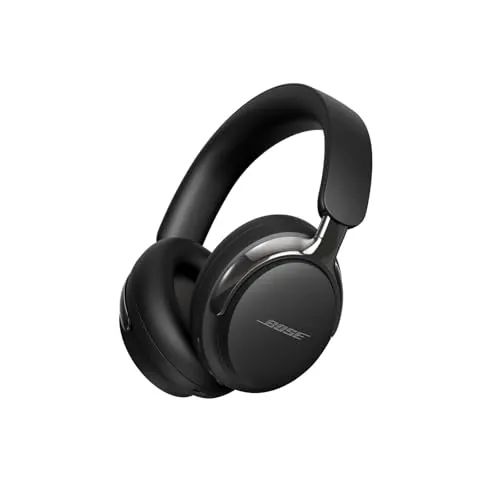
Bose QuietComfort (2nd Gen) vs QuietComfort Ultra (2nd Gen)
Both second-generation Bose models offer noise cancellation and USB-C wired listening, but Bose positions the Ultra as its premium model with CustomTune, Immersive Audio, and a capacitive volume strip. Bose's stated battery maximums differ by 6 hours with ANC on / in Bose's Quiet mode; RTINGS reports 27 hours for its tested QuietComfort sample and 37 hours for Ultra (2nd Gen). RTINGS describes the QuietComfort (2nd Gen)'s noise isolation as on par with Ultra (2nd Gen), so the available evidence does not establish that the Ultra cancels more noise in a direct controlled comparison.
Read comparison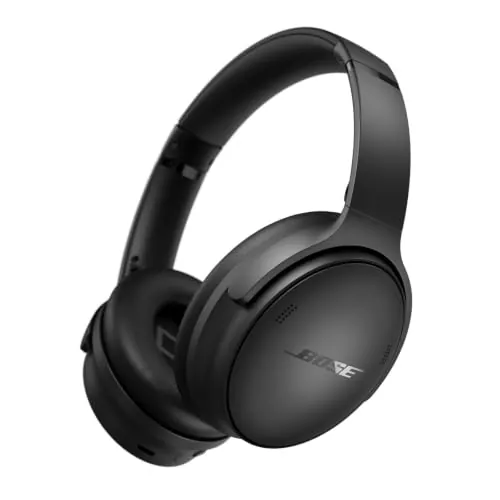
Bose QuietComfort (2023) vs QuietComfort Headphones (2nd Gen)
The 2023 Bose QuietComfort and QuietComfort Headphones (2nd Gen) share Bose's over-ear noise-cancelling format, but their wired workflows differ. The 2023 model has an analog audio path that Bose says can keep playing after its battery is depleted, with ANC and Active EQ unavailable in passive mode. The 2nd Gen adds USB-C digital audio, including lossless input and USB-C microphone support, but RTINGS says it cannot play passively when unpowered. Choose based on whether USB-C computer audio/calls or a no-charge analog fallback matters more in your routine.
Read comparison