
Products compared
Amazon
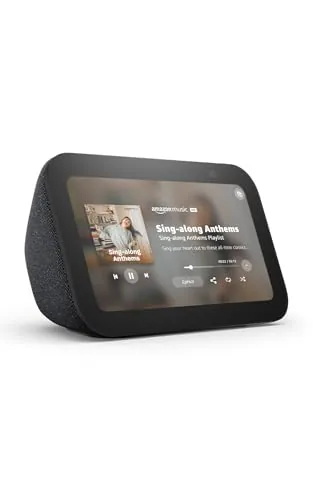
Amazon Echo Show 5 (3rd Gen)
Charcoal US listing; 3rd-generation Echo Show 5 (2023 release)
Model H97N6S
Amazon ASIN B09B2SBHQK
Amazon
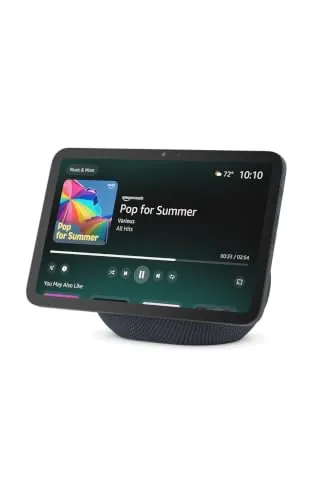
Amazon Echo Show 8 (2025 release)
Graphite US listing; current 2025-release Echo Show 8, not an earlier Echo Show 8 generation
Model MD6NE4
Amazon ASIN B0DC8ZMR1P
Differences that matter
What matters most to you?
Choose a priority to see what it changes.
Sources for Initial setup
Decide how much screen you want to see at a glance
The exact Show 5 listing describes a 5.5-inch display; the current Show 8 listing describes an 8.7-inch HD display. That is the clearest screen-size distinction for checking a timer, calendar, or camera view from your usual desk position. It is not a direct measure of outer width or how much tabletop the base occupies.
If the device must fit beside a monitor or inside a fixed shelf, measure the available width and depth, then verify the exact model's body dimensions on its current listing. Add space for the power lead and the angle from which you plan to view the screen. This pair's reviewed exact-ASIN evidence did not establish both body footprints, so do not assume the Show 5 is physically smaller based only on its screen diagonal.
Choose call features by workflow, not by camera megapixels
Amazon lists a 2 MP front camera for Show 5 calls. The 2025 Show 8 listing describes a centered 13 MP camera with auto-framing, 3.3x zoom, and noise reduction for calls. These are different published feature sets, not a matched test of how either camera looks in your room.
For occasional calls, first decide whether either listed workflow meets your needs. If calls are important, consider where the display will sit and how much of the room it can see from there; lighting, distance, network conditions, and software can affect a real call. No controlled, same-condition test was found to name a call-quality winner.
Pick the camera control you will use
Show 5 has a rear slider that physically covers the camera lens and a separate microphone/camera button. Amazon's 2025 Show 8 support page documents a hardware button that disables both microphones and camera together. A separate support page describes a camera-only toggle in the Alexa app or on-device Privacy & Permissions settings, and the Show 8 setup page links to that control guide.
If you want to cover the lens with a physical shutter, the Show 5's documented slider is a concrete feature match. If you prefer a camera-only software control in addition to a combined hardware toggle, the current Show 8's documented flow may suit your routine. These instructions describe available controls; they are not a promise about privacy, recording, or data handling.
Do this quick placement and setup check before ordering
Write down the free desk width and depth, the height of any shelf above it, and the cable route to the nearest outlet. Compare those measurements with the exact listing dimensions for the model and color you are ordering; leave room for the stand and plug. Do not use screen size as a substitute for a body measurement.
Both setup guides ask you to have the included power adapter, an Amazon account, and Wi-Fi details ready. Make sure the intended location has a usable network connection and reachable power. Confirm the listing still names H97N6S for Show 5 or MD6NE4 for the 2025 Show 8 before relying on model-specific camera instructions.
Product details
Amazon Echo Show 5 (3rd Gen)
Before you buy
Community discussions
Using a Show 5 as a tabletop clock
Amazon Echo Show 5 (3rd Gen)
An Echo Show 5 3rd Gen Kids owner bought it mainly to serve as a tabletop clock and wanted a custom full-screen clock face.
What to check
Check which clock layouts are available on the model you plan to order, then measure the space for it where you want to see the time.
Common questions
Does the Echo Show 8's 13 MP camera prove that it makes better calls?
No. Amazon lists a 13 MP centered camera with auto-framing and zoom features for the 2025 Show 8, and a 2 MP camera for Show 5 calls. Those listed features do not replace a controlled comparison of call image quality.Amazon Echo Show 5 (newest model), Charcoal — exact selected ASIN B09B2SBHQKAmazon Echo Show 8 (newest model), Graphite — exact selected ASIN B0DC8ZMR1P
Which model has a physical camera shutter?
The Echo Show 5 (3rd Generation) support page documents a rear slider that covers its camera. For the Show 8 (2025 release), Amazon documents a combined microphone-and-camera button and separate camera controls in the device settings or Alexa app; this guide does not make a claim about an undocumented physical shutter.How to Set Up Your Echo Show 5 (3rd Generation)How to Set Up Your Echo Show 8 (2025 release)Enable or Disable the Camera on Your Echo Device with a Camera (2025 release or Newer)
Will Show 5 fit a small desk better?
It has the smaller screen diagonal, but that alone does not prove a smaller device footprint. Measure your available surface and check the exact listing dimensions and power-cable clearance before ordering.Amazon Echo Show 5 (newest model), Charcoal — exact selected ASIN B09B2SBHQKAmazon Echo Show 8 (newest model), Graphite — exact selected ASIN B0DC8ZMR1P
What do I need for first-time setup?
Amazon's setup instructions for both models list the device's power adapter, an Amazon account, and Wi-Fi name and password as setup requirements.How to Set Up Your Echo Show 5 (3rd Generation)How to Set Up Your Echo Show 8 (2025 release)
Sources and scope
This guide uses Amazon's listed features and support instructions, not a hands-on or controlled call test. Camera megapixels and automatic-framing features do not establish which device produces a better-looking call. The reviewed exact-ASIN evidence does not establish both outer footprints; screen diagonal is not a substitute for device width, depth, or clearance.
- Amazon Echo Show 5 (newest model), Charcoal — exact selected ASIN B09B2SBHQK
- Amazon Echo Show 8 (newest model), Graphite — exact selected ASIN B0DC8ZMR1P
- How to Set Up Your Echo Show 5 (3rd Generation)
- How to Set Up Your Echo Show 8 (2025 release)
- Enable or Disable the Camera on Your Echo Device with a Camera (2025 release or Newer)
- Safety & Compliance Information for Echo Show 5 (3rd Gen)
- Safety and Compliance Information for Echo Show 8 (2025 release)
Related comparisons
Echo Show 5 (3rd Gen) vs Echo Show 11 (2025): Fit, Hub & Camera Controls
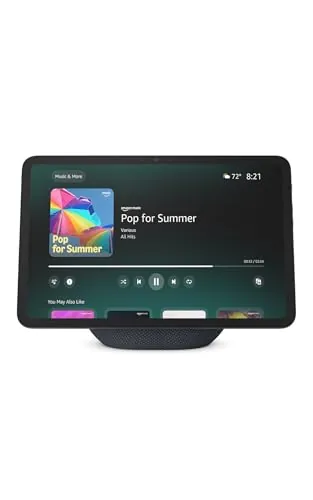
The Charcoal Echo Show 5 (3rd Gen, model H97N6S) has a 5.5-inch display and a documented sliding physical camera shutter. The Graphite Echo Show 11 (2025 release, model E78T24) has an 11-inch Full HD screen and an Amazon-documented built-in Zigbee, Matter, and Thread hub. Compare their listed counter footprints, verify the exact smart-home accessory protocol, and decide whether a physical shutter or electronic camera controls matter more in your setup.
Read comparison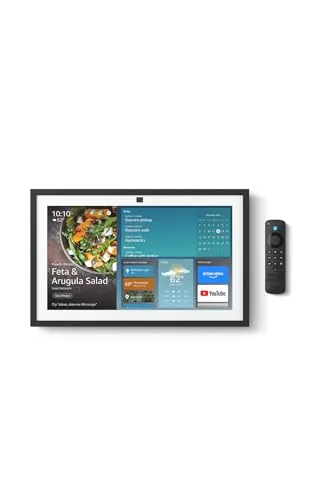
Echo Show 5 (3rd Gen) vs Echo Show 15 (2nd Gen): Personal Screen or Family Hub?
The 5.5-inch Echo Show 5 (3rd Gen) fits the role of a personal screen. The 15.6-inch Echo Show 15 (2nd Gen) adds household widgets and Fire TV. It includes wall-mount hardware, with a tabletop stand sold separately. Decide where the screen will go and who needs to see it.
Read comparison