
Products compared
AMD
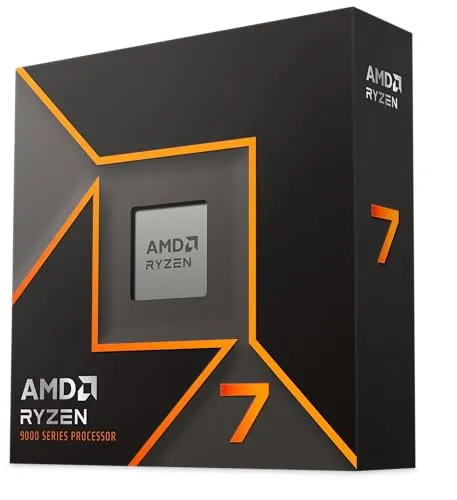
AMD Ryzen 7 9700X 8-Core, 16-Thread Desktop Processor
AMD identifies the boxed Ryzen 7 9700X as an 8-core, 16-thread Zen 5 desktop processor for Socket AM5; a thermal solution is not included.
Model Ryzen 7 9700X (boxed product ID 100-100001404WOF)
Amazon ASIN B0D6NMDNNX
AMD
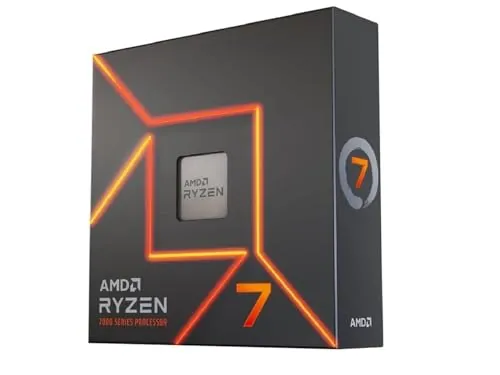
AMD Ryzen 7 7700X 8-Core, 16-Thread Desktop Processor
AMD identifies the boxed Ryzen 7 7700X as an 8-core, 16-thread Zen 4 desktop processor for Socket AM5; a thermal solution is not included.
Model Ryzen 7 7700X (boxed product ID 100-100000591WOF)
Amazon ASIN B0BBHHT8LY
Differences that matter
I am planning around a 65 W default CPU TDP
AMD Ryzen 7 9700X 8-Core, 16-Thread Desktop Processor · AMD lists the 9700X at 65W default TDP and the exact Ryzen Master release notes document a separate optional 105W Eco Mode for Ryzen 9000 Series 65W desktop processors. Verify the exact motherboard/BIOS and software support; neither figure is a measured wall-power guarantee.
View Ryzen 7 9700X on Amazon (paid link)Sources for Platform and core configuration
Sources for Default TDP and cooling box
Sources for Memory speed by DIMM configuration
Sources for Optional power mode and measured-power context
Sources for Direct gaming sample, not a generation-wide result
Start with board support, not the socket label
AMD identifies both CPUs as AM5, 8-core/16-thread boxed desktop processors and lists support across chipsets including B650, X670 and 800-series families. That establishes the platform family, not the BIOS version on a particular board. Before selecting either part, read the motherboard maker’s CPU-support list for the full model/revision and confirm a BIOS that names the exact processor. AMD’s desktop BIOS guidance says an update may be necessary when the current BIOS does not support a newer CPU.
Both boxes omit the thermal solution. AMD recommends a premium air cooler for optimal performance for each, so plan on a separate cooler and verify your own case and board constraints.
Read power labels and test readings as different evidence
The product pages list 65W default TDP for 9700X and 105W for 7700X. Those are the official defaults, not a promise about power draw from the wall or in every program. AMD Ryzen Master 2.14.2 release notes separately add 105W Eco Mode support for systems using Ryzen 9000 Series 65W desktop processors. That is an optional mode and requires checking your software/board support; it does not change the 9700X product-page default label.
GamersNexus reported 88W for 9700X and about 150W for 7700X at EPS12V cables in one Blender all-core test measured after at least five minutes. These readings describe that review setup only and do not prove a specific system’s wall draw, temperature, noise or cooler requirement.
Build the memory table around your DIMMs
AMD’s per-CPU tables list DDR5-5600 for 9700X versus DDR5-5200 for 7700X with two single-rank or two dual-rank DIMMs. With four single- or dual-rank DIMMs, both product pages list DDR5-3600. Treat these as AMD’s supported maximum-speed table entries for those configurations, not a promise that any kit will train at that speed on any board. Check the exact modules, BIOS and memory profile.
Use benchmark results for the workload and software you actually run
TechSpot’s 2024 43-game sample averaged a 1% 9700X lead on Windows 11 23H2 and 2% on 24H2; game-by-game outcomes varied. GamersNexus also reported mixed results across games and production tests, and noted that its 9700X used a similarly specified DDR5-6000 kit with looser timings after the usual kit was unstable. Its review says differences within 1–2% should be read with wider margins. These are external test results, not testing for this guide or a universal performance claim.
Product details
AMD Ryzen 7 9700X 8-Core, 16-Thread Desktop Processor
- Core and socket
- Zen 5; 8 cores / 16 threads; Socket AM5. Source
- Default power label and cooler
- 65W default TDP; thermal solution not included; AMD recommends a premium air cooler for optimal performance. Source
- AMD-listed max memory speed
- DDR5-5600 for 2x1R or 2x2R configurations; DDR5-3600 for 4x1R or 4x2R configurations. These are AMD table values, not a guarantee for every DIMM/board/BIOS combination. Source
AMD Ryzen 7 7700X 8-Core, 16-Thread Desktop Processor
- Core and socket
- Zen 4; 8 cores / 16 threads; Socket AM5. Source
- Default power label and cooler
- 105W default TDP; thermal solution not included; AMD recommends a premium air cooler for optimal performance. Source
- AMD-listed max memory speed
- DDR5-5200 for 2x1R or 2x2R configurations; DDR5-3600 for 4x1R or 4x2R configurations. These are AMD table values, not a guarantee for every DIMM/board/BIOS combination. Source
Before you buy
Community discussions
A buyer compares two CPU bundles with the same board and memory
AMD Ryzen 7 9700X 8-Core, 16-Thread Desktop Processor
A builder weighing the 9700X against the 7700X says the bundles use the same motherboard and 32 GB memory, and lists video editing, SolidWorks and gaming among the planned uses. The post asks about the choice; it does not report a completed build.
What to check
Compare the CPU options with the full bundle and your own workload in mind, then verify the exact board, memory kit and BIOS details for the bundle you plan to buy.
Common questions
Do these processors fit the same motherboard socket?
AMD lists Socket AM5 for both. Check the exact board revision and CPU-support/BIOS list before buying: AMD notes a BIOS update may be needed if the installed firmware does not support a newer Ryzen CPU.AMD Ryzen 7 9700X specifications and boxed product IDAMD Ryzen 7 7700X specifications and boxed product IDAMD BIOS Updates for Ryzen Desktop Systems
Does 65W TDP mean the 9700X always draws 65 watts?
No. AMD labels 65W as the 9700X default TDP, while GamersNexus measured 88W at EPS12V cables in one Blender all-core test after at least five minutes. That is a specific test reading, not wall draw or a universal workload value.AMD Ryzen 7 9700X specifications and boxed product IDGamersNexus Ryzen 7 9700X review and 9700X/7700X test data
Can the 9700X use a 105W setting?
AMD Ryzen Master 2.14.2 release notes add 105W Eco Mode support for systems using Ryzen 9000 Series 65W desktop processors, a category that includes the 9700X by its AMD product-page default TDP. It is an optional mode, not the product’s default rating; check support for your exact software and motherboard/BIOS.AMD Ryzen 7 9700X specifications and boxed product IDAMD Ryzen Master 2.14.2.3341 release notes
Which one is faster for games?
There is no universal answer from generation names. TechSpot’s 43-game 2024 sample averaged a 1% 9700X lead on Windows 11 23H2 and 2% on 24H2, with title-specific results and OS conditions. Check tests for the games, GPU and software version you plan to use.TechSpot 9700X vs 7700X 45-game article
Will my current memory kit run at the maximum shown?
Not necessarily. AMD publishes different maxima for two versus four DIMMs and single- versus dual-rank layouts, and the motherboard, BIOS and memory profile also matter. Check your exact kit and board documentation before assuming a speed.AMD Ryzen 7 9700X specifications and boxed product IDAMD Ryzen 7 7700X specifications and boxed product ID
Sources and scope
Both AMD product pages list AM5, 8 cores and 16 threads, but neither socket nor chipset list alone confirms support on a particular motherboard revision and BIOS; no board model was specified. AMD lists default TDP, not actual workload or wall draw. Ryzen Master release notes describe an optional 105W Eco Mode for 9000-series 65W desktop CPUs; availability depends on the applicable Ryzen Master/platform setup, and it is not the 9700X default. GamersNexus measured 88W versus about 150W at EPS12V cables during one Blender all-core test after at least five minutes; those readings are neither wall power nor a universal thermal/cooler comparison. Its 9700X memory kit had looser timings than its usual kit, so the reviewer cautioned that differences within 1–2% merit wider margins. TechSpot’s 2024 game average depended on Windows version and game selection. No current, representative test across all intended workloads or user systems was found.
Related comparisons
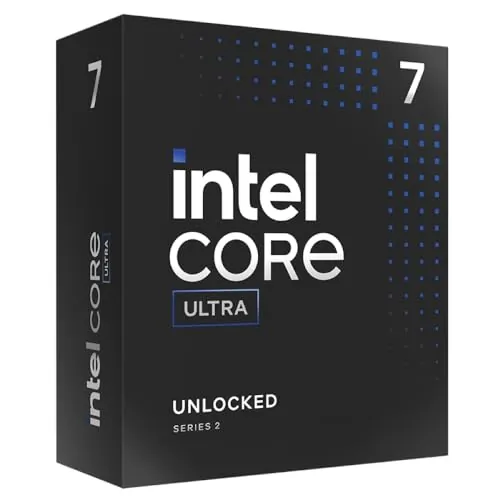
Ryzen 7 9700X vs Core Ultra 7 265K: Check the Platform Before You Buy
The Ryzen 7 9700X is an AM5 processor; the Core Ultra 7 265K is FCLGA1851. Both list DDR5 and integrated graphics, but their supported configurations and media features differ. Check your board, BIOS, memory kit, display outputs and exact cooler package. These specifications do not establish which CPU is faster.
Read comparison
Ryzen 7 9700X vs Core Ultra 7 270K Plus: Match the Workload to the Build
Tom’s Hardware measured a 2.4% lead for the Core Ultra 7 270K Plus in its 17-game 1080p average, with results varying by title. It measured a larger Intel lead in the Blender Junkshop CPU render test. For an upgrade, start with your existing board’s CPU support list. For a fresh build, check the workload, motherboard and cooling before choosing.
Read comparison