
Products compared
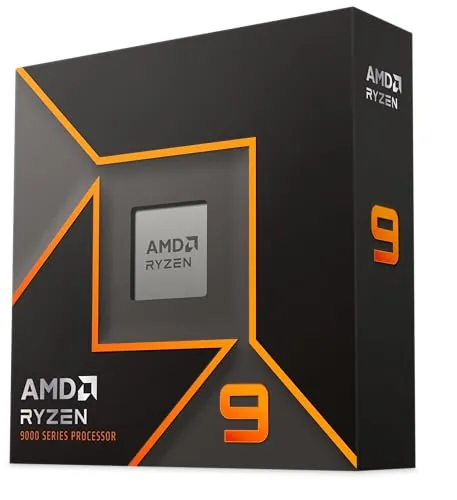
AMD
AMD Ryzen 9 9950X
Boxed desktop processor, AM5, 16 CPU cores/32 threads, DDR5 and AMD Radeon Graphics. AMD lists no thermal solution in the box and recommends a liquid cooler for optimal performance. Check a specific board’s current CPU support list and BIOS.
Model 9950X
Amazon ASIN B0D6NNRBGP
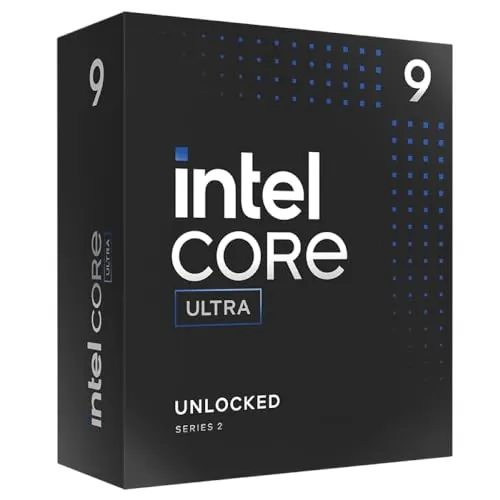
Intel
Intel Core Ultra 9 285K
Boxed desktop processor, FCLGA1851, 8 Performance-cores plus 16 Efficient-cores (24 cores/24 threads), DDR5 and Intel Graphics. Intel lists specific media codec and output capabilities; confirm the chosen board exposes the connectors and supports this CPU/BIOS.
Model 285K (boxed code BX80768285K)
Amazon ASIN B0DFKC99VL
Differences that matter
What matters most to you?
Choose a priority to see what it changes.
Sources for Motherboard platform
Sources for Memory and DIMM plan
Sources for Integrated graphics and media path
Sources for Power and cooling planning labels
Start with the motherboard and firmware you can actually use
The platform is the first hard filter: AMD identifies the 9950X as AM5 and lists supported chipset families; Intel specifies FCLGA1851 for the 285K. If you already own a board, search its exact model and revision in the manufacturer CPU-support list and confirm the required BIOS before considering either processor. A chipset family or socket name by itself does not confirm a specific board revision.
Both CPUs use two-channel DDR5. AMD’s published memory table depends on the DIMM population: its shown 1R/2R entries list DDR5-5600 with two DIMMs and DDR5-3600 with four. Intel lists support up to DDR5-6400. Those are manufacturer specifications, not a promise about every kit or board setting; check the board QVL and planned DIMM count.
Decide whether the integrated graphics path matters to your build
AMD lists Radeon Graphics with two graphics cores for the 9950X, plus USB-C DisplayPort Alternate Mode. Intel lists Intel Graphics with four Xe-cores, display-output capabilities, Quick Sync and H.264, HEVC and AV1 hardware encode/decode for the 285K. The AMD product page does not enumerate codec blocks; that is an evidence gap, not proof that the processor cannot use a particular media workflow.
Treat CPU graphics specifications as a starting point. The motherboard must expose the needed physical connector, and the chosen operating system and application must support the feature. For a dedicated GPU system, make the display or media requirement explicit rather than assuming either CPU’s integrated graphics path will be used.
Read the core and power labels in their own terms
AMD lists 16 CPU cores and 32 threads for the 9950X. Intel lists 24 total cores—8 Performance-cores plus 16 Efficient-cores—and 24 threads for the 285K. These layouts describe different designs; the counts alone do not establish which is faster in an application. Match them to your actual software needs, and seek a controlled test of that exact workload if performance decides the purchase.
The published power labels use different terms: AMD lists 170 W Default TDP; Intel lists 125 W Processor Base Power and 250 W Maximum Turbo Power. They are not directly comparable measures of total system consumption. AMD says the 9950X thermal solution is not included and recommends liquid cooling for optimal performance. Intel lists thermal specification PCG 2020A; that field does not tell you that a cooler is bundled. Check cooler fit, case clearance, motherboard settings and full-system power requirements separately.
Product details
AMD Ryzen 9 9950X
- Socket and chipset families
- AM5; AMD lists A620, B650/B650E, B840/B850, X670/X670E and X870/X870E families. Check exact board and BIOS support. Source
- CPU layout
- 16 cores, 32 threads Source
- Memory
- DDR5, 2 channels, up to 256 GB; listed max speed is DDR5-5600 with 2 DIMMs and DDR5-3600 with 4 DIMMs (rank/configuration details in AMD table). Source
- Integrated graphics
- AMD Radeon Graphics; 2 graphics cores at 2200 MHz. The page lists USB Type-C DisplayPort Alternate Mode, but board-level ports and codec support must be checked separately. Source
- Power/cooling labels
- AMD default TDP: 170 W. Thermal solution not included; AMD recommends liquid cooling for optimal performance. Source
Intel Core Ultra 9 285K
- Socket
- FCLGA1851; verify exact motherboard CPU support and BIOS. Source
- CPU layout
- 24 cores: 8 Performance-cores plus 16 Efficient-cores; 24 threads. Source
- Memory
- Two memory channels; Intel lists up to DDR5-6400 and up to 256 GB. Confirm the exact board, DIMMs and memory profile. Source
- Integrated graphics and media
- Intel Graphics with 4 Xe-cores; Intel lists H.264, HEVC and AV1 hardware encode/decode and Intel Quick Sync Video. Connector availability and software use remain system-dependent. Source
- Power/cooling labels
- Intel Processor Base Power 125 W and Maximum Turbo Power 250 W; Thermal Solution Specification PCG 2020A. These are not AMD’s TDP field or a cooler-in-box statement. Source
- Boxed identifier
- BX80768285K Source
Before you buy
Community discussions
Planning a 285K workstation for regular 3D rendering
Intel Core Ultra 9 285K
A proposed Core Ultra 9 285K parts list was for regular 3D rendering, with concern about noise during work near customers. The post lists a Z890 LGA1851 board, memory, cooler and case, but reports no completed build or measured results.
What to check
If rendering is your main reason to choose between these CPUs, check the software maker’s requirements and support for your workflow, then verify the exact motherboard, memory kit, cooler and case in the makers’ compatibility guidance. This thread is a parts-planning example, not a speed or noise comparison.
Common questions
Can these CPUs use the same motherboard?
No. AMD specifies AM5 for the 9950X and Intel specifies FCLGA1851 for the 285K. Verify the exact board model and BIOS support before buying; a socket label alone does not validate a board revision.AMD Ryzen 9 9950X specificationsIntel Core Ultra 9 Processor 285K Specifications
Do both use DDR5?
Yes. Both makers specify DDR5 and two memory channels. AMD publishes different listed maximum speeds for two- versus four-DIMM configurations; Intel lists support up to DDR5-6400. Use your exact board QVL and memory kit details for a build decision.AMD Ryzen 9 9950X specificationsIntel Core Ultra 9 Processor 285K Specifications
Which has integrated video or codec support?
AMD lists Radeon Graphics with two graphics cores for the 9950X. Intel lists Intel Graphics, Quick Sync, and H.264, HEVC and AV1 hardware encode/decode for the 285K. Motherboard connectors and software support are system-dependent; AMD’s cited CPU page does not specify codec support.AMD Ryzen 9 9950X specificationsIntel Core Ultra 9 Processor 285K Specifications
Can I compare 170 W and 250 W to choose a cooler or power supply?
Not as like-for-like measurements: AMD labels 170 W as Default TDP, while Intel lists 125 W Processor Base Power and 250 W Maximum Turbo Power. Follow each CPU and board maker’s guidance and check the complete build; Intel’s PCG 2020A thermal label does not describe an included cooler.AMD Ryzen 9 9950X specificationsIntel Core Ultra 9 Processor 285K SpecificationsIntel Core Ultra 9 Processor 285K Ordering & Compliance
Sources and scope
This guide compares manufacturer-published specifications, not application performance. Socket and chipset families do not prove compatibility with a particular motherboard revision or BIOS. Intel lists hardware codec and Quick Sync support for the 285K; AMD’s 9950X page lists its Radeon graphics model but does not specify video codec blocks, so that absence is not a claim that AMD cannot perform a media task. Graphics connectors and features require a compatible motherboard and software. AMD default TDP and Intel Processor Base Power/Maximum Turbo Power are different labels and are not directly comparable measures of total system draw. Choose a cooler and PSU only after checking the exact board, case, cooler fit and system configuration.
Related comparisons
Ryzen 9 7950X vs 9950X: Is the Memory Headroom Useful to Your Build?
Both Ryzen 9 CPUs are AM5, 16-core/32-thread parts with a listed 170 W Default TDP and no bundled thermal solution. AMD lists higher memory capacity and a higher two-DIMM DDR5 rate for the 9950X. Whether that matters depends on your board, BIOS and memory kit; the official specs alone do not establish a workload-speed gain.
Read comparison
Intel Core Ultra 7 265K vs Core Ultra 9 285K: Choose by Workload
Intel’s Core Ultra 7 265K and Core Ultra 9 285K share LGA1851, DDR5-6400 support, a 125 W Processor Base Power label, a 250 W Maximum Turbo Power label, and the same listed integrated graphics/media features. The 285K has four additional E-cores and higher maximum turbo frequency. In Tom’s Hardware’s August 2025 exact-pair test, its 16-game 1080p average was about 4.4% higher, while its named multithreaded suite geomean was 18.2% higher. Use those results only if the tested workloads resemble yours; check board BIOS, memory configuration, and cooling before choosing either.
Read comparison