
Products compared
Anker
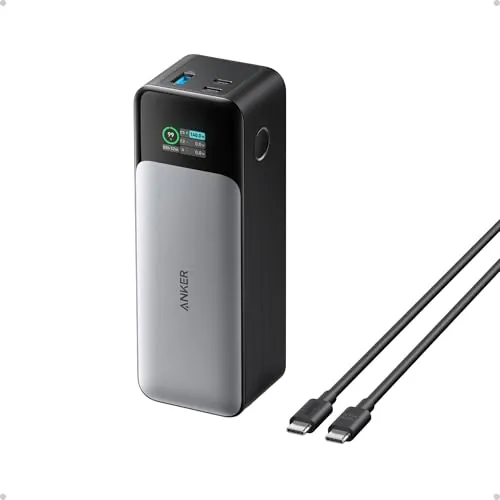
Anker 737 Power Bank (PowerCore 24K)
Black Anker 737 Power Bank (PowerCore 24K), model A1289. Anker lists two USB-C outputs and one USB-A output. Check the current seller offer for included cables; the maker page does not confirm every marketplace package.
Model A1289
Amazon ASIN B09VPHVT2Z
UGREEN
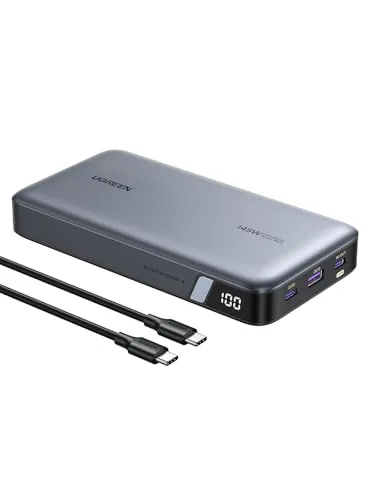
UGREEN Nexode 145W 25000mAh 3-Port Power Bank
UGREEN Nexode PB205, item 90597A. Its labeled ports are USB-C1, USB-C2 and USB-A.
Model PB205
Amazon ASIN B0BJQ7F16T
Differences that matter
What matters most to you?
Choose a priority to see what it changes.
Sources for Single-port profiles vs shared output
Sources for Cable and USB-PD requirements
Sources for Capacity label and display information
Start with your device's port and USB-PD requirement
Both banks offer two USB-C ports and one USB-A. Use the maker’s port labels together with your device’s accepted USB-PD profile to plan which cable goes where.
For the Anker, each USB-C output lists profiles up to 28V/5A, while the bank's total output is 140W maximum. UGREEN lists C1 at 140W max, C2 at 65W max and USB-A at 22.5W max. Those numbers are profile ceilings, not a promise that every port can deliver its maximum at the same time or that a connected device will draw it.
Make a device-to-port list before buying: identify the USB-PD profile each device accepts, the cable rating and which output you plan to use. Anker says 140W requires both a PD 3.1-capable cable and a PD 3.1 device. For either bank, consult the manufacturer’s simultaneous-output table for the exact set of connected devices. Do not add single-port maxima to estimate a shared budget.
Keep capacity labels separate from runtime
UGREEN lists 25,000mAh at 3.6V / 90Wh for SKU 90597A; Anker lists a 24,000mAh total capacity for the A1289. These are manufacturer capacity labels, not a matched estimate of energy delivered to your particular laptop, number of recharges or operating time. The assigned model pages do not provide a controlled runtime comparison for this pair.
If you are choosing between the two based on capacity, compare the exact device's input requirements and the power bank's supported output profiles instead of converting the label into a guaranteed recharge count.
Use the display detail as a question to verify
Anker support identifies screen-time, battery-cycle, battery-health, total-input and total-output display fields for the 737. UGREEN's US product page says the 90597A has an LED display showing remaining power. That description does not establish whether UGREEN's display has only that function, so the available sources do not settle a display-feature winner.
If a specific readout matters to you, check the exact PB205 offer or current manufacturer documentation for that display behavior before buying. The comparison does not judge accuracy or usability of either screen.
Pre-buy checklist: model, cable, and shared-output plan
Match the box or seller photo to the exact model number: Anker A1289 or UGREEN PB205 / 90597A. Check the port labels before planning your cables.
Next write down each device's accepted PD profile and map it to C1, C2 or USB-A. For Anker's listed 140W profile, verify that both the device and cable support PD 3.1. Check the manufacturer's multi-port table for your exact combination; individual output ceilings are not simultaneous-output guarantees.
Treat the mAh and Wh figures as product labels rather than a promise of device runtime. If neither manufacturer's current documentation resolves your exact ports, cable or shared-output needs, keep comparing instead of choosing from headline wattage alone.
Product details
Anker 737 Power Bank (PowerCore 24K)
- Ports and total output
- Two USB-C output ports and one USB-A; 140W maximum total output. Each USB-C port lists profiles up to 28V/5A; this is not 140W per port simultaneously. Source
- 140W cable and device requirement
- Anker says reaching 140W requires a PD 3.1 cable and a device that supports PD 3.1 input. Source
- Capacity label
- 24,000mAh listed total capacity. No number of recharges is inferred. Source
UGREEN Nexode 145W 25000mAh 3-Port Power Bank
- Ports by manufacturer SKU
- UGREEN's U.S. specification for SKU 90597A lists two USB-C ports and one USB-A port. Check the current seller listing's model number and port photo; its title says three USB-C ports. Source
- Listed port maxima
- USB-C1 140W max, USB-C2 65W max and USB-A 22.5W max. The accessible text table does not give a combined allocation for simultaneous ports. Source
- Capacity label
- 25,000mAh / 3.6V / 90Wh listed for SKU 90597A. This is a maker specification, not a runtime or number-of-recharges result. Source
Before you buy
Community discussions
Deciding how much information you want from the power bank screen
Anker 737 Power Bank (PowerCore 24K)
A shopper compared the Anker 737 with a lower-output power bank. They liked the 737’s larger display even though they did not expect to use its highest charging rating.
What to check
Decide what you actually want to see on the screen and which ports you use together. Compare those needs with the documentation for each power bank.
Common questions
Does the UGREEN PB205 have three USB-C ports?
The PB205 / 90597A has two USB-C ports and one USB-A. The manufacturer’s U.S. table and the exact model’s product photo show that layout.UGREEN 145W 25000mAh 3-Port Power Bank, SKU 90597A — UGREEN USUGREEN exact B0BJQ7F16T listing — port panel and PB205 / 90597A article numbers (Amazon Germany)
Can either bank deliver its maximum wattage to every port at once?
Do not assume that. Anker lists 140W maximum total output and port profiles individually; UGREEN publishes per-port maxima and a 145W maximum-output headline, but the accessible text specification does not set out the allocation for every simultaneous combination. Check the exact manufacturer charging table for the devices and ports you will use.Anker 737 Power Bank (PowerCore 24K) — US product pageUGREEN 145W 25000mAh 3-Port Power Bank, SKU 90597A — UGREEN US
What cable do I need for the Anker's listed 140W profile?
Anker says a PD 3.1-capable cable and a device that accepts PD 3.1 input are required to reach 140W. Confirm both against your device documentation and the contents of the exact seller offer.Anker 737 Power Bank (PowerCore 24K) — US product page
Does 25,000mAh mean the UGREEN will run a device longer than the Anker?
No runtime comparison follows from those labels alone. UGREEN's SKU page states 25,000mAh / 3.6V / 90Wh and Anker lists 24,000mAh, but the pages do not provide a matched usable-energy or device-runtime test for this pair.UGREEN 145W 25000mAh 3-Port Power Bank, SKU 90597A — UGREEN USAnker 737 Power Bank (PowerCore 24K) — US product page
Which bank has a more informative display?
Anker support names screen-time, battery-cycle, battery-health, total-input and total-output display fields. UGREEN's page says its display shows remaining power but does not establish whether other readouts are unavailable. The available wording does not support a direct display winner.Anker 737 PowerBank display fields — Anker SupportUGREEN 145W 25000mAh 3-Port Power Bank, SKU 90597A — UGREEN US
Sources and scope
This guide uses manufacturer specifications for Anker A1289 and UGREEN PB205 / 90597A. Exact product images and model identifiers match the UGREEN port panel. Individual port maxima describe single-port profile limits; check the manufacturer’s allocation chart for the combination you will actually use. Capacity and display specifications describe the documented labels and readouts.
Related comparisons
Anker Prime A110A 26K 300W vs Anker 737 A1289 24K
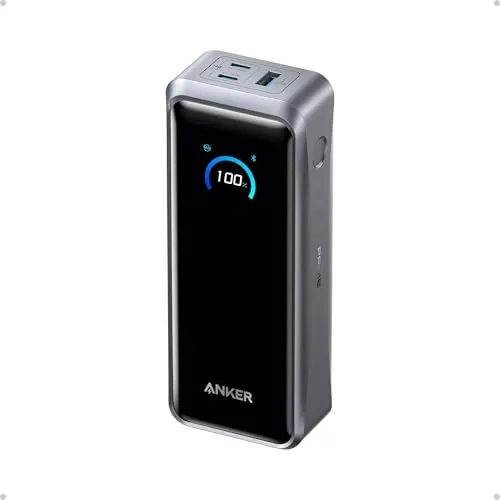
The Prime A110A raises Anker's published total output ceiling to 300W and supports a higher dual-input recharge ceiling, while the 737 A1289 is rated for 140W total. Both list up to 140W from a single USB-C port. Pick the Prime only when your devices and charging setup can use the extra headroom; otherwise the 737's one-laptop output may be enough.
Read comparison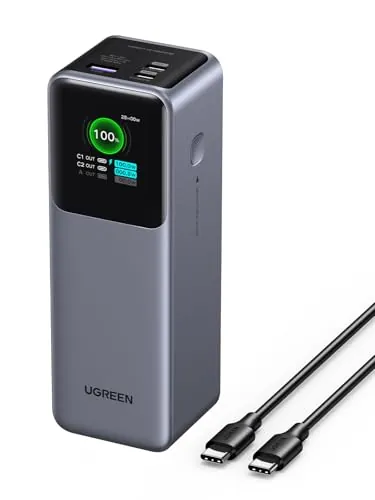
UGREEN 145W vs 200W Power Bank: One Laptop or Two USB-C Devices?
The UGREEN PB205/90597A and model PB722/SKU 35525 both list 25,000mAh (90Wh) and up to 140W from USB-C1. Their combined USB-C allocations differ: the PB205 manual lists 100W+45W on C1+C2, while UGREEN's 35525 page specifies 100W+100W. Choose by the second device's USB-C input and whether you need both ports at once; neither 200W total nor a charger label guarantees compatibility with a particular laptop.
Read comparison