
Products compared
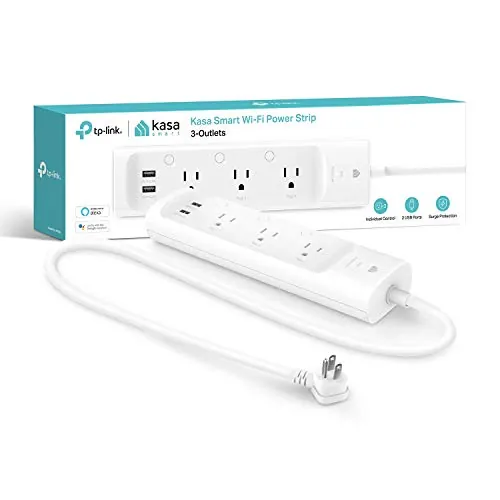
Kasa Smart
Kasa Smart Wi-Fi Power Strip, 3-Outlets
U.S. white three-outlet model. Each AC outlet has an individual physical button and can be controlled or scheduled in the Kasa app over secured 2.4 GHz Wi-Fi. The two USB-A ports are always on.
Model KP303
Amazon ASIN B083JKSSR5
Anker
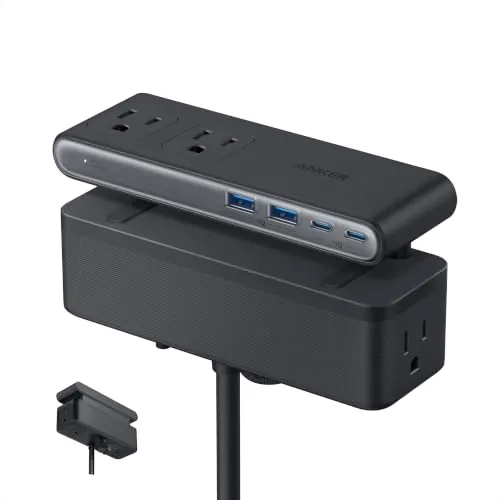
Anker Nano Power Strip (10-in-1, 70W, Clamp)
U.S. black clamp model with six conventional AC outlets, two USB-C ports and two USB-A ports. Anker lists a 0.6–1.8 in desk-thickness range and an edge angle up to 45 degrees; glass and non-clampable edges are excluded from its recommendation.
Model A9196
Amazon ASIN B0FFGZH2S2
Differences that matter
Sources for Desk attachment and clearance
Sources for AC outlets and individual control
Sources for USB ports and charging combination
Start with what you want to control
Kasa KP303 is the direct fit if three AC devices need separate app controls or schedules. You can also press the button beside each AC outlet. The two USB-A ports are always on, so a scheduled lamp does not imply scheduled USB charging.
Anker Nano A9196 is designed around a clamp and a two-zone socket layout: two AC positions above the desk and four below. Its guide describes the knob as a clamp adjustment and the separate reset button as an overload reset. These are not the individual app switches documented for KP303.
Measure the clamp position before considering A9196
Anker specifies a desk thickness of 0.6–1.8 inches and an edge angle of 0–45 degrees for A9196. It says not to use the clamp on glass, curved edges or surfaces without a clampable edge. Check the exact point where the clamp will sit, then look at the body listed above and below the tabletop and at the plugs you plan to connect.
KP303 has no desk clamp. The U.S. Revision 2.0.0 guide says not to mount it on a desk or similar furnishing surface. Check which KP303 revision is in the seller's listing and follow the matching placement instructions.
Match USB charging to the devices you use together
KP303 gives you two always-on USB-A ports; TP-Link's U.S. guide lists 5 V / 2.4 A total output. A9196 has two USB-C and two USB-A ports with a 70 W single-port USB-C maximum, but Anker shows different allocations as more ports are used. In the all-four-port case, its guide lists 45 W on C1, 12 W on C2 and 12 W shared by A1 and A2.
Write down the actual devices you expect to charge at the same time and compare their requirements to the correct port combination. Anker advises connecting laptops requiring more than 45 W to an AC outlet when multiple USB ports are in use. That is a setup check, not a measured charge-time comparison.
Check Wi-Fi and the exact KP303 revision
The current U.S. KP303 page lists a secured 2.4 GHz Wi-Fi connection and Kasa app control for its smart AC outlets. TP-Link's download page lists multiple KP303 hardware versions, so the exact retail unit's revision determines which support documents you should follow. Check the current app and network setup requirements for that version before buying if remote control or scheduling is essential.
For Anker, this guide compares the A9196 clamp, socket arrangement and USB charging instructions documented on the U.S. product page and user guide; it does not infer undocumented smart-home features or compare protective performance.
Product details
Kasa Smart Wi-Fi Power Strip, 3-Outlets
- AC controls and app connection
- Three independently controlled AC outlets with individual buttons and Kasa-app scheduling; product page lists secured 2.4 GHz Wi-Fi. Source
- USB ports
- Two always-on USB-A ports; the KP303 U.S. guide lists 5 V / 2.4 A total output. Source
- Listed dimensions
- 10.2 × 2.5 × 1.5 in (260 × 63.4 × 38.6 mm). Source
Anker Nano Power Strip (10-in-1, 70W, Clamp)
- Ports and desk placement
- Six AC outlets, two USB-C and two USB-A ports; two AC outlets sit above and four below the desk. Clamp is specified for 0.6–1.8 in thickness and edges up to 45°; glass is not recommended. Source
- USB power allocation
- A single USB-C port can provide up to 70 W. With all four USB ports in use, the guide allocates 45 W to C1, 12 W to C2 and 12 W shared by both USB-A ports. Source
- Listed body dimensions
- Overall: 6.02 × 2.06 × 3.97 in; the manufacturer separately lists the above-desk and below-desk sections. Source
Before you buy
Community discussions
Keeping the power strip within reach without taking desk space
Anker Nano Power Strip (10-in-1, 70W, Clamp)
Someone arranging cables below their desk asked where to put equipment. A reader named the clamp-on Anker Nano 10-in-1 as a desk-layout option.
What to check
Measure your desk edge and check where the ports would face. Decide which cords would need to reach each spot and where you want the controls.
Common questions
Can I schedule USB charging on the KP303?
The KP303 product page and U.S. guide describe its USB ports as always on. Individual app controls and schedules apply to the three AC outlets, not to the USB charging ports.Kasa Smart Wi-Fi Power Strip KP303 U.S. product specificationTP-Link KP303 U.S. User Guide, Revision 2.0.0
Does the Anker A9196 provide 70 W to USB-C1 when all four USB ports are used?
No. Its port allocation diagram shows C1 at 45 W, C2 at 12 W and 12 W shared by the two USB-A ports for the all-four-port case. Anker advises using an AC outlet for laptops requiring more than 45 W when multiple USB ports are in use.Anker Nano Power Strip A9196 User Guide (U.S.)Anker Nano Power Strip A9196 U.S. product page
Will the A9196 clamp fit any desk edge that is less than two inches thick?
Not necessarily. Anker lists a 0.6–1.8 inch thickness range and an edge angle up to 45 degrees, and says it does not recommend glass surfaces, curved edges or desks without a clampable edge. Measure the actual mounting point before buying.Anker Nano Power Strip A9196 U.S. product pageAnker Nano Power Strip A9196 User Guide (U.S.)
Does Kasa's app control all five KP303 ports?
The manufacturer documents app control and individual buttons for the three AC outlets. It describes the two USB ports as always on, so do not count them as independently switched or scheduled ports.Kasa Smart Wi-Fi Power Strip KP303 U.S. product specificationTP-Link KP303 U.S. User Guide, Revision 2.0.0
Sources and scope
This is a manufacturer-document comparison of the U.S. black Anker A9196 and U.S. white Kasa KP303, not an electrical safety, surge, charging-speed or hands-on test. The Anker guide’s port table describes power allocation by device combination; the 70 W maximum is not a guarantee for every simultaneous load. TP-Link publishes multiple KP303 hardware versions, and the hardware revision of the selected listing is not established here; check the label and matching guide before relying on version-specific app steps. No head-to-head surge-protection superiority, charging result or reliability claim is made.
- Kasa Smart Wi-Fi Power Strip KP303 U.S. product specification
- TP-Link KP303 U.S. User Guide, Revision 2.0.0
- TP-Link KP303 U.S. support and hardware-version downloads
- Anker Nano Power Strip A9196 U.S. product page
- Anker Nano Power Strip A9196 User Guide (U.S.)
- Anker Nano A9196 product description and support downloads
Related comparisons
Anker 351 A9192 vs Belkin PivotPlug BP112230-08: USB, Outlet Angle, or Cord Reach?
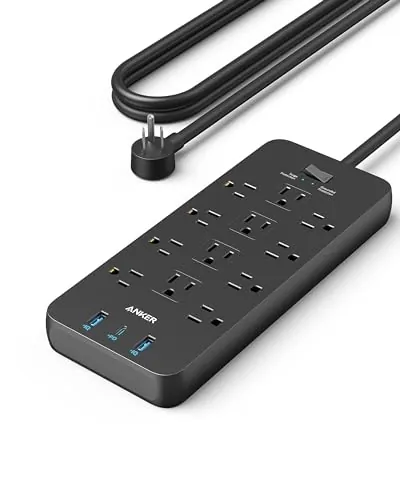
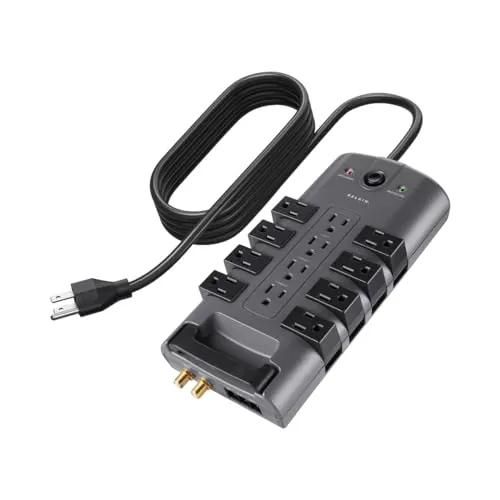
The Anker 351 A9192 adds USB-C and USB-A ports, published wall-mounting slots, and a 5-foot cord. Belkin's BP112230-08 PivotPlug has eight rotating and four fixed AC outlets plus an 8-foot cord. Pick Anker if its 5-foot route and fixed outlet layout suit your desk and you want integrated USB; pick Belkin when the longer cord or rotating outlets fit the actual plug arrangement. Neither outlet count guarantees that every bulky adapter will fit.
Read comparison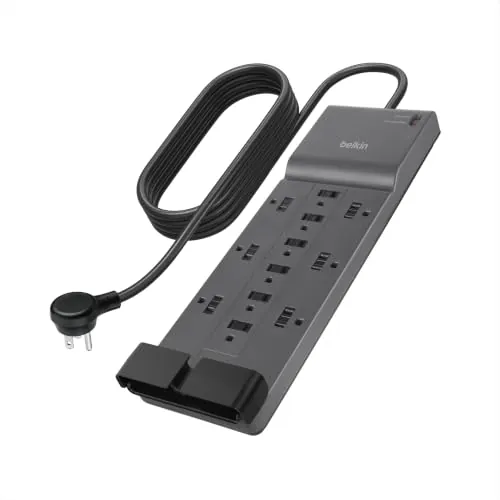
Belkin SRA009p12tt8 vs PivotPlug BP112230-08: Outlet Layout and Connections
Both Belkin strips list twelve AC outlets and an eight-foot cord. The SRA009p12tt8 has six block-spaced outlet positions in a fixed layout; the PivotPlug BP112230-08 has eight rotating and four stationary outlets, plus listed coax and one-in/two-out RJ11 line connections. Lay out your actual adapters and identify any signal cable requirement before buying. This is a connector and placement comparison, not a surge-performance test.
Read comparison