
Products compared
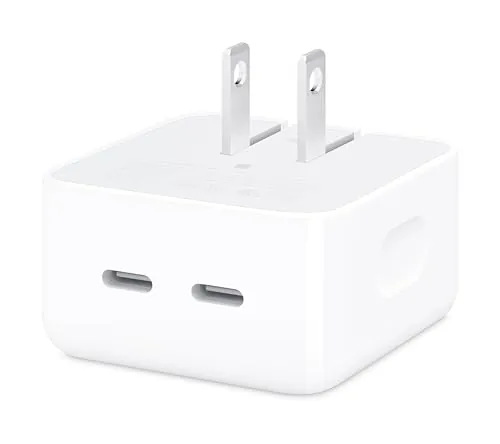
Apple
Apple 35W Dual USB-C Port Compact Power Adapter
Apple identifies MW2H3AM/A as its compact 35W dual USB-C adapter for connecting two devices. Check that exact model number on the offer; Apple also sells a separate standard 35W dual-port adapter.
Model MW2H3AM/A
Amazon ASIN B0D1XRRQZJ
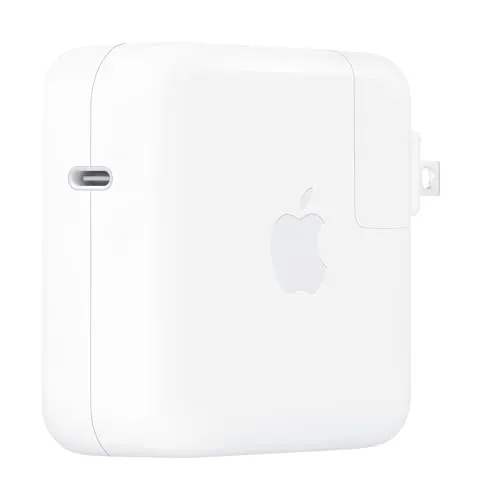
Apple
Apple 70W USB-C Power Adapter
Apple identifies MXN53AM/A as its 70W USB-C adapter and lists specific MacBook sizes and cable types for this setup. The charging cable is sold separately; check your exact MacBook model before ordering.
Model MXN53AM/A
Amazon ASIN B0DCHK3ZMW
Differences that matter
What matters most to you?
Choose a priority to see what it changes.
Sources for How many devices connect at once
Sources for Which MacBook Apple names
Sources for Cable and box contents
Sources for What the output figures establish
Start with the second device you need to charge
The 35W Dual USB-C Compact adapter is the only one of these two products with Apple-documented two-device charging. Apple’s page says it can connect two devices at once and specifically recommends the Compact adapter with MacBook Neo and MacBook Air for buyers who want another charging port. That is a connection-count advantage, not a claim that every two-device combination receives equal or sufficient power.
Apple’s support instructions set the 35W boundary: power is automatically distributed and total output cannot exceed 35W. For the stated Mac laptop plus iPhone or iPad example, Apple describes up to 17.5W per device. If your Mac needs more power, Apple’s instruction is to disconnect the other device. Use the example as a compatibility check for that kind of pair, not a prediction for all phones, tablets or laptops.
Match the 70W recommendation to your MacBook size and cable
Apple’s captured 70W product page names a 14-inch MacBook Pro and 13- or 15-inch MacBook Air for its recommended pairing, with a USB-C to MagSafe 3 cable or USB-C charge cable. The 70W adapter is shown with one USB-C receptacle, so it serves a different routine from the 35W compact adapter’s two-port setup.
Apple describes charging up to 50 percent in around 30 minutes for MacBook Air (2022 and later), with timing affected by settings and conditions. Treat this as a qualified manufacturer statement for those Air models, not as a tested comparison or a promise for every MacBook.
Check the exact adapter and cable before checkout
Neither box includes a charging cable. Apple lists the 35W adapter alone in its box contents, and its 70W pairing guidance says the cable is sold separately. Check the connector at both ends: Apple names USB-C to MagSafe 3 or USB-C charge cable for the 70W MacBook pairings in the captured listing.
Before ordering from a marketplace, compare the listing’s adapter model with the MacBook size/year and your required device count. The assigned 35W Amazon listing data row has a conflicting part_number field; the assigned model MW2H3AM/A is supported by its exact Apple product URL and the published comparison source. If the marketplace variant label does not match, pause and confirm the listing rather than assuming the similar product title is enough.
No source here establishes exact charging time for your device combination, measured efficiency or heat, or a universal winner. Choose on Apple’s named model/cable guidance and the ports you need.
Product details
Apple 35W Dual USB-C Port Compact Power Adapter
- Ports and device count
- Two USB-C ports; Apple says two devices can be connected at the same time. Output is shared within a 35W total maximum. Source
- Apple MacBook guidance
- Apple currently recommends it with MacBook Neo and MacBook Air for buyers who want the flexibility of an additional charging port. Source
- In the box
- Adapter only; charging cable sold separately. Source
Before you buy
Community discussions
Do you normally plug in one device or two?
Apple 35W Dual USB-C Port Compact Power Adapter
A user of a compact Apple dual-port 35W adapter carried it to school to connect a MacBook and an iPad together.
What to check
List the devices you plug in away from home and compare Apple’s stated power for the ports you would use.
Common questions
Can Apple’s 35W compact adapter charge two devices at once?
Yes. Apple says the dual-port adapter can charge two devices simultaneously. Its support page gives a Mac laptop with iPhone or iPad as an example receiving up to 17.5W per device within a 35W total maximum; if a device needs more power, Apple advises disconnecting the other device. This is not an allocation guarantee for every pairing.35W Dual USB-C Port Compact Power AdapterHow to use the 35W Dual USB-C Port Power Adapter
Which MacBook does Apple pair with the 70W adapter?
The captured Apple product page names a 14-inch MacBook Pro and 13- or 15-inch MacBook Air, using a USB-C to MagSafe 3 or USB-C charge cable. Check the exact generation against current Apple guidance before ordering.Apple Support: Use a power adapter with your Mac
Does either adapter include the charging cable?
No. Apple says the 35W adapter is the only item in its box and its page says the cable is sold separately. Apple’s captured 70W guidance also says the cable is sold separately.35W Dual USB-C Port Compact Power AdapterApple Support: Use a power adapter with your Mac
Will 70W charge my MacBook faster than 35W?
This comparison does not establish a measured difference. Apple publishes a model-specific 70W fast-charge statement for MacBook Air (2022 and later), with settings and environmental conditions affecting results; it is not a universal result against this 35W adapter.Apple Support: Use a power adapter with your Mac
Sources and scope
Use Apple’s charging guide for the exact Mac model and cable you have. The 35 W Compact part listed here is MW2H3AM/A and the 70 W part is MXN53AM/A. Check those part numbers and the included items on the retailer listing.
Related comparisons
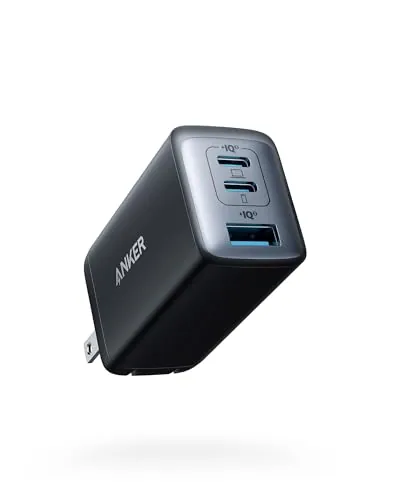
Apple 35W Dual USB-C Compact vs Anker 735 Nano II 65W: Match the Ports to Your Devices
Both chargers have two USB-C ports, but the power plan differs. Apple documents a 35W total ceiling and example splits for common two-device combinations. Anker’s 735 Nano II A2667 has two USB-C ports plus USB-A, with output changing by the exact ports in use. Choose after listing each device’s required input and cable; total wattage alone does not tell you what each connected device receives.
Read comparison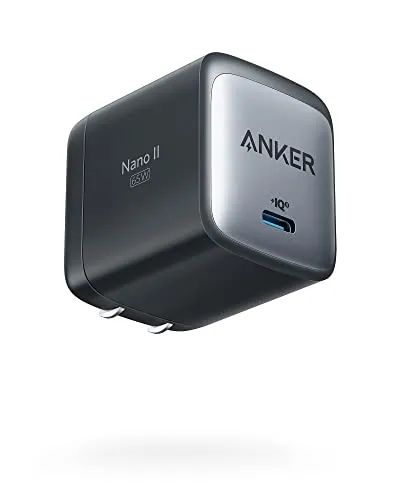
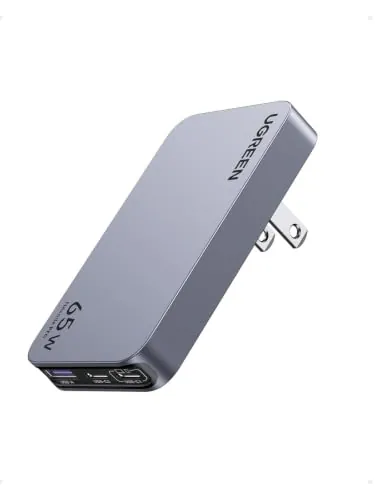
Anker 715 Nano II 65W vs UGREEN Nexode Pro 65W Ultra-Slim: Ports and Power Sharing
These exact U.S. 65W chargers solve different desk and travel problems. Anker's 715 (A2663) has one USB-C port rated up to 65W, so it keeps that output available to one connected device. UGREEN's Nexode Pro 65W Ultra-Slim (U.S. SKU 15817; model label CD335) adds two USB-C ports and one USB-A port, but its published output allocation changes when ports are used together: for example, C1+C2 is listed as 45W+20W, while all three ports are listed as 45W on C1 and 15W shared by C2 and USB-A. Check your laptop's input requirement and the devices you expect to charge together before choosing. These are maker specifications, not measured charging results or a promise that every device will negotiate the listed maximum.
Read comparison