Products compared
Apple
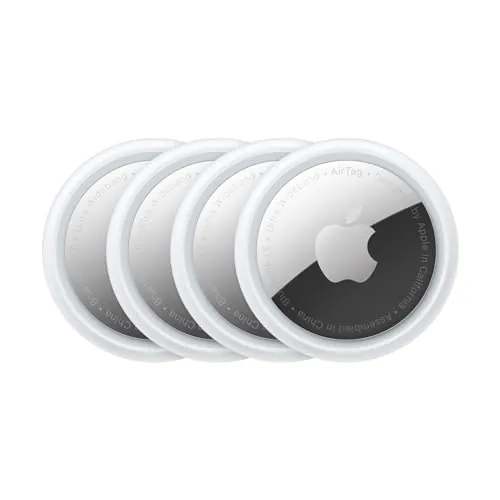
Apple AirTag (1st generation), 4-pack
U.S. four-pack listed under this comparison’s exact model. Apple identifies first-generation AirTag hardware as introduced in 2021; do not confuse this product with a later generation.
Model MX542LL/A
Amazon ASIN B0D54JZTHY
UGREEN
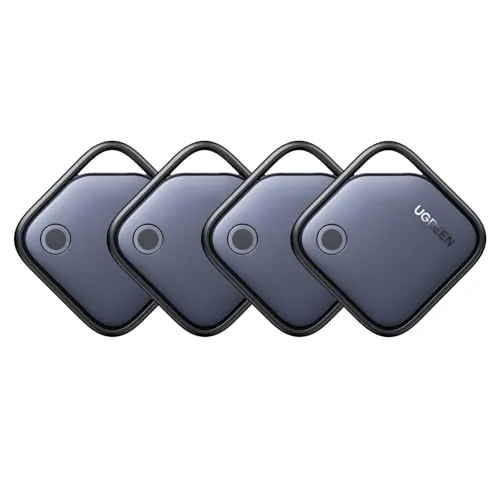
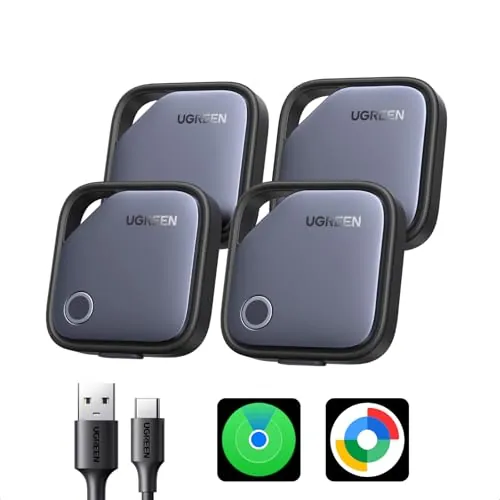
UGREEN Finder Duo Air Tracker Tags, 4-pack
US listing names a four-count Finder Duo pack and exact model 75646P. The official technical page reviewed is Australia-localized; confirm the selected US offer, OS requirements and included charging accessories.
Model 75646P
Amazon ASIN B0FRLWSGPW
Differences that matter
What matters most to you?
Choose a priority to see what it changes.
Sources for Phone ecosystem and account setup
Sources for Enrollment when opening a four-pack
First check the exact four-pack
This comparison covers Apple model MX542LL/A, listed by a U.S. retailer as a first-generation AirTag four-pack, and UGREEN U.S. ASIN B0FRLWSGPW, whose listing identifies model 75646P and four items. UGREEN’s manufacturer page calls SKU 75646P FineTrack Duo. Match the model at checkout rather than substituting a newer AirTag or another UGREEN tracker.
At checkout, match the ASIN and model printed on the offer and verify the quantity shown for the current seller. Both products here are four-packs; their boxes are not represented as containing identical accessories or charging cables.
Choose the app before assigning tags to belongings
AirTag is designed around Apple’s Find My setup: the first-generation requirements list an Apple Account and compatible iPhone/iPad software. If you are pairing several at once, Apple says to bring only one AirTag near the phone or tablet at a time when it detects multiple tags. That is a setup sequence, not a claim that the four-pack cannot be managed after enrollment.
UGREEN advertises Finder Duo for Apple Find My or Google Find Hub. The important qualifier is per tag: a tag cannot pair with iOS and Android simultaneously. If Android Find Hub is required, this is the distinguishing workflow. UGREEN’s accessible manufacturer source is Australia-localized and says some sharing functions need iOS 17 or Android 9 or later; check the current U.S. requirements for the feature you plan to use before buying.
Compare the maintenance routine, not a runtime winner
Apple specifies a user-replaceable CR2032 coin cell for AirTag. UGREEN’s 75646P manufacturer copy describes USB-C charging and rates up to 365 days per charge. That rating belongs to UGREEN and is not a matched battery-life comparison with AirTag.
There is a source conflict to resolve before choosing on battery serviceability: the U.S. UGREEN listing’s product bullets describe USB-C rechargeable trackers and no disposable batteries, while its product-information table says four lithium-metal batteries are required. The official Australia page also has a generic four-battery spec-table entry alongside its USB-C charging copy. The charging claim is clear, but the battery-table wording is not; confirm construction and included components with UGREEN if those details matter.
A practical pre-buy plan for a luggage set
Make a four-item list—such as two checked bags, a backpack and keys—then decide which phone ecosystem will own each tag. If the group uses Android and needs Find Hub, UGREEN documents that option, but still assign one network per tag and verify U.S. software requirements. If the group is already organized around Apple accounts and prefers replaceable coin cells, AirTag’s published workflow is the more direct fit.
Before placing the tags, complete setup sequentially, record which app/account each one belongs to, and note the maintenance plan: CR2032 replacement for AirTag, or UGREEN's USB-C charge routine after verifying its conflicting battery metadata. Neither product source establishes superior range, how quickly a lost item will appear, or real-world runtime, so make the choice on ecosystem and upkeep rather than a tracking promise.
Product details
Apple AirTag (1st generation), 4-pack
For an Apple-account household that wants to keep every tag in Find My and prefers replacing a CR2032. Apple’s setup instructions advise presenting tags one at a time during enrollment if the phone detects more than one nearby.
- Pack and model
- Four individual first-generation AirTags; US seller page identifies model MX542LL/A Source
- Setup requirement
- Apple Account and compatible iPhone/iPad; first-generation setup requirements list iOS or iPadOS 14.5 or later Source
- Battery
- User-replaceable CR2032 coin cell Source
- Setup with multiple tags
- When adding more than one AirTag, Apple says to bring only one near the device at a time if multiple are detected Source
UGREEN Finder Duo Air Tracker Tags, 4-pack
Consider it if the choice of Apple Find My or Google Find Hub and a USB-C charging routine fits your household. Each tracker uses one platform at a time. The US listing’s product bullets describe USB-C recharge, while its product-information table also says four lithium-metal batteries are required; confirm this conflicting field with UGREEN if battery construction or included cells affects your decision.
- Pack and exact model
- The US ASIN listing identifies 4 count and model 75646P Source
- Finding platform
- UGREEN lists Apple Find My or Google Find Hub; a tag cannot pair to iOS and Android simultaneously Source
- Charging
- UGREEN's product copy describes USB-C charging and rates up to 365 days per charge; this is a maker rating, not a comparative runtime result Source
Before you buy
Community discussions
A prospective buyer weighs a Google Find Hub 4-pack
UGREEN Finder Duo Air Tracker Tags, 4-pack
A shopper considering the Finder Duo four-pack planned to use it with Google Find Hub and was looking at its USB-C charging option.
What to check
Check which finding network and charging method the seller lists for the exact four-pack you want.
Common questions
Can one UGREEN Finder Duo tag be enrolled in Apple Find My and Google Find Hub at the same time?
No. UGREEN's exact 75646P page and US listing say one platform at a time per tag. Pick the network before enrolling and confirm UGREEN's current reset/switch instructions before changing it.UGREEN FineTrack Duo for iOS or Android, USB-C rechargeable, SKU 75646PUGREEN Finder Duo Air Tracker Tags 4-Pack — US ASIN B0FRLWSGPW
Should I enroll all four AirTags at once?
Apple's setup instructions say that if more than one AirTag is detected near the iPhone or iPad, bring only one near the device at a time. Pair the tags sequentially and label each for its intended item.How to add an AirTag to Find My
Is UGREEN Finder Duo rechargeable or does it use replaceable cells?
UGREEN's product copy describes USB-C charging and up to 365 days per charge, but the exact US listing's product-information table also says four lithium-metal batteries are required. Because those fields conflict, confirm the battery details with UGREEN before buying if this affects your choice.UGREEN FineTrack Duo for iOS or Android, USB-C rechargeable, SKU 75646PUGREEN Finder Duo Air Tracker Tags 4-Pack — US ASIN B0FRLWSGPW
Sources and scope
This compares documented setup and battery-maintenance options; it does not test location updates, range, recovery, or battery runtime. The available UGREEN manufacturer page is Australia-localized, and the U.S. listing has conflicting battery fields. Confirm U.S. requirements and package details before purchase.