
Products compared
Apple
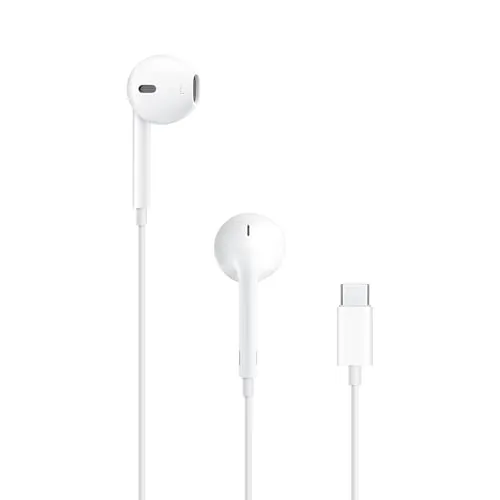
Apple EarPods (USB-C)
Wired earbuds with a USB-C connector, built-in microphone and inline controls for volume, music/video playback and calls.
Model MYQY3AM/A
Amazon ASIN B0DCH8VDXF
Panasonic
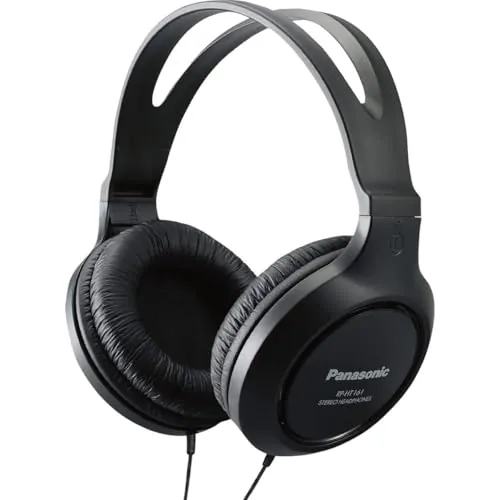
Panasonic RP-HT161-K Over-Ear Headphones (Black, Without Mic)
Full-size around-ear headphones in black, with an adjustable headband, 3.5 mm plug, 6.5-foot cord and no microphone on this variant.
Model RP-HT161-K
Amazon ASIN B075LT8YLR
Differences that matter
What matters most to you?
Choose a priority to see what it changes.
Sources for Native plug and documented host requirements
Sources for Wearing format
Sources for Remote, calls and microphone
Sources for Cord and storage routine
Start with the port and the exact host
Apple EarPods connect with USB-C, but Apple describes a specific compatibility set: USB-C Macs on macOS Monterey 12.6 or later, USB-C iPads on iPadOS 16.4 or later, and USB-C iPhones on iOS 17 or later. Use that list to check the device you actually plan to use rather than treating the connector shape as universal proof.
The Panasonic RP-HT161-K uses a 3.5 mm plug according to its exact-model quick guide. It is the straightforward fit only when your device has a compatible headphone audio output. If you need an adapter, this comparison does not establish that the adapter will preserve microphone or remote functions.
Then choose the wearing and call-control format
EarPods are earbuds; the Panasonic has padded cups that surround the ears and an adjustable headband. This describes form, not a comfort test, and people's fit preferences differ.
Apple documents an inline remote for volume and media playback plus call answering/ending, along with a built-in microphone. Panasonic's exact RP-HT161-K black selection is listed without a microphone. If calls matter, confirm the variant and whether its documented controls meet your needs before ordering.
Use cable reach as a final practical check
Panasonic lists a 6.5-foot audio cord, which can matter if the 3.5 mm source sits away from your chair. Apple does not list the EarPods cable length in the reviewed page, so that value remains unknown here.
Before choosing for a TV, laptop or desktop, check where the compatible audio output sits and how you will route the cable. Neither source provides a head-to-head reach or tangling test.
Product details
Apple EarPods (USB-C)
- Connector and host requirements
- USB-C plug; Apple lists compatible USB-C Mac models on macOS Monterey 12.6 or later, USB-C iPad models on iPadOS 16.4 or later, and USB-C iPhone models on iOS 17 or later. Source
- Remote and microphone
- Built-in remote adjusts volume, controls music/video playback, and answers or ends calls; Apple also lists a built-in microphone. Source
- Wearing style
- Earbud-style headphones; one EarPods with USB-C connector is listed in the box. Source
Panasonic RP-HT161-K Over-Ear Headphones (Black, Without Mic)
- Connector
- The exact RP-HT161 quick guide specifies a 3.5 mm (1/8-inch) plug; connect it to a compatible headphone output. Source
- Selected variant and wearing style
- RP-HT161-K, black, without microphone; padded cups surround the ears and the headband adjusts. Source
- Cord
- Manufacturer lists a 6.5-foot audio cord. Source
Before you buy
Community discussions
Connecting headphones to a phone without a 3.5 mm jack
Apple EarPods (USB-C)
A phone owner without an analog headphone jack linked the USB-C EarPods they had chosen.
What to check
Check which audio connector your phone or computer supports. Decide whether you want to plug in directly or carry a separate adapter.
Choosing the correct EarPods connector
Apple EarPods (USB-C)
A buyer comparing wired EarPods asked how to distinguish the USB-C, Lightning and 3.5 mm versions by part number.
What to check
Match the connector and full part number to your device and to the headphones’ controls you want to use.
Choosing corded headphones without a microphone
Panasonic RP-HT161-K Over-Ear Headphones (Black, Without Mic)
A shopper looking for corded over-ear headphones without a microphone for work linked the Panasonic RP-HT161-K pair they had tried.
What to check
Check the connector, microphone and cord requirements for the device or workplace where you’ll use the headphones.
Common questions
Will the EarPods USB-C work with any device that has a USB-C port?
Apple's product page lists specific USB-C Mac, iPad and iPhone models and minimum operating systems. It does not establish universal support for every USB-C host. If your device is not in those Apple categories, verify its support for this exact EarPods model before buying.EarPods (USB-C), MYQY3AM/A — Apple US
Does this Panasonic RP-HT161-K have a microphone for calls?
No. The black RP-HT161-K variant is listed without a microphone. Panasonic shows a separate with-microphone option, so check the model label and suffix on the selected item.Panasonic RP-HT161-K Over Ear Headphones — Black, without mic
What should I check before choosing the Panasonic plug?
The RP-HT161 guide identifies a 3.5 mm (1/8-inch) plug. Confirm that the device has a compatible headphone output. This guide does not verify adapter-based microphone or button behavior.Panasonic RP-HT161 Quick GuidePanasonic RP-HT161 3.5 mm plug specifications (Germany, same model family)
Sources and scope
This is a source-based connection and format guide, not a sound, comfort, fit, isolation, microphone-quality or durability test. Apple’s stated compatibility list is limited to its documented USB-C Mac, iPad and iPhone combinations; compatibility with other hosts is not established here. The Panasonic quick guide is an exact-model official source reused from the upstream comparison; its PDF text was not extractable in this fresh lookup.
Related comparisons
Sony WH-1000XM5 vs WH-1000XM6: Is the Upgrade Worth It for Office Noise?
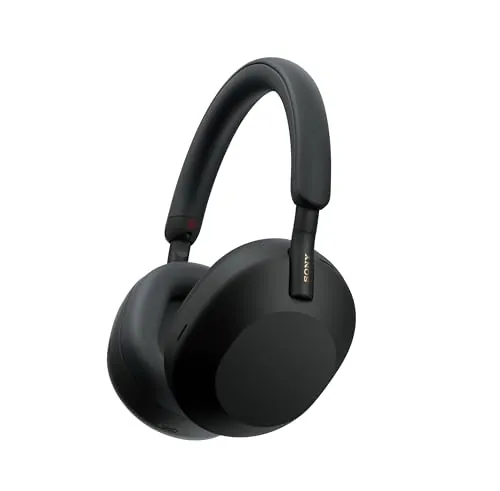
Sony rates both headphones for up to 30 hours with noise canceling on and 40 hours off, so battery life is not a stated-generation upgrade. RTINGS' current public direct-pair verdict says XM6 reduces mid-range noise such as office chatter and keyboard clacks more effectively, but its softer pads can lose their seal more easily with glasses or small shifts. If your XM5 already handles your commute and calls, the XM6 changes matter most when that office-noise improvement is a problem you will use and the new fit feels secure.
Read comparison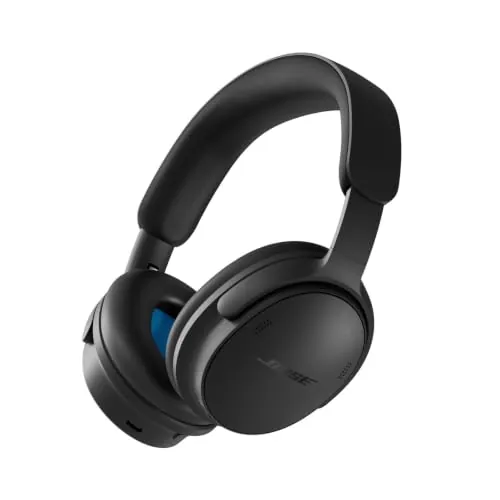
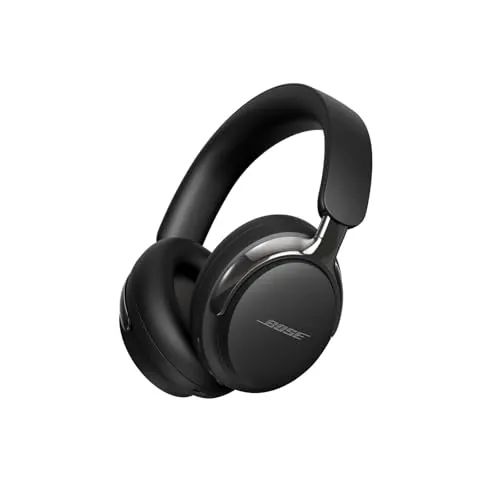
Bose QuietComfort (2nd Gen) vs QuietComfort Ultra (2nd Gen)
Both second-generation Bose models offer noise cancellation and USB-C wired listening, but Bose positions the Ultra as its premium model with CustomTune, Immersive Audio, and a capacitive volume strip. Bose's stated battery maximums differ by 6 hours with ANC on / in Bose's Quiet mode; RTINGS reports 27 hours for its tested QuietComfort sample and 37 hours for Ultra (2nd Gen). RTINGS describes the QuietComfort (2nd Gen)'s noise isolation as on par with Ultra (2nd Gen), so the available evidence does not establish that the Ultra cancels more noise in a direct controlled comparison.
Read comparison