
Products compared
Apple
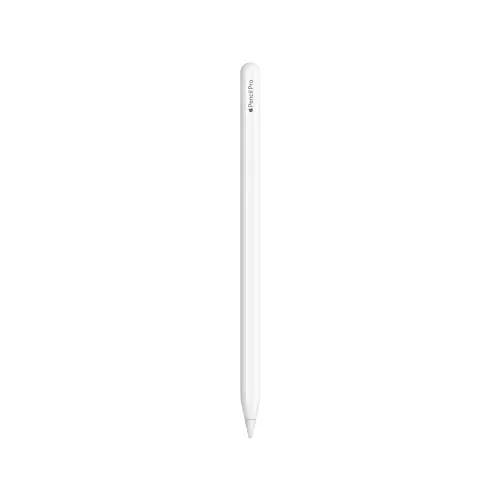
Apple Pencil Pro
Apple Pencil Pro, part MX2D3AM/A. Apple's U.S. product page lists compatible iPad models, iPadOS 17.5 or later, pressure sensitivity, and magnetic pairing and charging.
Model MX2D3AM/A
Amazon ASIN B0D3J71RM7
Apple
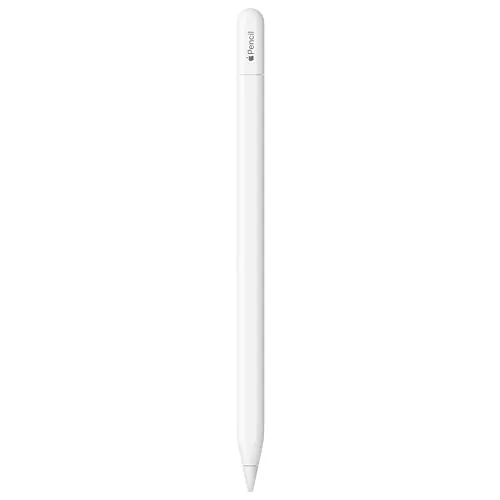
Apple Pencil (USB-C)
Apple Pencil (USB-C), part MUWA3AM/A. Apple's U.S. product page lists a broader set of older compatible iPad generations, iPadOS 17.1.1 or later, and cable-based pairing and charging with magnetic attachment for storage.
Model MUWA3AM/A
Amazon ASIN B0CL7J12YK
Differences that matter
What matters most to you?
Choose a priority to see what it changes.
Sources for Exact iPad model and minimum iPadOS
Sources for Pressure input and shortcut controls
Sources for Pairing, charging and magnetic storage
Start by matching your iPad
The deciding first step is compatibility, not the Pencil's marketing name. Apple's current U.S. pages list Pencil Pro for selected iPad Pro models with M4 or M5, iPad Air models with M2, M3 or M4, and mini models with A17 Pro or A20 Pro; its stated minimum is iPadOS 17.5.
Apple's USB-C list includes those selected newer families plus earlier iPad Pro 11-inch and 12.9-inch generations, iPad Air 4th/5th generation, standard iPad 10th generation/A16, and mini 6th generation. Its stated minimum is iPadOS 17.1.1. Check your exact model against the current list because a family name alone cannot tell you whether a Pencil fits.
Choose by the input tools you will use
If both Pencils are compatible, Pro is the documented pick for pressure-based input and its named shortcuts. Apple's feature comparison lists pressure sensitivity and Pro's squeeze, barrel roll, haptic feedback, double tap and Find My features. Apple lists tilt sensitivity for both models.
USB-C is described for note-taking, sketching and marking up documents. Apple's comparison marks pressure sensitivity and the Pro-only controls with a dash for USB-C. If your decision depends on a particular drawing app or measured line behavior, verify that app's requirements separately; the manufacturer feature list does not establish which Pencil draws better.
Plan for the pairing and charging routine
Pencil Pro attaches, pairs and charges magnetically on the side of a compatible iPad. Apple describes USB-C differently: use a USB-C Charge Cable for pairing and charging; the magnetic edge attaches the Pencil for storage. So a tidy side-of-iPad storage routine is available with both, while magnetic charging is documented for Pro.
Before ordering USB-C, make sure a compatible cable is available for setup and charging. Do not treat the magnetic storage connection as a charging connection.
A quick pre-buy checklist
1. Identify your exact iPad name and check Apple's current Pencil compatibility list. 2. Check that iPad's software version meets the relevant minimum. 3. If both Pencils are supported, decide whether pressure sensitivity and Pro's shortcut controls matter to you. 4. Choose magnetic pairing/charging with Pro or cable-based pairing/charging with USB-C.
If neither compatibility list clearly matches your iPad, pause and confirm the model with Apple before buying. No compatibility conclusion should be inferred from a similar iPad size, a family label, or a Pencil's magnetic fit.
Product details
Apple Pencil Pro
- Compatibility and minimum OS
- Apple lists selected iPad Pro 11-inch and 13-inch (M4/M5), iPad Air 11-inch and 13-inch (M2/M3/M4), and iPad mini (A17 Pro/A20 Pro); iPadOS 17.5 or later. Source
- Input features
- Apple's feature comparison lists pressure sensitivity, squeeze, barrel roll, haptic feedback, double tap and Find My for Apple Pencil Pro. Source
- Pairing, charging and storage
- Apple says Pro attaches, pairs and charges magnetically on the side of a compatible iPad. Source
Apple Pencil (USB-C)
- Compatibility and minimum OS
- Apple lists iPad Pro 12.9-inch (3rd–6th generation), 11-inch (1st–4th generation) and selected M4/M5 models; iPad Air (4th/5th generation) and 11-inch/13-inch (M2/M3/M4); iPad (10th generation/A16); and iPad mini (6th generation/A17 Pro/A20 Pro). iPadOS 17.1.1 or later. Source
- Input features
- Apple lists tilt sensitivity for both models, but its feature comparison marks pressure sensitivity and Pro's squeeze, barrel-roll, haptic-feedback, double-tap and Find My features for Pro only. Source
- Pairing, charging and storage
- Apple says USB-C pairs and charges through a USB-C Charge Cable and attaches magnetically to the iPad for storage. Source
Before you buy
Community discussions
Checking the Pencil generation for an A16 iPad
Apple Pencil (USB-C)
A shopper considering the 11-inch iPad with an A16 chip asked whether they should buy the Pencil Pro or the USB-C Pencil for notes and drawing.
What to check
Find the exact iPad model and check Apple’s compatibility list before deciding which Pencil features matter.
Deciding whether pressure control matters for notes
Apple Pencil Pro
An iPad Air shopper who planned mainly to take notes asked whether the Pencil Pro’s pressure sensitivity would matter when writing.
What to check
Think about whether your main apps use pressure-sensitive strokes. Also check the pairing, charging and storage routine for each compatible Pencil.
Common questions
Will Apple Pencil Pro work with every iPad Pro or iPad Air?
No. Apple's current Pro page lists specific chip generations for iPad Pro and Air, along with select iPad mini models. Match your exact iPad model and iPadOS version to the current list before buying.Buy Apple Pencil Pro - AppleApple Pencil - Apple
Does Apple Pencil (USB-C) charge when it is attached magnetically?
Apple says the USB-C model pairs and charges through a USB-C Charge Cable and attaches magnetically to the iPad for storage. Pro is the model Apple describes as pairing and charging magnetically.Buy Apple Pencil (USB-C) - AppleBuy Apple Pencil Pro - Apple
Which model has pressure sensitivity?
Apple's feature comparison lists pressure sensitivity for Apple Pencil Pro and marks it with a dash for Apple Pencil (USB-C). Both are listed with tilt sensitivity. This is a feature comparison, not a drawing-performance test.Apple Pencil - Apple
Sources and scope
Compatibility lists and minimum iPadOS versions reflect Apple's U.S. pages checked on November 25, 2026; confirm your exact iPad and current software against Apple's latest list before ordering. No hands-on drawing, latency, pressure-response, comfort, battery-life or reliability testing was performed, and prices were not assessed.