
Products compared
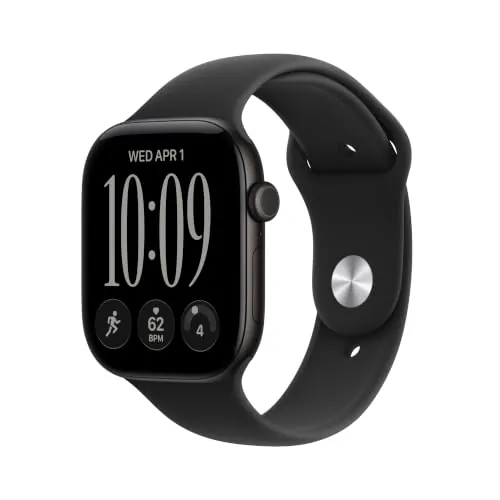
Apple
Apple Watch Series 12 GPS 46mm, Black Aluminum with Black Sport Band (MJEL4LS/A)
GPS configuration; 46mm black aluminum case; listed variants lists a black Sport Band in M/L.
Model MJEL4LS/A
Amazon ASIN B0HJBCGY95
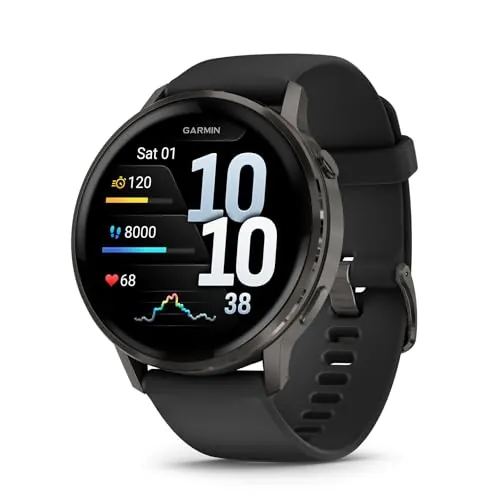
Garmin
Garmin Venu 4 45mm, Slate with Black Silicone Band (010-03014-00)
45mm Slate configuration with black silicone band.
Model 010-03014-00
Amazon ASIN B0FRG18TLS
Differences that matter
What matters most to you?
Choose a priority to see what it changes.
Sources for Exact case and band configuration
Sources for Charging cable and adapter
Sources for Manufacturer battery statements
Start with the phone already in your pocket
These are different companion-phone choices. Apple's Series 12 setup guide currently specifies an iPhone 11 or later running iOS 27 or later and uses the Watch app to pair. Apple's Series 12 technical-specifications page also lists the iPhone SE (2nd generation or later), which conflicts with the setup guide's wording. If an SE is your only iPhone, confirm support with Apple before choosing this watch.
Garmin says Venu 4 supports compatible iPhone and Android phones. Its manual says to pair through Garmin Connect for connected features and points buyers to Garmin's compatibility information. Check the exact phone model and the features you plan to use rather than assuming Bluetooth alone guarantees every function.
Check the actual case and band configuration
The assigned Apple unit is MJEL4LS/A: a GPS Series 12 with a 46mm black aluminum case and a black Sport Band. The assigned Garmin is Venu 4 45mm Slate, model 010-03014-00, with a black silicone band. The numbers 46mm and 45mm label the case sizes, not a promise that either will fit your wrist the same way.
Apple's Series 12 specs identify a 46mm case for this GPS configuration. Garmin offers Venu 4 in 41mm and 45mm variants, and the assigned model is the 45mm Slate configuration. These size labels are close but do not establish how either watch will feel on your wrist; confirm the band and case option on the exact retailer listing.
Plan the charging spot and cable before you order
Apple's fast-charge route depends on the USB-C Magnetic Fast Charging Cable and a supported USB-C power adapter: an Apple adapter from its listed wattages, or a comparable third-party USB-C adapter with USB-PD at 5W or greater. Apple says a WPT-labeled magnetic puck does not support fast charging. Its stated 15-minute top-up is up to 12 additional hours, and actual charging results vary with conditions.
Garmin's Venu 4 manual says the watch uses a proprietary charging cable, with the other end connected to a USB-C computer port or an AC adapter rated at least 5W. Garmin's manual lists up to 12 days for the 45mm Venu 4 in smartwatch mode, but says enabled features affect actual battery life. Those maker statements use unlike conditions, so this guide does not treat them as a head-to-head endurance result.
The generic Apple specifications page describes what's in the box for the model family, but it does not verify the contents of this exact MJEL4LS/A retailer offer. Check the exact listing for the fast-charge cable or plan for it separately.
Product details
Apple Watch Series 12 GPS 46mm, Black Aluminum with Black Sport Band (MJEL4LS/A)
- Case size and finish
- 46mm; Black aluminum GPS configuration Source
- Setup phone
- Apple's setup guide specifies iPhone 11 or later with iOS 27 or later; the technical-specs page also lists iPhone SE (2nd generation or later), so SE owners should confirm the discrepancy with Apple. Source
- Fast-charge path
- Apple USB-C Magnetic Fast Charging Cable plus a listed Apple USB-C adapter or comparable third-party USB-PD adapter rated 5W or greater; WPT-labeled pucks do not support fast charging. Source
Garmin Venu 4 45mm, Slate with Black Silicone Band (010-03014-00)
- Case size
- Venu 4 is offered in 41mm and 45mm versions; this assigned configuration is the 45mm model. Source
- Phone setup
- Pair through the Garmin Connect app; Garmin says Venu 4 pairs with compatible iPhone or Android phones. Check the current compatibility list for your exact phone. Source
- Charging path
- Garmin proprietary charging cable connected to a USB-C computer port or an AC adapter rated at least 5 W. Source
Before you buy
Community discussions
Checking control of music playing on a phone
Garmin Venu 4 45mm, Slate with Black Silicone Band (010-03014-00)
A Venu 4 owner asked whether the watch could control phone music as well as play a downloaded Spotify playlist. The captured post has no answer and does not specify the Venu 4 size, so it identifies a phone-integration question without resolving the behavior.
What to check
If you use an iPhone for music, test the Venu 4’s phone-playback controls separately from offline playlist playback and compare that workflow with the Apple Watch controls you use.
Testing text notifications on an iPhone
Garmin Venu 4 45mm, Slate with Black Silicone Band (010-03014-00)
A Venu 4 owner with an iPhone reported missing text alerts while calls and other app alerts arrived. The captured post has no reply or fix and does not state case size; it is one setup experience, not a general compatibility result.
What to check
Compare the phone notification settings and message workflow on the exact iPhone/watch combination you plan to use before choosing between the Apple and Garmin options.
Common questions
Will Apple Watch Series 12 work with an iPhone SE?
Apple's Series 12 technical specifications list iPhone SE (2nd generation or later) with iOS 27 or later, but Apple's separate Series 12 setup guide says iPhone 11 or later and does not mention the SE exception. Confirm eligibility with Apple if you rely on an SE.Apple Watch Series 12 Technical SpecificationsSet up your Apple Watch
Can Garmin Venu 4 pair with Android?
Garmin says Venu 4 pairs with compatible iPhone or Android phones, and its manual directs connected-feature setup through Garmin Connect. Check Garmin's current compatibility information for your exact phone.Garmin announces the Venu 4 with new health & fitness featuresVenu 4 Series Owner’s Manual: Pairing Your PhoneVenu 4 Series Owner’s Manual: Is my phone compatible with my watch?
What charger does the Venu 4 use?
Garmin says the Venu 4 comes with a proprietary charging cable. The other end connects to a USB-C computer port or an AC adapter rated at least 5W.Venu 4 Series Owner’s Manual: Charging the Watch
Is the Series 12's stated battery life longer than the Venu 4's?
The published figures are not directly comparable: Apple gives up to 24 hours of normal use and a conditional 15-minute fast-charge statement, while Garmin gives up to 12 days in Venu 4 45mm smartwatch mode and notes that enabled features affect results. Neither is a same-condition comparison test.Apple Watch Series 12 Technical SpecificationsAbout fast charge on Apple WatchVenu 4 Series Owner’s Manual: Battery Information
Sources and scope
This guide compares published specifications and setup instructions for the assigned U.S. configurations. It does not test battery life, comfort, health features or watch performance. Phone compatibility can depend on the exact phone and operating-system version; confirm it with the manufacturer before buying.
- Apple Watch Series 12 Technical Specifications
- Set up your Apple Watch
- About fast charge on Apple Watch
- Venu 4 Series Owner’s Manual: Pairing Your Phone
- Venu 4 Series Owner’s Manual: Is my phone compatible with my watch?
- Venu 4 Series Owner’s Manual: Charging the Watch
- Venu 4 Series Owner’s Manual: Battery Information
- Garmin announces the Venu 4 with new health & fitness features
Related comparisons
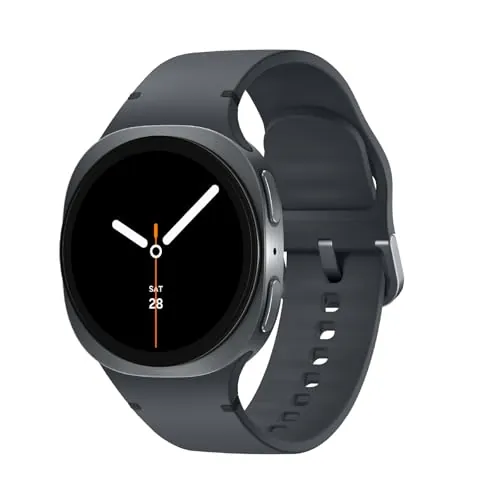
Apple Watch Series 12 46mm GPS vs Samsung Galaxy Watch8 40mm Bluetooth: Check Phone and Fit First
The Apple model is a 46 mm GPS watch with a Black Sport Band in M/L; the Samsung is a 40 mm Bluetooth Graphite model. Check the phone requirement first: Series 12 needs a compatible iPhone, while Galaxy Watch8 needs supported Android and does not support iOS. Then compare the published case dimensions and confirm the exact band size and connectivity variant on the retailer listing.
Read comparison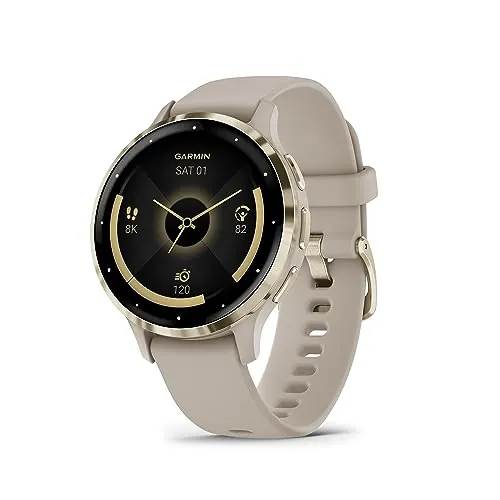
Garmin Venu 3S vs Venu 4 45 mm: Wrist Fit, Bands and Battery Modes
Choose the 41 mm Venu 3S if its compact size and 18 mm band fit your wrist. Choose the 45 mm Venu 4 if you want its larger case, 22 mm band and dedicated LED flashlight. Compare Garmin’s battery estimates for your display and GPS settings. The stated maximums vary by mode.
Read comparison