
Products compared
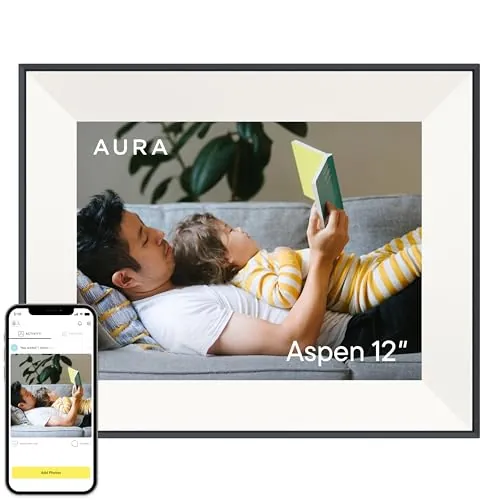
Aura
Aura Aspen 12-inch AF900 Black Mat digital photo frame
The selected U.S. Aura Aspen offer is labeled Black Mat. Aura’s current U.S. page uses Carbon/Paper Mat naming; the reviewed sources do not conclusively map the seller’s Black Mat label to that finish. This guide uses the Aspen model facts without asserting a finish match.
Model AF900 (listing data part AFM900-BLK)
Amazon ASIN B0H3QVRMDR
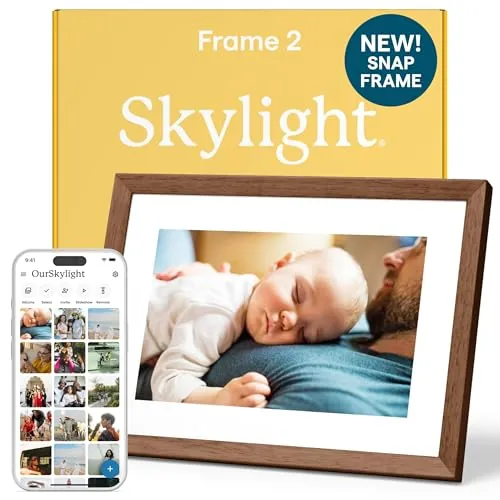
Skylight
Skylight Frame 2 10-inch Walnut digital photo frame
The selected product is the 10-inch Walnut Skylight Frame 2. Skylight’s Walnut product page identifies the snap-frame finish and package; the reviewed exact sources do not settle orientation or wall-mount behavior.
Model Frame 2, 10-inch Walnut
Amazon ASIN B0DYFCTHST
Differences that matter
What matters most to you?
Choose a priority to see what it changes.
Sources for Screen size and shape
Sources for Listed body dimensions
Sources for Placement evidence
Sources for Gift, connection and subscription caveats
Start with the gift and contributor workflow
Both products support a preloaded gift. Aura’s Gift Setup can include photos, videos and a message. Aura then uses invitations: app sharing is available to contributors, while its email instructions require an invited registered contributor to send from the email address linked to that account. The documented email path sends one still photo at a time; Aura points to the app for bulk upload.
Skylight gives the frame its own address. In Private mode the owner approves contributors before their emailed photos appear. Public mode accepts photos from anyone who has the address. A gift organizer can choose the setting and send a test photo before handing it over.
Aura separately documents text-only photo sharing for eligible U.S. +1 numbers after the frame owner sends an invitation and the follow-up arrives. The support page notes carrier limitations and message/data charges; this is not a video route.
Match the screen and physical placement
Aspen is listed as 12 inches with 1600 × 1200 pixels (4:3). Skylight Frame 2 Walnut is 10 inches with 1920 × 1200 pixels (16:10 by that ratio). Decide with the space and the shapes of the photos you expect to show. Pixel dimensions and diagonal size do not prove which display looks better.
Aura’s product page lists a 12.7 × 10.1 × 1.1-inch body; Aura’s model support page documents tabletop use in portrait or landscape with its included stand and says it is not a wall mount. Skylight lists 12 × 8.5 × 0.9 inches overall and a Walnut snap frame. The reviewed exact Frame 2 sources do not settle wall-mount or orientation behavior, so confirm those requirements in the exact manual rather than borrowing facts from another Skylight generation.
Plan power, Wi-Fi and subscription-sensitive features
Both need outlet power. Aura’s manual says internet is required for proper operation. Skylight says Wi-Fi is required for initial setup and new uploads, while photos already on Frame 2 can be viewed offline. These manufacturer descriptions are not a side-by-side outage test.
Aura says it does not charge a subscription fee for its documented photo/video sharing. Skylight’s exact Walnut product page says videos and captions are available without Plus, but the Frame 2 FAQ lists them as Plus features. Treat Skylight video/caption terms as unresolved and confirm before choosing on that basis.
A five-minute pre-gift check
Measure the surface, check the frame’s listed outer size and keep the outlet reachable. For Aura, choose the intended tabletop orientation and verify that a wall mount is not required. For Skylight, confirm the exact Walnut package’s orientation and mounting instructions in its current manual because the reviewed product page does not establish those details.
Preload a few photos and test the intended contributor route. Invite Aura contributors using their account-linked address. With Skylight, choose the privacy setting and test an email from an intended sender. Confirm current Plus terms if video or captions matter.
Product details
Aura Aspen 12-inch AF900 Black Mat digital photo frame
Aura documents preloading photos, videos and a message through Gift Setup. Email contributors must be invited and registered and send from the address linked to their Aura account; eligible U.S. +1 phone contributors can instead use Aura’s invited text-only route after its follow-up. Aura says it does not charge a subscription fee for its sharing features.
Skylight Frame 2 10-inch Walnut digital photo frame
Skylight documents Gift Mode, app uploads and a unique email address. The owner can require sender approval or allow anyone with the address to send photos. Photos already on the frame can be viewed offline after setup; Wi-Fi is needed for new uploads.
- Screen
- 10-inch, 1920 × 1200 pixels; 16:10 ratio derived from the published pixel dimensions Source
- Storage
- 16 GB internal storage; manufacturer estimates up to 16,000 photos Source
- Placement dimensions
- Listed overall size 12 × 8.5 × 0.9 inches; check the product page’s dimension diagram against the intended surface Source
Before you buy
Community discussions
Sending family photos to a gift frame
Skylight Frame 2 10-inch Walnut digital photo frame
A shopper shortlisted both Aura Aspen and Skylight Frame 2 for grandparents and wanted the family to add pictures remotely.
What to check
List who will set up the gift and who will upload afterward. Check whether each contributor needs an account, an invitation or the frame’s sharing address.
Common questions
Can I preload either model before giving it?
Yes. Aura documents Gift Setup for preloading photos, videos and a message. Skylight documents Gift Mode for preloading Frame 2 before handing it over. Plan for the recipient’s outlet power and Wi-Fi setup.Aspen 12-inch HD Frame — U.S. product pageAura User ManualSkylight Frame 2 Wood — Walnut
Can relatives email photos without being invited first?
With Skylight set to Public or Anyone, relatives who have the frame address can send photos directly. Private requires the owner to approve senders. Aura requires an invited, registered contributor to email from the address linked to their account.How to Send Photos via Email to Your Aura FrameTexting Photos to Frames (+1 Country Code Only)Skylight Frame 2 Wood — WalnutSkylight — public and private frame email settingsSkylight — approving contributors in Private mode
Do they need Wi-Fi all the time?
Both require outlet power. Skylight says Wi-Fi is needed for initial setup and receiving new uploads, while existing photos can be viewed offline. Aura’s manual says internet is required for proper operation, so this comparison does not assume equivalent offline behavior.Aura User ManualSkylight Frame 2 Wood — WalnutSkylight Frame 2
Are Skylight videos and captions free on Frame 2?
The exact Walnut page says photos, videos and captions are available without Plus, while Skylight’s Frame 2 FAQ says Plus is required for videos and captions. The pages conflict; check the current terms if those features determine your choice.Skylight Frame 2 Wood — WalnutSkylight Frame 2Skylight Plus
Can I wall-mount either frame or rotate it?
Aura says Aspen is a tabletop frame with portrait and landscape orientation and is not intended for wall mounting. The reviewed exact Frame 2 Walnut page does not establish its mounting or orientation options, so confirm those in the current product manual before relying on them.Aspen Frame — Aura Help CenterSkylight Frame 2 Wood — Walnut
Sources and scope
This is a source-based feature comparison, not a side-by-side display test. Aura’s current U.S. page uses Carbon/Paper Mat wording while the tracked Amazon offer says Black Mat; its page notes Ink or Carbon packaging, but the reviewed evidence does not establish that the offer’s Black Mat label maps to that finish. Skylight’s Walnut product page and Frame 2 FAQ conflict about video/caption subscription terms. Check both exact offer details before purchase if finish or free video/captions are decisive.
- Aspen 12-inch HD Frame — U.S. product page
- Aspen Frame — Aura Help Center
- Aura User Manual
- How to Send Photos via Email to Your Aura Frame
- Texting Photos to Frames (+1 Country Code Only)
- Skylight Frame 2 Wood — Walnut
- Skylight Frame 2
- Skylight Plus
- Skylight — public and private frame email settings
- Skylight — approving contributors in Private mode