
Products compared
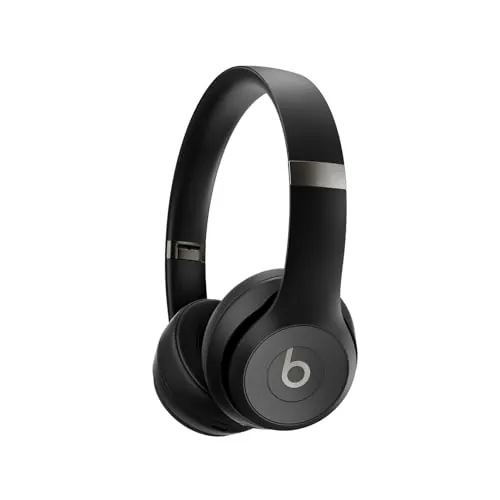
Beats
Beats Solo 4 Matte Black
Matte Black Beats Solo 4, model MUW23DN/A. Beats describes an on-ear design and lists USB-C audio/charging and 3.5 mm audio cables in the box.
Model MUW23DN/A
Amazon ASIN B0CZPLV566
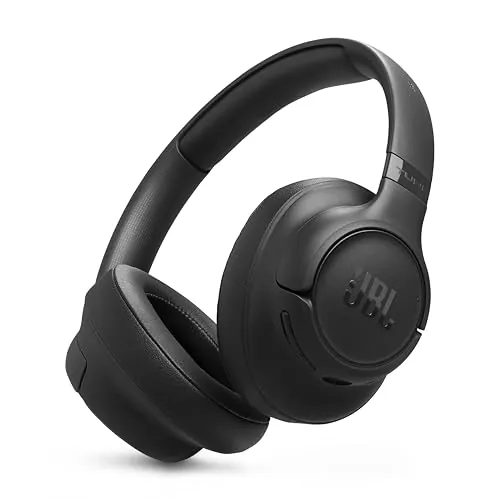
JBL
JBL Tune 730BT Black
JBL Tune 730BT Black, model JBLT730BTBLKAM. The exact model considered here is Tune 730BT; do not substitute Tune 720BT.
Model JBLT730BTBLKAM
Amazon ASIN B0GMTNSFR3
Differences that matter
What matters most to you?
Choose a priority to see what it changes.
Sources for Documented wired audio path
Sources for Bluetooth device switching
Sources for Included cable and charge setup
Choose your listening connection before the headphone shape
If you need wired audio, Beats Solo 4 is the option with a clearly documented path in the sources reviewed: USB-C audio or 3.5 mm analog. Beats lists both cables in the box and says 3.5 mm wired listening does not require battery power. JBL’s Tune 730BT material confirms a wireless Bluetooth headphone and USB-C charging, but the material reviewed does not establish wired audio. A charging port is not proof of a USB audio input; confirm the exact Tune 730BT model with JBL if a cable is essential.
For Bluetooth switching, JBL explicitly documents Tune 730BT multipoint between two devices. Beats describes one-touch pairing and automatic pre-pairing across devices, but that page does not say it keeps two sources connected at once. If you go between a computer and phone, decide whether you need automatic device pre-pairing or the specifically described two-device switch.
Use earcup style as a fit check, not a comfort ranking
Beats identifies Solo 4 as on-ear; JBL identifies Tune 730BT as over-ear. Their physical descriptions help you choose which style to try, but the documents do not predict how either will fit or feel on a particular person. The JBL spec sheet lists 96.3 × 78.8 mm outer and 60 × 42.5 mm inner ear-cushion dimensions if you want to compare against your own fit needs.
The models have different setup details beyond the listening mode: Beats includes a carrying case and its two audio cables, while JBL says its charging cable is not included. Check whether you already have a suitable USB-C charging cable and whether either form matches your usual bag or storage space.
A short pre-buy setup check
Write down the devices you plan to use and mark their available outputs: Bluetooth, USB-C audio, or 3.5 mm. If wired playback is required, Solo 4’s documented inputs answer that question; ask JBL about the exact Tune 730BT before relying on any unlisted wired mode. If two Bluetooth sources must stay paired for switching, JBL’s multipoint documentation is explicit; Beats’ automatic pre-pairing wording leaves simultaneous multipoint unconfirmed.
Then check whether you want on-ear or over-ear cups and review the exact black variant/model on the offer. Do not use the Tune 720BT documentation for Tune 730BT; the names refer to different models.
Product details
Beats Solo 4 Matte Black
- Wearing form
- On-ear Source
- Wired audio
- USB-C digital audio and 3.5 mm analog audio are documented; the box list includes USB-C-to-USB-C and 3.5 mm audio cables. Source
- 3.5 mm power path
- Beats states that 3.5 mm wired listening requires no battery power. Source
- Wireless device setup
- One-touch pairing and automatic pre-pairing across devices are listed; the page does not specify simultaneous two-device multipoint. Source
JBL Tune 730BT Black
- Wearing form
- Wireless over-ear headphones Source
- Bluetooth switching
- JBL documents multipoint: pair two Bluetooth devices and switch between them. Source
- Charging cable
- The model spec sheet states that a charging cable is not included; USB-C charging is not evidence of USB-C audio input. Source
- Wired playback
- The reviewed JBL model sheet and multipoint support page do not establish a wired audio mode; verify with JBL if required. Source
Before you buy
Community discussions
Checking how on-ear pads sit
Beats Solo 4 Matte Black
A Solo 4 buyer asked whether other owners needed time to get used to how the earpads rested on their ears.
What to check
Try the pads for long enough to notice where they rest. If you wear glasses, check the fit with them on.
Replacing a wired work headset
Beats Solo 4 Matte Black
A Solo 4 owner wanted to know whether the headphones could replace their wired headset for call-center work.
What to check
Check which cable or wireless connection carries microphone audio to your computer or phone. Confirm how your calling app selects that microphone.
Looking for an over-ear everyday pair
JBL Tune 730BT Black
A first-time buyer in Europe shortlisted the JBL Tune 730BT because they wanted an over-ear Bluetooth pair for everyday listening.
What to check
Check that the cups go around your ears as you expect. Look up the exact model and connection options for the market where you buy.
Common questions
Can I use Beats Solo 4 with a cable?
Yes. Beats documents USB-C audio and 3.5 mm analog audio for Solo 4 and lists both audio cables in the box. Its product page says 3.5 mm wired listening requires no battery power.Beats Solo 4 Matte Black — official product and in-box specifications
Does JBL Tune 730BT support wired listening?
The JBL Tune 730BT spec sheet and multipoint support listing reviewed here do not settle whether the exact model has a wired audio mode. That is not proof the feature is absent. Confirm it with JBL if you need a cable connection.JBL Tune 730BT — official product specification sheetCan my headphones be connected to two devices simultaneously? — JBL U.S. Support
Which one explicitly supports switching between two Bluetooth devices?
JBL’s U.S. multipoint support page lists Tune 730BT, and the product sheet explains pairing two Bluetooth devices and switching between them. Beats lists automatic pre-pairing across devices but does not specify simultaneous two-device multipoint on the page reviewed.Can my headphones be connected to two devices simultaneously? — JBL U.S. SupportBeats Solo 4 Matte Black — official product and in-box specifications
Is a charging cable included with both?
Beats lists a USB-C-to-USB-C cable for charging and audio, while its USB-C power adapter is sold separately. JBL’s Tune 730BT spec sheet says the charging cable is not included.Beats Solo 4 Matte Black — official product and in-box specificationsJBL Tune 730BT — official product specification sheet
Sources and scope
This is a source-based feature and setup comparison, not a listening or fit test. Beats documents USB-C and 3.5 mm audio for Solo 4; JBL documents Tune 730BT Bluetooth and two-device multipoint, while the JBL sources reviewed here do not settle whether this exact model has wired playback. Treat the latter as unconfirmed, not as proof the feature is absent.
Related comparisons
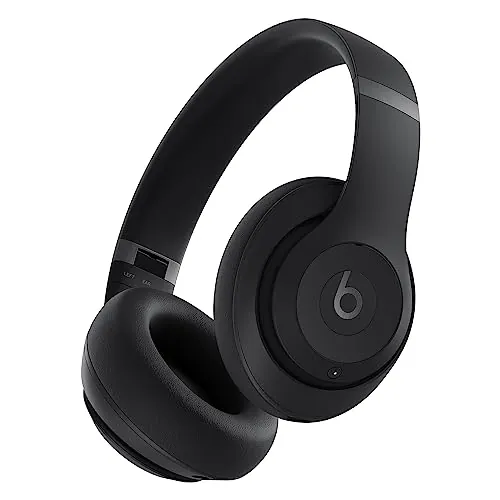
Beats Solo 4 vs Studio Pro: Fit, ANC and Wired Listening
Choose by fit and listening conditions. Solo 4 (Matte Black, MUW23DN/A) is on-ear and weighs 217 g; Studio Pro (Black, MQTP3DN/A) is over-ear and weighs 260 g. Studio Pro adds adaptive ANC and Transparency and publishes up to 40 hours with those modes off or up to 24 hours with ANC on. Both support battery-free 3.5 mm listening. Solo 4 offers lossless USB-C playback; Studio Pro adds USB-C sound profiles for music, movies/games and calls. These published specifications do not determine which shape will feel more comfortable to you.
Read comparison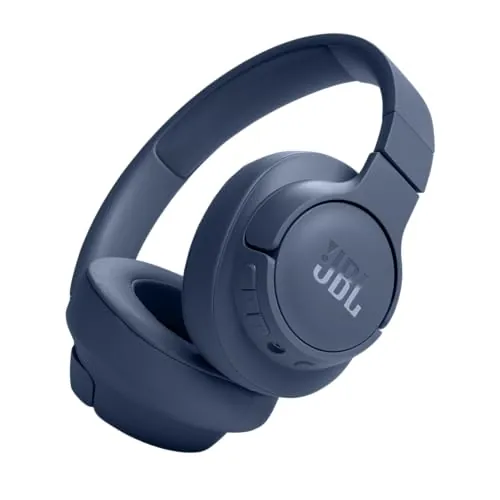
JBL Tune 730BT vs Tune 720BT: Charging, Cable, and Pairing Differences
Both over-ear headphones are rated for up to 76 hours and support multipoint Bluetooth. JBL lists a five-minute charge for three extra hours on the Tune 720BT and five hours on the Tune 730BT. The practical split is the 720BT’s included detachable 3.5 mm audio cable and USB-C charging cable versus the 730BT’s faster stated top-up, with its charging cable sold separately.
Read comparison