
Products compared
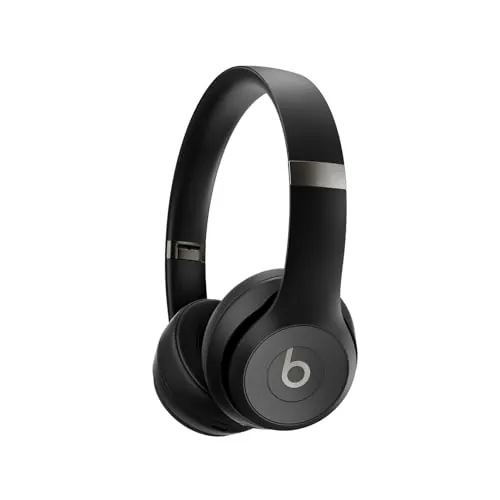
Beats
Beats Solo 4 On-Ear Headphones — Matte Black
Matte Black listed variants; official product page identifies the MUW23 Matte Black finish and lists USB-C audio/charging and 3.5 mm audio cables in the box.
Model MUW23DN/A
Amazon ASIN B0CZPLV566
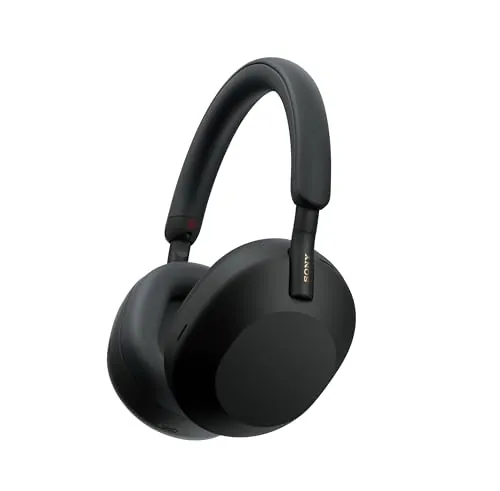
Sony
Sony WH-1000XM5 Wireless Noise Canceling Headphones — Black
Black U.S. listing. Sony's WH-1000XM5 Help Guide covers its USB charging, Bluetooth touch controls and supplied wired headphone cable.
Model XM5BK / WH1000XM5/B
Amazon ASIN B09XS7JWHH
Differences that matter
What matters most to you?
Choose a priority to see what it changes.
Sources for Can music continue over USB while charging?
Sources for Where music playback controls live
Sources for Wired listening when battery use is the concern
Start with your charging routine
Beats documents listening and charging together over USB-C with the included cable on supported devices. A USB-C port alone does not confirm that a device supports audio through this connection. Check Beats' supported-device information for your exact host before buying.
Sony describes a different sequence for WH-1000XM5. If charging begins while the headset is on, it turns off; while connected to an AC outlet or computer, its Bluetooth and music operations cannot be performed. If you need to top up between sessions without pausing a currently playing source, this documented distinction is a practical reason to favor Beats after verifying host compatibility.
Match controls to how you operate music
Solo 4 puts music presses on physical controls on the left earcup: Beats assigns play/pause and track changes to the b button, with separate buttons for volume. WH-1000XM5 uses its right-side touch sensor for Bluetooth music: double-tap for play/pause, swipe forward or back for tracks and swipe vertically for volume. Sony notes these operations can vary with the connected device and app.
That makes the decision concrete without claiming one method is easier: choose Beats if you want named, separate buttons under your fingers; choose Sony if touch gestures are already part of your preferred headset routine. This comparison does not test accidental inputs or control reliability.
Check wired fallback before depending on it
The exact Matte Black Solo 4 product page lists a USB-C-to-USB-C cable for charging/audio and an included 3.5 mm audio cable; the USB-C adapter is sold separately. Apple says analog playback via the included 3.5 mm cable does not need battery power. Check the actual source device's connector and audio-output support before treating either cable as a universal fit.
Sony says the supplied WH-1000XM5 headphone cable can play music with the headset turned off, but Bluetooth is unavailable in cable mode. When off, headset controls for play/pause and volume are not available, so plan to use the playback device. The headset also cannot charge and play music through USB at the same time.
Product details
Beats Solo 4 On-Ear Headphones — Matte Black
- USB-C routine
- Apple documents USB-C audio with simultaneous charging for supported devices; identify and verify your exact host before buying for this workflow. Source
- Included cables
- The Matte Black product page lists a USB-C to USB-C cable for charging/audio and an included 3.5 mm analog audio cable; the USB-C power adapter is sold separately. Source
- On-headset controls
- Beats documents the left-earcup b button for playback and separate volume-up/down presses. Source
Sony WH-1000XM5 Wireless Noise Canceling Headphones — Black
- USB charging behavior
- When USB charging starts while the headset is on, it turns off; while connected to AC or a computer, music playback and Bluetooth operations are unavailable. Source
- Music controls
- Over Bluetooth, play/pause uses two quick taps and track/volume controls use swipes; available operations can vary with the connected device and app. Source
- Wired playback
- Sony specifies the supplied headphone cable only. Music can play with the headset off, but Bluetooth is unavailable; with the headset off, headset play/pause and volume control are unavailable. Source
Before you buy
Community discussions
WH-1000XM5 owner reports phone calls taking over a PC meeting
Sony WH-1000XM5 Wireless Noise Canceling Headphones — Black
A WH-1000XM5 owner using Teams or Skype on Windows says an incoming Android phone call switched the headset audio to the phone; the owner was unsure whether Windows or the headset explained the behavior.
What to check
If you move between PC meetings and phone calls, check the call handoff with the apps and devices you use. This is one user’s setup and does not establish the cause or how other combinations behave.
Common questions
Can Beats Solo 4 play audio while charging over USB-C?
Apple's Solo 4 guide says the headphones charge while listening over the included USB-C cable when connected to a supported iPhone, iPad, Mac or Android device. Check the exact host's support before purchase; not every USB-C port necessarily provides the documented audio mode.Use your Beats Solo 4 — Apple Support
Can I listen to the Sony WH-1000XM5 while its USB cable is charging it?
Sony says that if charging starts while the headset is on, it turns off, and music playback cannot be performed while it is connected to an AC outlet or computer for charging.WH-1000XM5 / WH-1000XM5SA Help Guide — Charging the headset
What is different about wired playback?
Beats lists a 3.5 mm cable and a USB-C cable for charging/audio with Solo 4. Sony permits wired music playback through its supplied headphone cable even when the XM5 is off; in that state, Bluetooth and noise canceling are unavailable, and play/pause or volume adjustments are made on the source.Beats Solo 4 Matte Black U.S. product page — MUW23Use your Beats Solo 4 — Apple SupportWH-1000XM5 / WH-1000XM5SA Help Guide — Using the supplied headphone cable
Are Solo 4's controls physical while the XM5's controls are touch-based?
Beats documents a left-earcup b button and separate volume buttons. Sony documents double-tap and swipe gestures on the WH-1000XM5 touch sensor for Bluetooth music. Sony cautions that available operations may vary by device and app.Beats Solo 4 SupportWH-1000XM5 / WH-1000XM5SA Help Guide — Controlling the audio device (Bluetooth connection)
Sources and scope
Check whether your exact device supports USB audio with Beats Solo 4. Sony says the XM5 turns off and stops playing while connected to charging power. Wired playback without power uses the documented audio cables. Sound, comfort and battery life were not tested.
- Use your Beats Solo 4 — Apple Support
- Beats Solo 4 Support
- Beats Solo 4 Matte Black U.S. product page — MUW23
- WH-1000XM5 / WH-1000XM5SA Help Guide — Charging the headset
- WH-1000XM5 / WH-1000XM5SA Help Guide — Controlling the audio device (Bluetooth connection)
- WH-1000XM5 / WH-1000XM5SA Help Guide — Location and function of parts
- WH-1000XM5 / WH-1000XM5SA Help Guide — Using the supplied headphone cable
- Sony Electronics U.S. WH-1000XM5 Black product page
Related comparisons
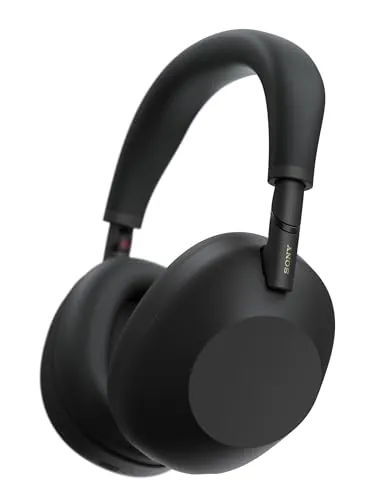
Sony WH-1000XM5 vs WH-1000XM6: Is the Upgrade Worth It for Office Noise?
Sony rates both headphones for up to 30 hours with noise canceling on and 40 hours off, so battery life is not a stated-generation upgrade. RTINGS' current public direct-pair verdict says XM6 reduces mid-range noise such as office chatter and keyboard clacks more effectively, but its softer pads can lose their seal more easily with glasses or small shifts. If your XM5 already handles your commute and calls, the XM6 changes matter most when that office-noise improvement is a problem you will use and the new fit feels secure.
Read comparison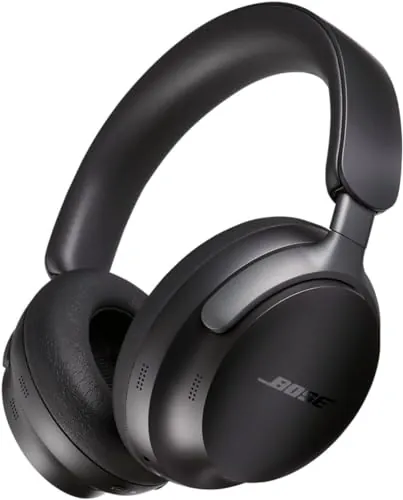
Sony WH-1000XM5 vs Bose QuietComfort Ultra (1st Gen): Which Fits Your Travel Routine?
The Sony WH-1000XM5 and first-generation Bose QuietComfort Ultra suit different travel priorities. In SoundGuys' same-test result, Sony played 31 hours 53 minutes with ANC on versus Bose at 27 hours 37 minutes; Sony also supports passive wired operation when powered off. RTINGS reports a small Bose noise-isolation edge and better comfort in its exact comparison, but fit remains personal. Compare your fit, cable fallback and phone codec support before choosing.
Read comparison