
Products compared
Beats
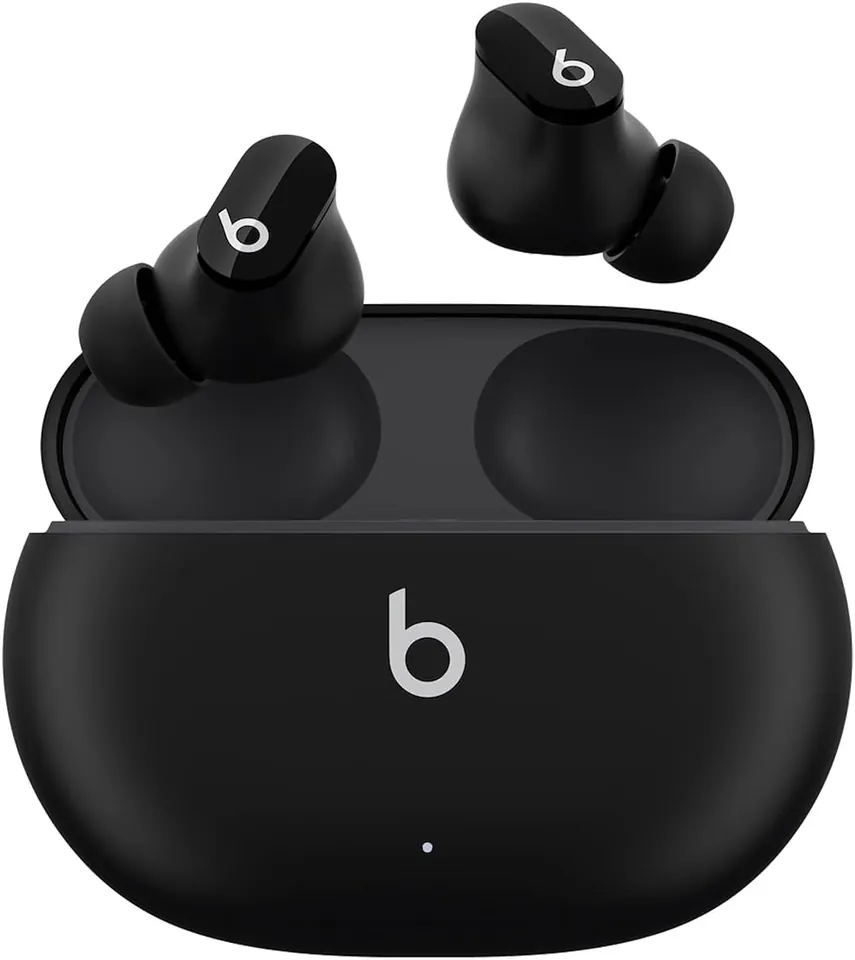
Beats Studio Buds (Black)
Original Beats Studio Buds in black, model MJ4X3LL/A; this is not Studio Buds+. Beats' original Studio Buds support page documents the eartip, case, control and phone setup workflow.
Model MJ4X3LL/A
Amazon ASIN B096SV8SJG
Beats
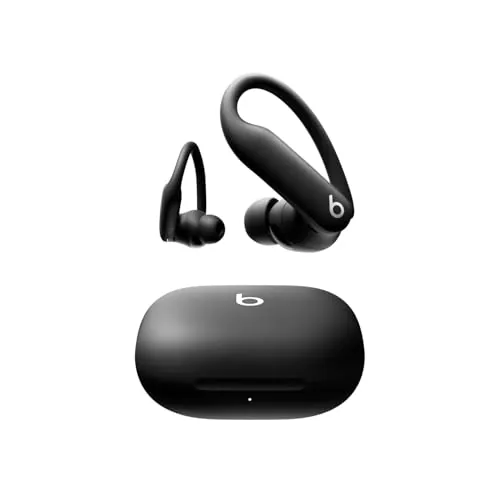
Beats Powerbeats Pro 2 (Jet Black)
Powerbeats Pro 2 in Jet Black, model MX723DN/A. Beats' Jet Black product page confirms the Powerbeats Pro 2 generation and its exact-color product family; verify that the retailer page selects this generation and finish.
Model MX723DN/A
Amazon ASIN B0DT2344N3
Differences that matter
What matters most to you?
Choose a priority to see what it changes.
Sources for Ear hardware and fit routine
Sources for On-ear controls
Sources for Charging case and included cable
Sources for Published battery estimates by mode
Start with the physical arrangement, not a fit promise
The original Studio Buds use an in-ear shape with interchangeable tips. Powerbeats Pro 2 is also an in-ear earbud, but adds a hook that goes behind the ear and includes five tip sizes. That gives you two different hardware arrangements to consider; it does not establish which will fit, feel more comfortable, or remain in place better for you.
Use the exact model's own fit instructions and, when possible, try the exact pair before relying on it for a specific routine. Beats' Powerbeats instructions describe positioning the hook and then adjusting the tips. Studio Buds' support page describes selecting and adjusting an eartip.
Decide which controls you want to reach without your phone
Both products document a multifunction control on each side for playback gestures. Studio Buds also lets you configure press-and-hold for listening modes or a voice assistant. Powerbeats Pro 2 adds a tactile up/down rocker on each earbud, so a buyer who specifically wants hardware volume buttons has a documented reason to shortlist it.
The difference is control layout, not a claim that one pair is easier or faster to use. Before ordering, look at the exact product images and consider whether you prefer one multifunction control or separate volume access.
Check the phone setup you actually plan to use
For original Studio Buds, Beats documents an Android Google Fast Pair prompt, the Beats app, or standard Bluetooth pairing. For Powerbeats Pro 2, the support page describes an app-running setup prompt or standard Bluetooth pairing. These are instructions for named models, not a guarantee that every prompt or app feature works on every phone or operating-system version.
If a particular phone workflow is important, check Beats' current support steps against your device before purchase. Avoid inferring feature absence just because one setup page highlights a different route.
Compare the case and cable before you leave the charger at home
Studio Buds charge in their case over USB-C; Beats says a USB-C cable is included and the power adapter is sold separately. The Powerbeats Pro 2 case supports USB-C and Qi-compatible wireless charging. Beats lists the USB-C cable and power adapter as sold separately, while including the wireless charging case and five tip sizes.
Check your existing charger, cable and Qi pad against the exact product you choose. The manufacturer documentation provides a practical box-contents distinction, but the final retail listing should still be checked for the selected color and package.
Read battery estimates with their mode labels
Beats lists up to 8 hours on the original Studio Buds with ANC off or 5 hours with ANC on. Beats lists up to 10 hours on the Powerbeats Pro 2 earbuds in Adaptive EQ mode and 45 hours total with the case. Check the conditions for the listening mode you use.
Use these figures only as published planning context. If your routine depends on a particular listening mode or actual all-day runtime, the cited pages do not establish which one will last longer in your real use.
Product details
Beats Studio Buds (Black)
- In-ear fit and control
- Beats describes replaceable eartips and one multifunction button on each earbud for play/pause and track gestures; press-and-hold can be configured for listening modes or voice assistant. Source
- Charging setup
- Beats says the case charges by USB-C and the included USB-C cable; the USB-C power adapter is sold separately. Source
- Manufacturer battery estimates
- Up to 8 hours with ANC off or 5 hours with ANC on; case totals up to 24 or 15 hours respectively. These are Beats' stated settings, not a comparative test. Source
Beats Powerbeats Pro 2 (Jet Black)
- Ear hardware and controls
- Beats lists nickel-titanium alloy-reinforced ear hooks, five eartip sizes, a multifunction button per side and a separate up/down volume rocker on each earbud. Source
- Case and cable
- The case supports Qi-compatible wireless charging and USB-C. Beats lists the USB-C charging cable and power adapter as sold separately; the box includes the wireless charging case and five tip sizes. Source
- Manufacturer battery estimates
- Beats lists up to 10 hours on the earbuds and up to 45 hours total with the case in Adaptive EQ mode. Source
Before you buy
Community discussions
Powerbeats Pro 2 hook feel and pocket carry in one owner's routine
Beats Powerbeats Pro 2 (Jet Black)
After a month with Powerbeats Pro 2, one owner says the hooks became noticeable during long seated sessions, while the case felt somewhat large but still fit their pockets. Both observations describe that owner's ears and carry habits.
What to check
If long wear or pocket carry matters, compare the hooks and case with your own ears and usual pockets; this is one person's fit and carry report, not a general comfort or size result.
Common questions
Are these the original Beats Studio Buds or Studio Buds+?
The retailer offer covered here is the original Studio Buds, model MJ4X3LL/A. This guide uses Beats' original Studio Buds support material; confirm the exact model and title on the retailer page rather than substituting Studio Buds+.Beats Studio Buds Support — original Studio Buds
Does Powerbeats Pro 2 have a better fit because of the ear hook?
It adds ear-hook hardware and Beats provides a five-size tip and fitting guide. Those facts do not predict personal comfort or retention; try the exact pair if fit is decisive.Powerbeats Pro 2 Support — fit, Android pairing, controls and battery estimatesPowerbeats Pro 2 — Jet Black, model family MX723
Which one has separate volume controls on the earbuds?
Beats lists a tactile up/down volume rocker on each Powerbeats Pro 2 earbud. Studio Buds use a multifunction button on each side for playback gestures, with press-and-hold configurable for listening modes or voice assistant.Powerbeats Pro 2 — Jet Black, model family MX723Beats Studio Buds Support — original Studio Buds
Do both work with Android, and do they need the Beats app?
Beats documents Google Fast Pair, app pairing or standard Bluetooth pairing for original Studio Buds. For Powerbeats Pro 2, Beats documents an app setup prompt or standard Bluetooth pairing. App availability and features depend on your phone and current software; check the exact device requirements before buying.Beats Studio Buds Support — original Studio BudsPowerbeats Pro 2 Support — fit, Android pairing, controls and battery estimates
What charging cable comes in the box?
Beats says the Studio Buds box includes a USB-C cable, but the power adapter is separate. The Powerbeats Pro 2 manufacturer page lists its USB-C cable and power adapter as sold separately; its case supports Qi-compatible charging and USB-C.Beats Studio Buds Support — original Studio BudsPowerbeats Pro 2 — Jet Black, model family MX723
Can I compare the advertised battery totals directly?
Not as a matched test. Beats' Studio Buds figures vary with ANC on or off; Powerbeats Pro 2 has a total in Adaptive EQ mode and another with ANC and Transparency on. Use the stated mode closest to your routine and treat both as manufacturer estimates.Beats Studio Buds Support — original Studio BudsPowerbeats Pro 2 Support — fit, Android pairing, controls and battery estimates
Sources and scope
Match the original Studio Buds and the Jet Black Powerbeats Pro 2 to their exact listings. Beats’ battery figures apply to different playback settings. Ear tip and earhook fit varies by the person.
Related comparisons
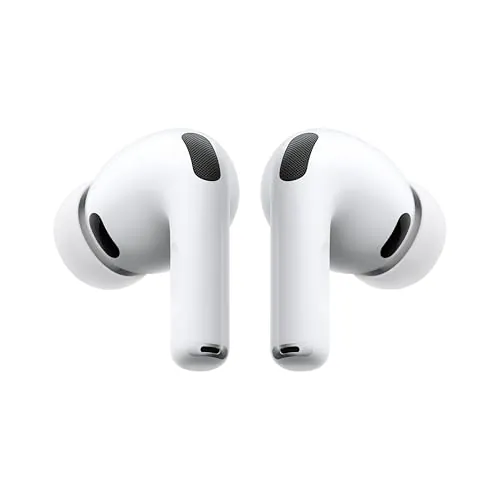
Apple AirPods Pro 3 MFHP4LL/A vs Beats Powerbeats Pro 2 MX723DN/A
For the assigned White AirPods Pro 3 (MFHP4LL/A, B0FQFB8FMG) and Jet Black Powerbeats Pro 2 (MX723DN/A, B0DT2344N3), decide first whether you want a silicone-tip-only fit or an earhook, then check the workout app and charging setup you already use. Apple lists five AirPods tip sizes, a workout heart-rate sensor and a 6.5-hour single-charge rating when heart-rate sensing is active; its specifications say non-Apple Bluetooth use may have limited functionality. Beats documents an Android app path for Powerbeats Pro 2 and heart-rate use with Apple or Android devices, compatible third-party apps and selected Bluetooth fitness equipment. Their case charging options also differ. These sources do not establish which model is more comfortable or which heart-rate sensor is more accurate for you.
Read comparison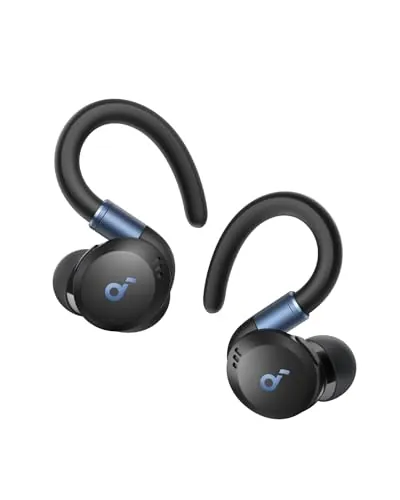
Powerbeats Pro 2 vs soundcore Sport X20: Heart-Rate Tools or Adjustable Hooks?
Both are in-ear workout earbuds with over-ear hooks, but the useful differences are how you set them up and what your workout routine needs. Powerbeats Pro 2 documents earbud heart-rate sensing for Apple and Android, five tip sizes, physical volume rockers, Qi case charging and an Apple-centered device workflow. Sport X20's hooks extend and rotate, while the soundcore app provides HearID, EQ, button customization and multipoint controls. Their battery figures come from separate manufacturer specifications and conditions, so they do not establish a shared-test battery winner. Before choosing, check whether your workout app accepts the Beats heart-rate data, test the hook and tip fit, and confirm the exact color and listing.
Read comparison