
Products compared
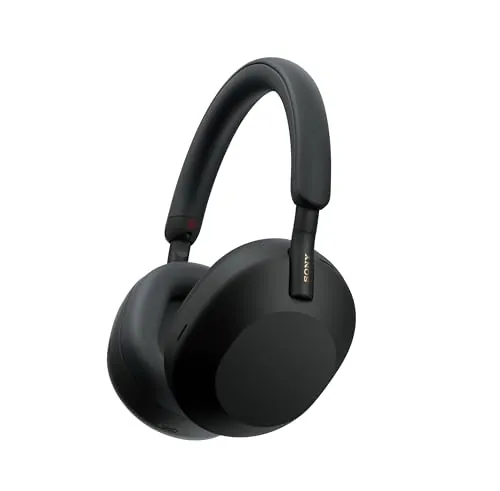
Sony
Sony WH-1000XM5 Wireless Noise Canceling Headphones, Black
US Black variant; Sony WH-1000XM5, not XM6
Model WH-1000XM5 (XM5BK; WH1000XM5/B)
Amazon ASIN B09XS7JWHH
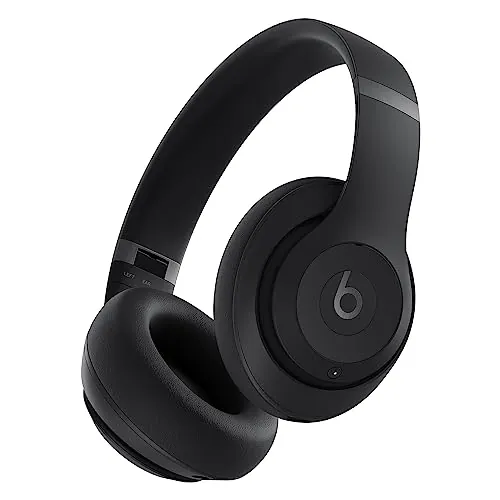
Beats
Beats Studio Pro Wireless Headphones, Black
US Black variant; Beats Studio Pro, not a different color or bundle
Model MQTP3DN/A
Amazon ASIN B0C8PR4W22
Differences that matter
What matters most to you?
Choose a priority to see what it changes.
Sources for Bluetooth switching between two hosts
Sources for 3.5 mm playback with power off or battery empty
Sources for USB-C audio versus charging
Sources for Included cable setup
Choose by how you move between a phone and computer
WH-1000XM5 has a documented simultaneous connection to two Bluetooth devices after you enable multipoint in the Sony app. If your phone and work computer are paired, you can move playback between them without reconnecting, but Sony's instructions say to stop the first source and start the second. This is a practical fit for a phone-plus-laptop day where you want both links ready.
Beats Studio Pro supports Apple and Android pairing, and Apple's guide documents manual selection of Studio Pro on supported Apple devices. The official material used here does not establish the same two-host Bluetooth multipoint behavior for Beats, nor automatic handoff between Apple and Android. If that distinction matters, verify the exact device and OS flow before purchase.
Separate USB-C digital audio from analog battery backup
These ports do different jobs. The XM5's USB-C port charges the headset; Sony says playback cannot be performed while it is connected to a computer for charging. For wired listening, use the included analog headphone cable. The XM5 can play with its power off, but its noise-canceling mode is unavailable in that passive state.
Studio Pro offers a second wired path: a compatible source can send audio or calls over USB-C while the headphones charge, and you can select among three USB-C sound profiles. Its included 3.5 mm cable is the fallback for a dead battery; Apple specifically says that analog playback does not require battery power. The power adapter for a wall outlet is sold separately.
Check the cables in the package against your setup
Sony lists a carrying case, connection cable and USB cable. Its connection cable is the analog audio route, while USB-C handles charging. Beats lists a carrying case, a USB-C-to-USB-C cable for both audio and charging, and a separate 3.5 mm analog cable. That gives Beats a dedicated USB-C audio path in the box, while both include an analog fallback.
Before ordering, check what outputs your phone, laptop or in-flight entertainment source actually has. If you plan to charge Beats from a wall outlet, add a compatible USB-C power adapter to the setup because the product page says it is sold separately.
Product details
Sony WH-1000XM5 Wireless Noise Canceling Headphones, Black
- Bluetooth host connections
- Up to two devices simultaneously with the app's multipoint setting enabled Source
- Wired analog playback
- Passive playback is supported with the supplied headphone cable while the headset is off; noise canceling is unavailable while off Source
- USB-C connection
- Used for charging; Sony does not document USB-C audio playback, and playback is unavailable while charging from a computer Source
- In the box
- Carrying case, connection cable, USB cable Source
Beats Studio Pro Wireless Headphones, Black
- USB-C audio
- Compatible USB-C source can stream audio or calls while the headphones charge; three selectable profiles are included Source
- Wired analog playback
- The included 3.5 mm cable supports playback without battery power Source
- In the box
- Carrying case, USB-C-to-USB-C cable for charging and audio, 3.5 mm analog cable; USB-C power adapter sold separately Source
Before you buy
Community discussions
Checking both directions of a Windows laptop call
Sony WH-1000XM5 Wireless Noise Canceling Headphones, Black
A WH-1000XM5 owner using a Windows 11 laptop and iPhone said Bluetooth music worked on the laptop, but incoming call audio went silent across several meeting apps. The headset microphone still worked and the owner could listen through the 3.5 mm cable.
What to check
Compare your laptop’s Bluetooth and wired paths using a real meeting. If you use headphones for calls, test the input and the output separately.
Taking a phone call while the laptop is already on a call
Sony WH-1000XM5 Wireless Noise Canceling Headphones, Black
A longtime WH-1000XM5 user reported that incoming calls on their Android phone took over audio while they were in a Windows meeting. They said they had to end one call to continue the other in their setup.
What to check
If you rely on two-device Bluetooth, receive a test phone call in a laptop meeting. Compare that handoff with the predictability of your intended direct cable path.
Common questions
Which one can stay connected to a phone and laptop at the same time?
Sony WH-1000XM5 can connect to two Bluetooth devices simultaneously when multipoint is enabled in its app. For music playback, Sony says to stop the first device and start the second. Apple's Studio Pro guide documents manual selection among Apple devices on supported software; that does not establish simultaneous two-host Bluetooth.WH-1000XM5 Help Guide: multipoint connectionApple Beats User Guide: switching between Apple devices
Can I keep listening after the battery is empty?
Yes, through the analog cable on either model. Sony's supplied headphone cable plays while the headset is off, but Sony says noise canceling is unavailable in that state. Apple says Beats Studio Pro's 3.5 mm cable does not need battery power. These are analog playback statements, not a promise that wireless listening modes work without power.WH-1000XM5 Help Guide: supplied headphone cableApple Beats User Guide: wired playback and battery requirements
Does the XM5 play audio over USB-C?
Sony documents USB-C as a charging connection and says music playback cannot be performed while the headset is connected to a computer for charging. Use Bluetooth or the included analog cable for audio. Beats Studio Pro supports audio over USB-C from a compatible source.WH-1000XM5 Help Guide: charging and USB-CBeats Studio Pro Support: pairing and USB-C audio
Which cables and adapter are included?
Sony lists a carrying case, connection cable and USB cable. Beats lists a carrying case, a USB-C-to-USB-C cable for audio and charging, and a separate 3.5 mm audio cable; its USB-C power adapter is sold separately.WH-1000XM5 SpecificationsBeats Studio Pro Black product page
Sources and scope
This guide is about the exact US Black ASINs B09XS7JWHH (Sony WH-1000XM5) and B0C8PR4W22 (Beats Studio Pro MQTP3DN/A). Sony's powered-off analog path is documented as passive playback without noise canceling. Apple's battery-free statement is specific to the Studio Pro's analog 3.5 mm cable; USB-C is a separate powered audio-and-charging route, and the cited sources do not promise that USB-C audio starts from a completely depleted battery. Apple device switching is documented for supported software and should not be treated as Sony-style two-host multipoint or automatic cross-platform handoff. No new controlled ANC, sound, battery, comfort or reliability comparison was performed or used.
- WH-1000XM5 Specifications
- WH-1000XM5 Help Guide: multipoint connection
- WH-1000XM5 Help Guide: supplied headphone cable
- WH-1000XM5 Help Guide: charging and USB-C
- Beats Studio Pro Black product page
- Beats Studio Pro Support: pairing and USB-C audio
- Apple Beats User Guide: wired playback and battery requirements
- Apple Beats User Guide: switching between Apple devices
Related comparisons
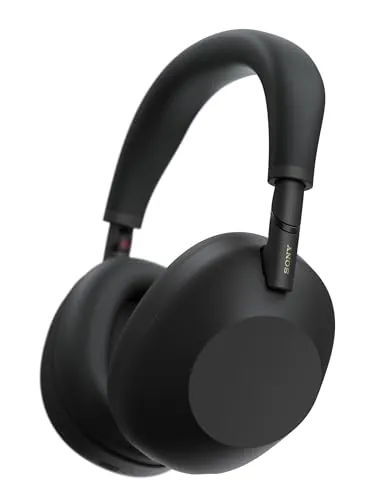
Sony WH-1000XM5 vs WH-1000XM6: Is the Upgrade Worth It for Office Noise?
Sony rates both headphones for up to 30 hours with noise canceling on and 40 hours off, so battery life is not a stated-generation upgrade. RTINGS' current public direct-pair verdict says XM6 reduces mid-range noise such as office chatter and keyboard clacks more effectively, but its softer pads can lose their seal more easily with glasses or small shifts. If your XM5 already handles your commute and calls, the XM6 changes matter most when that office-noise improvement is a problem you will use and the new fit feels secure.
Read comparison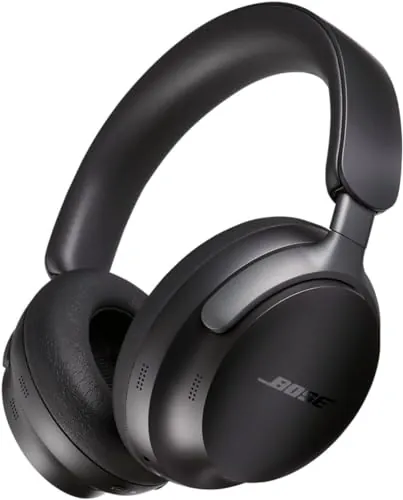
Sony WH-1000XM5 vs Bose QuietComfort Ultra (1st Gen): Which Fits Your Travel Routine?
The Sony WH-1000XM5 and first-generation Bose QuietComfort Ultra suit different travel priorities. In SoundGuys' same-test result, Sony played 31 hours 53 minutes with ANC on versus Bose at 27 hours 37 minutes; Sony also supports passive wired operation when powered off. RTINGS reports a small Bose noise-isolation edge and better comfort in its exact comparison, but fit remains personal. Compare your fit, cable fallback and phone codec support before choosing.
Read comparison