
Products compared
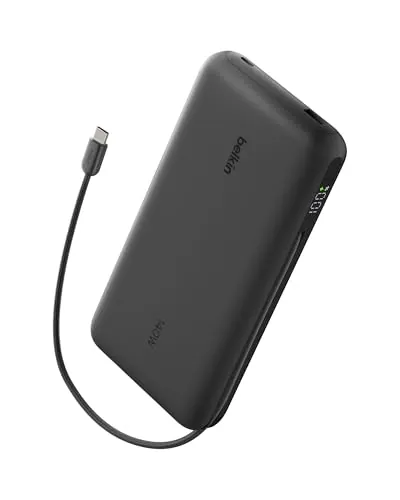
Belkin
Belkin 25K Laptop Power Bank with Built-In Cable — Black
Assigned U.S. listing identifies the black Belkin BPB039. Belkin's U.S. support pages identify the model as BPB039; they do not establish a retail suffix for this exact ASIN.
Model BPB039
Amazon ASIN B0GXX52D5Y
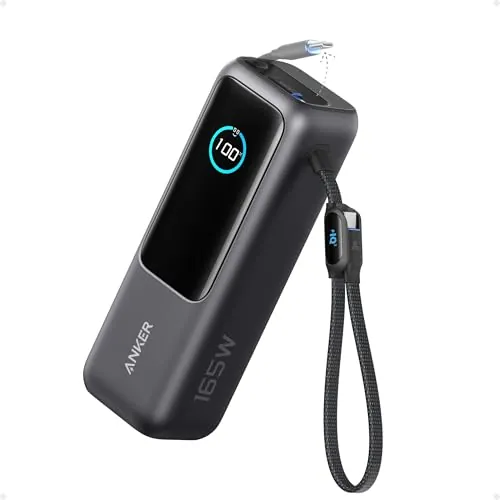
Anker
Anker Laptop Power Bank (25K, 165W, Built-In and Retractable Cables) — Space Black
Assigned U.S. listing identifies the black A1695. Anker's selected Space Black, power-bank-only configuration is used for the model reference; no bundle or current offer is implied.
Model A1695
Amazon ASIN B0DCBB2YTR
Differences that matter
What matters most to you?
Choose a priority to see what it changes.
Sources for Built-in lead and port layout
Sources for Two USB-C devices at once
Sources for Three or four connected devices
Sources for Rated energy for a travel checklist
Start with your actual device and cable list
Before comparing headline wattage, list the devices you expect to charge together. For each one, note the connector, the input profile accepted by that device, and whether it needs to charge at the same time as the others. Then assign the laptop or other highest-input device to the bank port you intend to use.
That check matters because a USB-C port's maximum rating is only one part of the connection. Device input, negotiated charging profile, cable and the bank's active-port sharing all affect what happens. These guides establish model-level output ceilings and layouts, not a guaranteed rate for a specific device.
Where the integrated cables make a practical difference
BPB039 combines one built-in braided USB-C lead with a separate USB-C port and a USB-A port. A1695 provides two built-in USB-C leads, another USB-C port and one USB-A port. If you often charge a laptop and phone together, count which one will use an integrated lead and whether the remaining device needs a cable you must pack separately.
Do not treat built-in leads as evidence that every laptop or phone will charge at a particular wattage. Check the device's supported input and the bank maker's port table, especially when several outputs are active.
Read total output as a shared budget
Belkin lists up to 140W from one USB-C output and up to 158W total when three devices are connected. Its support pages say power is shared but do not show a complete output split for every possible two- or three-port combination. Ask Belkin about the exact port map if that missing split would decide the purchase.
Anker publishes more specific A1695 allocations: up to 100W on an individual USB-C output, up to 165W shared across any two USB-C outputs, and its listed three/four-device allocations up to 130W total. Anker says the support-table allocations apply at 78% battery or higher and output is reduced below that. Neither maker's maxima are a comparative charging-speed test.
A short travel and listing check
Both manufacturers list 90Wh. Treat that as a specification to check against current rules for your airline and itinerary, not as blanket permission to carry either bank. Verify the exact handling requirements with the carrier and relevant regulator before travel.
The current listing data maps the Belkin black BPB039 to ASIN B0GXX52D5Y. Belkin's reviewed U.S. support pages identify model BPB039 but do not establish an additional U.S. retail suffix for that exact offer. Check that the selected retailer listing is the intended model, color and package before ordering.
Product details
Belkin 25K Laptop Power Bank with Built-In Cable — Black
- Capacity and rated energy
- Belkin lists 25,000mAh and 90Wh for BPB039. Source
- Built-in cable and available ports
- One built-in braided USB-C cable, one USB-C port and one USB-A port; Belkin describes charging up to three devices. Source
- Output sharing
- Belkin lists up to 140W from one USB-C output and up to 158W total with three connected devices; output is shared when multiple ports are in use. Source
Anker Laptop Power Bank (25K, 165W, Built-In and Retractable Cables) — Space Black
- Capacity and rated energy
- Anker lists 25,000mAh and 90Wh for model A1695. Source
- Built-in cables and ports
- Two built-in USB-C cables, one additional USB-C port and one USB-A port; the manufacturer lists use with up to four devices. Source
- Output allocation
- Anker lists up to 100W per USB-C output, up to 165W shared across any two USB-C outputs, and up to 130W total in its three- or four-device configurations. Its support table states the listed allocation applies at 78% battery or higher and output is reduced below that level. Source
Before you buy
Community discussions
Using a power bank with a USB-C laptop
Anker Laptop Power Bank (25K, 165W, Built-In and Retractable Cables) — Space Black
A Zephyrus G16 owner described using the A1695 for laptop charging away from wall power during lighter tasks such as browsing and video.
What to check
Verify the laptop’s USB-C input and the output the bank can provide on the port you plan to use. Think through which cable carries that load.
Common questions
Which bank lists the higher single USB-C output ceiling?
Belkin lists up to 140W from one USB-C output for BPB039. Anker lists up to 100W on an individual A1695 USB-C output. Those are manufacturer limits, not device-specific charging results; verify the connected device's accepted input and cable path.Belkin BPB039: Port and Power GuideAnker Laptop Power Bank (25K, 165W, Built-In and Retractable Cables; Model A1695), Space Black
How many built-in USB-C cables are listed on each model?
Belkin BPB039 has one built-in braided USB-C cable, plus a USB-C port and a USB-A port. Anker A1695 has two built-in USB-C cables, plus one USB-C port and one USB-A port. Check the exact selected listing for the item and package you intend to buy.Belkin BPB039 Laptop Power Bank: Product FAQ and SpecificationsAnker Laptop Power Bank (25K, 165W, Built-In and Retractable Cables; Model A1695), Space Black
Does Anker's 165W figure mean every port can deliver its maximum at once?
No. Anker describes up to 165W shared across any two USB-C outputs, and its three/four-device cases have separate allocations. The support table says its listed allocation applies at 78% battery or higher and output is reduced below that. Check the exact ports you will use.How Power Is Distributed in Anker Power Bank (25K, 165W, Built-In and Retractable Cables)
Are both models allowed on every flight because they are rated at 90Wh?
This comparison does not determine flight eligibility. Both manufacturers list 90Wh; check the current airline and regulator requirements for your itinerary and the way the bank must be carried.Belkin BPB039 Laptop Power Bank: Product FAQ and SpecificationsAnker Laptop Power Bank (25K, 165W, Built-In and Retractable Cables; Model A1695), Space Black
Does Belkin's BPB039 support a particular two-port wattage split?
Belkin says output is shared and lists up to 158W total with three devices, but the reviewed U.S. pages do not show a complete allocation chart for every combination. Confirm the exact ports and split with Belkin if that is essential to your setup.Belkin BPB039 Laptop Power Bank: Product FAQ and SpecificationsBelkin BPB039: Port and Power Guide
Sources and scope
This guide compares manufacturer-published specifications and port-sharing descriptions; neither bank was tested. Maximum output does not establish the charging profile or rate accepted by your particular phone, laptop, cable or accessory. Belkin's U.S. support material identifies the model as BPB039 but does not establish an additional U.S. retail suffix; verify the selected listing and color against ASIN B0GXX52D5Y. Both makers state 90Wh, but this guide does not determine whether a bank is permitted on any particular airline or route. Check current carrier and regulator requirements for your trip.
Related comparisons
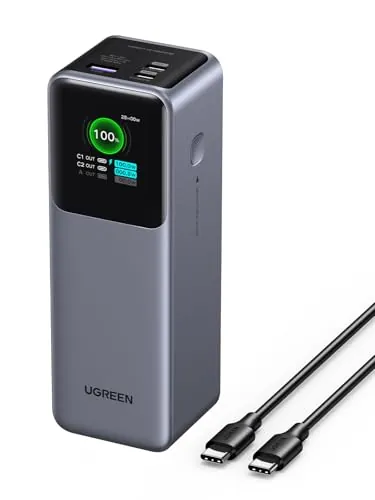
Anker A1695 vs UGREEN 35525
Anker A1695 offers up to 100W from one USB-C connection and up to 165W total with two USB-C devices; Anker says the maximum falls to 130W when three or four devices charge. UGREEN 35525 lists up to 140W from USB-C1 and up to 100W from USB-C2, with a 200W total-output label. Treat these as different port and shared-output limits, not a single-port 165W versus 200W contest. Both makers list 25,000mAh/90Wh, but device protocol, cable, battery state and simultaneous loads still affect what your devices receive.
Read comparison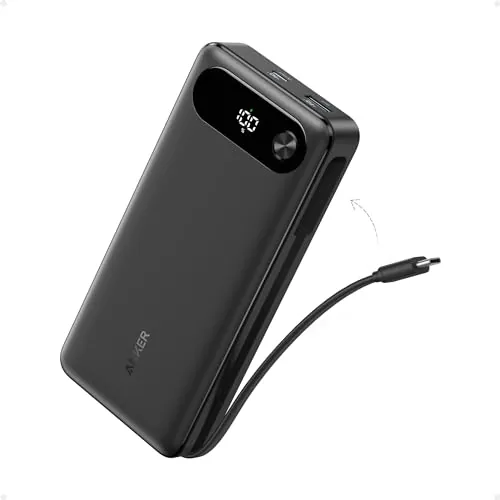
Anker A1695 vs A1383: More Shared Laptop Power or a Thinner Carry?
These assigned black single power banks answer a travel-kit choice: Anker A1695 (ASIN B0DCBB2YTR) offers 25,000mAh and publishes up to 165W across two USB-C outputs, plus up to 130W total with three or four devices connected. Anker A1383 (ASIN B0CXDXP8VR) has a 20,000mAh rating and lists up to 65W from one USB-C cable or port plus 22W from USB-A, 87W total. A1695 includes a retractable USB-C cable and a shorter cable that doubles as a lanyard; A1383 has one built-in USB-C cable. A1695 is listed at 595g and 49mm thick; A1383 at 430.91g and 26mm thick. Choose by your devices' USB-C input profiles and intended simultaneous connection pattern, then compare the listed shape and weight with your carry setup. These are manufacturer specifications, not tested charging speeds or guaranteed device runtimes.
Read comparison