
Products compared
BOOX
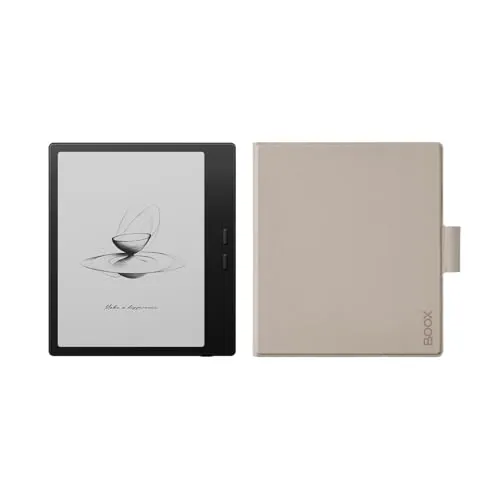
BOOX Go 7 Black Case Bundle
The selected offer is listed as a two-piece black Go 7 case bundle. The Go 7 itself is the monochrome Android model, not the Go Color 7 (Gen II). Confirm the seller’s exact case model and color before checkout.
Model Go 7
Amazon ASIN B0GX9BBJ6J
Amazon
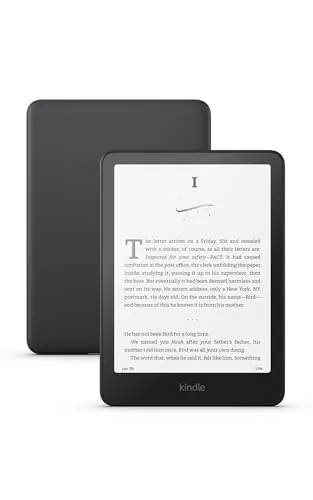
Amazon Kindle Paperwhite 16GB (2024 model), Black
The selected listing is the standard black 16GB 2024 Paperwhite configuration, not the 32GB Signature Edition or Kids bundle. Amazon lists touch controls, USB-C, IPX8 and approximately 11.5GB available to the user.
Model SA568B
Amazon ASIN B0CFPJYX7P
Differences that matter
What matters most to you?
Choose a priority to see what it changes.
Sources for File and transfer workflow
Sources for Storage and physical page input
Sources for Water and bundled cover check
Sources for Mac file transfer
Start with your actual reading sources
If you mainly buy and sync from Amazon, the 2024 Paperwhite is the direct Kindle-device route: Amazon documents account-linked position, notes and highlight sync across Kindle apps and devices when online. If you need a different Android reading app, BOOX lists Go 7 with Android 13, Google Play and third-party-app support. Amazon’s Android app requirement is Android 10 or later, so the software versions describe a possible Kindle-app install path on Go 7; they do not tell you whether your preferred app is convenient on an E Ink display. Check your exact app, account, and representative book before choosing.
Do not assume a format list makes a purchased or borrowed book portable outside the app or service that supplied it. Use supported access and transfer routes for each title; this comparison does not advise bypassing any book’s access restrictions.
Check storage and file-transfer steps before you travel
BOOX lists 64GB storage and a microSD slot for Go 7. Amazon lists the selected Paperwhite as 16GB with approximately 11.5GB available. These are storage specifications, not a prediction of how many books, comics or audiobooks you will keep locally; actual file sizes and app needs vary.
If you manage files from a Mac, Amazon says its 2024 Kindle devices require a separate application for USB transfer. Its wireless Send to Kindle workflow accepts a stated set of document and image types. On Go 7, the file-format list and microSD slot may fit a local-file workflow, but test that exact document in the intended reader app.
Match controls, screen type and your water boundary
The Go 7 is BOOX’s monochrome model; the same Go 7 Series page distinguishes it from the color Go Color 7 (Gen II), so do not use Color-model specifications for this ASIN. BOOX lists physical page-turn buttons, while Amazon identifies the 2024 Paperwhite as touchscreen operated. Select based on how you want to turn pages; no control preference proves greater comfort.
BOOX calls Go 7 water-repellent for specified accidental daily exposure but explicitly says it is not waterproof or for submersion. Amazon lists the 2024 Paperwhite as IPX8. If this affects your routine, check the exact Paperwhite care guidance and treat both makers’ statements as bounded product instructions, not a side-by-side water test.
Resolve the BOOX case bundle before checkout
The selected listing is titled “BOOX Go 7 Black Case Bundle” and is tracked as a two-piece product bundle. BOOX’s manufacturer page separately lists the Go 7 standard box contents, while the official Magnetic Case page says the accessory is compatible with Go 7 and presents separate gray and beige options. The manufacturer sources do not identify the exact cover in this selected seller bundle. If buying it specifically for the included case, confirm the case model and color on the exact offer before checkout.
The standard Go 7 box is not interchangeable with this seller-defined bundle. Kindle’s separate Amazon transfer workflow also affects the pre-buy check: for 2024 Paperwhite USB file transfer on Mac, Amazon says a separate Send to Kindle app is required.
Product details
BOOX Go 7 Black Case Bundle
- Screen and controls
- 7-inch monochrome Carta 1300 display, listed at 300 ppi; physical page-turn buttons Source
- Software and storage
- Android 13 with built-in Google Play and third-party app support; 64GB storage and a microSD slot Source
- Document formats
- BOOX lists 26 formats, including PDF, EPUB, AZW3, MOBI, DOCX and image/audio formats Source
- Water note
- BOOX describes water-repellent protection for accidental spills, splashes or light rain, but says Go 7 is not waterproof and should not be submerged Source
Amazon Kindle Paperwhite 16GB (2024 model), Black
- Generation and storage
- 12th-generation 2024 Kindle Paperwhite, 16GB internal storage with approximately 11.5GB available Source
- Input and connection
- Touchscreen input and USB-C charging port Source
- Water label
- Amazon lists this 2024 Paperwhite as IPX8-rated; consult the device-specific care guidance and do not treat the rating as an unrestricted-use guarantee Source
Before you buy
Community discussions
Moving a personal book collection to a new reader
Amazon Kindle Paperwhite 16GB (2024 model), Black
Someone upgrading from a 2015 Paperwhite said they transferred their existing books to a 12th-generation Paperwhite without trouble.
What to check
Make a short list of the formats and stores you use. Check the supported transfer route for each before switching devices.
Common questions
Is the BOOX in this comparison the color Go Color 7 (Gen II)?
No. The selected listing is Go 7; BOOX separates the monochrome Go 7 from Go Color 7 (Gen II). The assigned Go 7 page identifies the black-and-white display and lists Android 13, Google Play and page-turn buttons.BOOX Go 7 Series — Go 7 specifications and water-repellent note
Can I use my Kindle library on the BOOX Go 7?
Amazon says Kindle for Android runs on Android 10 or later, and BOOX lists Android 13 with Google Play. That establishes a possible app-install route, not a guarantee about a specific book, app behavior on E Ink, or account sync. Confirm the exact title, account and app before choosing.BOOX Go 7 Series — Go 7 specifications and water-repellent noteInstall or Update the Kindle App on AndroidUpdate Your Sync Settings for Kindle
Does the BOOX bundle definitely include the official BOOX magnetic case?
The exact retailer offer is named a black case bundle, but the manufacturer documentation does not identify the particular case supplied in that seller bundle. BOOX documents its standard Go 7 box separately and sells a Go 7-compatible magnetic case as an accessory. Verify the actual included case model and color with the seller.BOOX Go 7 Series — Go 7 specifications and water-repellent noteBOOX Magnetic Case for Go 7 Series
Is the Go 7 waterproof, or can the Paperwhite be used underwater?
BOOX says Go 7 is water-repellent for specified accidental exposure but is not waterproof and is not intended for submersion. Amazon lists the 2024 Paperwhite as IPX8-rated; use the exact Paperwhite care instructions to understand its limits rather than inferring unlimited water protection.BOOX Go 7 Series — Go 7 specifications and water-repellent noteIdentify Your Kindle E-Reader
Sources and scope
The BOOX offer is identified by its listing title as a black case bundle, but manufacturer sources do not identify the particular case model/color included in that seller-defined bundle. BOOX’s standard Go 7 box and separate magnetic case documentation are not proof of this exact bundle contents. App availability does not establish that every app is optimized for E Ink or that every licensed book transfers between platforms. Amazon’s IPX8 listing is not a measured or universal exposure guarantee; check the exact Paperwhite care guidance for your use. No speed, battery-life, reading-comfort, display-quality or water-resistance test is claimed.
Related comparisons
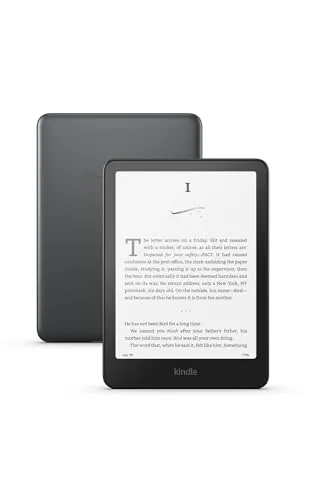
Kindle Paperwhite 2024 vs Signature Edition: Is 32GB and Wireless Charging Worth It?
This comparison covers the U.S. Kindle Paperwhite SA568B (Black, 16GB; ASIN B0CFPJYX7P) and Paperwhite Signature Edition SA569P (Metallic Black, 32GB; ASIN B0C8RR4WN3). Signature adds more storage, a light sensor that adjusts brightness automatically and Qi charging with a separately purchased compatible charger. If you mostly read text ebooks, set the light manually and use USB-C, the standard Paperwhite keeps the same 2024 generation basics without extras you may not use.
Read comparison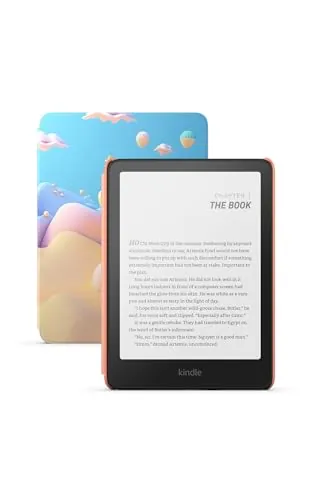
Kindle Paperwhite (2024) vs Paperwhite Kids: Bundle, Ads and VoiceView
This compares two exact US 2024 12th-generation, 16GB listings: the black, ad-supported Kindle Paperwhite (B0CFPJYX7P) and the Starfish Kindle Paperwhite Kids bundle (B0CFPS7ZY9). Both share the Paperwhite platform, while the Kids listing adds a child-friendly cover, six months of Kids+ and a two-year limited warranty. A child profile and parental controls can also be set up on a compatible standard Paperwhite, so the Kids bundle is mainly a convenience and included-content choice. Check the Kids+ renewal, adult-profile ads and VoiceView support before checkout.
Read comparison