
Products compared
Bose
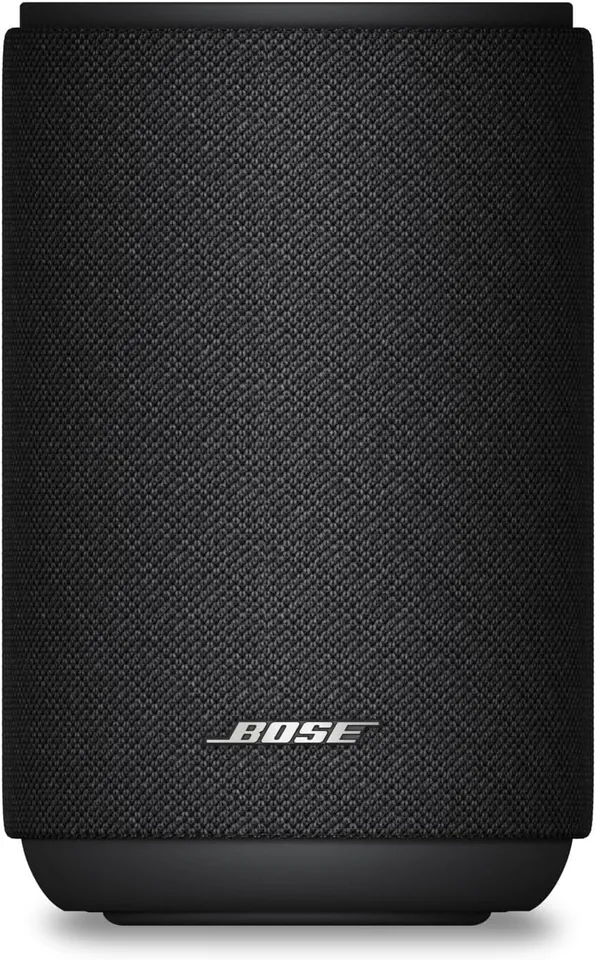
Bose Lifestyle Ultra Speaker, Black (894001-1100)
One Black Bose Lifestyle Ultra Speaker. Bose's U.S. product page describes this named speaker family and offers Black but does not list part 894001-1100. Confirm that part number and the included items on the exact retailer offer.
Model Lifestyle Ultra Speaker
Amazon ASIN B0GLH9D157
Sonos
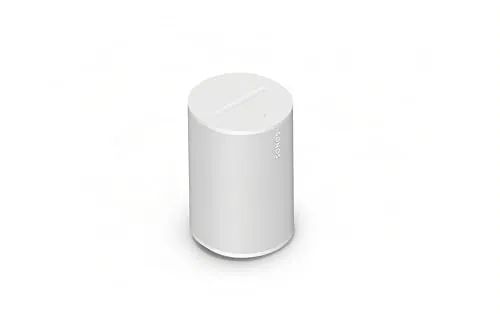
Sonos Era 100 SL, White (E10SLUS1)
One White Sonos Era 100 SL, listing data part E10SLUS1. Sonos describes this SL edition as having no built-in voice control; the current U.S. product page offers White.
Model Era 100 SL
Amazon ASIN B0GJ78MX2P
Differences that matter
What matters most to you?
Choose a priority to see what it changes.
Sources for Voice-control edition and everyday control
Sources for Connecting a turntable, CD player or other analog source
Sources for App setup, Bluetooth and room expansion
First decide whether you want voice control built into this speaker
Bose supports Alexa in the U.S.; its page says Alexa services are enabled in the Bose app for each product and describes a physical microphone-mute button with a red indicator while muted. Sonos positions Era 100 SL as the version without built-in voice control; its product page instead documents app and touch control, Bluetooth playback and AirPlay 2. That distinction can help you choose the product edition and interface for your room.
Keep the conclusion to the controls the makers document. It does not establish a privacy or data-handling difference, voice-recognition quality, or Sonos hardware-microphone behavior beyond the stated no-built-in-voice-control feature. If any of those is decisive, review the manufacturers' current documentation for the exact behavior you need.
Map the analog connection before you order
For a CD player, turntable or other wired source, Bose lists a built-in rear 3.5 mm AUX input. Its product page says the box contains the speaker, power cord and quick-start guide and lists no audio cable. Play/pause and skip remain on the source device; Bose speaker/app/voice controls can adjust AUX volume. Check that your source output level is suitable and bring the correct cable.
Era 100 SL's USB-C line-in path needs a separately sold Sonos Line-In Adapter and a source-matching audio cable: 3.5 mm or RCA-to-3.5 mm. Sonos says to set the speaker up with its app first, connect the source, and choose Line-In in the app. Some turntables need a preamp between the deck and Sonos. This simple pre-buy check prevents the common mistake of treating 'line in ready' as meaning the adapter and all cables are in the box.
Choose around the room system and setup app you already use
Bose documents Lifestyle Ultra setup in the Bose app, wireless playback through Apple AirPlay 2 and Google Cast, and multiroom use. Google Cast must be enabled in the Bose app for each product. Bose also documents two Lifestyle Ultra Speakers as a stereo pair and as rear surrounds with a Lifestyle Ultra Soundbar.
Sonos documents adding Era 100 SL to an existing Sonos system through the Sonos app. Initial setup requires the app and Wi-Fi before Bluetooth mode is available. For stereo, Sonos says same-model speakers can pair and explicitly allows a microphone-included product to pair with the SL version of its model; it lists both Era 100 and Era 100 SL. These instructions support a second Era 100 SL or the mic-included Era 100 under that exception, not a mixed Bose/Sonos stereo pair. Before buying a second speaker, identify the exact models already in your room and check the maker's current pairing list.
Product details
Bose Lifestyle Ultra Speaker, Black (894001-1100)
- Voice and app control
- Bose supports Alexa in the U.S. and says to enable it per product in the Bose app. The speaker has a microphone-mute button; its red light stays on while muted. Source
- Wired input
- Bose documents a rear 3.5 mm AUX input. Play/pause and skip stay on the source device; volume can be changed on the source, speaker, Bose app or enabled voice control. An audio cable is not listed in the maker's box contents. Source
- Wireless and room setup
- Bose lists Wi-Fi, Bluetooth, AirPlay 2 and Google Cast; Google Cast must be enabled per product in the Bose app. Bose documents pairing two Lifestyle Ultra Speakers for stereo and use as rear surrounds with a Lifestyle Ultra Soundbar. Source
Sonos Era 100 SL, White (E10SLUS1)
- Voice and app control
- Sonos describes Era 100 SL as a speaker without built-in voice control; Sonos app, touch controls and Bluetooth are documented control/playback options. Source
- Wired input
- Line-in uses a separately sold Sonos Line-In Adapter plus a 3.5 mm or RCA-to-3.5 mm audio cable chosen for the source; some turntables also need a preamp. Source
- Initial and room setup
- Sonos requires app and Wi-Fi setup before the speaker can be used as a Bluetooth speaker; the app adds it to an existing Sonos system. Era 100 SL pairs with another SL unit and Sonos states an exception allowing the microphone-included Era 100 to pair with its SL model. Source
Before you buy
Community discussions
Connecting everyday sources in a bedroom
Bose Lifestyle Ultra Speaker, Black (894001-1100)
A shopper considered replacing a bedroom speaker with a Bose Lifestyle Ultra Speaker for music, podcasts and Bluetooth audio from Netflix.
What to check
List the devices you use for music and video. Check the connections each can provide and which connection the speaker accepts.
Adding to a bedroom speaker system
Sonos Era 100 SL, White (E10SLUS1)
An owner with two Era 100 SL speakers, a Beam and a Sub Mini considered adding speakers or changing the soundbar in the bedroom.
What to check
List the parts you already own and where you want each speaker to sit. Check the planned layout and speaker roles in Sonos’s guidance.
Common questions
How do built-in voice controls differ?
Bose supports Alexa in the U.S. and documents enabling it in the Bose app per product; its speaker has a microphone-mute button and a red light while muted. Sonos describes Era 100 SL as having no built-in voice control. Those statements do not establish a privacy/data-handling comparison or Sonos hardware-microphone behavior beyond the stated feature.Sonos Era 100 SL product page
What extra items do I need to connect a turntable to Era 100 SL?
Sonos requires its Line-In Adapter and a 3.5 mm audio cable or RCA-to-3.5 mm cable, selected for the turntable's output. Some turntables lack a built-in preamp and need an external one. Set up Era 100 SL using the Sonos app before selecting Line-In in the app.Play Line-In on your Era 100 SLSet up your Sonos Era 100 SL
Can I pair one Bose Lifestyle Ultra Speaker and one Era 100 SL as a stereo pair?
The manufacturer instructions reviewed here document Bose's own Lifestyle Ultra pairing and Sonos's same-model stereo-pair rule, including its stated microphone-included/SL version exception. They do not document a Bose-to-Sonos stereo pair, so do not plan on that setup without confirmation from the manufacturers.Bose Lifestyle Ultra Speaker for Home Theater & Multiroom SoundCreate a stereo pair
Sources and scope
This is a setup and feature-fit comparison based on current manufacturer pages and support instructions, not a listening test. It does not rank sound quality, bass, loudness, room coverage, wireless stability or reliability. Bose's U.S. page covers the Lifestyle Ultra Speaker family and shows Black, but does not list part 894001-1100; confirm the exact model, color and bundle on the retailer offer. Sonos's U.S. page is for Era 100 SL in White; check the live listing for the color and any seller bundle. Sonos's no-built-in-voice-control statement does not establish privacy, microphone behavior beyond that claim, or how any cloud service handles data.
Related comparisons
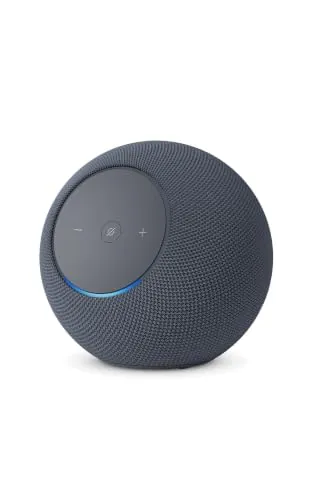
Echo Studio (2025) vs Sonos Era 100 SL: Voice, TV and Room Setup
The Amazon Echo Studio (2025 release, model P8Z7MN) is designed for Alexa and joins only Amazon's listed Fire TV home-theater combinations. The white Sonos Era 100 SL (E10SLUS1) has no built-in voice control, but supports Sonos room use, AirPlay 2, Bluetooth and compatible Sonos surround setups. Check your exact TV model, room system and adapter needs before choosing; these documents do not establish which speaker sounds better.
Read comparisonBose Lifestyle Ultra Speaker vs Echo Studio (2025): Match Your Home Setup
The Bose Lifestyle Ultra Speaker documents AirPlay 2 and Google Cast multiroom, Bluetooth, Spotify Connect and a 3.5 mm input; it can join a stereo pair or work as a surround speaker with the Lifestyle Ultra Soundbar. Echo Studio (2025) documents Echo multiroom and stereo grouping, built-in smart-home hub features and Alexa Home Theater with specific Fire TV devices. Pick by the setup you can actually pair, not an assumed sound-quality winner.
Read comparison