
Products compared
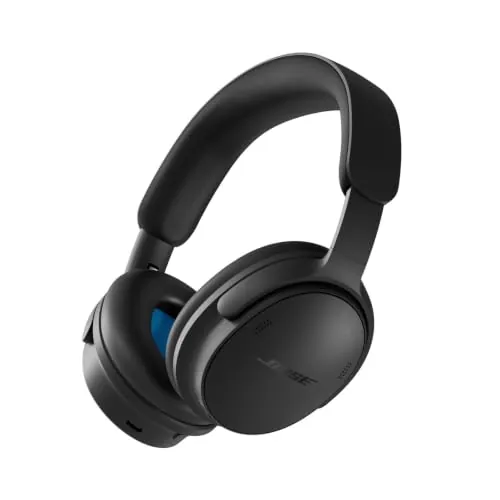
Bose
Bose QuietComfort Headphones (2nd Gen)
US-market Black standard QuietComfort Headphones (2nd Gen), not a QuietComfort Ultra model.
Model 895491-0100
Amazon ASIN B0GXW9C8QC
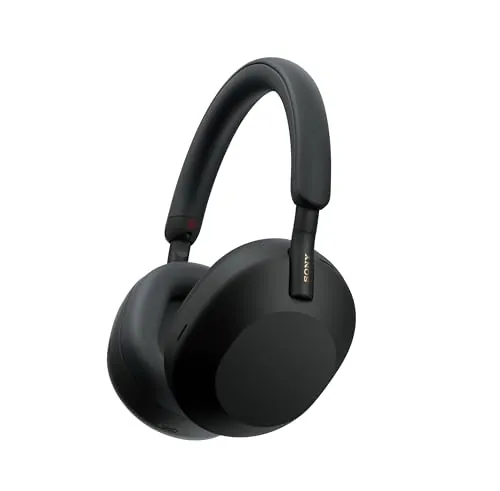
Sony
Sony WH-1000XM5
US-market Black WH-1000XM5; the Sony help guide covers WH-1000XM5 and WH-1000XM5SA, while the selected listing and Sony US product page identify the Black WH-1000XM5 listing.
Model WH1000XM5/B
Amazon ASIN B09XS7JWHH
Differences that matter
What matters most to you?
Choose a priority to see what it changes.
Sources for Wired USB-C audio and voice
Sources for Analog cable and playback controls
Sources for Listening after switching the headset off
Sources for Bluetooth codec choice
Sources for Published maximum playback time
The wired connection changes how you use each headset
Bose QuietComfort Headphones (2nd Gen) and Sony WH-1000XM5 both have an analog wired option, but Bose also documents USB-C digital audio with voice going back to the connected source. Bose's product page specifies USB-C listening input up to 24-bit/48 kHz and voice output up to 24-bit/16 kHz; use requires a compatible source. Bose says the headset can be used while charging, which is useful for a desk setup. The owner guide also lists a USB-C-to-3.5 mm cable for analog sources.
The Sony WH-1000XM5 guide documents a supplied analog headphone cable. With that cable connected, the playback device handles volume and media controls. For wired phone calls, Sony says to answer and speak using the phone itself; call audio is heard through the headset. Its USB-C port is listed as a charging input in Sony's specifications, while its documented wired playback route is the stereo mini jack.
For a dead-battery fallback, the XM5 can play passively
Sony explicitly says the XM5 can play music through its supplied cable while switched off. That gives it a no-power listening fallback for an analog source, but the noise-cancelling function is not available with the headset off. If you need ANC on a wired flight or work connection, keep the XM5 powered; Sony's help guide lists a wired, powered runtime separately from passive operation.
The Bose analog AUX cable has the opposite power condition: the owner guide says the QuietComfort Headphones (2nd Gen) must be powered on for AUX. When its battery is depleted, Bose says to use a USB-C connection to an external power source and continue while charging. The dead-battery question therefore depends on whether you need passive sound only or ANC and USB-C audio with power.
Check your computer and Bluetooth source before ordering
If you want wired calls, check your intended setup, not just its connector: Bose's USB-C path carries audio and voice, but the computer and meeting app must expose the headset as the right input and output devices. If you plan to use the analog 3.5 mm cable with either model, expect playback and volume controls on the source; on XM5, wired phone calls use the phone microphone, and on Bose AUX the headset microphone and call controls are disabled.
If LDAC is your reason to choose Sony, check that the actual Bluetooth source supports LDAC and can be configured to send it. Sony says the headset switches to the codec transmitted by the source. The XM5's published runtime also changes with codec: up to 30 hours for AAC or 26 hours for LDAC with noise cancelling on. Bose lists up to 24 hours with noise cancellation on or 18 with Immersive Audio on. These maxima use different settings and are not a direct runtime comparison.
Product details
Bose QuietComfort Headphones (2nd Gen)
Bose's standard QuietComfort Headphones (2nd Gen) supports a USB-C digital wired path as well as an included analog 3.5 mm connection cable. The USB-C route carries audio and voice in both directions for compatible setups. For analog AUX, the headphones must be powered on, and Bose says their microphone pickup and earcup call/media controls are disabled.
- USB-C wired audio
- Bose documents lossless digital audio input up to 24-bit/48 kHz and voice output up to 24-bit/16 kHz over USB-C with a compatible source. The headphones can be used while charging. Source
- Analog input
- The box lists a USB-C-to-3.5 mm cable. The owner guide says AUX use requires power; calls and media controls are handled on the source device and earcup microphone pickup is disabled in AUX mode. Source
- Stated battery life
- Up to 24 hours with noise cancellation on or 18 hours with Immersive Audio on, per Bose's manual; settings and use affect the result. Source
Sony WH-1000XM5
Sony WH-1000XM5 uses a supplied analog headphone cable for wired playback and is listed for passive operation. With the headset off it can still play music, but noise cancelling cannot be used. With the cable connected, the source device handles volume and playback; a wired phone call uses the phone's microphone.
- Wired listening
- Sony lists a stereo mini jack and passive operation. Its supplied-cable guide says music plays while the headset is turned off, but noise cancelling is then unavailable. Source
- Wired controls and calls
- With the cable connected, playback and volume are controlled on the source device. For a phone call over the cable, Sony directs the user to answer and speak through the phone microphone while caller audio is heard in the headset. Source
- Bluetooth codecs
- Sony lists SBC, AAC and LDAC; the connected playback device must support and be configured for the desired codec. Source
- Stated battery life
- Sony's help guide lists up to 30 hours for AAC with noise cancelling on, 28 hours for SBC, or 26 hours for LDAC; actual use can be shorter. Source
Before you buy
Community discussions
Checking both directions of a Windows laptop call
Sony WH-1000XM5
A WH-1000XM5 owner using a Windows 11 laptop and iPhone said Bluetooth music worked on the laptop, but incoming call audio went silent across several meeting apps. The headset microphone still worked and the owner could listen through the 3.5 mm cable.
What to check
Test call playback and the microphone from your laptop and the mode you expect to use. Try the cable fallback on the same computer if it is part of the decision.
Returning to phone music after a laptop call
Sony WH-1000XM5
A WH-1000XM5 owner using a Galaxy S22 and MacBook reported that music from the phone was unusually quiet after a Teams call ended. They experienced this with both devices paired.
What to check
End a meeting on the laptop, then immediately play audio on your phone. Check that volume and the audio source return to the settings you expect.
Common questions
Can the Bose QuietComfort Headphones (2nd Gen) connect to a laptop over USB-C for calls?
Bose documents two-way USB-C wired audio, including voice output up to 24-bit/16 kHz. The headphones need to be powered on. Confirm that your operating system and meeting app expose Bose as both the audio output and microphone input before relying on the call setup.Bose QuietComfort Headphones (2nd Gen) | Bose USQuietComfort Headphones (2nd Gen) Owner's Guide
Does the Bose USB-C-to-3.5 mm cable work if the headphones are powered off?
No. Bose's owner guide says the analog AUX cable requires power. It also says microphone pickup and headset media/call controls are disabled in AUX mode, so those actions are handled on the source device.QuietComfort Headphones (2nd Gen) Owner's Guide
Can the Sony WH-1000XM5 play through its cable with no battery?
Sony says you can listen to music through the supplied headphone cable while the headset is off. Noise cancelling is unavailable while it is off. When wired, volume and media playback are handled on the connected source device.WH-1000XM5 Help Guide: Using the supplied headphone cable
Can I use the Sony touch controls while the audio cable is connected?
Sony's wired-use guide says to perform volume and playback operations on the playback device while the cable is connected. For Bluetooth playback, the touch panel can control supported player operations, but those controls do not replace source controls in the wired mode.WH-1000XM5 Help Guide: Using the supplied headphone cableWH-1000XM5 Help Guide: Controlling the audio device (Bluetooth connection)
Will LDAC be active on every phone with the Sony XM5?
No. Sony says the connected playback device must support the codec; you may need to configure it on that device. The headset uses the codec sent by the source, so check the source settings or Sony app to confirm the active codec.WH-1000XM5 Help Guide: Supported codecsWH-1000XM5 Help Guide: What you can do with the Sony Headphones Connect app
Sources and scope
This is a sourced feature-fit guide, not a controlled listening, noise-cancellation, call-quality, comfort or runtime test. Bose describes its USB-C digital audio and voice-input path; actual computer and meeting-app device selection should be checked with your own setup. Manufacturer battery figures use different settings and codecs and are not a head-to-head result. Prices are not included.
- Bose QuietComfort Headphones (2nd Gen) | Bose US
- QuietComfort Headphones (2nd Gen) Owner's Guide
- Sony WH-1000XM5 Premium Wireless Noise Canceling Headphones | Black
- WH-1000XM5 Specifications | Sony USA
- WH-1000XM5 Help Guide: Using the supplied headphone cable
- WH-1000XM5 Help Guide: Location and function of parts
- WH-1000XM5 Help Guide: Supported codecs
- WH-1000XM5 Help Guide: Available operating time
- WH-1000XM5 Help Guide: Controlling the audio device (Bluetooth connection)
- WH-1000XM5 Help Guide: What you can do with the Sony Headphones Connect app
- WH-1000XM5 Help Guide: Using the noise canceling function
Related comparisons
Sony WH-1000XM5 vs WH-1000XM6: Is the Upgrade Worth It for Office Noise?
Sony rates both headphones for up to 30 hours with noise canceling on and 40 hours off, so battery life is not a stated-generation upgrade. RTINGS' current public direct-pair verdict says XM6 reduces mid-range noise such as office chatter and keyboard clacks more effectively, but its softer pads can lose their seal more easily with glasses or small shifts. If your XM5 already handles your commute and calls, the XM6 changes matter most when that office-noise improvement is a problem you will use and the new fit feels secure.
Read comparison
Bose QuietComfort (2nd Gen) vs QuietComfort Ultra (2nd Gen)
Both second-generation Bose models offer noise cancellation and USB-C wired listening, but Bose positions the Ultra as its premium model with CustomTune, Immersive Audio, and a capacitive volume strip. Bose's stated battery maximums differ by 6 hours with ANC on / in Bose's Quiet mode; RTINGS reports 27 hours for its tested QuietComfort sample and 37 hours for Ultra (2nd Gen). RTINGS describes the QuietComfort (2nd Gen)'s noise isolation as on par with Ultra (2nd Gen), so the available evidence does not establish that the Ultra cancels more noise in a direct controlled comparison.
Read comparison