
Products compared
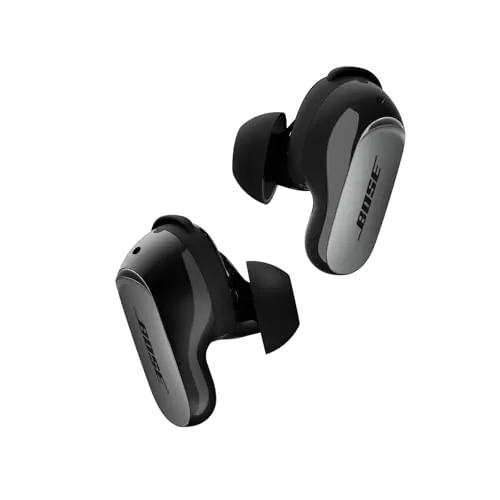
Bose
Bose QuietComfort Ultra Earbuds (2nd Gen)
US Black Bose QuietComfort Ultra Earbuds (2nd Gen), listing data product 296, model 896637-0010. This is the second-generation in-ear model, not the original Ultra Earbuds or Bose over-ear headphones.
Model 896637-0010
Amazon ASIN B0F7M3HPBD
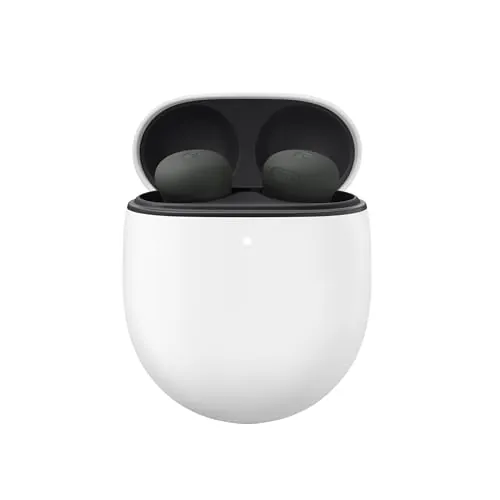
Google Pixel Buds Pro 2
US Hazel Google Pixel Buds Pro 2, listing data product 6855, model GA05762-US. This is the Pro 2 generation, not the earlier Pixel Buds Pro or Pixel Buds 2a.
Model GA05762-US
Amazon ASIN B0D79ND3N7
Differences that matter
What matters most to you?
Choose a priority to see what it changes.
Sources for Switching between phone and computer
Sources for Fit kit and case check
Sources for What you need to charge the case
Start with the devices you will actually switch between
Pixel Buds Pro 2 pair over Bluetooth with Android and iOS devices, tablets and laptops. Google says full feature access requires a Google Account, an Android 6.0 or newer companion phone and internet. Google also documents Audio switch between Fast Paired Android devices that meet its Android, Play Services and same-account conditions. These are separate from basic Bluetooth pairing.
Bose lists its app for iOS and Android, app-customizable listening modes and Bluetooth multipoint on this second-generation earbud model. Write down the two sources you use most, then confirm that each setting you expect is available on your exact phone and computer. The manufacturer descriptions cannot guarantee behavior in every video-call or work app.
Use the case and fit pieces as a pre-buy check
Bose lists a wireless charging case, a 12-inch USB-C-to-USB-A cable, three eartip sizes and three stability-band sizes for QuietComfort Ultra Earbuds (2nd Gen). Google lists four eartip sizes and a USB-C/Qi charging case for Pixel Buds Pro 2; its contents list does not name a charging cable. Bose's product page separately says a power adapter is not included.
Before ordering, compare the listed case dimensions with a pouch or pocket you already use, and check whether you have the right cable or Qi charger. Then check the included tip and band sizes against your own fit needs. Bose dimensions are listed H × W × D; Google Support lists case dimensions without the same labeled axis order, so these numbers do not prove one case will feel smaller in a pocket.
What this comparison can and cannot tell you
The practical distinction supported by these sources is setup and kit: Bose lists its app, listening-mode customization, multipoint, stability bands and included short cable; Google documents broad basic Bluetooth pairing alongside Android- and account-dependent full features, Audio switch conditions, four tip sizes and USB-C/Qi case charging.
No direct independent test of this exact Bose and Google pair was used. There is no evidence here for a sound, ANC, call-quality, comfort or battery-life winner. Fit and switching behavior depend on your ears, phone software and the apps you use, so use the return window or an in-person trial if those decide your purchase.
Product details
Bose QuietComfort Ultra Earbuds (2nd Gen)
- Included fit pieces
- Three eartip sizes (S, M, L) and three stability-band sizes (1, 2, 3), giving nine listed combinations Source
- Included charging cable
- 12-inch USB-C-to-USB-A cable; power adapter not included Source
- Case dimensions and charging
- Listed case dimensions: 2.60 in H × 2.35 in W × 1.06 in D; USB-C and wireless charging case Source
Google Pixel Buds Pro 2
- Basic Bluetooth compatibility
- Pairs with Bluetooth 4.0+ Android and iOS devices, tablets and laptops; full feature access requires a Google Account, Android 6.0+ companion phone and internet Source
- Included fit pieces
- Four eartip size options: extra small, small, medium (attached) and large Source
- Case dimensions and charging
- Google Support lists the case as 25.0 × 49.9 × 63.3 mm; USB-C and Qi-certified wireless charging Source
Before you buy
Community discussions
One QuietComfort Ultra Earbuds (2nd Gen) owner struggled with right-ear fit while walking
Bose QuietComfort Ultra Earbuds (2nd Gen)
One owner said their right earbud made a repeated sound as it shifted while walking. They tried the included tip and stability-band combinations; in their experience, the small tip did not make the sound but did not seal well, while medium and large tips shifted. This is an individual fit report, not a general fit or noise-cancellation result.
What to check
If fit is decisive, try each side with the included tip and band options and move around to check both stability and seal. This post shows one person's result only; it does not predict fit for another ear.
Common questions
Do Pixel Buds Pro 2 work with an iPhone or laptop?
Google says Pixel Buds Pro 2 pair with Bluetooth 4.0+ devices, including iOS phones, tablets and laptops. Full access to features has separate Google Account, Android companion phone and internet requirements.Pixel Buds Pro 2 Features and Specs — Google Store US
Can Pixel Buds Pro 2 switch between my Android phone and computer?
Google documents multipoint connections to two Bluetooth sources, including laptops and Android/iOS phones; it is off by default. Audio switch is an additional option for Fast Paired Android devices with Google Play Services, Android 8+ and the same Google Account.Use Multipoint and Audio Switch on Google Pixel Buds — Google Support
Which pair includes more ear-fit pieces?
Bose lists three eartip sizes and three stability-band sizes. Google lists four eartip sizes for Pixel Buds Pro 2. More pieces do not establish which model will fit an individual ear better.Bose QuietComfort Ultra Earbuds (2nd Gen), Black — Bose USGoogle Pixel Buds Requirements and Specifications — Google Support
Does either box include charging gear?
Bose lists its wireless case and a 12-inch USB-C-to-USB-A cable; its page says the adapter is not included. Google lists a USB-C/Qi case but no cable in its box contents. Check the exact retail listing if a cable is important.Bose QuietComfort Ultra Earbuds (2nd Gen), Black — Bose USGoogle Pixel Buds Requirements and Specifications — Google Support
Which has better sound or noise cancellation?
This guide does not establish a winner. It did not use a direct Bose QuietComfort Ultra Earbuds (2nd Gen) versus Pixel Buds Pro 2 controlled test, and manufacturer feature descriptions are not a matched performance comparison.Bose QuietComfort Ultra Earbuds (2nd Gen), Black — Bose USPixel Buds Pro 2 Features and Specs — Google Store US
Sources and scope
This guide uses current manufacturer product and support documentation, not hands-on testing for this guide. No exact-pair independent test was used, so it makes no comparative sound, ANC, call, comfort or battery-life claim. Google’s US Store specs page currently repeats case-like dimensions under its earbud dimensions heading; those earbud dimensions are excluded. The Google Support specifications page lists Pixel Buds Pro 2 earbud and case dimensions separately, but published dimensions do not determine pocket comfort or fit. Confirm app/OS requirements, retail-box contents and the behavior of your actual phone and computer before relying on them.
- Bose QuietComfort Ultra Earbuds (2nd Gen), Black — Bose US
- Pixel Buds Pro 2 Features and Specs — Google Store US
- Google Pixel Buds Requirements and Specifications — Google Support
- Use Multipoint and Audio Switch on Google Pixel Buds — Google Support
- Pixel Buds Device Settings and Controls — Google Support
Related comparisons
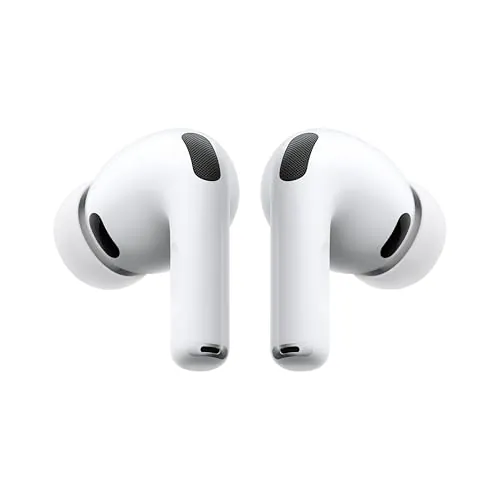
AirPods Pro 3 vs Bose QuietComfort Ultra Earbuds (2nd Gen): Fit and Device Switching
This is white Apple AirPods Pro 3 (MFHP4LL/A) versus black Bose QuietComfort Ultra Earbuds (2nd Gen, 896637-0010), not Bose's first-generation Ultra earbuds or either brand's headphones. RTINGS' direct comparison says AirPods Pro 3 has slightly better ANC and isolation plus longer continuous battery life, while Bose's microphone does a bit better with Android and PCs. The everyday difference is device workflow: Apple says AirPods can be used as Bluetooth headphones with non-Apple devices but functionality may be limited; Bose offers an iOS/Android app and multipoint for two source devices. Fit may override either result: Apple includes five tip sizes, and Bose offers nine tip-and-stability-band combinations plus an in-app seal test. Try the seal and switching routine with your actual phone and laptop before deciding.
Read comparison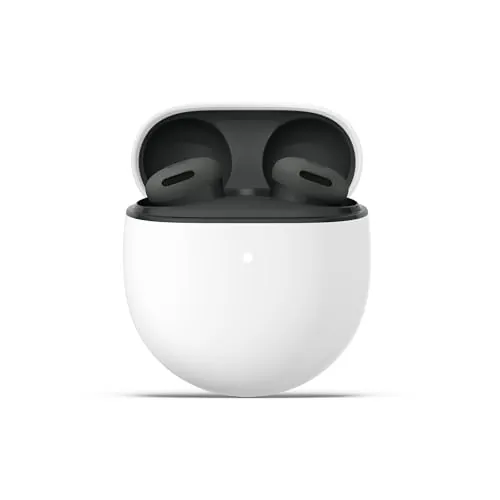
Pixel Buds 2a vs Pixel Buds Pro 2: Is Qi Charging and Longer ANC Listening Worth It?
Google Pixel Buds 2a (Hazel; listed model identifiers G0DNE/GD3B4/GW8XE) and Pixel Buds Pro 2 (Hazel; GA05762-US) share Bluetooth 5.4, a Tensor A1 chip, 11 mm drivers, ANC, transparency, multipoint, twist-to-adjust stabilizers and four eartip sizes. Pro 2 adds swipe volume, Conversation Detection, Adaptive Audio and Qi wireless charging. Google rates Pro 2 for one extra hour per charge with ANC on and ten more total ANC-on hours with its case; SoundGuys' same-condition test measured 7 h 55 min for Pro 2 and 6 h 46 min for 2a. That test also reports a Pro 2 edge in ANC/isolation. The 2a has the lighter case at 47.6 g versus 65 g for Pro 2. The practical choice is whether the extras affect your routine enough to justify the case and charging trade-offs; check current offers separately because prices change.
Read comparison