
Products compared
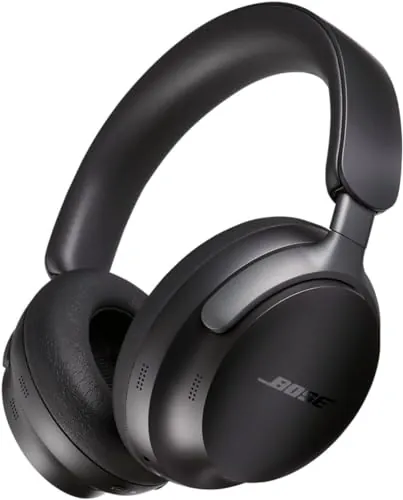
Bose
Bose QuietComfort Ultra Headphones
Original generation; black US product variant.
Model 880066-0100
Amazon ASIN B0CCZ1L489
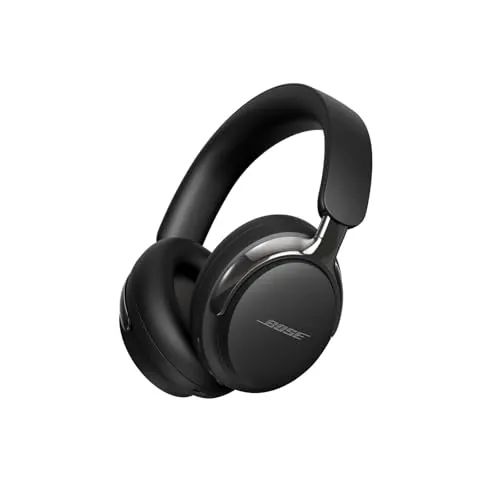
Bose
Bose QuietComfort Ultra Headphones (2nd Gen)
2nd generation; black US product variant.
Model 890101-0100
Amazon ASIN B0FDKR293G
Differences that matter
What matters most to you?
Choose a priority to see what it changes.
Sources for Wired computer or lossless-source audio
Sources for Playback between charges
Sources for Listening while charging
Sources for Movies and video
Sources for Noise cancellation and sound preference
When an owner should upgrade
The 2nd Gen makes the strongest case when it changes a daily connection or charging routine. Bose documents USB-C digital audio for compatible sources, plus charging while you keep wearing and using the headphones. The original does not support USB audio, and its guide says it will not charge while powered on. If you connect to a USB-C computer for calls, games, or compatible audio, or routinely run out of battery mid-session, these are concrete differences to weigh against the cost of replacing a working pair.
If your current original is used mostly over Bluetooth for music and noise cancellation, the upgrade is harder to justify from the available comparison. RTINGS reports similar overall ANC strengths. A newer feature list is not proof that your commute, office, or flight will become quieter.
Use the battery ratings that match your mode
Bose rates the original up to 24 hours with Immersive Audio off and up to 18 hours with it on. The 2nd Gen is rated up to 30 hours in Quiet/Aware and up to 23 hours with Immersive Audio. That is a higher manufacturer rating for either listed use, but it is not a controlled battery test across the two headphones. Volume, settings, connection, and use affect actual runtime.
Think about your longest real session: a commute plus workday, an overnight trip, or a desk day without easy access to a charger. If the original already lasts through your use, the rating difference alone may not change your purchase decision.
Cinema Mode is a video-specific reason to choose the 2nd Gen
The original has Immersive Audio's Still and Motion options. The 2nd Gen adds Cinema Mode, which Bose describes as spatializing video audio and balancing dialogue, background sound, and effects. That gives frequent movie or show viewers a feature-specific reason to choose the newer generation.
Treat Cinema Mode as an available listening mode, not a guarantee of better dialogue or surround sound for every title. If you mostly listen to music, this feature may have little value to you.
Product details
Bose QuietComfort Ultra Headphones
The original already offers Bose's wireless noise cancellation and Immersive Audio modes. Its analog cable requires the headphones to be powered on, it does not support USB audio, and Bose's guide says it will not charge while powered on.
Bose QuietComfort Ultra Headphones (2nd Gen)
The 2nd Gen adds USB-C digital audio, can charge while being worn, and adds Cinema Mode. Bose rates it for longer playback, though those figures are manufacturer ratings and will vary with settings and use.
- USB-C audio
- Compatible USB-C digital audio. Bose’s 8.2.20 release notes add 24-bit/48 kHz lossless audio. Source
- Rated playback
- Up to 30 hours in Quiet/Aware; up to 23 hours with Immersive Audio. Source
- Video listening mode
- Cinema Mode spatializes video sound and balances dialogue, background sound, and effects. Source
Before you buy
Community discussions
Checking where a phone rings after you put the headphones away
Bose QuietComfort Ultra Headphones (2nd Gen)
A QuietComfort Ultra 2nd Gen user said the ringtone sometimes still played through the headphones while they were in the case, even with wear detection enabled. They sometimes switched the headphones off by hand.
What to check
If you plan to use the headphones through the workday, test both a quick device switch and a break with the headset stowed. Check that calls go where you expect.
Common questions
Is the QuietComfort Ultra 2nd Gen worth upgrading to from the original?
It is most compelling if you use USB-C audio, want to listen while charging, need the higher manufacturer-rated runtime, or will use Cinema Mode for video. If you mainly use Bluetooth ANC, RTINGS reports similar overall ANC strengths, so the upgrade is not established as an ANC leap.Bose QuietComfort Ultra Headphones (original), Black US product pageBose QuietComfort Ultra Headphones (2nd Gen), Black US product pageRTINGS exact-pair comparison: Bose QuietComfort Ultra Headphones Wireless vs 2nd Gen
Does the original QuietComfort Ultra support USB-C audio?
No. Bose's original product page says USB audio is not supported. The USB-C port charges the headphones; use Bluetooth or the included analog cable for audio.Bose QuietComfort Ultra Headphones (original), Black US product pageQuietComfort Ultra Headphones Owner's Guide
What is the battery-life difference?
Bose rates the original up to 24 hours with Immersive Audio off and 18 hours on; the 2nd Gen is rated up to 30 hours in Quiet/Aware and 23 hours with Immersive Audio. These are manufacturer ratings, not a controlled comparison test.QuietComfort Ultra Headphones Owner's GuideQuietComfort Ultra Headphones (2nd Gen) Owner's Guide
What does the 2nd Gen add for movies?
It adds Cinema Mode, which Bose describes as spatializing video audio and balancing dialogue, background sound, and effects. Whether you prefer its sound is personal.QuietComfort Ultra Headphones (2nd Gen) Owner's Guide
Does the newer model have better noise cancellation?
Bose markets the 2nd Gen as improved, but RTINGS' exact-pair comparison says their overall ANC strengths are similar. The available public evidence does not establish a universal ANC winner.Bose QuietComfort Ultra Headphones (2nd Gen), Black US product pageRTINGS exact-pair comparison: Bose QuietComfort Ultra Headphones Wireless vs 2nd Gen
Sources and scope
Bose's battery figures are manufacturer ratings under stated conditions, not a controlled head-to-head runtime test. RTINGS' exact-pair comparison reports similar overall ANC strengths, but its detailed test tables are not fully available on the public page. There is no the product listing hands-on or reliability test here, and comfort and sound preference remain personal.
- Bose QuietComfort Ultra Headphones (original), Black US product page
- QuietComfort Ultra Headphones Owner's Guide
- Bose QuietComfort Ultra Headphones (2nd Gen), Black US product page
- QuietComfort Ultra Headphones (2nd Gen) Owner's Guide
- RTINGS exact-pair comparison: Bose QuietComfort Ultra Headphones Wireless vs 2nd Gen
- Bose QuietComfort Ultra Headphones (2nd Gen) firmware release notes
Related comparisons
Bose QuietComfort (2nd Gen) vs QuietComfort Ultra (2nd Gen)
Both second-generation Bose models offer noise cancellation and USB-C wired listening, but Bose positions the Ultra as its premium model with CustomTune, Immersive Audio, and a capacitive volume strip. Bose's stated battery maximums differ by 6 hours with ANC on / in Bose's Quiet mode; RTINGS reports 27 hours for its tested QuietComfort sample and 37 hours for Ultra (2nd Gen). RTINGS describes the QuietComfort (2nd Gen)'s noise isolation as on par with Ultra (2nd Gen), so the available evidence does not establish that the Ultra cancels more noise in a direct controlled comparison.
Read comparison
Sony WH-1000XM6 vs Bose QuietComfort Ultra 2nd Gen: Which Fits Your Day?
In an exact-model comparison, RTINGS describes the Sony WH-1000XM6 as having a small but close noise-isolation edge and a possible advantage for frequent callers; it says Bose is comfortable for more people and more consistent for glasses wearers. Sony weighs about 254 g and supports LDAC/LC3. Bose adds USB-C digital audio and lets you keep listening while charging. Both support two-device multipoint and list up to 30 hours under different conditions, so routine and fit—not a headline spec—should decide.
Read comparison