
Products compared
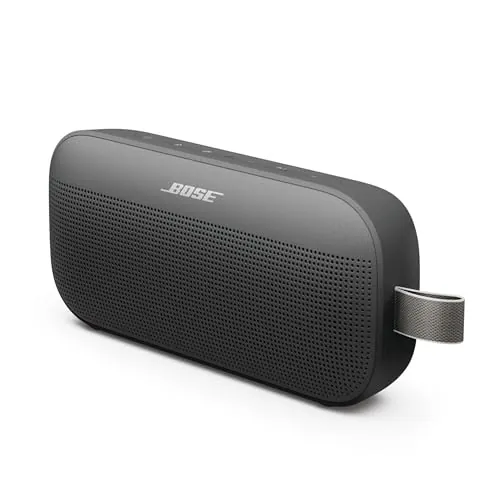
Bose
Bose SoundLink Flex Bluetooth Speaker (2nd Gen)
Black US variant; Bose SoundLink Flex second generation, not the original Flex.
Model 887612-0100
Amazon ASIN B0D6WD2QSQ
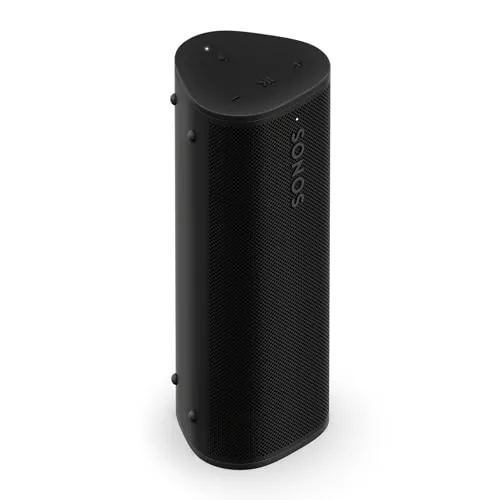
Sonos
Sonos Roam 2
Black US single-speaker variant; second-generation Roam, not original Sonos Roam.
Model ROAM2US1BLK
Amazon ASIN B0CY6S748H
Differences that matter
Sources for Bluetooth and Wi-Fi workflow
Choose by where Bluetooth ends and Sonos Wi-Fi begins
Both products can play audio over Bluetooth, but Roam 2 has a useful out-of-box path: Sonos says you can connect it to a Bluetooth device immediately. If you want Roam 2 on your home Wi-Fi or grouped with other Sonos speakers, the Sonos app for iOS or Android guides setup. A Roam 2 stereo pair also needs Wi-Fi to play Bluetooth audio; Sonos says that mode is unavailable away from Wi-Fi.
Flex 2 is a Bluetooth speaker with Bose app support and multipoint for two active source devices. Its Shortcut can link compatible Bose speakers, and Bose SimpleSync can connect it to a supported Bose smart speaker or soundbar through the app. Those are Bose workflows; they do not add Sonos Wi-Fi grouping. Decide whether you will mostly use direct Bluetooth or an existing whole-home Sonos setup before paying for network features.
Check the charger and port before taking it outdoors
The Black US Flex 2 page lists a USB-C-to-A cable and says its wall adapter is not included. The Roam 2 US page lists an included USB-C cable and a compatible power adapter as not included; Sonos also supports a Qi-certified wireless charger, which is a separate charging accessory. Confirm the exact seller bundle if a charger must be in the box.
Both makers require a dry charging connection. Bose tells users to dry the Flex 2 charging port thoroughly before charging. Sonos says Roam 2, its port and cable ends, and the wireless charging surface must be dry and clean; its USB-C and wireless chargers are not weather resistant and should only be used indoors. If a speaker gets wet, wipe and air-dry it before connecting charging gear.
Treat IP67 as a bounded rating, not a use-anywhere promise
Both are listed IP67, but Bose and Sonos describe different practical water behavior. Bose says Flex 2 floats and is designed to withstand accidental drops in water for up to 30 minutes, but is not designed for use while in water. Sonos says Roam 2 can be submerged at 1 m for up to 30 minutes. Neither statement supports underwater playback or wet charging.
A sensible pre-buy decision is to identify the likely exposure: a speaker that might accidentally fall into a pool, brief specified immersion, or prolonged outdoor placement. For salt or chlorinated water, Bose directs owners to rinse Flex 2 with fresh water and dry it. Sonos recommends drying Roam 2 and storing it indoors when not in use; it says the product is not rated for long-term outdoor exposure.
Measure the bag instead of guessing from the photos
Bose lists Flex 2 at 7.93 inches wide, 3.56 inches deep and 2.06 inches high, weighing 1.291 pounds, with a nylon utility loop. Sonos lists Roam 2 at 6.61 inches high, 2.44 inches wide and 2.36 inches deep, weighing 0.95 pounds. The two speakers have different listed orientations, so compare all axes with your pocket opening and depth rather than comparing only height.
For a quick pre-buy check, measure the smallest opening in your bag, then check whether the speaker dimensions clear that opening and whether its loop or body shape works with your carry plan. These are listed outer dimensions, not a guarantee about fit in a soft-sided bag.
What the sources do not compare
The recommendation here is about network workflow, charging logistics, water-handling instructions and listed physical dimensions. No side-by-side sound, loudness, reliability or battery-runtime result is asserted. Manufacturer battery figures are model-specific claims and are not needed to choose between these setup paths.
This guide covers only Bose SoundLink Flex (2nd Gen) Black, model 887612-0100, and Sonos Roam 2 Black, model ROAM2US1BLK. Check the product selector, seller and bundle if a different generation, color or accessory package is shown.
Product details
Bose SoundLink Flex Bluetooth Speaker (2nd Gen)
Flex 2 is the Bluetooth-first option, with the Bose app available for settings, a two-device multipoint connection, and a utility loop. Bose says it floats but is not designed for playback while in water; let its USB-C port dry thoroughly before charging.
- Wireless setup
- Bluetooth 5.3; Bose app support; multipoint can keep two source devices connected Source
- Box and charging
- USB-C to USB-A cable included; wall adapter not included; up to 4 hours to charge with a 1.5 A supply Source
- Carry size
- 7.93 in wide × 3.56 in deep × 2.06 in high; 1.291 lb; nylon utility loop Source
- Water and charging limit
- IP67 and floats; Bose says it is not designed for use while in water. Dry the charging port thoroughly before charging. Source
Sonos Roam 2
Roam 2 offers Bluetooth playback without first adding it to Wi-Fi. Its Sonos Wi-Fi grouping and system functions require the Sonos app. The included cable does not include a wall adapter; Qi-certified wireless charging is supported, with the wireless charger purchased separately.
- Wireless setup
- Bluetooth playback works out of the box; Sonos app on iOS or Android is needed to add Roam 2 to Wi-Fi and group with Sonos products Source
- Box and charging
- USB-C charging cable included; compatible USB-C power adapter not included. Sonos also supports Qi-certified wireless chargers, sold separately. Source
- Carry size
- 6.61 in high × 2.44 in wide × 2.36 in deep; 0.95 lb Source
- Water and charging limit
- IP67; specified for submersion to 1 m for up to 30 minutes. Dry the speaker, port, cable, or wireless charging surface before charging; chargers are for indoor use. Source
Before you buy
Community discussions
Starting a stereo pair with two Flex 2 speakers
Bose SoundLink Flex Bluetooth Speaker (2nd Gen)
An owner setting up two SoundLink Flex 2nd Gen speakers found instructions for the earlier model unhelpful. They reported using the manual for their generation and the Shortcut button to start stereo playback.
What to check
If you want music in two places, decide whether you would start a pair directly on the Bluetooth speakers or add the portable speaker to your existing Wi-Fi system.
Common questions
Does Sonos Roam 2 require Wi-Fi just to play Bluetooth audio?
No. Sonos says Roam 2 can connect to a Bluetooth device and play right after unboxing. To connect it to Wi-Fi and group it with Sonos products, use the Sonos app for iOS or Android. Two Roam 2 speakers in a stereo pair need Wi-Fi to play Bluetooth audio; that stereo pairing is unavailable away from Wi-Fi.Set up your Sonos Roam 2Pair Sonos Roam 2 with a Bluetooth device
Which speaker floats, and are either intended for underwater playback?
Bose says Flex (2nd Gen) floats but is not designed for use while in water; its guidance covers accidental drops. Sonos specifies Roam 2 submersion to 1 m for up to 30 minutes. These details do not establish intentional underwater playback.Bose SoundLink Flex Portable Speaker (2nd Gen), Black — US product pageSonos Roam water and dust resistance (includes Roam 2)Sonos Roam 2, Black — US product page
Do I need to buy a charger separately?
Both product pages list a USB charging cable but no wall adapter. Bose lists a USB-C-to-A cable for Flex 2. Sonos lists a USB-C cable and supports Qi-certified wireless charging as an alternative; check the exact accessory bundle if you want a wireless pad.Bose SoundLink Flex Portable Speaker (2nd Gen), Black — US product pageSonos Roam 2, Black — US product pageCharging Sonos Roam products (includes Roam 2)
Can I charge either speaker right after it gets wet?
No. Bose says to dry the Flex 2 charging port thoroughly before charging. Sonos says the Roam 2 port, cable ends, and wireless charging surfaces must be dry and free of debris; its charging accessories are for indoor use.Bose SoundLink Flex Portable Speaker (2nd Gen), Black — US product pageSonos Roam water and dust resistance (includes Roam 2)
Sources and scope
No side-by-side sound, loudness, battery or reliability testing is claimed. Guidance is scoped to the Black US listings Bose SoundLink Flex (2nd Gen), model 887612-0100 / ASIN B0D6WD2QSQ, and Sonos Roam 2, model ROAM2US1BLK / ASIN B0CY6S748H. IP67 and manufacturer water-use notes do not support wet charging, underwater playback, or long-term outdoor exposure beyond the makers’ stated limits.
- Bose SoundLink Flex Portable Speaker (2nd Gen), Black — US product page
- Bose SoundLink Flex (2nd Gen) Product Specifications
- Bose SoundLink Flex (2nd Gen) Owner’s Guide
- Sonos Roam 2, Black — US product page
- Set up your Sonos Roam 2
- Pair Sonos Roam 2 with a Bluetooth device
- Charging Sonos Roam products (includes Roam 2)
- Sonos Roam water and dust resistance (includes Roam 2)
Related comparisons
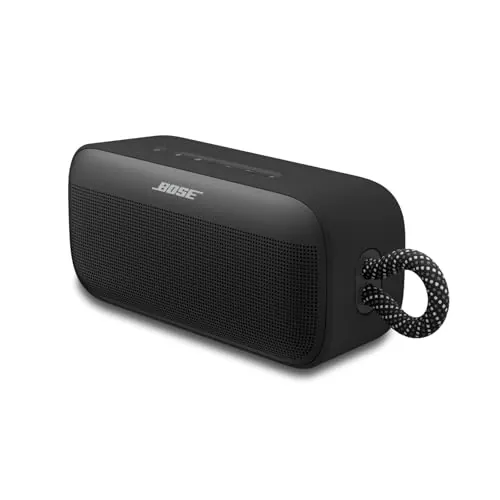
Bose SoundLink Flex (2nd Gen) vs SoundLink Plus: Carry, Pairing, and Phone Charging
This guide covers the assigned black listings: Bose SoundLink Flex (2nd Gen), model 887612-0100, and SoundLink Plus, model 894040-0100. Flex is the carry-first option with a built-in microphone and no charge-out. Plus adds 15W USB-C charge-out and a higher manufacturer battery-life rating, while weighing about two pounds more by Bose’s published figures. Their cross-model speaker link is Party Mode; Stereo Mode requires a matching model. Bose’s Plus charging-time figures vary by page and stated power setup, so use the caveat below instead of planning around a single promise.
Read comparison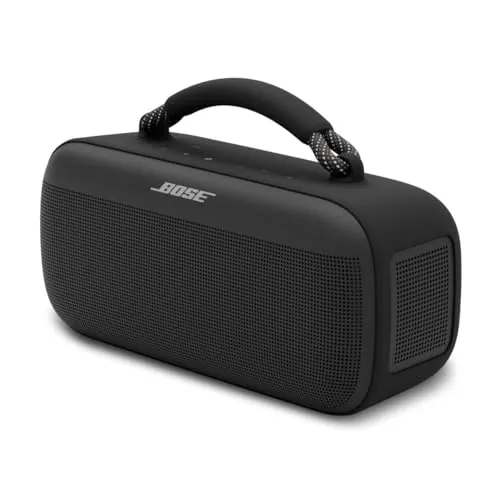
Bose SoundLink Flex (2nd Gen) vs SoundLink Max: Carry, Calls and Connections
For the assigned US Black models, Flex (2nd Gen) is the smaller speaker and has a built-in microphone for calls. SoundLink Max is much larger, has stereo playback from one speaker, a 3.5 mm AUX input and USB-C phone charging out. Both support multipoint connections to two source devices and Bose speaker-link features, but stereo pairing is model-specific. Measure your bag space and check the included charger before ordering.
Read comparison