
Products compared
Bose
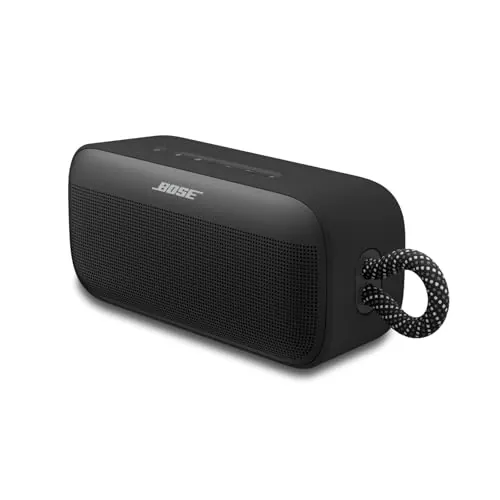
Bose SoundLink Plus Portable Speaker
Black U.S. listing; model 894040-0100. Bose publishes the SoundLink Plus setup and feature information on its model page.
Model 894040-0100
Amazon ASIN B0F7HVC62G
Sonos
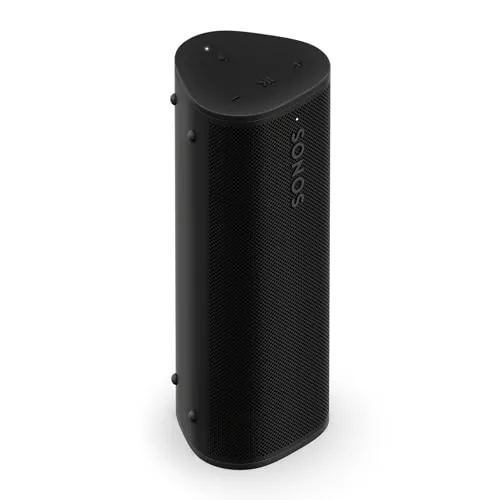
Sonos Roam 2 Portable Speaker
Black U.S. model ROAM2US1BLK. Roam 2 supports first-use Bluetooth playback; app setup is needed to use Wi-Fi and Sonos grouping.
Model ROAM2US1BLK
Amazon ASIN B0CY6S748H
Differences that matter
What matters most to you?
Choose a priority to see what it changes.
Sources for First Bluetooth use vs home-network setup
Sources for Charging direction and included adapter
Sources for App and account preparation
Decide how the speaker should work at home
Bose documents Bluetooth playback and wireless linking with compatible Bose speakers that have a shortcut button. Its product page describes Party Mode for compatible speakers and limits Stereo Mode to two SoundLink Plus units. If you already own a Bose speaker, check its exact model against Bose's compatibility guidance before counting on a group setup.
Roam 2 offers a different route: it can play over Bluetooth straight out of the box, while its Wi-Fi connection and grouping with Sonos products require setup in the Sonos app for iOS or Android. Sonos's product page also lists AirPlay 2 on Wi-Fi. These are separate manufacturer ecosystems; neither source supports assuming that Bose and Sonos speakers can group with each other.
Use the Roam 2 guide, not the original Roam instructions
This generation difference matters at first setup. Sonos's Roam 2-specific article says Bluetooth can be used immediately after unboxing; Wi-Fi and Sonos grouping require the app. The original Roam setup article says that original model must first be set up through the app on Wi-Fi before it connects over Bluetooth. If you are replacing or adding to an older Sonos system, follow the instructions that match the exact speaker generation rather than assuming the original Roam's first-use flow still applies.
Check bag space and charging direction before choosing
The listed Roam 2 is lighter at 0.95 lb, with a tall 6.61 × 2.44 × 2.36-inch body. Bose lists SoundLink Plus at 3.373 lb and 4.114 × 11.169 × 3.402 inches. These numbers help screen a shelf or bag opening, but they do not establish comfort, ease of carrying or fit inside your particular bag.
The charging roles differ. Bose says its USB-C output provides 15 W (5 V/3 A) for typical phones and tablets, while larger devices may not charge. Its listed box includes a USB-C to USB-C cable but no adapter. Sonos's Roam 2 page lists a 3.9-foot USB-C cable and requires a compatible USB-C adapter of at least 7.5 W (not included), or an optional Sonos wireless charger or Qi-certified charger. It describes recharging Roam 2; do not infer that the port charges a phone from the port rating alone.
Product details
Bose SoundLink Plus Portable Speaker
- Wireless workflow listed
- Bluetooth; Bose also documents linking with compatible Bose speakers that have a shortcut button. Source
- Listed body and weight
- 4.114 in H × 11.169 in W × 3.402 in D; 3.373 lb. Source
- USB-C charging roles
- USB-C in/out; Bose specifies 15 W (5 V/3 A) charge-out for typical phones and tablets and cautions that larger devices may not charge. Source
- Box power accessories
- USB-C to USB-C cable listed; power adapter not included. Source
Sonos Roam 2 Portable Speaker
- First-use and home-network setup
- Sonos says Roam 2 can connect to a Bluetooth device right out of the box; Wi-Fi and grouping with Sonos products require Sonos app setup on iOS or Android. Source
- Listed body and weight
- 6.61 in H × 2.44 in W × 2.36 in D; 0.95 lb. Source
- Recharging options
- Included 3.9 ft USB-C to USB-C cable; compatible USB-C power adapter (7.5 W or higher) not included; optional Sonos wireless charger or Qi-certified wireless charger also listed. Source
Before you buy
Community discussions
A dance teacher needs a speaker that fits between venues
Bose SoundLink Plus Portable Speaker
A buyer replacing a JBL Charge 5 describes switching between smaller studios and larger halls for dance classes and singing lessons, and says the replacement needs to fit in a bag. They are considering the Bose SoundLink Plus and JBL Charge 6; this post gives their carry requirement, not a result for the Bose-versus-Sonos comparison.
What to check
If you move a speaker between rooms or venues, compare the exact models' listed dimensions and weight with the bag and setup space you plan to use. This buyer's post does not establish how the SoundLink Plus performs in either room.
Common questions
Do I need the Sonos app before using Roam 2 over Bluetooth?
Sonos says Roam 2 can connect to a Bluetooth device and play right after unboxing. To connect it to Wi-Fi or group it with other Sonos products, use the Sonos app for iOS or Android.Set up your Sonos Roam 2
Is that the same first-time Bluetooth setup as the original Sonos Roam?
No. Sonos's original-Roam setup article says Roam first needs setup with the Sonos app on Wi-Fi before it can connect to a Bluetooth device. The separate Roam 2 article says it can connect to Bluetooth immediately after unboxing. Use the guide for the exact generation.Pair Sonos Roam with Bluetooth (original generation setup requirements; generation boundary only)Set up your Sonos Roam 2
Can SoundLink Plus join any Bose speaker, or group with Sonos?
Bose says SoundLink Plus links with compatible Bose speakers that have a shortcut button. Its page limits Stereo Mode to two SoundLink Plus speakers. Sonos documents Wi-Fi grouping with Sonos products for Roam 2. These sources do not document a Bose-Sonos group.Bose SoundLink Plus Portable Speaker: specifications, charging and linkingSet up your Sonos Roam 2
Can either speaker charge a phone, and is an adapter in the box?
Bose explicitly documents 15 W USB-C charge-out for typical phones and tablets, with a note that larger devices may not charge. Sonos lists the Roam 2 USB-C port and its speaker-recharging methods, but not charge-out to another device. Both manufacturers list the USB-C cable but no power adapter in the box.Bose SoundLink Plus Portable Speaker: specifications, charging and linkingSonos Roam 2 Black: technical specifications and box contents
Sources and scope
This guide uses exact-model manufacturer pages and setup support. It does not compare sound, real-world connectivity, battery endurance, charging rates, water use or carry comfort. Roam 2's Bluetooth-first setup statement is specific to Roam 2; do not apply the original Sonos Roam setup requirements to it. No price or current-stock comparison is included.
Related comparisons
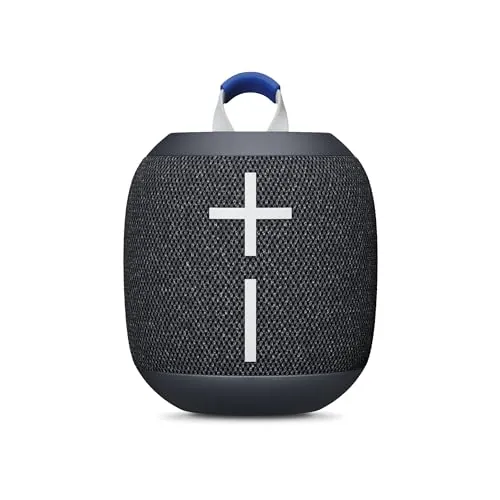
Bose SoundLink Plus vs Ultimate Ears WONDERBOOM 4
Bose SoundLink Plus suits buyers who will use its USB-C phone charge-out, app EQ and larger battery rating. WONDERBOOM 4 is much lighter by listed weight and offers 360-degree coverage with physical Outdoor Boost and Podcast controls. Both are IP67 and float; Bose warns against using it in water.
Read comparison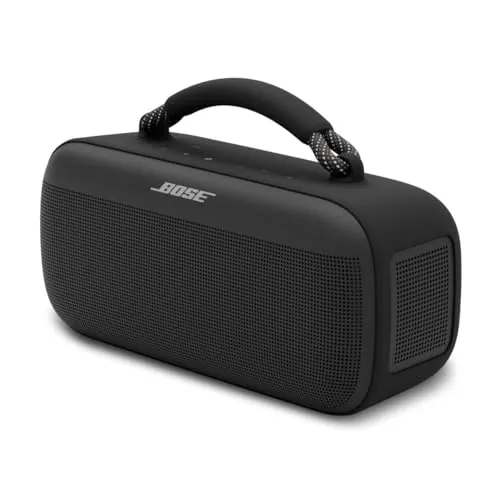
Bose SoundLink Max vs SoundLink Plus: AUX, Charging and Carry Fit
The SoundLink Max adds a 3.5 mm AUX input, a removable rope handle and, for the US package, a USB-C power supply. SoundLink Plus has a carrying loop and includes a USB-C cable but no wall adapter. Both support USB-C charging and device charge-out; check your wired sources and existing charger before choosing.
Read comparison