
Products compared
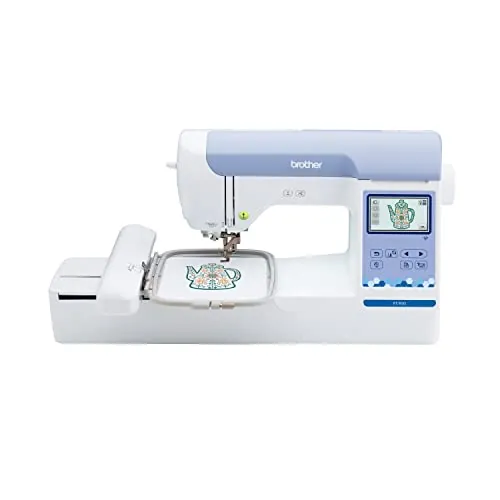
Brother
Brother PE900 Wireless Embroidery Machine
U.S. PE900 machine-only listed variants; embroidery machine, not a conventional sewing machine.
Model PE900
Amazon ASIN B0B8337QHR
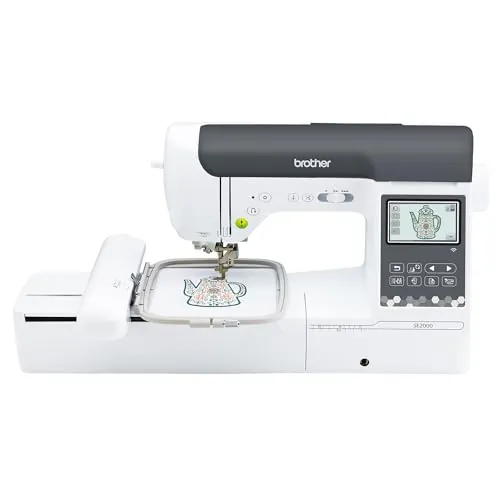
Brother
Brother SE2000 Sewing and Embroidery Machine
U.S. SE2000 machine-only listed variants; combo machine for conventional sewing and embroidery.
Model SE2000
Amazon ASIN B0B835KJFF
Differences that matter
What matters most to you?
Choose a priority to see what it changes.
Sources for Conventional sewing on the machine
Sources for Maximum area for one embroidery design
Sources for PC transfer over a wireless network
First decide whether this machine needs to sew
The PE900 is an embroidery-only machine. The SE2000 combines sewing and embroidery and has 241 built-in sewing stitches. If your current sewing machine already handles your projects, the SE2000's added sewing role may be redundant; if you want one machine to do both jobs, it is the fitting option in this pair.
Brother's carton lists also point to different setups: the SE2000 includes a foot controller and multiple sewing feet, while the PE900 box list is organized around embroidery. Treat these as maker carton contents, then verify the exact marketplace box before ordering.
Measure one design separately from a multi-position project
For one design in one hooping, Brother lists the same 5 × 7 inch maximum field and included 7 × 5 inch frame for both machines. Measure the design's full bounding box and leave room for the fabric and stabilizer you plan to hoop.
A multi-position hoop is a separate workflow: Brother's support instructions say its clamp moves among positions so several designs can be combined without re-hooping as often. The same page explicitly keeps the maximum area for any single design at 5 × 7 inches. It does not establish that every larger design can be split, aligned, or completed without re-hooping. Ask Brother about the exact accessory model and confirm whether it is in the seller's package.
Match the design file to the transfer route
Both product pages list USB and wireless capability. For a PC workflow, Brother describes Design Database Transfer as a Windows application that sends designs wirelessly to a wireless-LAN-compatible machine. Brother also documents Artspira as a mobile-app transfer route for both models. Choose the software path that matches the device you actually use rather than paying for the SE2000 expecting a transfer advantage over PE900.
Brother's format guidance lists PES, DST, PHC and PEN from iBroidery among the machine-readable file types and warns that other data may cause malfunction. Before buying, verify the format and design limits for the files you plan to use. The source does not guarantee that a third-party file will stitch successfully.
Product details
Brother PE900 Wireless Embroidery Machine
- Machine role and included frame
- Embroidery-only; Brother lists one included 7 × 5 inch frame and a maximum embroidery area of 5 × 7 inches. Source
- Design transfer
- Wireless LAN supports PC-to-machine transfer through Brother's free Design Database Transfer software; Brother also documents Artspira mobile-app transfer. A built-in USB port is listed. Source
- Manufacturer carton list
- Brother lists the embroidery foot, needle and maintenance accessories, a 7 × 5 inch frame, bobbin thread, dust cover and printed guides. Check the exact seller carton for the machine-only offer. Source
Brother SE2000 Sewing and Embroidery Machine
- Machine role and included frame
- Sewing-and-embroidery combo with 241 built-in sewing stitches; Brother lists one included 7 × 5 inch frame and a maximum embroidery area of 5 × 7 inches. Source
- Sewing kit
- Brother's carton list includes a foot controller and eight sewing/embroidery feet, including zipper, overcasting, blind-stitch, button-fitting and buttonhole feet; verify the seller's exact machine-only package. Source
- Design transfer
- Wireless LAN supports PC-to-machine transfer through Brother's free Design Database Transfer software; Brother also documents Artspira mobile-app transfer. A built-in USB port is listed. Source
Before you buy
Community discussions
Getting personal designs onto the machine
Brother PE900 Wireless Embroidery Machine
A beginner considering a Brother PE900 wanted to embroider clothes and bags and eventually turn their own designs into embroidery files.
What to check
Make a list of where your designs will come from. Check the file types and transfer options, and measure the area of the largest design you want to make.
Replacing an older sewing and embroidery setup
Brother SE2000 Sewing and Embroidery Machine
A shopper returning to embroidery considered a Brother SE2000 and wanted more hoop space. They were also weighing whether a single machine should handle sewing.
What to check
Check which older files you want to keep, how large they are, and whether a separate sewing machine still makes sense for your space.
Common questions
Does the SE2000 embroider a larger design than the PE900?
Brother lists a 5 × 7 inch maximum embroidery area and an included 7 × 5 inch frame for each. The SE2000 adds conventional sewing, not a larger published field for one design.PE900 Wireless Embroidery Machine - 5" x 7" Embroidery AreaSE2000 Sewing & Embroidery Machine - 5" x 7" Embroidery Area
Will a multi-position hoop let one design exceed 5 × 7 inches?
Brother describes its extra-large multi-position hoop as a way to shift the clamp and combine multiple designs without re-hooping as often. Its support page says the maximum for any single design remains 5 × 7 inches. Confirm the exact hoop accessory and your intended placement workflow with Brother.Using the extra large hoop with this machine
Can I send embroidery designs wirelessly from a computer?
Brother lists wireless LAN and the free Design Database Transfer route for both machines. The support page describes that dedicated PC application as Windows software. Brother also documents Artspira mobile transfer, and both product pages list a USB port; confirm the route for your device and file source.PE900 Wireless Embroidery Machine - 5" x 7" Embroidery AreaSE2000 Sewing & Embroidery Machine - 5" x 7" Embroidery AreaDesign Database Transfer - Video Included
Which design formats should I check?
Brother's support answer for both models lists PES, DST, PHC and PEN files from iBroidery. It warns that other data may cause the machine to malfunction and says designs must fit within the listed 7 × 5 inch field; confirm a downloaded file with Brother's format and design guidance.Design format types that the machine will read
Sources and scope
This guide uses Brother's published U.S. specifications and model-specific support materials, not hands-on sewing or embroidery tests. Both machines are listed with the same 5 × 7 inch maximum area for one design. Brother's multi-position-hoop instructions describe moving the clamp to place multiple designs, not enlarging one design area; confirm the exact optional hoop and package contents before ordering. A manufacturer's carton list does not guarantee that a marketplace seller's bundle is identical. File compatibility and transfer steps depend on the design format and chosen device/software.