Products compared
Corsair
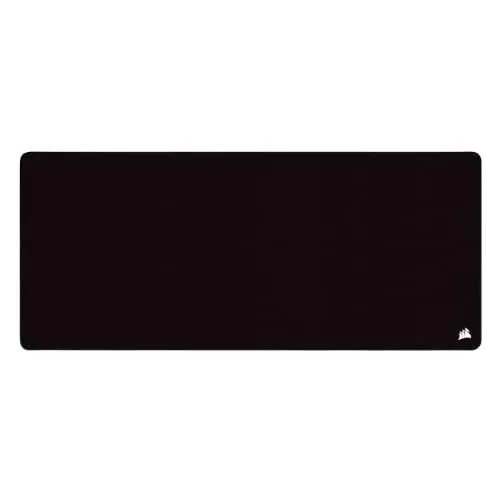
CORSAIR MM350 PRO Premium Spill-Proof Cloth Gaming Mouse Pad – Extended XL, Black
Exact U.S. black Extended XL variant; manufacturer lists a micro-weave cloth surface with a spill-resistant coating.
Model CH-9413770-WW
Amazon ASIN B08JH8C5T5
Corsair
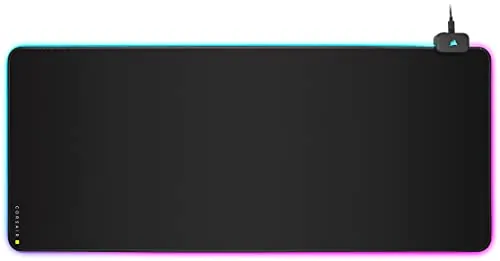
CORSAIR MM700 RGB Extended Mouse Pad, Black
Exact U.S. black Extended variant; manufacturer lists three-zone RGB lighting and an integrated two-port USB hub.
Model CH-9417070-WW
Amazon ASIN B08QSNNV5H
Differences that matter
What matters most to you?
Choose a priority to see what it changes.
Sources for Desk footprint and thickness
Sources for Surface care claim
Sources for Lighting and USB ports
Sources for Edge construction
Start with the same desk footprint
The exact Corsair pages give both pads a 930 × 400 mm surface and 4 mm thickness. Their rounded inch widths differ by one tenth of an inch, but the metric dimensions match. Measure the clear desk area before choosing, especially around a keyboard tray, monitor stand or desk edge. The MM350 PRO lists 360° anti-fray stitching; the MM700 RGB describes RGB stitched edges. That wording does not establish how long either edge will last.
Choose between a surface-care claim and integrated controls
Corsair describes the MM350 PRO coating as spill-resistant and says the cloth is easy to wipe clean after an accident. This is a maker claim, not a controlled spill test. The MM700 RGB product page does not establish whether that pad has a similar coating, so do not read its silence as proof that it does not.
The MM700 RGB lists three-zone RGB lighting, 12 button-cycled onboard profiles and two USB ports. It connects to a PC with a detachable USB-C cable and includes a USB power/data cable. Corsair does not list the cable length or describe how connected devices are powered. The product information does not establish whether the exact MM350 PRO SKU has lighting or a USB hub, so check the features listed for the offer you plan to buy.
A quick pre-purchase fit check
Mark out 930 × 400 mm on your desk, then place your keyboard and mouse within that outline. If considering the MM700 RGB, trace the path from the pad’s cable connection to the PC and confirm that the connection and hub location work with your setup. If considering the MM350 PRO for its spill wording, decide whether a stated resistant coating and wipe-clean surface meet your needs; neither page provides comparative spill results.
Product details
CORSAIR MM350 PRO Premium Spill-Proof Cloth Gaming Mouse Pad – Extended XL, Black
CORSAIR MM700 RGB Extended Mouse Pad, Black
- Published surface dimensions
- 930 × 400 mm (36.6 × 15.8 in); stated thickness 4 mm. Source
- Lighting and connection
- Three-zone RGB, 12 onboard profiles cycled by a button, optional iCUE customization, two USB ports and a detachable USB Type-C connection to a PC. A USB power/data cable is listed in the package contents. Source
Before you buy
Community discussions
Plan around the MM700 RGB hub
CORSAIR MM700 RGB Extended Mouse Pad, Black
An MM700 RGB owner identified the hub at the pad’s upper-right corner and said they plug in a keyboard and mouse; they were unsure whether the ports support charging.
What to check
If the MM700 RGB hub is part of your choice, check whether its position and USB cable route fit your keyboard, mouse and PC layout. Confirm any charging need against current product documentation.
Common questions
Are the two pads different sizes?
Corsair lists 930 × 400 × 4 mm for both. Its rounded inch descriptions say 36.6 × 15.7 inches for the MM350 PRO and 36.6 × 15.8 inches for the MM700 RGB, so the metric measurements are the clearest planning reference.MM350 PRO Premium Spill-Proof Cloth Gaming Mouse Pad – Extended XL, BlackMM700 RGB Extended Mouse Pad
Does the MM700 RGB have the same spill-resistant coating?
The consulted MM700 RGB page does not say. That omission does not establish that the coating is absent. Ask Corsair if the feature is important; the MM350 PRO page explicitly describes a spill-resistant coating and a wipe-clean claim.MM350 PRO Premium Spill-Proof Cloth Gaming Mouse Pad – Extended XL, BlackMM700 RGB Extended Mouse Pad
Does the MM700 RGB need iCUE to use its lights?
Corsair says the 12 onboard profiles can be cycled with a button on the pad. The page also lists iCUE as an option for programming lighting.MM700 RGB Extended Mouse Pad
What should I check before using the MM700 RGB hub?
Corsair lists two USB ports and a detachable USB Type-C cable to connect the pad to a PC, and includes a USB power/data cable. Measure the cable route and confirm your host setup; the page does not specify cable length or power available to attached devices.MM700 RGB Extended Mouse Pad
Sources and scope
CORSAIR describes the MM350 PRO coating as spill-resistant and wipe-clean. Follow the exact care instructions. The MM700 RGB needs a host connection for its listed lighting and hub functions; verify the cable reach.