
Products compared
CUKTECH
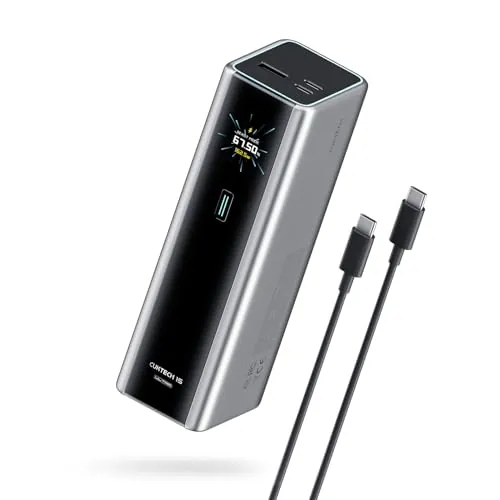
CUKTECH 15 Ultra Power Bank (PB200U)
Exact CUKTECH 15 Ultra configuration identified by the manufacturer as PB200U; product page lists a separate 3.2 ft PD3.1 USB-C cable.
Model PB200U
Amazon ASIN B0DM1RGZHD
Anker
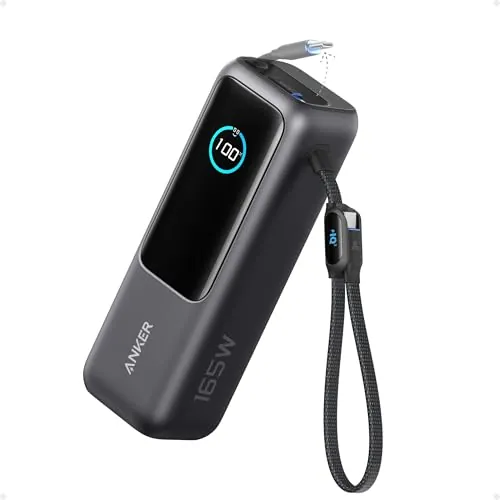
Anker Laptop Power Bank (25K, 165W, Built-In and Retractable Cables), A1695
Exact Anker A1695 configuration; its U.S. product page specifies two built-in USB-C cables, one additional USB-C port and USB-A. The A1695 guide identifies one retractable and one non-retractable built-in cable.
Model A1695
Amazon ASIN B0DCBB2YTR
Differences that matter
What matters most to you?
Choose a priority to see what it changes.
Sources for Single-port and combined output planning
Sources for Recharging the bank
Sources for On-bank status information
Match the output ceiling to the laptop you own
The manufacturer pages make different parts of the power plan explicit. CUKTECH identifies the 15 Ultra as PB200U and lists up to 140W from one PD3.1 port and up to 165W total. It says output is distributed for one or multiple devices, but the reviewed page does not map the simultaneous outputs. Anker identifies A1695, rates each USB-C output up to 100W, and publishes an allocation map for particular port combinations. That map reduces output below the stated levels when the battery is under 78%.
Before choosing, check your laptop’s USB-C PD input requirements and the cable/protocol needed to use them. A laptop that can use a compatible input above 100W gives PB200U’s single-port ceiling a possible feature-fit advantage, not a guaranteed faster charge. If your laptop is within Anker’s listed ceiling and you care about charging other devices from known ports, use Anker’s exact A1695 allocation as a planning reference. Ask CUKTECH for its port split if your multiple-device arrangement depends on it.
Choose the cable routine and check the charger separately
CUKTECH lists a separate 3.2-foot PD3.1 USB-C cable with the PB200U and describes dual-port input up to 165W. The page reviewed does not name the compatible charger combination or give a matched recharge-time result. Anker lists two built-in USB-C cables on A1695, identifies one as retractable in its product documentation, and rates USB-C input up to 100W; its stated recharge time depends on charger power and ambient temperature.
That creates a practical packing choice: carry a separate cable you can place as needed, or use cables attached to the Anker bank. Measure the reach you want and check which devices will occupy the available ports. Do not assume an AC adapter is in the exact seller package; confirm the current offer’s box contents before purchase.
A short pre-buy compatibility check
First, note the laptop’s required charging protocol and maximum USB-C input. Second, map your planned laptop, phone and tablet to individual ports and compare that combination with the manufacturer’s published limits. Third, decide whether you want attached cables or a separate cable and confirm whether the specific offer includes an AC charger. If the answer relies on PB200U powering several devices at a particular split, obtain that exact combination from CUKTECH; its page does not state one. The numbers here are maker-rated feature limits, not measurements for this guide.
Product details
CUKTECH 15 Ultra Power Bank (PB200U)
- Published output ceiling
- CUKTECH lists up to 140W from one PD3.1 port and up to 165W total output; its accessible product-page text does not publish a port-by-port simultaneous output map. Source
- Included cable and display
- The manufacturer page lists a separate 3.2 ft PD3.1 cable and a 1.3-inch TFT display with charging and input/output information. Source
- Recharge input
- The product page describes dual-port simultaneous input up to 165W, but does not specify the compatible charger arrangement or a comparable recharge time. Source
Anker Laptop Power Bank (25K, 165W, Built-In and Retractable Cables), A1695
- Published output ceiling
- Anker rates each USB-C cable/port up to 100W, USB-A up to 33W and total output up to 165W. Source
- Cable and port layout
- Two built-in USB-C cables (one retractable, one non-retractable), one additional USB-C port and USB-A; the exact A1695 user guide labels the cable types. Source
- Multi-port allocation
- Anker’s A1695 support map says any two USB-C outputs share up to 165W; with three or four ports, C1 is up to 100W and the other ports share up to 30W. The map applies at 78% battery level or higher; below that, output is reduced. Source
- USB-C input
- Anker lists up to 100W USB-C input; input capability and recharge time depend on the charger and conditions. Source
Before you buy
Community discussions
An A1695 owner values its attached cables for travel
Anker Laptop Power Bank (25K, 165W, Built-In and Retractable Cables), A1695
An Anker 25K 165W owner says the attached USB-C cables were useful for travel and that they carry the battery daily.
What to check
When packing for a trip, check where you would carry the CUKTECH’s separate cable and how you would reach the Anker’s attached cables.
Common questions
Which one can provide more power to one USB-C laptop connection?
CUKTECH lists up to 140W from one PB200U PD3.1 port; Anker rates each A1695 USB-C cable or port up to 100W. Your laptop must support a matching USB-C charging protocol and input, and these figures do not show a tested charge speed.CUKTECH 15 Ultra Power Bank (PB200U)Anker Laptop Power Bank (25K, 165W, Built-In and Retractable Cables), A1695
Can I plan laptop-plus-phone charging from Anker’s A1695 map?
Anker’s support article gives output allocations by port combination. For three or four connected ports it describes up to 100W at C1 plus up to 30W shared among the others, with the map applying when the bank is at least 78% charged. Check your devices and cables against the exact combination; the map is not a guarantee for every pair.How Power Is Distributed in Anker Power Bank (25K, 165W, Built-In and Retractable Cables)
Does the CUKTECH product page show the PB200U output split when several ports are used?
No. The page says it distributes output for single- or multi-device use and lists up to 165W total and up to 140W from one port, but it does not specify the simultaneous port-by-port allocation. Contact CUKTECH if that precise split determines your setup.CUKTECH 15 Ultra Power Bank (PB200U)
Should I expect a wall charger in either listing?
Do not assume one from the bank model name. CUKTECH lists a separate 3.2 ft cable, while Anker’s product page offers bank-only and charger bundle selections. Check the exact seller offer’s included-items list before ordering.CUKTECH 15 Ultra Power Bank (PB200U)Anker Laptop Power Bank (25K, 165W, Built-In and Retractable Cables), A1695
Sources and scope
This guide compares exact-model manufacturer descriptions, not a charging test. Output depends on the laptop or phone’s supported USB-C power profile, cable, connected ports and battery state. The CUKTECH page lists a 140W single-port and 165W total maximum but does not publish the simultaneous port split; Anker’s map is conditional on its bank being at least 78% charged. Neither rating predicts the charge rate or number of charges for a particular device. Confirm the exact seller bundle for a wall charger.
Related comparisons
Anker A1695 vs UGREEN 35525
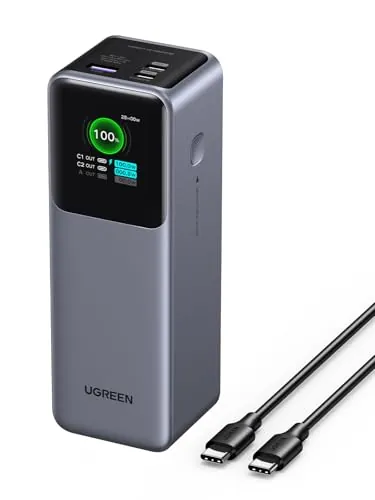
Anker A1695 offers up to 100W from one USB-C connection and up to 165W total with two USB-C devices; Anker says the maximum falls to 130W when three or four devices charge. UGREEN 35525 lists up to 140W from USB-C1 and up to 100W from USB-C2, with a 200W total-output label. Treat these as different port and shared-output limits, not a single-port 165W versus 200W contest. Both makers list 25,000mAh/90Wh, but device protocol, cable, battery state and simultaneous loads still affect what your devices receive.
Read comparison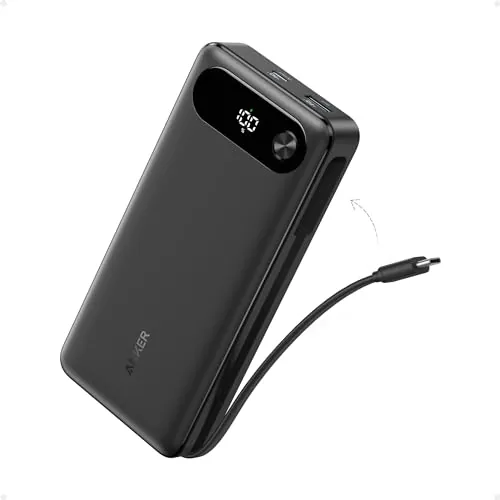
Anker A1695 vs A1383: More Shared Laptop Power or a Thinner Carry?
These assigned black single power banks answer a travel-kit choice: Anker A1695 (ASIN B0DCBB2YTR) offers 25,000mAh and publishes up to 165W across two USB-C outputs, plus up to 130W total with three or four devices connected. Anker A1383 (ASIN B0CXDXP8VR) has a 20,000mAh rating and lists up to 65W from one USB-C cable or port plus 22W from USB-A, 87W total. A1695 includes a retractable USB-C cable and a shorter cable that doubles as a lanyard; A1383 has one built-in USB-C cable. A1695 is listed at 595g and 49mm thick; A1383 at 430.91g and 26mm thick. Choose by your devices' USB-C input profiles and intended simultaneous connection pattern, then compare the listed shape and weight with your carry setup. These are manufacturer specifications, not tested charging speeds or guaranteed device runtimes.
Read comparison