
Products compared
CyberPower
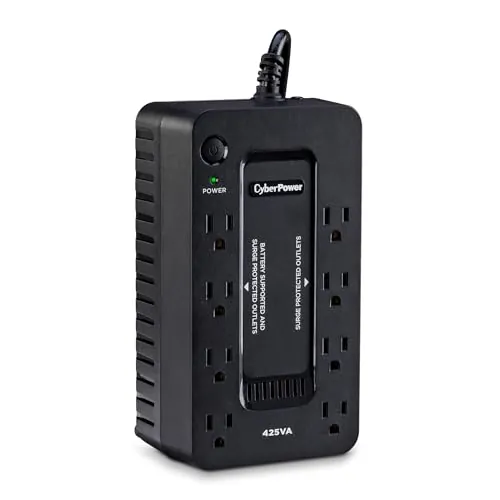
CyberPower ST425 Standby UPS
US 425 VA / 260 W standby model, eight outlets
Model ST425
Amazon ASIN B07GZR981Y
CyberPower
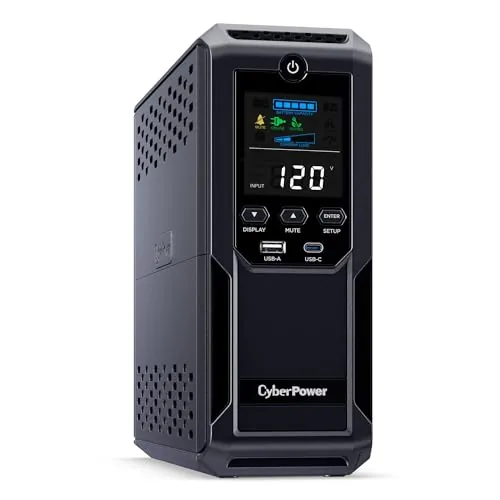
CyberPower CP1500AVRLCD3 Intelligent LCD UPS
US 1500 VA / 900 W line-interactive model, twelve outlets
Model CP1500AVRLCD3
Amazon ASIN B0BCMLLSHL
Differences that matter
What matters most to you?
Choose a priority to see what it changes.
Sources for Published capacity and load check
Sources for Battery-backed versus surge-only outlets
Sources for Computer status monitoring
Sources for Plan the outlet map before ordering
Start with the equipment load
ST425 is rated 425 VA / 260 W. Its manual says connected equipment must not exceed the UPS rating and recommends keeping load below 80% of rated capacity. Applied to the 260 W figure, that is below 208 W. This is the ST425 manual’s guidance; the reviewed CP1500AVRLCD3 datasheet states 1500 VA / 900 W but does not give the same 80% recommendation.
Before buying, write down the input requirements for devices you intend to place on battery-backed outlets, then compare the total to the model’s stated VA and watt capacity. This check does not predict backup duration and does not establish that either UPS suits a particular load.
Count battery-backed outlets separately
ST425 has eight outlets: four battery-and-surge protected plus four surge-only. CP1500AVRLCD3 has twelve: six battery-and-surge protected plus six surge-only. A larger total outlet count does not mean every position is battery-backed or raise the unit’s capacity.
Make two lists before ordering: equipment that must be on battery backup, and equipment that only needs surge protection. Compare each list with the model’s outlet allocation and check the ratings for the load you plan to support. The outlet split alone cannot determine whether the connected equipment is suitable.
Decide whether computer status monitoring matters
ST425’s manual explicitly excludes it from USB-to-PC status communication. It describes a power-on indicator and audible alarm states. CP1500AVRLCD3’s datasheet lists a multifunction LCD, a HID-compliant USB communication port, a USB management cable and PowerPanel Personal software.
If a computer needs UPS status, ST425 does not have the documented USB-PC interface. CP1500AVRLCD3 lists that interface, but check software and host support for your environment; the cited datasheet does not establish automatic shutdown for a specific computer or NAS.
Before you buy: a three-part fit check
1. Record the model-specific load rating and compare it with the equipment you plan to put on battery-backed outlets. For ST425, keep the load below the manual’s stated 80%-of-rating guidance; do not apply that same percentage rule to the CP model without its own documentation.
2. Count devices that need battery power, not just the total number of plugs. ST425 offers four battery-backed positions; CP1500AVRLCD3 offers six. Keep surge-only devices in the separate outlet count.
3. Decide whether a local indicator is enough or whether your computer must receive UPS status. ST425 excludes USB-to-PC communication; CP1500AVRLCD3 lists HID USB and LCD monitoring. Confirm software/host requirements separately. Neither capacity rating promises a given runtime for your equipment.
Product details
CyberPower ST425 Standby UPS
- Rated capacity
- 425 VA / 260 W Source
- Outlet allocation
- 8 total: 4 battery and surge protected; 4 surge-only protected Source
- USB status communication
- No USB-to-PC interface; ST425 is expressly excluded in the manual Source
- Load guidance
- Manual says not to exceed rated capacity and recommends keeping load below 80% of rating Source
CyberPower CP1500AVRLCD3 Intelligent LCD UPS
Before you buy
Community discussions
A mini-PC shopper wants enough time for an orderly shutdown
CyberPower ST425 Standby UPS
A shopper considering the ST425 wanted to keep a mini PC and monitor running long enough to shut down. The discussion began with that specific equipment setup.
What to check
List what needs battery power and use each model’s runtime chart at your equipment’s actual load. Check whether you also need system-monitoring features.
An ST425 owner has a plug-fit question
CyberPower ST425 Standby UPS
An ST425 owner asked whether the plug would fit their existing wall outlet. Their post raised an installation constraint for that room.
What to check
Before choosing either UPS, check the manufacturer’s input plug specification and the outlet available at your intended location.
Common questions
Are all outlets battery-backed on these UPS models?
No. ST425 has four battery-and-surge outlets plus four surge-only outlets. CP1500AVRLCD3 has six of each. Verify the labels on the exact unit and place each device in the outlet group that matches the function you need.CyberPower ST425 Standby UPS System DatasheetCyberPower CP1500AVRLCD3 US Datasheet (2024)
Can ST425 send UPS status to my computer over USB?
No. The ST425 manual explicitly marks its USB-to-PC communication feature as “except for ST425.” CP1500AVRLCD3 lists a HID-compliant USB communication port and PowerPanel Personal software, but confirm that the software supports your host and intended workflow.CyberPower ST425 / ST625U / ST900U US User ManualCyberPower CP1500AVRLCD3 US Datasheet (2024)
How do I check whether my load fits?
Add the input requirements of the equipment you plan to place on battery-backed outlets and check against the model’s VA and watt ratings. For ST425, CyberPower’s manual also recommends keeping load below 80% of rated capacity; for its 260 W rating that is below 208 W. The cited CP datasheet lists 1500 VA / 900 W but does not supply the same 80% rule in the fields used here.CyberPower ST425 / ST625U / ST900U US User ManualCyberPower ST425 Standby UPS System DatasheetCyberPower CP1500AVRLCD3 US Datasheet (2024)
Does a 1500 VA rating tell me how long devices will stay on?
No runtime estimate is made here. Capacity ratings and outlet counts are not a device-specific runtime result. Use CyberPower’s current exact-model runtime information with the actual load if backup duration is a purchasing requirement.CyberPower ST425 Standby UPS System DatasheetCyberPower CP1500AVRLCD3 US Datasheet (2024)
Sources and scope
This guide compares manufacturer-published ratings, outlet allocation, status interfaces and a documented ST425 load guideline. It does not estimate backup time for your equipment or establish that either model suits a particular load, host, or power requirement. Verify your equipment’s stated input and the model instructions before purchase.
Related comparisons
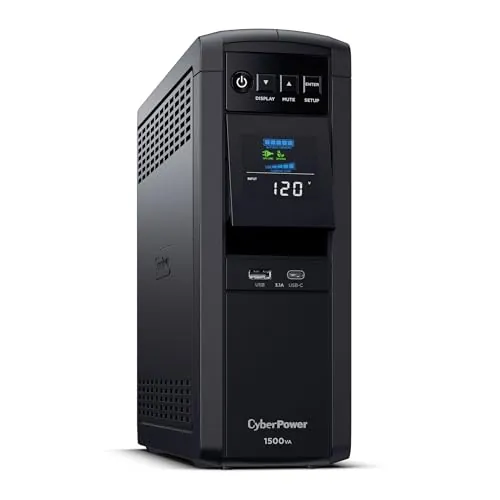
CyberPower CP1500PFCLCD vs CP1500AVRLCD3: Waveform, Watt Rating and Outlet Check
Both CyberPower UPS models list 1500VA and 12 outlets, with six battery-backed outlets. The CP1500PFCLCD is rated 1000W and specifies sine-wave output with Active PFC compatibility; the CP1500AVRLCD3 is rated 900W and specifies simulated sine wave on battery. The AVRLCD3 is listed 0.8 in shorter and 0.2 in shallower. Check the actual equipment load, its waveform requirements and available clearance before choosing.
Read comparison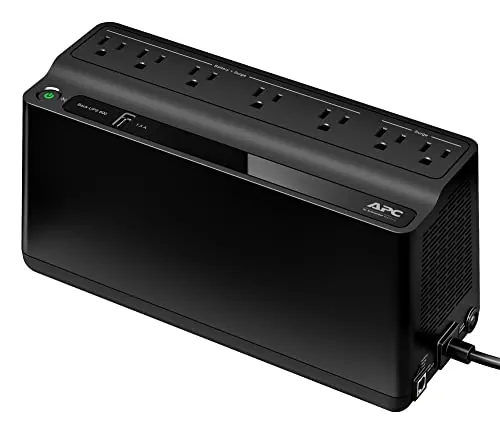
APC BE600M1 vs CyberPower ST425: Capacity, Backup Outlets and Battery Care
The APC BE600M1 is rated for 600 VA/330 W and has five battery-backed outlets, two surge-only outlets, USB charging and a documented user-replaceable battery. The CyberPower ST425 is rated for 425 VA/260 W, with four battery-backed outlets, four surge-only outlets and four widely spaced outlets. Match your equipment’s stated VA and watts to the limits, then map each plug to the outlet type it needs. Neither rating predicts runtime for your specific devices.
Read comparison