
Products compared
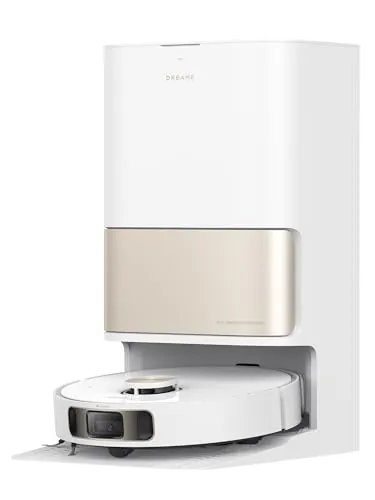
Dreame
Dreame L10s Pro Ultra Heat Robot Vacuum and Mop
The exact Amazon ASIN listing identifies the L10s Pro Ultra Heat and manufacturer part RLL82CE, matching Dreame's US manual. Dreame's US page describes MopExtend and states that the L10s Pro Ultra Heat washes mops with up to 136°F water under its stated lab conditions. The manual describes an automatic detergent compartment. The product listing currently lists model RLL94CE for this product ID, so verify the model label on the seller listing.
Model RLL82CE
Amazon ASIN B0CVL2TT74
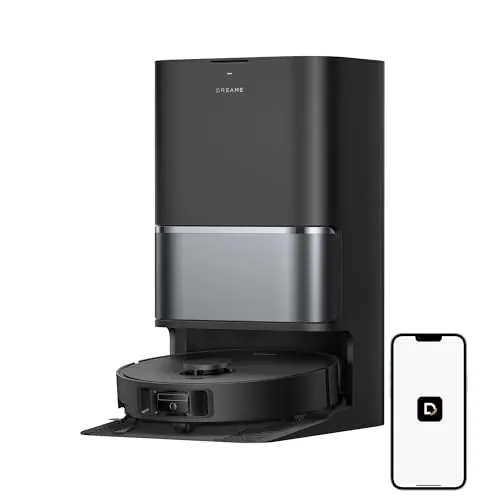
Dreame
Dreame L40 Ultra Gen 2 Robot Vacuum and Mop
Dreame's US page and manual identify L40 Ultra Gen 2 / model RLL53SE. It has an extending side brush, MopExtend, and AceClean DryBoard. Its standard configuration does not include automatic solution dispensing by default; Dreame sells that module separately. The same US page states 25,000Pa maximum suction, which is a manufacturer figure rather than a comparative cleaning result.
Model RLL53SE
Amazon ASIN B0FSJPFDPV
Differences that matter
Sources for Mop-wash specification
Sources for Cleaning-solution workflow
Sources for Washboard and water-tank upkeep
Sources for Published maximum suction
Check the feature that would justify an upgrade
The clearest documented hardware addition on the L40 is its extending side brush; the L10s also has a MopExtend feature, so this comparison does not show how much more of a room edge the L40 will clean. The L40 also has an AceClean DryBoard. If one of those features addresses a specific problem in your home, the upgrade may fit. The L10s keeps a documented 136°F mop-wash specification and an integrated detergent compartment, while the L40's automatic solution dispenser is a separate purchase by default. Choose by those differences rather than the suction numbers alone.
A practical dock and bundle check before buying
Choose the spot where the dock will live, measure its available space, and check the placement diagram for the exact model. Both Dreame manuals recommend tile or marble under the station to help prevent water stains on wood or carpet. Then plan for the routine the dock leaves to you: both manuals say to clean the used-water tank after each use and the clean-water tank every two weeks. If you expect automatic detergent dosing, verify whether the L40's separate dispenser is in the exact seller bundle. On the L10s offer, check that ASIN B0CVL2TT74 and model RLL82CE match the seller’s product label.
Product details
Dreame L10s Pro Ultra Heat Robot Vacuum and Mop
Before you buy
Community discussions
L10s Pro Ultra Heat recurring mop-pad errors
Dreame L10s Pro Ultra Heat Robot Vacuum and Mop
One Australian owner reports recurring mop-pad rotation or obstruction errors after about six months despite replacing pads and rollers, restarting, and resetting. They also describe an earlier warranty repair. This is an individual report and does not establish frequency or show that the L40 resolves it.
What to check
If you are upgrading from an L10s Pro Ultra Heat, compare the models’ current maintenance instructions and regional repair coverage before assuming a newer feature set addresses this reported issue.
Common questions
Does the L40 Ultra Gen 2 automatically add cleaning solution?
Not in its standard configuration by default. Dreame says its optional automatic solution dispenser is sold separately; verify the contents of the exact seller bundle before checkout.Dreame L40 Ultra Gen 2 US product page
Does the higher L40 suction number prove that it cleans better?
No. Dreame publishes 25,000Pa for the L40 and 7,000Pa for the L10s, but those maximum specifications are not results from the same comparative home test. They do not prove which one removes more dirt or hair in your home.Dreame L10s Pro Ultra US product page (Heat features described in page sections)Dreame L40 Ultra Gen 2 US product page
Do either of these docks eliminate routine maintenance?
No. Both US manuals specify cleaning the used-water tank after each use and the clean-water tank every two weeks. They also list regular washboard or washboard-filter care and other part maintenance.Dreame Bot L10s Pro Ultra Heat User Manual (US; RLL82CE)Dreame L40 Ultra Gen 2 User Manual (US; RLL53SE)
Which model does ASIN B0CVL2TT74 identify?
The Amazon item details identify the L10s Pro Ultra Heat and manufacturer part RLL82CE, which matches Dreame's US manual. current product record lists RLL94CE, so verify the seller's exact model label before ordering.Amazon listing for Dreame L10s Pro Ultra Heat, ASIN B0CVL2TT74Dreame Bot L10s Pro Ultra Heat User Manual (US; RLL82CE)
Sources and scope
The manufacturers publish maximum suction figures. Real-home pickup, edge coverage and dock workload would require matched testing. Check for L10s model RLL82CE on the package for ASIN B0CVL2TT74.
- Dreame L10s Pro Ultra US product page (Heat features described in page sections)
- Dreame Bot L10s Pro Ultra Heat User Manual (US; RLL82CE)
- Dreame L40 Ultra Gen 2 US product page
- Dreame L40 Ultra Gen 2 User Manual (US; RLL53SE)
- Amazon listing for Dreame L10s Pro Ultra Heat, ASIN B0CVL2TT74
- Amazon listing for Dreame L40 Ultra Gen 2, ASIN B0FSJPFDPV
Related comparisons
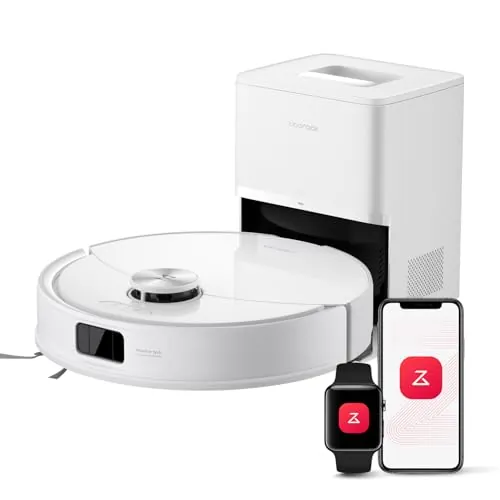
Roborock Q10 S5+ vs Dreame L10s Pro Ultra Heat
The Q10 S5+ pairs an auto-empty dust dock with a manually prepared mop. Dreame’s L10s Pro Ultra Heat automates mop washing, drying and water refill, while leaving tank and station care. Compare the routines and measure each dock’s documented clearance before choosing.
Read comparison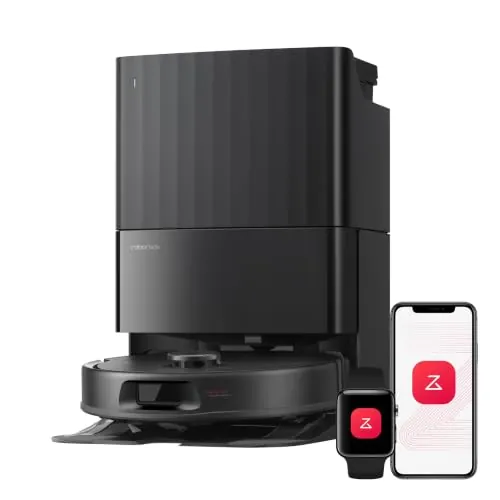
Dreame L40 Ultra Gen 2 vs Roborock Qrevo S Pro: Dock Fit and Mop Care
Both models pair vacuuming and mopping with an all-in-one dock. Dreame documents extending edge hardware and a 10.5 mm mop lift; Roborock documents a 10 mm lift and gives numeric dock clearances. Measure the planned dock position and decide which water, bag, and mop chores fit your routine; neither source set establishes a cleaning winner.
Read comparison