
Products compared
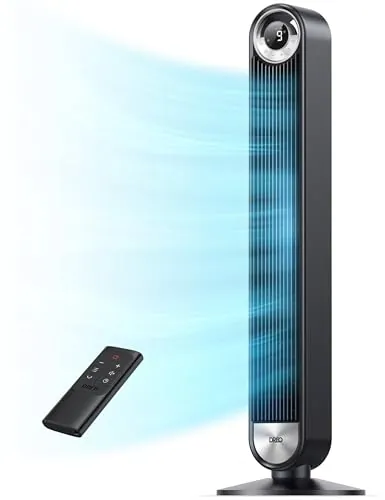
DREO
DREO Tower Fan 519 Standard, Black
This guide compares the black DREO Tower Fan 519 Standard, model DR-HTF009. DREO’s product page shows Standard and Smart WiFi as separate selections; the Smart variant is not the product compared here.
Model DR-HTF009 (Standard)
Amazon ASIN B08P4Z3B5X
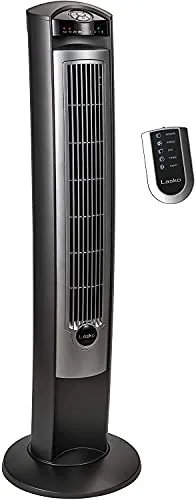
Lasko
Lasko Wind Curve 42-inch Tower Fan, T42951, Silver
Lasko's US product page identifies the silver Wind Curve 42-inch model as T42951 and lists a remote. The linked family manual names T42951/T42952/T42954 and describes controls, Nighttime feature and half-hour timer steps.
Model T42951
Amazon ASIN B000RL3UJA
Differences that matter
What matters most to you?
Choose a priority to see what it changes.
Sources for Nighttime control sequence
Sources for Timer range and increments
Sources for Manufacturer-listed oscillation
Sources for Control hardware and floor-space check
Compare the night controls by their actual sequence
DREO's Tower Fan 519 page says Sleep mode normally reduces speed every 30 minutes, by up to two levels, turns off the prompt sound, and switches the display off within five seconds. Lasko's T42951 family manual describes a different Nighttime program: lights dim by 50%, speed starts at high for one hour, shifts to medium for one hour, then moves to low until the user interacts. If display light is a concern, DREO documents its shutoff timing; if you want a staged high/medium/low sequence, Lasko spells out that sequence. Neither description tells us which fan is quieter or improves sleep.
DREO’s product page presents Standard and Smart WiFi as separate selections. The black model compared here is DR-HTF009 Standard; DREO’s support page identifies the 519S Smart as DR-HTF009S. App and Wi-Fi functions from the S version are not treated as features of this Standard model.
Set the timer to your intended run window
DREO lists a 1–12-hour timer. Lasko's manual allows 30-minute to 7.5-hour settings in 30-minute increments. The longer maximum is DREO's, while Lasko has the shorter minimum and smaller stated step size. Choose by the timer value you need rather than assuming either fan will cool a room for a particular length of time.
Use sweep and dimensions as layout checks
DREO lists 90° oscillation without giving its orientation; Lasko specifies 60° horizontal oscillation. Those nominal figures are not a matched sweep test, and do not show which fan moves more air toward a bed. DREO lists dimensions of 13 in deep × 13 in wide × 42 in high. Lasko identifies its product as a 42-inch tower fan, but the reviewed official page and manual do not state a separate footprint. Measure the intended floor spot and confirm the exact base size before relying on bedside fit.
Both listings document remote use; DREO also lists touch control and Lasko's manual identifies physical controls on the fan. For an exact offer, confirm DREO is DR-HTF009 Standard rather than the distinct Smart WiFi / DR-HTF009S version.
Product details
DREO Tower Fan 519 Standard, Black
- Night mode and timer
- The 519 page describes speed stepping down every 30 minutes by up to two levels in Sleep mode and a 1–12-hour shutdown timer; it says the display turns off within five seconds in Sleep mode. Source
- Listed dimensions and controls
- 13 in D × 13 in W × 42 in H; remote and touch controls are listed. The page displays separate Standard and Smart WiFi selections. Source
Lasko Wind Curve 42-inch Tower Fan, T42951, Silver
- Nighttime feature and timer
- The manual says Nighttime dims the fan lights by 50%, runs high for one hour, medium for one hour, then low until user interaction; timer settings span 30 minutes to 7.5 hours in half-hour increments. Source
- Oscillation and controls
- The product page lists 60° horizontal oscillation, three speeds and a remote; the manual confirms manual controls and remote operation. Source
Before you buy
Community discussions
Bedside shopper wants occasional oscillation without smart controls
DREO Tower Fan 519 Standard, Black
A Canadian shopper considering the Cruiser Pro T2 wanted a fan for overnight use, with occasional oscillation and simple controls.
What to check
Confirm the exact Standard or Smart variant on the offer, then check which controls you can use from bed and how each unit changes oscillation.
Common questions
Which fan has the longer timer?
DREO lists a 1–12-hour timer. The T42951 manual gives Lasko 30-minute to 7.5-hour settings in half-hour increments. These are control ranges, not promises about cooling, energy use or comfort.DREO Tower Fan 519Lasko 42-inch Wind Curve Operating Manual, Models T42951/T42952/T42954
How do their night settings differ?
DREO describes Sleep mode as lowering speed every 30 minutes by up to two levels and turning off the display within five seconds. Lasko's manual says Nighttime dims the lights by 50%, runs high and medium for an hour each, then runs low until interaction. That is a control-sequence difference, not a sleep-quality comparison.DREO Tower Fan 519Lasko 42-inch Wind Curve Operating Manual, Models T42951/T42952/T42954
Does the DREO Standard model have app control?
This guide covers black model DR-HTF009 Standard. DREO shows Standard and Smart WiFi as separate 519 selections and identifies the 519S as Smart DR-HTF009S. Do not transfer Wi-Fi or app features from the S variant; verify the exact model on the selected offer.DREO Tower Fan 519Tower Fan 519S Smart DR-HTF009S Support Page
Will either footprint fit beside my bed?
DREO lists a 13 × 13 inch footprint and 42-inch height. The reviewed Lasko product page and manual do not give a base footprint, although it is named as a 42-inch fan. Measure the exact space and base; the published height alone cannot establish bedside fit.DREO Tower Fan 519Lasko Wind Curve 42-inch Tower Fan T42951
Sources and scope
This compares listed controls and dimensions, not cooling, airflow, noise, comfort or sleep outcomes. DREO offers distinct Standard and Smart WiFi versions of the Tower Fan 519; this guide covers the black DR-HTF009 Standard. Verify the physical model label and included controls on the offer, and do not assume the separate 519S / DR-HTF009S app or Wi-Fi behavior applies. DREO’s shared product page does not separate every description by SKU. Lasko’s manual covers T42951, T42952 and T42954, while its product page identifies the silver T42951. DREO lists a 13 × 13 × 42 in body; Lasko’s reviewed sources do not give its base footprint. No price or availability promise is included.
Related comparisons
Honeywell HT900 vs HTF210B: Wall Mount, Oscillation and Cleaning
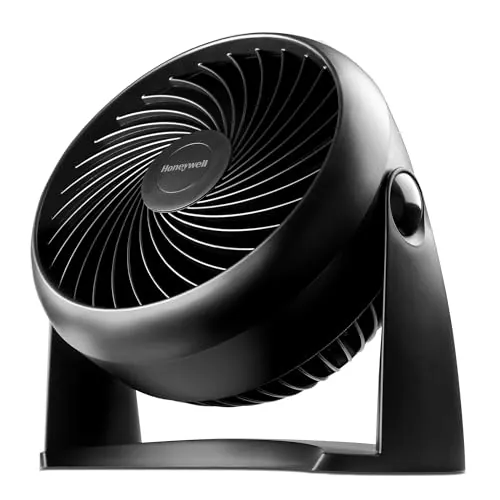
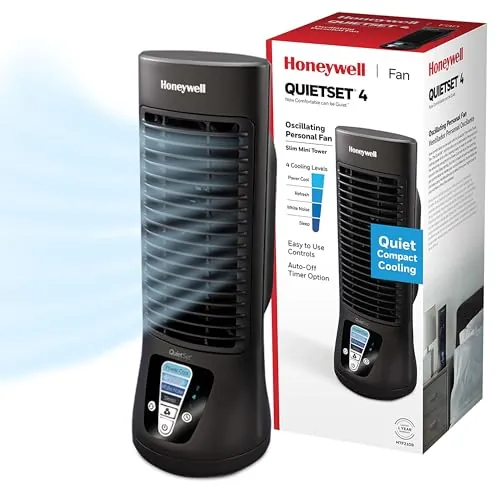
These Honeywell fans solve different placement problems. The black HT900 can sit on a table or be wall-mounted, and its head pivots up to 90 degrees; its manual says wall hardware is not included and ceiling mounting is prohibited. The HTF210B is a freestanding oscillating mini tower that cannot be wall- or ceiling-mounted, and its manual lists 2-, 4- and 8-hour auto-off settings. Cleaning also differs: the HT900 manual describes removing and re-securing its front grille for access, while the HTF210 series manual describes gently removing dust through the grille. Choose by placement, timer use and which documented cleaning routine suits you—not by untested airflow or noise claims.
Read comparison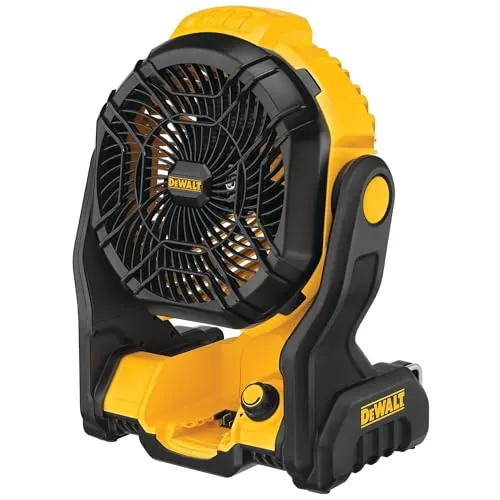
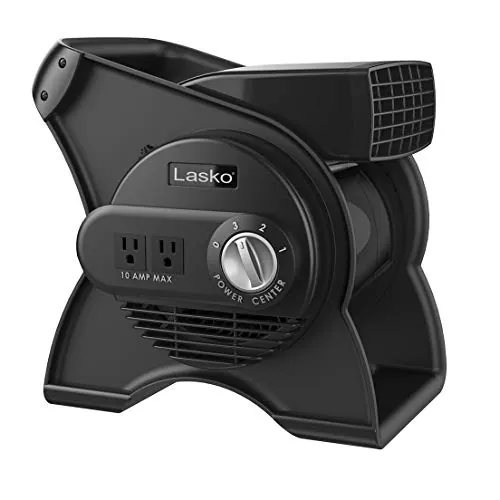
DEWALT DCE512B vs Lasko U12104: Cordless Setup or Plug-In Blower?
For a dry indoor home work area, the DEWALT DCE512B makes sense when a cord would limit placement and you already have—or plan to buy—a compatible DEWALT 20V MAX battery and charger. The DCE512B is tool-only. Choose the Lasko U12104 when a grounded 120V outlet is within reach and you want a corded blower that can sit on a stable, level surface and tilt to aim. Its manual says residential use only, despite broader job-site language on the product page. Neither model is proven quieter or stronger here; this comparison is about setup and supported placement.
Read comparison