
Products compared
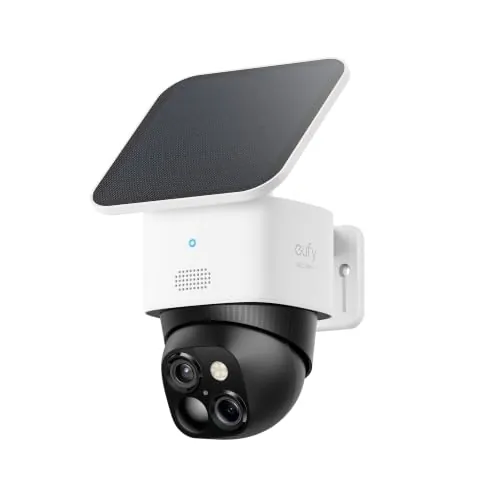
eufy Security
eufy SoloCam S340
Single-camera US listing; battery-powered, with an included detachable solar panel and built-in local storage described by eufy.
Model T8170 (T81701W1 US product page)
Amazon ASIN B0CCYP6KFM
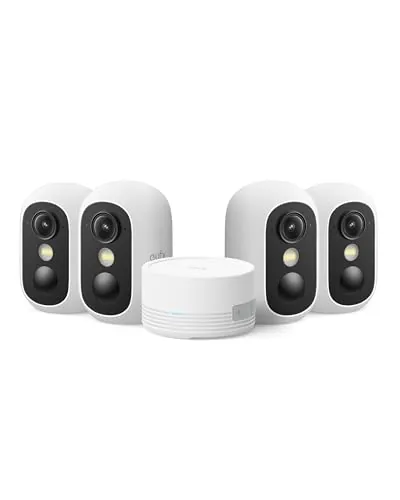
eufy Security
eufyCam C35 4-Cam Kit (White)
Four-camera US kit with one HomeBase Mini in eufy's standard 4-Cam Kit package matrix; that package has no solar panels. The included HomeBase Mini is optional for initial camera connection, not a mandatory prerequisite.
Model T8110 cameras; standard 4-Cam Kit configuration
Amazon ASIN B0FH5JY7TH
Differences that matter
What matters most to you?
Choose a priority to see what it changes.
Sources for What arrives in the standard configuration
Sources for Where clips are stored
Sources for Mounting and site checks
The useful distinction is one view versus four camera positions
These are different installation plans, not just two camera feature lists. The assigned US SoloCam S340 listing is a single T8170 camera. The C35 4-Cam Kit is a four-camera package; eufy's US manual's standard 4-Cam Kit column also lists one HomeBase Mini and no solar panels.
Start by marking the places you want cameras mounted. If that plan has one position, the four-camera kit may add units you do not need. If the plan needs four separately mounted cameras, one pan-tilt camera still remains one installed unit. Neither the unit count nor a movement feature predicts how much of a particular property will be visible.
Plan power, network, and storage as separate decisions
For the S340, eufy lists a rechargeable battery and an included solar panel, which can be fitted to the camera or installed nearby with the cable. The US product page lists built-in 8 GB eMMC storage and direct Wi-Fi operation; HomeBase S380 is an additional compatible route. The panel can be shaded even when the camera's chosen view is good, so check those two positions separately.
The C35 kit includes a HomeBase Mini, but its US manual says the camera may instead connect directly to a router on 2.4 GHz Wi-Fi. Some storage-management and cross-camera functions require the Mini. C35 has no built-in storage: the manual documents optional microSD storage in the camera or HomeBase Mini, and the cards are not included.
Use the model-specific placement checklist before drilling
For the S340, eufy's guide recommends a camera height of 7–10 feet and an angled view rather than aiming it straight at the monitored area. If the camera position is shaded, the guide shows mounting its solar panel separately and connecting it with the supplied extension cable. Treat that as placement guidance, not a promise about charging at your address.
For C35, the US manual recommends a strong Wi-Fi signal and a mounting height below 2 m (7 ft), and says to keep the camera upright. It documents magnetic and screw-based mounting choices. Check each actual position and surface, and use the exact manual during installation; these published recommendations do not guarantee signal, coverage, or recording results.
A quick pre-purchase plan
1. Count intended mounting positions, not rooms or property area. 2. Check network access and a suitable mounting surface at each position. 3. If considering S340, separately check camera placement and sunlight for the panel. 4. If considering C35, confirm the exact white 4-camera package, decide whether to use HomeBase Mini or direct Wi-Fi where supported, and choose a separate microSD plan only if needed. 5. Budget time to charge each C35 camera and configure it in the eufy app before mounting.
Product details
eufy SoloCam S340
- Camera count
- 1 camera Source
- Power and panel placement
- Rechargeable battery; included solar panel may be mounted on the camera or nearby using the supplied cable. Source
- Storage and hub
- Built-in 8 GB storage; eufy describes direct Wi-Fi operation without a hub. HomeBase S380 is an optional compatible path. Source
- Mounting guidance
- The T8170 guide recommends 7–10 ft height and gives separate/attached solar-panel mounting options. Source
eufyCam C35 4-Cam Kit (White)
- Standard kit contents
- 4 cameras, 1 HomeBase Mini, and 0 solar panels in the manual's 4-Cam Kit column. Source
- Connection options
- The manual documents direct router connection on 2.4 GHz Wi-Fi or pairing with HomeBase Mini; some storage-management and cross-camera functions require the Mini. Source
- Storage
- Cameras have no built-in storage; optional microSD goes in each camera (up to 256 GB) or in HomeBase Mini (up to 1 TB). Cards are not included. Source
- Mounting check
- The manual recommends a strong Wi-Fi signal and mounting below 2 m; it says to keep the camera upright. Source
Before you buy
Community discussions
Checking playback after the motion alert
eufy SoloCam S340
A SoloCam S340 owner saw motion thumbnails but reported that clips from event history or the alerts did not play.
What to check
After setup, trigger an event and open the full clip. Compare where each system stores clips and whether you need a hub for your recording plan.
Common questions
Does the C35 4-Cam Kit require HomeBase Mini to work?
No. eufy's US manual describes an optional HomeBase Mini step and a direct-router connection option over 2.4 GHz Wi-Fi. It also identifies some storage-management and cross-camera features as requiring the Mini. The kit still includes one Mini in the standard 4-Cam package.eufy Security Camera User Guide (US English, T8110 C35)
Are solar panels included with the C35 four-camera kit?
The US manual's standard 4-Cam Kit column lists zero solar panels. Its separate 4-Cam kit with Solar Panel column lists four, so check the exact package label before checkout.eufy Security Camera User Guide (US English, T8110 C35)
What should I check before choosing mounting spots?
List each intended view and mounting surface, then check Wi-Fi at the proposed positions. The C35 manual recommends a strong signal, mounting below 2 m, and an upright camera position. The S340 guide recommends 7–10 ft and gives separate instructions for camera angle and solar-panel placement.SoloCam S340 User Guide (T8170)eufy Security Camera User Guide (US English, T8110 C35)
Do I need to buy a memory card for the C35 kit?
The manual says the C35 cameras have no built-in storage and documents optional microSD cards in either the cameras or HomeBase Mini. Cards are not included; choose the location and card separately if you want that storage path.eufy Security Camera User Guide (US English, T8110 C35)
Sources and scope
This is a feature and installation-planning comparison based on eufy's US product information and manuals, not an area-coverage, detection, image-quality, reliability, or security test. The C35 manual's package matrix identifies the standard 4-Cam Kit contents by kit type, not by Amazon ASIN; confirm the selected white 4-camera listing and box contents before checkout. Neither camera count nor pan-tilt movement proves a particular property will be covered.
Related comparisons
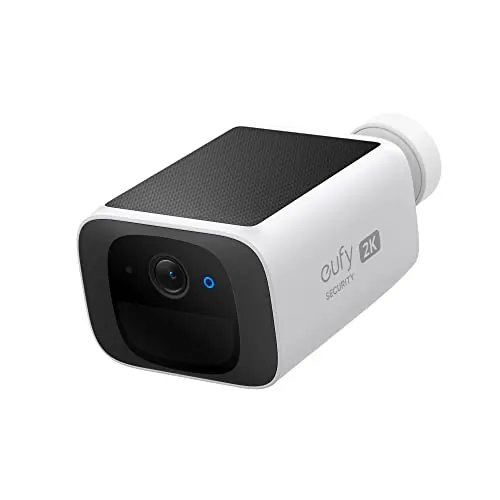
eufy SoloCam S220 vs S340: Fixed View, Pan and Tilt, and Solar Setup
The SoloCam S220 keeps a single fixed 135° view and an integrated 0.9 W solar panel. The SoloCam S340 adds dual wide and telephoto lenses, pan and tilt, and a removable 2.2 W panel. Both list 8 GB onboard storage, can use HomeBase 3, and do not support 24/7 recording.
Read comparison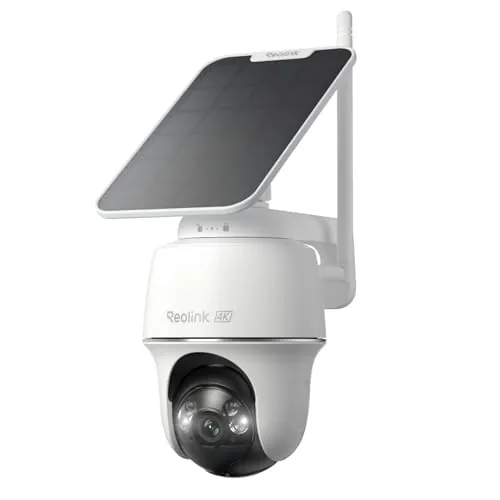
eufy SoloCam S340 T8170 vs Reolink Argus PT Ultra
The selected eufy ASIN is the T8170 SoloCam S340 offer with built-in 8 GB storage and 2.4 GHz Wi-Fi. Reolink Argus PT Ultra lists 2.4/5 GHz Wi-Fi, a microSD slot up to 512 GB and optional Hub/NVR/FTP routes whose availability can depend on hardware and firmware. Both exact Amazon pages previously listed a solar panel, but the Reolink manufacturer package list does not name one; recheck the current box list before ordering.
Read comparison