
Products compared
Fitbit
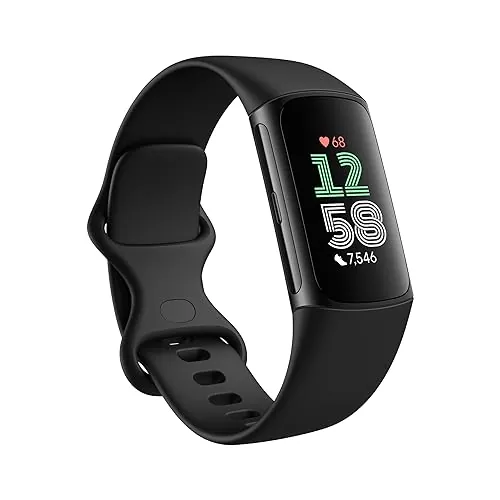
Fitbit Charge 6 Obsidian / Black Aluminum
selected listing 5934. Google's U.S. technical specifications list the Obsidian / Black Aluminum color. Check the exact variant and included accessories on the retailer's offer before ordering.
Model Charge 6
Amazon ASIN B0CC62ZG1M
Fitbit
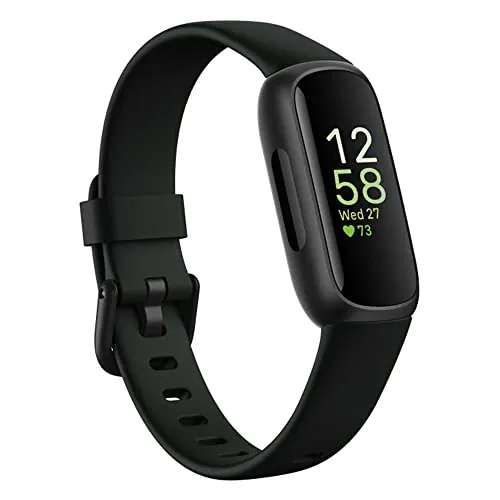
Fitbit Inspire 3 Midnight Zen
selected listing 5935. Google's U.S. technical specifications list Midnight Zen as a color. Check the exact retailer offer and included accessories before ordering.
Model Inspire 3
Amazon ASIN B0B6WRFY5S
Differences that matter
What matters most to you?
Choose a priority to see what it changes.
Sources for GPS when you leave your phone behind
Sources for Band range and body dimensions
Sources for Charging and stated battery life
Sources for Phone and app setup
Start with the way you carry your phone
The main practical difference is GPS setup. Google documents Charge 6 with Dynamic, built-in, and phone GPS. Built-in GPS means the tracker itself uses its sensors to log the route; Google's help page notes this can reduce tracker battery life. Dynamic may select phone GPS when the phone is moving with you, or built-in GPS when it is stationary. Phone GPS relies on the phone's sensors.
Google documents Inspire 3 as connected GPS: the tracker uses the phone's GPS sensors, so the phone needs to stay nearby during the workout. If you often leave your phone at home, that makes Charge 6's built-in mode a meaningful option. It does not establish more accurate tracking, and the built-in mode changes the tracker’s battery demand.
A useful pre-buy test is to think through your usual walk or run: will the phone be in a pocket or bag, on a stationary treadmill nearby, or left behind? Pick based on that actual routine, then check the mode settings in the current Google Health app.
Separate phone-linked features from phone-free ones
Charge 6 is listed in Google's supported-device guidance for Google Maps and Fitbit contactless payments. Maps starts from the Maps app on the phone and the phone must remain within Bluetooth range of Charge 6; it is a wrist display for phone-started navigation, not a way to leave the phone behind.
Google's Fitbit payment guide lists Charge 6 as supported and says the phone does not need to be nearby after contactless payments are set up. Before counting on it, check supported countries and cards, app version, and the payment terminal. Google's current Maps and payment lists do not include Inspire 3, so those features are not a basis to choose Inspire 3 from the documents reviewed here.
Both trackers need the Google Health app on a compatible phone for setup. Google lists iOS 16.4 or later or Android 11 or later, plus Bluetooth LE and an internet connection for syncing. Confirm your specific phone and any feature-specific permissions before buying.
Check the band ranges and tracker size on your own wrist
Both Google Store U.S. specification pages say small and large bands are included. Charge 6 lists small for 5.1–6.7 inches and large for 6.7–8.3 inches of wrist circumference. Inspire 3 lists small for 5.1–7.5 inches and large for 6.3–8.7 inches. Measure where you plan to wear it, then see whether your measurement falls inside an included band range for each model.
Their listed bodies are different in shape and mass: Charge 6 is 36.73 × 23.09 × 11.20 mm and 30 g; Inspire 3 is 39.32 × 18.6 × 11.75 mm and 17.69 g. Use those as sizing information, not a prediction of comfort. If fit is decisive, try the exact tracker and band on rather than choosing by weight alone.
Treat battery figures as estimates, not a head-to-head result
Google lists up to 7 days for Charge 6 and up to 10 days for Inspire 3. Charge 6's page says always-on display and SpO2 features require more frequent charging; Inspire 3's page says life and charge cycles vary with use and settings. Both pages list a two-hour charge time and include a charging cable.
Those figures come with different model-specific caveats and are not a controlled run-time comparison. Your GPS mode, settings, phone behavior, and enabled features affect the routine. If you choose Charge 6's built-in GPS to leave your phone behind, account for Google's warning that the mode can reduce tracker battery life; do not assume the quoted maximum will apply to your use.
Product details
Fitbit Charge 6 Obsidian / Black Aluminum
- GPS modes
- Dynamic, built-in, and phone GPS modes. Built-in GPS can reduce tracker battery life; phone GPS uses the phone's GPS sensors. Source
- Included band sizes
- Small: wrist circumference 5.1–6.7 in; Large: 6.7–8.3 in. Both sizes are listed as included. Source
- Dimensions and listed battery estimate
- 36.73 × 23.09 × 11.20 mm; 30 g. Google lists up to 7 days and a two-hour 0–100% charge time; usage and features affect battery life. Source
Fitbit Inspire 3 Midnight Zen
- GPS mode
- Connected GPS uses the phone's GPS sensors; keep the phone near the tracker during a GPS workout. Source
- Included band sizes
- Small: wrist circumference 5.1–7.5 in; Large: 6.3–8.7 in. Both sizes are listed as included. Source
- Dimensions and listed battery estimate
- 39.32 × 18.6 × 11.75 mm; 17.69 g. Google lists up to 10 days and a two-hour 0–100% charge time; usage and settings affect battery life. Source
Before you buy
Community discussions
Choosing a smaller display for daily notifications
Fitbit Charge 6 Obsidian / Black Aluminum
A buyer comparing Charge 6 and Inspire 3 preferred a slim tracker and wanted to see notifications during the day.
What to check
Look at the size of the information you want to read on your wrist and compare the controls you would use to get to it.
Trying a tracker on a smaller wrist
Fitbit Inspire 3 Midnight Zen
An Inspire 3 owner with a small wrist noticed a gap beside the tracker and described how the band felt to them.
What to check
Measure your wrist and check the included band’s adjustment range. If you can try it on, look at how the case and band sit when you bend your wrist.
Checking setup with a tablet and no phone
Fitbit Charge 6 Obsidian / Black Aluminum
A shopper comparing Charge 6 and Inspire 3 wanted to use a tablet for the app and asked what they would need to carry for route tracking.
What to check
Check the current app requirements for your tablet. Look up which location features use the tracker itself and which depend on carrying a paired device.
Common questions
Can Fitbit Inspire 3 record GPS without a phone?
Google documents Inspire 3 as using connected GPS, which relies on the phone's GPS sensors. Keep the phone near the tracker during a GPS workout. Charge 6, by comparison, has a built-in GPS option as well as phone and Dynamic modes.Fitbit and Google Pixel Watch data features by model (Google Support)Use GPS on your Fitbit device or Pixel Watch (Google Health Help)
Does Charge 6 Google Maps work if I leave my phone behind?
No. Google says the phone must remain within Bluetooth range. Start the route in Google Maps on your phone, then use the Charge 6 display for supported navigation prompts.How do I use Google Maps on my Fitbit device? (Google Health Help)
Can I use Fitbit contactless payments on Inspire 3?
Google's current supported-device list includes Charge 6 but not Inspire 3. Charge 6 payment setup also depends on the supported country, card, and Google Health app configuration. Check those requirements before treating the feature as a deciding factor.Fitbit contactless payment device and setup requirements (Google Health Help)
Which tracker has longer battery life?
Google lists up to 7 days for Charge 6 and up to 10 days for Inspire 3, but those are separate manufacturer estimates, not a controlled comparison. Charge 6's page specifically says always-on display and SpO2 use require more frequent charging; settings and use affect both products.Fitbit Charge 6 Technical Specs (Google Store U.S.)Fitbit Inspire 3 Technical Specs (Google Store U.S.)
How do I check which band size will fit?
Measure your wrist circumference and compare it with the included small and large band ranges listed for each model. Charge 6 lists 5.1–6.7 in and 6.7–8.3 in; Inspire 3 lists 5.1–7.5 in and 6.3–8.7 in. The ranges are guidance, not a guarantee of comfort.Fitbit Charge 6 Technical Specs (Google Store U.S.)Fitbit Inspire 3 Technical Specs (Google Store U.S.)
Sources and scope
No hands-on test was performed. GPS availability and battery use vary with mode, exercise, phone, settings, software, and environment; this guide makes no accuracy or performance ranking. Battery figures are Google's conditional 'up to' estimates, not directly comparable runtime measurements. Google Maps requires a nearby phone, and contactless-payment availability depends on supported country, card, and setup. Band circumference ranges are manufacturer fit guidance, not a comfort guarantee.
- Fitbit Charge 6 Technical Specs (Google Store U.S.)
- Fitbit Inspire 3 Technical Specs (Google Store U.S.)
- Use GPS on your Fitbit device or Pixel Watch (Google Health Help)
- Fitbit and Google Pixel Watch data features by model (Google Support)
- How do I use Google Maps on my Fitbit device? (Google Health Help)
- Fitbit contactless payment device and setup requirements (Google Health Help)
Related comparisons
Fitbit Versa 4 vs Versa 3: Music Controls, Bands and App Support
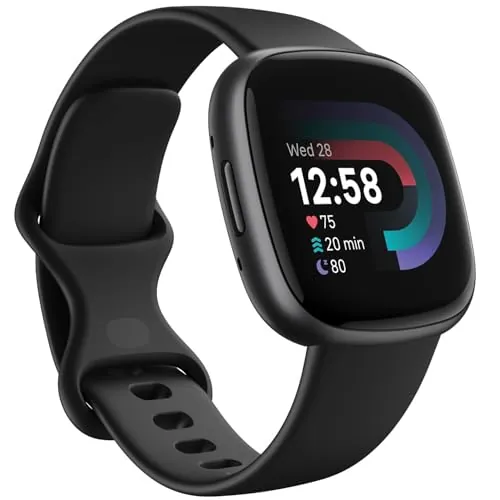
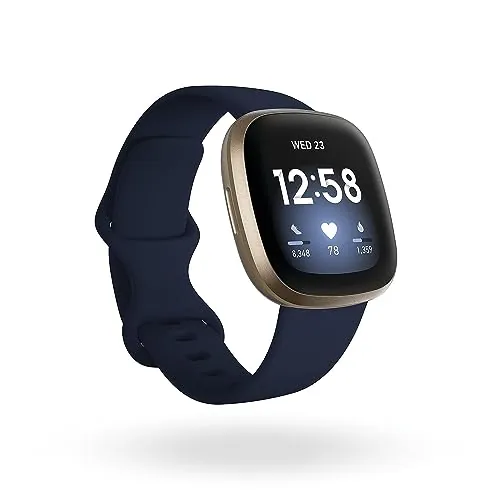
Versa 4 uses YouTube Music controls for playback on a nearby phone; Versa 3 documents controls for music playing on the phone. Both share several core sensors and have manufacturer-estimated 6+ day battery life, but there is no measured accuracy or battery comparison here. Google says third-party app and clock-face installs or updates stop on both watches on November 28, 2026, while already-installed third-party items continue to work. Compare your music setup, exact wrist measurement, phone compatibility and app needs before buying.
Read comparison
Garmin Venu 4 45 mm vs vívoactive 6: Fit, Routes and GPS Battery
The Venu 4 45 mm has the larger case, broader upper wrist range and a 22 mm band; vívoactive 6 is smaller, lighter and starts at a lower listed wrist circumference. Both Garmin manuals document saved-destination and course navigation. Compare the battery row for your display, satellite and music settings before choosing.
Read comparison