
Products compared
Garmin
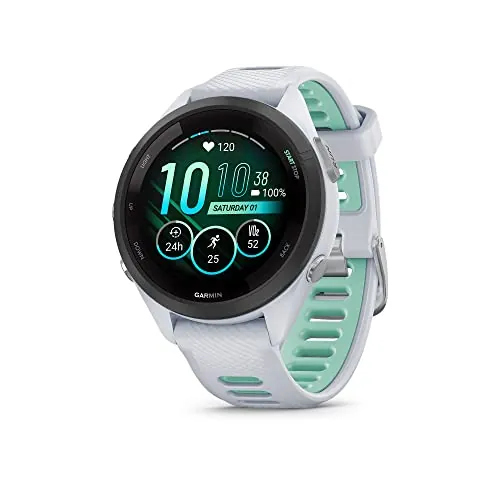
Garmin Forerunner 265S Whitestone/Neo Tropic
US Whitestone/Neo Tropic configuration, Garmin part number 010-02810-04. Garmin's US specifications list a 41.7 × 41.7 × 12.9 mm case, 39 g weight and 1.1-inch display. The Forerunner 265 Series manual documents course following, a map view for course details, and daily suggested running/cycling workouts when requirements are met.
Model Forerunner 265S
Amazon ASIN B0BS2F6DJ3
Garmin
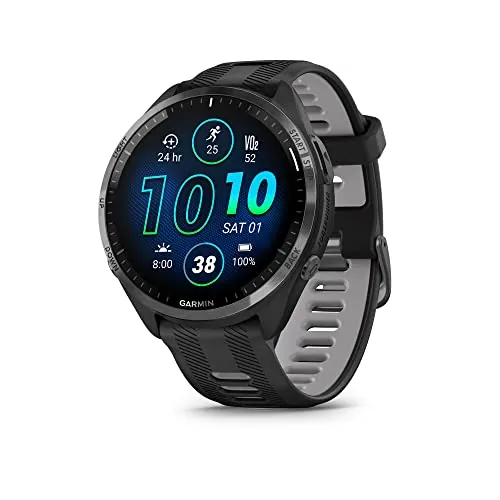
Garmin Forerunner 965 Black/Powder Gray
US Black/Powder Gray configuration, Garmin part number 010-02809-00. Garmin's US specifications list a 47.2 × 47.2 × 13.2 mm case, 53 g weight and 1.4-inch display. Garmin documents full-color built-in maps and routing settings for following a course with routable maps, including recalculation if you stray.
Model Forerunner 965
Amazon ASIN B0BS1XZY7T
Differences that matter
What matters most to you?
Choose a priority to see what it changes.
Sources for Case size, weight and display
Sources for Built-in map scope
Sources for Daily suggested workout setup
Choose the case size before comparing features
The 265S is 41.7 × 41.7 × 12.9 mm and 39 g, with a 1.1-inch display. The 965 is 47.2 × 47.2 × 13.2 mm and 53 g, with a 1.4-inch display. That is a published size and weight difference, not a promise about comfort. If the 965's case seems large on paper, try the exact model on; case shape, band adjustment and personal preference matter beyond the listed wrist range. The larger screen is relevant when you want more display area, but Garmin's specifications do not prove better map readability for every wearer or activity.
Separate saved-course viewing from routable-map navigation
A 265S route is not limited to a blank breadcrumb: Garmin's 265 Series manual lets you send a saved course from Garmin Connect, follow it on the watch and open a course map that can be panned or zoomed. The 965 adds a different option in its routing settings: use routable maps for course navigation and recalculate when you leave the course. If you plan every route in advance, the 265S workflow may cover your task. If you want the watch to calculate a way back after a deviation, the 965's documented route setting addresses that need. This is a feature description, not a claim that either device always chooses a preferred path or stays on course.
Do not mistake shared training suggestions for a map upgrade
Garmin's owner manuals describe daily suggested run and bike workouts on both watches. Each requires a VO₂ max estimate for the chosen activity; the watch then surfaces a suggested workout and Garmin says the suggestion updates with training habits, recovery time and the estimate. To use a race-oriented workflow, add the event and available course to Garmin Connect and sync the watch. This is how the documented feature is set up, not evidence that one watch gives more effective coaching, a more accurate readiness score or a better race result. If these shared suggestions are the main feature you want, the 965's map route behavior—not the mere existence of daily workouts—is the stronger distinction to evaluate.
A short pre-buy check
1. Compare the stated 41.7 mm and 47.2 mm case widths against a watch you already wear, then try the model on if possible. 2. Decide whether following a saved course with its map view is enough, or whether you want the 965's routable-map recalculation option. 3. If daily suggestions matter, confirm you have the required activity-specific VO₂ max estimate and that you are willing to sync saved activity history through Garmin Connect. Both models document this general workout path; the sources do not prove a particular recommendation or training outcome.
Product details
Garmin Forerunner 265S Whitestone/Neo Tropic
Choose the 265S when a smaller case is your first filter and your usual route is already planned: send a course from Garmin Connect, select it on the watch, and follow it. You can open that course on a map and pan or zoom. If you want the watch to calculate with routable maps and recalculate after a course deviation, compare the 965's documented navigation workflow instead.
- Case and display
- 41.7 × 41.7 × 12.9 mm; 39 g; 1.1-inch (28.1 mm) display. These published dimensions do not predict personal comfort. Source
- Saved-course workflow
- Garmin Connect courses can be sent to the watch and followed. Course details include an option to view the course on a map and pan or zoom; the manual does not describe routable-map recalculation in this course workflow. Source
- Daily suggested workouts
- The manual documents daily run or bike suggestions after the watch has a VO₂ max estimate for that activity. Suggestions update with training habits, recovery time and VO₂ max; this describes the feature workflow, not its effectiveness. Source
Garmin Forerunner 965 Black/Powder Gray
Choose the 965 if you want maps on the watch to be part of route decisions, including a routable-map course mode that can recalculate after you leave the course. Its larger case and display are measurable trade-offs, not proof that it will fit or feel right on your wrist.
- Case and display
- 47.2 × 47.2 × 13.2 mm; 53 g; 1.4-inch (35.4 mm) display. These published dimensions do not predict personal comfort. Source
- Built-in maps and course routing
- Garmin identifies full-color built-in mapping. Its routing settings let a runner use routable maps to navigate a course and recalculate if they stray from it. Source
- Daily suggested workouts
- The manual documents daily run or bike suggestions after the watch has a VO₂ max estimate for that activity. Suggestions update with training habits, recovery time and VO₂ max; this describes the feature workflow, not its effectiveness. Source
Before you buy
Community discussions
FR965 route recalculation during run always fails
Garmin Forerunner 965 Black/Powder Gray
A new Forerunner 965 owner described using round-trip courses created on the watch and losing the active route after going off course during a run. The author had TopoActive Europe selected; the thread gives one user's setup and does not establish a general map or firmware problem.
What to check
Before choosing based on rerouting, identify whether you will follow a course prepared in Garmin Connect or use a watch-created round trip, then verify the 965's routing mode for your running activity. The 265S manual's saved-course workflow and the 965's routable-map workflow answer different needs; this post does not test the 265S.
Loading a saved course before a run
Garmin Forerunner 965 Black/Powder Gray
A Forerunner 965 owner reported a long wait to start navigation on a saved course and an error after leaving the route.
What to check
Load a sample of the courses you actually use and test the prompts or map on a short run, including what happens after a detour.
Common questions
Does the Forerunner 265S have any map view?
Garmin's Forerunner 265 Series manual lets you open a saved course and view it on a map with pan and zoom. The 965's additional documented workflow is using routable maps for course navigation and recalculating if you stray. These are different map tasks, so this guide does not say the 265S has no map display.Forerunner 265 Series Owner's Manual — Viewing Course DetailsForerunner 965 Owner's Manual — Routing Settings
Can both watches provide daily suggested running workouts?
Both manuals document daily suggested run or bike workouts. Garmin requires a VO₂ max estimate for that activity before suggestions appear; they are based on prior activities saved to Garmin Connect and update with training habits, recovery time and the estimate. This describes availability and setup, not the quality or outcome of a recommendation.Forerunner 265 Series Owner's Manual (US English)Forerunner 965 Owner's Manual (US English)
Will the 47.2 mm Forerunner 965 fit a smaller wrist?
Garmin's US comparison table lists the 965 body at 47.2 mm wide and 53 g, compared with 41.7 mm and 39 g for the 265S. Those measurements can help shortlist, but they cannot tell you whether the case shape or band will feel comfortable. Try the exact model on if fit is decisive.Garmin US Product Compare — Forerunner 265S and 965
Sources and scope
The assigned products are the US Whitestone/Neo Tropic Forerunner 265S (010-02810-04) and Black/Powder Gray Forerunner 965 (010-02809-00). Garmin's 265 Series manual covers both Forerunner 265 and 265S, and the cited product comparison table separately labels the 265S and 965. The 265S manual supports following a saved course and viewing its course map; this guide does not claim that it lacks all map display. The 965 routing setting specifically documents use of routable maps and recalculation if you stray from a course. Both manuals document daily suggested run/bike workouts subject to a VO₂ max estimate for the activity and prior data; the guide makes no health, training-effectiveness, GPS-accuracy, battery, comfort or race-result claim. Case dimensions and wrist-band ranges do not predict subjective fit.
- Garmin US Product Compare — Forerunner 265S and 965
- Garmin US Forerunner 265S product listing, part 010-02810-04
- Garmin US Forerunner 965 product listing, part 010-02809-00
- Forerunner 265 Series Owner's Manual (US English)
- Forerunner 965 Owner's Manual (US English)
- Forerunner 265 Series Owner's Manual — Courses
- Forerunner 265 Series Owner's Manual — Viewing Course Details
- Forerunner 965 Owner's Manual — Routing Settings
Related comparisons
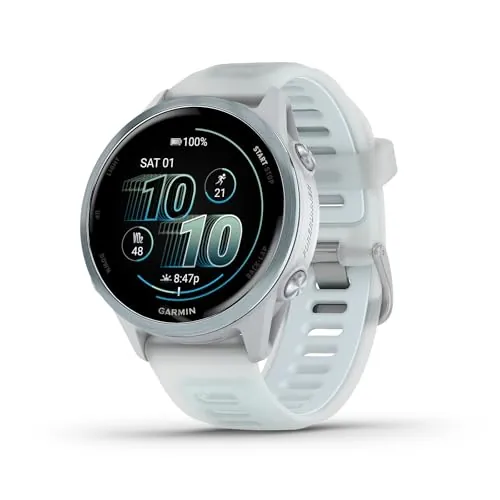
Garmin Forerunner 265S vs 570 42mm: Training, Calls and Battery
Choose the Forerunner 265S for Garmin’s longer smartwatch estimate (15 vs 10 days) or GPS-only estimate without music (24 vs 18 hours). The 570 42mm offers a larger listed screen and watch-side calls with a compatible paired phone. Garmin’s GPS-only estimate with music favors the 570, at 9 hours versus 7.5. Match the watch to the recording mode and settings you use.
Read comparison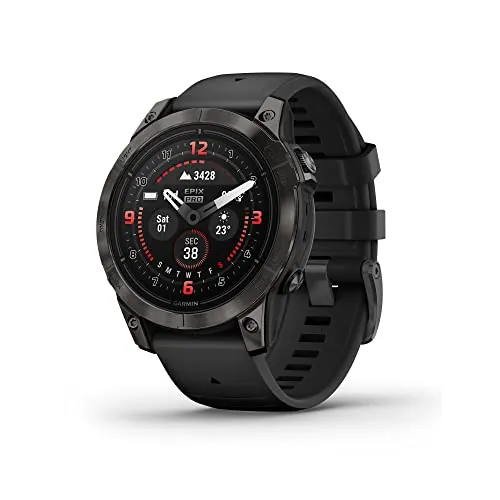
Garmin epix Pro (Gen 2) Sapphire 47 mm vs Forerunner 965: Fit, Light and Battery Modes
Choose the 47 mm epix Pro Gen 2 Sapphire for its dedicated LED flashlight and sapphire lens. Choose the Forerunner 965 for the slimmer 13.2 mm case and the listed 53 g weight. Its flashlight uses the display. Garmin lists mapping on both. Check wrist range and the battery estimate for your intended display and activity settings.
Read comparison