
Products compared
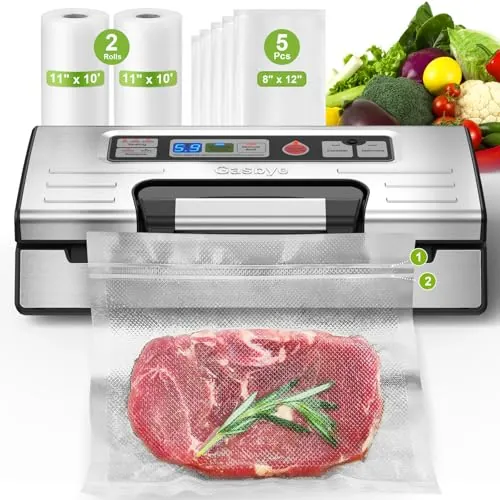
Gasbye
Gasbye Vacuum Sealer VS5166
US VS5166 vacuum sealer with a dedicated Manual Vacuum hold/release control, a separate Manual Seal step and Normal/Gentle pressure settings. Gasbye lists bag rolls, precut bags, replacement foam gaskets and an external air-suction hose in the box on its model page; verify the contents on the exact offer.
Model VS5166
Amazon ASIN B0CYZR7316
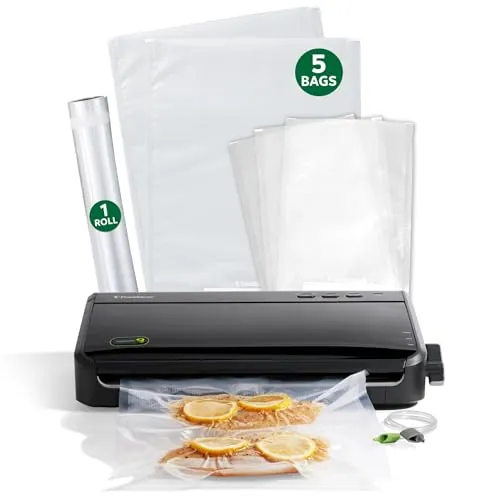
FoodSaver
FoodSaver FM2100 Vacuum Sealer Machine FM2100-000
US FoodSaver FM2100 model with Dry/Moist selection, Seal and Vac/Seal controls, roll storage and cutter, accessory port and easy-clean drip tray. The manual describes Seal as an immediate switch from vacuum to heat sealing and Vac/Seal as a control that can pause vacuuming.
Model FM2100-000
Amazon ASIN B00LUGK5QW
Differences that matter
What matters most to you?
Choose a priority to see what it changes.
Sources for Stopping suction and starting the seal
Sources for Pressure or food setting
Sources for Rest between uses
Sources for Bag prep, accessories and cleanup
First decide how you want to stop the vacuum
The Gasbye VS5166 separates the moment suction stops from the moment the seal starts. Its manual describes Normal/Gentle settings, holding Manual Vacuum to remove air, releasing the button to stop, then pressing Manual Seal. It also says Manual Seal can interrupt an automatic cycle. That sequence suits someone who wants a distinct stop-and-decide step; it is not evidence of better vacuum or seal quality.
FoodSaver FM2100-000 has a different intervention path, not an automatic-only panel. Its manual describes Seal as an immediate stop to the vacuum process followed by heat sealing; the Vac/Seal control can pause vacuuming. The practical question is whether you want Gasbye's separate hold/release and seal controls or FoodSaver's Seal shortcut and pause behavior.
Separate settings from promises about the result
Gasbye lists Normal and Gentle pressure selection in the VS5166 manual. FoodSaver lists Dry and Moist settings; its FM2100 manual says to use Moist for juicy or moist foods and Dry for foods without liquid. Those are two different control schemes. Neither setting is a guarantee against crushing, moisture in the sealing area or an incomplete seal; consult the exact manual for the condition you are sealing.
The label on a control panel is not a matched test. This guide does not infer actual vacuum pressure, sealing strength or food-preservation duration from mode names or rated product copy.
Schedule the pause, not an imaginary bags-per-hour rate
The Gasbye VS5166 manual specifies a one-minute cooling interval after use and advises against sealing more than one or two bags continuously. The FM2100 manual specifies a 20-second rest after each use. If you routinely prepare several bags, write those rests into the workflow you expect to follow before choosing.
Do not read the difference as a three-times batch-speed claim. The pauses are only one part of the cycle; measuring and cutting a bag, loading it, vacuuming, sealing and any additional rests also take time. These manuals do not provide a matched total-cycle test for these two models.
Check the bag and cleanup routine you will maintain
Both manufacturers document roll storage and bag cutting on these machines, and both model references show a drip tray. Gasbye's VS5166 page lists two rolls, five precut bags, two replacement foam gaskets and an external suction hose in the box; its dedicated vacuum container is sold separately. FoodSaver's FM2100 manual shows an accessory port and labels the handheld sealer an optional accessory sold separately. Treat these as manufacturer-stated model information, then verify the exact retailer package before assuming a hose or a bag count.
For a typical batch, write down how many roll-cut bags you expect, whether you actually need a container/handheld accessory, and when you will empty the drip tray. The included hose or roll starter amount can change by seller bundle; the exact item offered is what matters.
Pre-buy control and batch worksheet
Take the model numbers—VS5166 and FM2100-000—to the seller listing and mark four things for your next batch: which control you will press to start, what you want to do when enough air is removed, which rest interval you must plan around, and whether the exact package contains your needed rolls or hose. If you want to release vacuum first and decide when to seal, Gasbye documents that separate action. If stopping suction by switching directly to heat sealing fits, FoodSaver documents that path and its pause button.
Finally, check the manual title and package. The FoodSaver manual is labeled for FM2100 models and is supplied as the FM2100-000 manual, so its control instructions apply, but it does not attest that every seller bundle has identical included bags or accessories. No prices, performance winner or food-preservation claim is made here.
Product details
Gasbye Vacuum Sealer VS5166
- Manual vacuum sequence
- Select Normal or Gentle pressure; hold Manual Vacuum to draw air, release to stop, then press Manual Seal when ready. The manual also allows Manual Seal to interrupt an automatic cycle. Source
- Specified cooling interval
- The manual calls for one minute to cool after each use and cautions against sealing more than one or two bags continuously. Source
- Manufacturer-listed box items
- Gasbye lists two 10-foot rolls, five precut bags, two replacement foam gaskets, a manual and an external suction hose; confirm the exact seller offer's box contents. Source
FoodSaver FM2100 Vacuum Sealer Machine FM2100-000
- Intervention controls
- Seal immediately stops vacuuming and begins sealing; Vac/Seal starts the automatic cycle and can pause vacuuming. Dry/Moist selects the documented setting for the food type. Source
- Specified cooling interval
- The FM2100 manual says to wait 20 seconds after each use for the appliance to cool. Source
- Bag and accessory setup
- The manual lists roll storage, a bag cutter, accessory port and easy-clean drip tray; it marks the handheld sealer as an optional accessory sold separately. Source
Before you buy
Community discussions
Would you use built-in roll storage and a cutter?
FoodSaver FM2100 Vacuum Sealer Machine FM2100-000
An FM2100 owner rarely used the built-in roll storage but missed the built-in cutter after choosing another sealer for a smaller space.
What to check
Check where the roll will live and how you will cut each bag. Allow enough counter space for the machine and the bag in front of it.
Common questions
Does the FoodSaver FM2100 have no manual control?
It does have intervention controls. Its Seal button can stop vacuuming and start sealing; Vac/Seal can pause vacuuming. The difference is that Gasbye's VS5166 has a dedicated hold-to-vacuum button that you release before using its separate Manual Seal control.Gasbye VS5166 User ManualFoodSaver FM2100 Series Vacuum Sealer Manual (FM2100-000 file)
Does FoodSaver's 20-second rest mean it completes a batch three times faster?
No. Twenty seconds and one minute are the manuals' stated cooling intervals after use. They do not include bag loading, vacuuming, heat sealing, extra cooling or pauses, and no matched throughput test is available.Gasbye VS5166 User ManualFoodSaver FM2100 Series Vacuum Sealer Manual (FM2100-000 file)
What does Gasbye's Manual Vacuum button do?
The VS5166 manual describes holding Manual Vacuum while air is removed and releasing it to stop, followed by pressing Manual Seal when ready. It also lists Normal/Gentle pressure selection.Gasbye VS5166 User Manual
Is the Gasbye container included, or is the FoodSaver handheld sealer included?
Gasbye's exact VS5166 page says its dedicated vacuum container is sold separately. The FoodSaver manual labels the handheld sealer an optional accessory sold separately. Check the exact seller offer for the box contents and hose before purchase.Gasbye VS5166 Vacuum Sealer product and package detailsFoodSaver FM2100 Series Vacuum Sealer Manual (FM2100-000 file)
Does the VS5166 support a separate sealing step?
Yes. Its manual describes releasing Manual Vacuum to stop suction and pressing Manual Seal as a separate step. FoodSaver's Seal button instead interrupts vacuuming and starts sealing immediately.Gasbye VS5166 User ManualFoodSaver FM2100 Series Vacuum Sealer Manual (FM2100-000 file)
Sources and scope
This guide compares manufacturer-documented controls and rest instructions for the selected US models. It is not a measured vacuum, sealing, throughput, food-preservation or durability test. The FoodSaver manual is titled FM2100 Models and linked as the FM2100-000 manual; it documents this series' controls but does not verify the contents of every retailer package. Follow the selected machine's manual and food-specific storage guidance.
Related comparisons
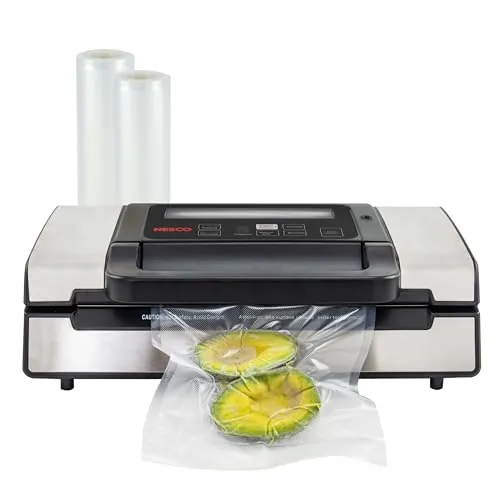
Gasbye VS5166 vs NESCO VS-12: Bag Prep, Cleanup and Batch Pauses
Both manuals describe roll storage and a cutter, but the day-to-day differences are in cleanup, controls and how you pace repeat sealing. Gasbye lists a removable drip tray and two 10-foot rolls, five pre-cut bags and two spare foam gaskets in its VS5166 box. NESCO's VS-12 manual names separate settings and says to wipe the chamber after use. For repeated batches, follow the maker's stated cooldown directions: NESCO's booklet conflicts between a two-minute cycle interval and a later one-minute note, so use the stricter interval. These directions are setup constraints, not a bags-per-hour comparison.
Read comparison
Chef Preserve CP.V1.1 vs FoodSaver FM2100-000: Reusable Bags or Roll Cutter?
Choose the compact Chef Preserve CP.V1.1 for reusable valve bags and a handheld pump. Choose the FoodSaver FM2100 for cut-to-length rolls, separate sealing controls and its accessory port. The Chef Preserve offer lists 30 bags. Confirm the bag sizes, space for sealing and the replaceable supplies before ordering.
Read comparison