
Products compared
Hamilton Beach
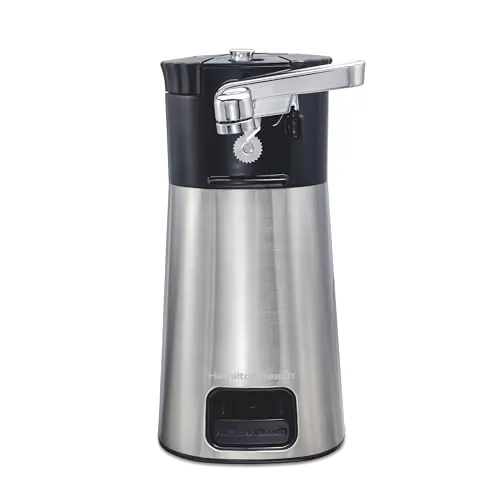
Hamilton Beach OpenStation Can Opener with Tools
The product listing title includes 76382FJ while its model and part fields state 76382. Hamilton Beach's archived U.S. page names 76382, lists the OpenMate multi-tool and two jar openers, and says the opener stops automatically. Its manual describes rim/cutter placement and a magnetic lid holder. Check the unit label and package because the archived page does not confirm the FJ suffix or current bundle.
Model 76382
Amazon ASIN B0B1356B1J
Hamilton Beach
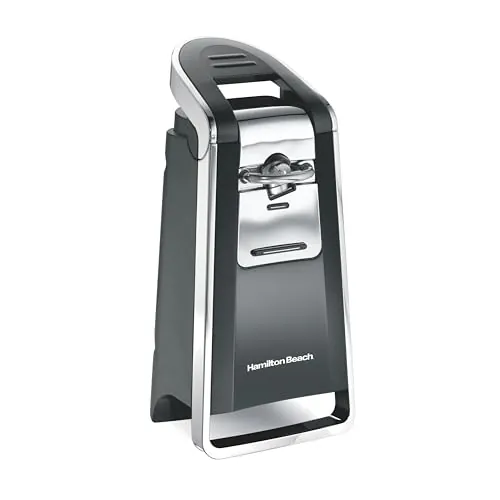
Hamilton Beach SmoothTouch Can Opener, Black and Chrome
Hamilton Beach's exact U.S. product page identifies model 76606AG. It describes a side cut; the linked 76606/76607 family manual says the motor does not stop automatically or lift the lid. It directs the user to hold the lever for one rotation and lift the top off. The manufacturer page does not provide a complete 76606AG accessory inventory, so check the selected offer if extra tools matter.
Model 76606AG
Amazon ASIN B00T4RH8E6
Differences that matter
What matters most to you?
Choose a priority to see what it changes.
Sources for Who controls the stopping point
Sources for Cut position and handling the top
Sources for Check the cans you actually open
Sources for Tools, counter space and cleanup
Start with the stopping action you want
Hamilton Beach's 76382 manual says the motor stops automatically when the can is open. It places the cutter inside the can rim and has a magnetic lid holder, with the specific note that aluminum lids will not adhere. The manual also says opening a larger can may require stabilizing the opener.
SmoothTouch 76606AG uses a different sequence: its exact manufacturer page describes a side cut, while the linked 76606/76607 manual says the motor will not stop automatically or lift the top. The manual tells the user to hold the activation lever for one full rotation, release it, and lift the top off. Select the routine you prefer rather than reading either marketing name as a measured performance or safety result.
Check your usual can rims and lids
The OpenStation manual says to position the rim under the can guide with its cutter inside the rim. If a bump, dent or heavy seam is present, it suggests opening the other end or starting beyond that point. It also says aluminum lids will not adhere to the magnetic holder.
The SmoothTouch manual calls out some microwaveable can designs as incompatible and also mentions bumps, dents or heavy seams in its rim guidance. Before choosing, compare the manual notes with the cans you actually keep. These notes do not guarantee performance for every can of a named type.
Verify tools and countertop fit on the exact offer
Hamilton Beach's archived 76382 page lists an OpenMate multi-tool and two jar openers, along with built-in cord storage. The current item title includes 76382FJ while the maker page names 76382; the page does not confirm the seller package. If accessories matter, check the exact unit label and itemized package contents.
The archived page lists 76382 at 9.1 inches high, 4.5 inches wide and 5.9 inches deep. The exact 76606AG page lists 10.2 inches high, 4.67 inches wide and 5.01 inches deep. Both are countertop units with stored cords, but measure your actual machine, outlet reach and cabinet opening before relying on a close fit.
Compare the care steps without assuming one is quicker
For 76382, Hamilton Beach's manual says to unplug, remove the piercing-lever assembly, wash that assembly and the jar openers and multi-tool in hot soapy water, rinse and dry them, then wipe the base. For 76606AG, the linked manual says to unplug and wipe the outside with a damp cloth; it does not establish that the cutter mechanism is user-removable.
The manuals describe different maintenance routines and the OpenStation page advertises its removable cutting assembly. Follow the instructions supplied with the unit you receive. They do not compare actual cleaning time, sanitation or long-term upkeep results.
Product details
Hamilton Beach OpenStation Can Opener with Tools
- Stopping and lid handling
- Manual says the motor stops automatically when the can is open; a magnetic holder handles the cut lid, but aluminum lids will not adhere to it Source
- Tools listed for model 76382
- Archived manufacturer page lists an OpenMate multi-tool and two jar openers; the page does not verify the selected listing's exact suffix or current package Source
- Listed size and storage
- Hamilton Beach lists 9.1 in H × 4.5 in W × 5.9 in D and built-in cord storage for archived model 76382; measure the actual offered unit for a tight space Source
Hamilton Beach SmoothTouch Can Opener, Black and Chrome
- Cut and stopping routine
- Cuts around the side; linked manual says the motor will not stop automatically or lift the lid, and instructs the user to hold the lever for one rotation and lift off the top Source
- Can-fit checks
- Manual says some microwaveable can designs do not work and notes bumps, dents or heavy seams on the rim; follow its model instructions for the can in hand Source
- Listed size and cord
- Manufacturer lists 10.2 in H × 4.67 in W × 5.01 in D; manual lists a 24 in cord that stores in the unit Source
Before you buy
Community discussions
A shopper chooses a SmoothTouch after finding manual operation difficult
Hamilton Beach SmoothTouch Can Opener, Black and Chrome
The OP says manual opening had become difficult, then reports ordering a Hamilton Beach Smooth Touch. The post gives no exact model suffix and promises an update but does not report a use result.
What to check
If a hands-off stopping cycle matters, compare SmoothTouch's held-lever rotation with OpenStation's documented automatic stop and magnetic lid holder. The OP reports choosing SmoothTouch but no result, so their post does not establish which routine is easier or a better fit.
An occasional can user still wants an electric opener
Hamilton Beach SmoothTouch Can Opener, Black and Chrome
A commenter said they chose a SmoothTouch for a household that rarely uses cans. They explicitly named the related 76606ZA version.
What to check
Count how often you open cans and how often you would use any extra tools in the box, then measure the intended storage space.
Common questions
Does Hamilton Beach SmoothTouch 76606AG stop automatically?
No. The linked 76606/76607 manual explicitly says the motor will not stop automatically or lift the lid. It instructs the user to hold the lever until one rotation is complete, then lift the top off. The 76606AG product page links this manual; the manual names models 76606/76607 and allows letter suffixes.Hamilton Beach SmoothTouch Can Opener, model 76606AG (U.S. page)Hamilton Beach Can Opener Use & Care manual, models 76606/76607; linked from 76606AG page
Will OpenStation's magnetic lid holder hold aluminum lids?
Its 76382 manual says cans made with aluminum lids will not adhere to the magnet. If that lid type is common in your kitchen, account for the limitation when choosing a lid-handling routine.Hamilton Beach Can Opener with Tools (76382) Use & Care manual
Does the OpenStation ASIN definitely include the 76382 tools and package?
That package equivalence is not confirmed. selected listing title contains 76382FJ while its model and part fields say 76382. Hamilton Beach's archived page names 76382, lists the OpenMate and two jar openers, and is marked no longer available. Check the selected offer's model label and contents before buying.Hamilton Beach OpenStation Can Opener with Tools, model 76382 (archived U.S. page)
Which can opener cuts better or is safer?
The sources used here document different cut and stopping routines but do not compare cutting quality, ease, safety outcomes or reliability. Choose by the manual-supported controls and can/lid compatibility notes that fit your routine; this guide makes no tested winner claim.Hamilton Beach OpenStation Can Opener with Tools, model 76382 (archived U.S. page)Hamilton Beach Can Opener with Tools (76382) Use & Care manualHamilton Beach SmoothTouch Can Opener, model 76606AG (U.S. page)Hamilton Beach Can Opener Use & Care manual, models 76606/76607; linked from 76606AG page
Sources and scope
OpenStation's archived U.S. page names model 76382 and says it is no longer available. Its linked manual documents the core opening routine, but does not confirm that every 76382FJ offer or revision is identical. Check the unit label, package and included manual. The SmoothTouch page identifies 76606AG and links a manual for models 76606/76607 that permits letter suffixes; its illustration says scissors are included only with select models, so confirm the exact package. The documents list product routines and stated can-type limits; they do not compare ease, speed, safety, reliability or durability.
- Hamilton Beach OpenStation Can Opener with Tools, model 76382 (archived U.S. page)
- Hamilton Beach Can Opener with Tools (76382) Use & Care manual
- Hamilton Beach SmoothTouch Can Opener, model 76606AG (U.S. page)
- Hamilton Beach Can Opener Use & Care manual, models 76606/76607; linked from 76606AG page
Related comparisons
Hamilton Beach 76606AG vs Cuisinart CCO-50BKN: Which Can-Opening Routine Fits?
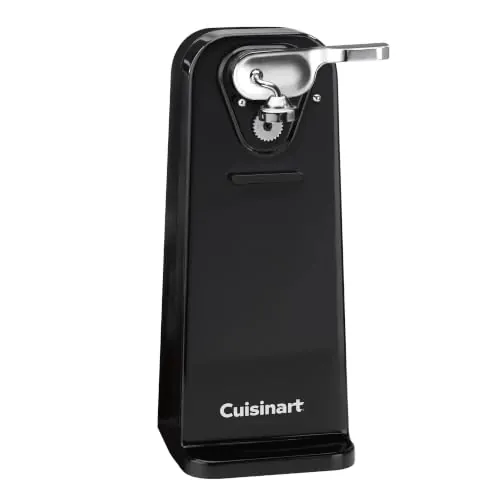
The Hamilton Beach SmoothTouch 76606AG calls for holding its lever through one rotation and lifts the lid after opening; its maker lists regular and pop-top cans and says the opener cuts along the side. The Cuisinart Deluxe CCO-50BKN stops automatically, keeps the can in place until you lift its lever, and has a removable hand-wash lever with blade and magnet. Cuisinart's detailed FAQ and linked manual specify standard-size cans and several exclusions, so check your usual can styles against those instructions before choosing.
Read comparison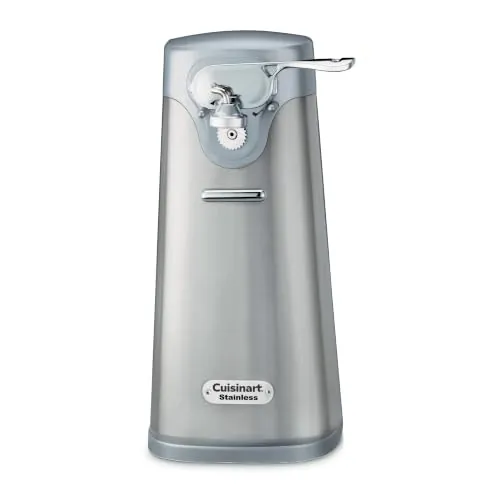
Hamilton Beach 76606AG vs Cuisinart SCO-60: Can Styles, Stop Cycle and Cleanup
These countertop electric openers differ in what you do while a can is being cut. Hamilton Beach says to hold the lever through one rotation and lift the lid after; its motor does not stop automatically. Cuisinart says to lower the lever and let the cut stop on its own, then lift the lever to release the can. Hamilton Beach lists regular and pop-top cans; Cuisinart limits the SCO-60 to standard-size cans and its manual excludes several alternate-opening and rim shapes. Choose by your routine and exact can designs, not by a speed or safety ranking.
Read comparison