
Products compared
Hyperice
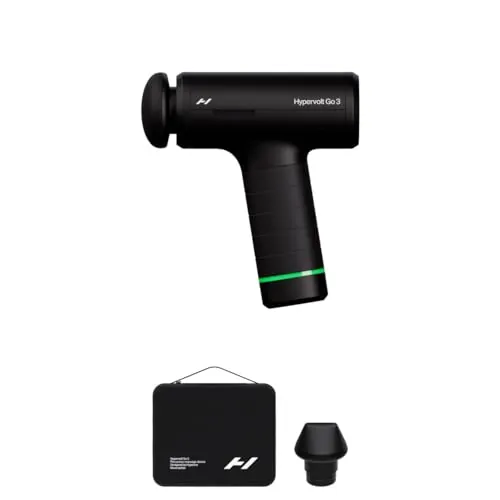
Hyperice Hypervolt Go 3
Black Hypervolt Go 3; five dial-selected speeds and manufacturer-listed Flat/Wedge heads and case.
Model HVG3001
Amazon ASIN B0G82W9ZZK
Hyperice
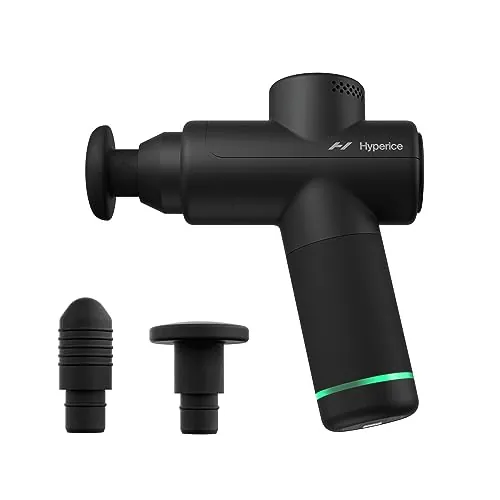
Hyperice Hypervolt Go 2 Black
Black Hypervolt Go 2; three button-cycled speeds. Charging statements are scoped to the maker's newer Black/Arctic Gray USB-C configuration.
Model HVG2001
Amazon ASIN B0CDMX8QBZ
Differences that matter
What matters most to you?
Choose a priority to see what it changes.
Sources for Speed selection
Sources for Included attachment heads
Sources for Case and power items listed
Sources for Listed physical size and weight
Pick the control you want at hand
The generation difference is visible in the speed selector. Hyperice's Go 3 instructions say to turn the encoder dial through settings 1–5. For the Go 2, the operating guide says to press the power/speed setting button once per speed to cycle through 1–3. If selecting among five dial positions is the specific workflow you want, that points to Go 3; if button cycling through three is sufficient, Go 2 matches that preference. This guide does not rank treatment or massage results.
A practical pre-buy check is to handle the selector in person if control feel is important. The documentation establishes how the controls work, not whether a particular person will find one easier.
Match the included heads and storage to the exact offer
Hyperice lists Flat and Wedge heads and a premium carry case with the Go 3. The black Go 2 page lists Bullet and Flat heads and a 5V USB-A-to-USB-C cable. If a specific head matters, check the exact model and package. Hyperice does not state that heads interchange across generations.
The Go 2 contents list does not mention a case; that silence does not prove one is absent from every seller bundle. If case inclusion is important, inspect the exact seller package or get confirmation before ordering.
Check cable, adapter and storage space before buying
Go 3's product page lists a USB-C cable. Its operating instructions say that cable connects to a USB-A adapter, but the box contents do not confirm an adapter. For the newer Black/Arctic Gray USB-C Go 2, Hyperice identifies a 5V USB-A-to-USB-C cable and says the USB charging brick is not included. Check that your available adapter matches the relevant source-supported setup and confirm any required brick in the offer details.
Hyperice lists Go 3 at 1.6 lb and Go 2 at 1.5 lb. The Go 2 page gives device dimensions of 6.7 × 7.3 × 2 in; the Go 3 page does not give dimensions. These are device specifications, not a fit test for a case, drawer or travel bag. Compare the actual space and package you plan to use.
Product details
Hyperice Hypervolt Go 3
- Speed control
- Five settings selected with the encoder/digital dial Source
- Included heads and case
- Flat and Wedge heads; premium carry case listed in What's included Source
- Charging
- USB-C charging cable is listed; instructions use a USB-A adapter, whose box inclusion is not confirmed Source
- Listed weight
- 1.6 lb / 0.73 kg Source
Hyperice Hypervolt Go 2 Black
- Speed control
- Three settings selected by pressing the power/speed button Source
- Included heads and cable
- Bullet and Flat heads; 5V USB-A-to-USB-C cable listed Source
- Charging brick
- Not included for new Black/Arctic Gray Go 2 units; a 5V USB-A brick is needed Source
- Dimensions and listed weight
- 6.7 × 7.3 × 2 in; 1.5 lb / 0.68 kg Source
Before you buy
Common questions
How does the Go 3 control differ from the Go 2?
Hyperice says to use the Go 3 encoder dial to select speeds 1–5. For Go 2, its operating instructions say to press the power/speed button once per setting to cycle through 1–3.Operating Instructions (Hypervolt Go 3)Operating your Device (Hypervolt Go 2)
Which heads and case come with each model?
The Go 3 contents list names Flat and Wedge heads and a premium carry case. The Go 2 Black contents list names Bullet and Flat heads and a charging cable; it does not say whether a case is included. Check the exact seller package.Hypervolt Go 3Hypervolt Go 2
Do I need a separate charger or adapter?
For Go 3, the product page lists a USB-C cable and its instructions say to connect that cable to a USB-A adapter, but the included-items list does not confirm an adapter. For the newer Black/Arctic Gray USB-C Go 2, Hyperice specifies a 5V USB-A-to-USB-C cable and says the USB charging brick is not included.Hypervolt Go 3Operating Instructions (Hypervolt Go 3)Specifications (Hypervolt Go 2)
Sources and scope
This is a manufacturer-documentation comparison of controls and package details. It makes no medical, recovery, treatment, comfort, safety, TSA or measured-performance claim. The Go 3 adapter and Go 2 case contents remain unconfirmed; check the exact seller offer if either item is essential.
Related comparisons
Hyperice Hypervolt Go 2 vs Theragun Mini 3rd Gen: Heads, Carry and Charging
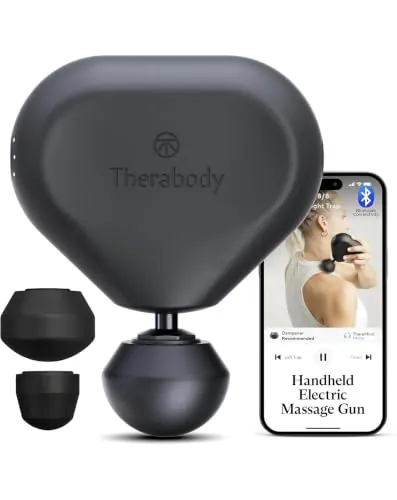
The Hypervolt Go 2 comes with two interchangeable heads and weighs 1.5 lb according to its manual. Therabody lists the Mini 3rd Gen at 0.40 kg (about 0.88 lb), with three named heads, a soft case and a travel lock. Both devices charge over USB-C. Check which accessories the exact seller includes.
Read comparisonHypervolt Go 3 vs Theragun Mini 3rd Gen: Attachments, Controls and Carry Kit
Hypervolt Go 3 lists five speeds and includes Flat and Wedge heads. Theragun Mini 3rd Gen lists three speeds, three attachment heads and a travel lock. Both list a USB-C cable and a carry case. Check the controls and attachments you want to carry.
Read comparison