
Products compared
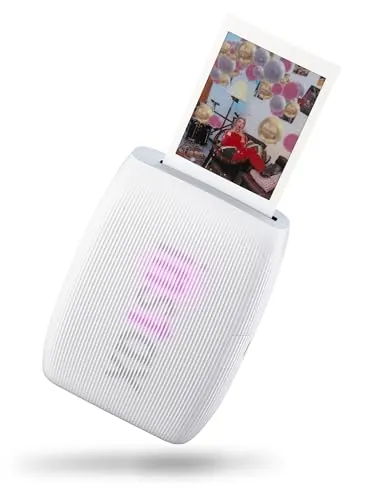
Fujifilm
Fujifilm Instax Mini Link 3 Smartphone Printer, Clay White
Clay White US variant; Instax Mini smartphone printer
Model 16832194 / FI033W
Amazon ASIN B0D826GXQ3
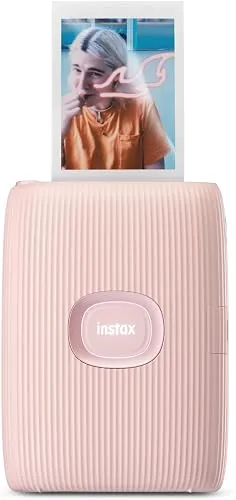
Fujifilm
Fujifilm Instax Mini Link 2 Smartphone Printer, Soft Pink
Soft Pink US variant; Instax Mini smartphone printer
Model 16767208 / FI023W
Amazon ASIN B0B1N6Z3HY
Differences that matter
What matters most to you?
Choose a priority to see what it changes.
Sources for Printer charging connection and included cable
Sources for What the current app lets both models do
Sources for Film and printed image format
The upgrade you can feel in your cable pouch
Link 3 changes the printer's charging port to USB Type-C and Fujifilm lists a short Type-C cable in its North American guide. Link 2 uses Micro USB and includes a Micro USB cable. If you already keep one cable type in your travel kit, this is the straightforward hardware distinction. Neither guide includes a USB AC adapter, so check that separately; port shape alone does not tell you which wall adapter to buy.
The manuals give approximate charge times in a similar range, but environmental conditions affect charging. This comparison does not treat either model as faster or more convenient in measured use.
The app update changed the upgrade calculation
A buyer looking at older Link 3-versus-Link 2 descriptions may see AiR Studio and Click to Collage presented as Link 3 reasons. Fujifilm announced in June 2025 that those features became available on Link 2 in the version update too. The US app listings describe these as shared mini Link app features. If those are the features you want, make sure the app is current before deciding you need newer printer hardware.
The app is part of setup, not an optional extra: each manual instructs the buyer to install it and pair the printer with a smartphone over Bluetooth. App requirements can move as the app updates. Check the current App Store or Google Play listing from the exact phone you intend to use; Fujifilm also cautions that a phone can still be incompatible even when it meets a published OS minimum.
Link 2 keeps a different motion-drawing control
Link 2's manual describes holding its feature button and moving the printer through the air to draw, then printing a QR code that can open the recorded drawing video. The current app listing still labels instaxAiR as an exclusive Link 2 function. That is distinct from AiR Studio, which uses AR backgrounds and decorations in the phone app and is now available to Link 2 as well. If this physical, motion-based drawing is part of the fun you want, verify the Link 2 model and feature in the listing before checkout.
These creative controls describe what the app and hardware let you do. They do not establish that one printer produces better color, sharper images, or more reliable results.
Make the first print without a film or charger surprise
Both models take FUJIFILM instax mini film only; the manuals say film is sold separately and cannot be swapped for Square or Wide packs. Link 3's US specifications list a 62 × 46 mm image area, and Link 2's manual lists the same size. Those published format numbers help you plan the print size but cannot answer which printer's color or finish you will prefer.
Before the first print, check three things: your phone can install the current app, you have a USB AC adapter plus the correct cable, and you have a Mini film pack. Load the film using the yellow alignment marks and do not open the film door until the pack is empty; both manuals warn that exposing unused sheets can make them unusable.
Product details
Fujifilm Instax Mini Link 3 Smartphone Printer, Clay White
Link 3's clearest practical distinction is its USB Type-C charging port and supplied Type-C cable. Its AiR Studio and Click to Collage features are no longer a reason by themselves to choose Link 3 over an updated Link 2.
- Charging connection
- USB Type-C; Fujifilm lists a 30 cm Type-C charging cable in the North American guide. USB AC adapter sold separately. Source
- Film
- FUJIFILM instax mini instant film only; sold separately. Published image size: 62 × 46 mm. Source
- App setup
- Requires the free instax mini Link app and smartphone pairing before use; check the current app-store listing for your device. Source
- Creative app features
- AiR Studio and Click to Collage are supported by the current app; Fujifilm's June 2025 update also extended them to Link 2. Source
Fujifilm Instax Mini Link 2 Smartphone Printer, Soft Pink
Link 2 is the fit if you specifically want its motion-drawing instaxAiR control or already have a Micro USB charging setup. Fujifilm later brought Link 3's AiR Studio and Click to Collage workflows to Link 2 through the shared app.
- Charging connection
- Micro USB; Fujifilm lists a Micro USB charging cable in the North American guide. USB AC adapter sold separately. Source
- Film
- FUJIFILM instax mini instant film only; sold separately. Published image size: 62 × 46 mm. Source
- App setup
- Requires the free instax mini Link app and smartphone pairing before use; check the current app-store listing for your device. Source
- Motion drawing control
- The printer's feature button can be held while moving the printer in the air to draw; the app can print a QR code that opens the recorded drawing video. Source
Before you buy
Community discussions
A family-photo buyer pauses for the Mini Link 3 announcement
Fujifilm Instax Mini Link 3 Smartphone Printer, Clay White
A shopper who planned to print family photos with Mini Link 2 paused after Mini Link 3 was announced and weighed which charging cable they would need.
What to check
Compare the charging port on the current version of each printer with the cables you already carry. Then check the current app and print-selection workflow against how you expect to make photos.
Common questions
Does Link 3 have AiR Studio and Click to Collage while Link 2 does not?
No. Fujifilm's June 2025 version update brought both app features to Link 2. Check the current app version and your phone's compatibility before relying on them.AiR Studio and Click to Collage features now available on other instax mini Link devicesinstax mini Link App — Apple App Store (US)
Which Link printer lets me draw by moving the printer?
The Link 2 manual describes holding its feature button and drawing in the air with the printer; it also documents printing a QR code that opens the drawing video. Fujifilm's current app listing marks instaxAiR as Link 2-exclusive.instax mini Link 2 Smartphone Printer User's Guide (North America, FI023W)instax mini Link App — Apple App Store (US)
Are the printers compatible with the same film?
Both use FUJIFILM instax mini film only, sold separately. The Link 3 specifications and Link 2 manual list the same 62 × 46 mm image size; this does not settle comparative print appearance.instax mini Link 3 Specificationsinstax mini Link 2 Smartphone Printer User's Guide (North America, FI023W)
Does either printer include the wall adapter or film?
The North American guides say the USB AC adapter is not included, and both identify the film as sold separately. Link 3 lists a Type-C cable; Link 2 lists a Micro USB cable. Confirm the exact seller bundle before ordering.instax mini Link 3 Smartphone Printer User's Guide (North America, FI033W)instax mini Link 2 Smartphone Printer User's Guide (North America, FI023W)
Sources and scope
This guide compares Fujifilm's published model details and current app-store information; this guide did not perform a side-by-side print test. Matching film size and exposure specifications do not establish identical color or print appearance. App-store operating-system details can change and the current Apple listing is internally inconsistent, so check availability on your exact phone before buying.
- instax mini Link 3 Smartphone Printer User's Guide (North America, FI033W)
- instax mini Link 2 Smartphone Printer User's Guide (North America, FI023W)
- instax mini Link 3 Specifications
- AiR Studio and Click to Collage features now available on other instax mini Link devices
- instax mini Link App — Apple App Store (US)
- instax mini Link — Google Play
Related comparisons
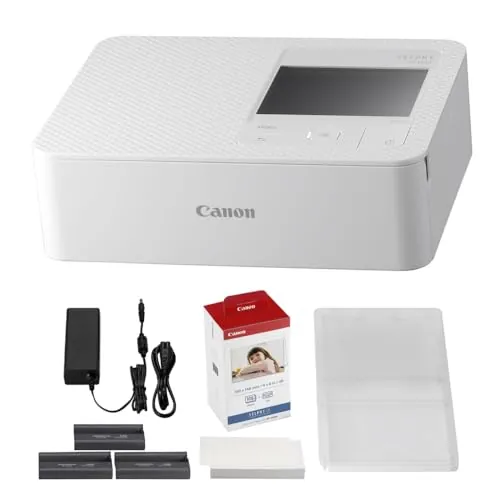
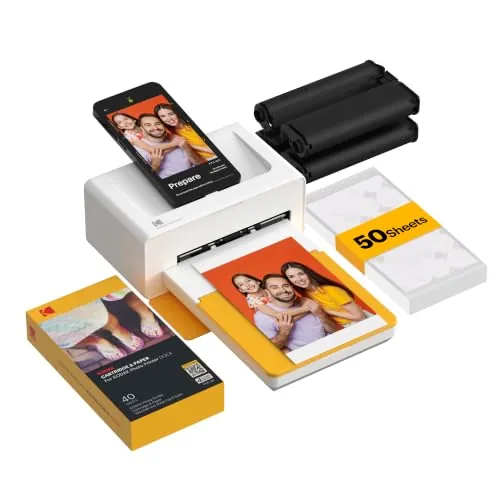
Canon SELPHY CP1500 vs Kodak Dock Plus PD460: Choose by Photo Source and Paper
The white Canon SELPHY CP1500 bundle pairs model 5540C002 with KP-108IN; Canon documents Wi-Fi/AirPrint, computer or USB-drive data input, supported memory cards, and four paper sizes. Kodak’s yellow Dock Plus is the PD460 and its listing names a 50-sheet bundle. Kodak’s maker materials focus on smartphone docking or Bluetooth and 4×6 output. Match the printer to where your photos live, then confirm the exact bundle and refill before checkout.
Read comparison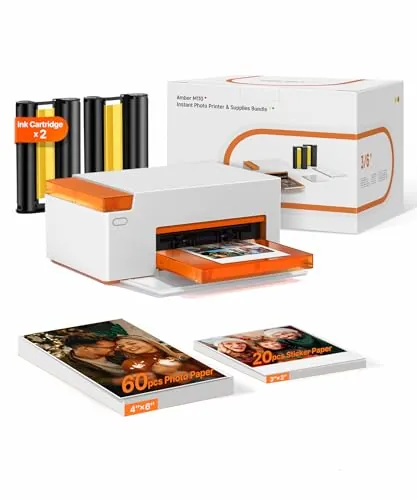
Canon SELPHY CP1500 White + KP-108IN vs Liene Amber M110: Paper and Phone Workflow
The CP1500 White bundle pairs the printer with Canon's KP-108IN 108-print 4×6 photo set and supports direct card, USB and network/app workflows. The exact M110 bundle instead divides its 80 sheets into 60 4×6 photos and 20 3×3 sticky-backed squares, with two cartridges and Bluetooth/app printing. Decide from the refill you will actually use and confirm the exact paper and app support before ordering.
Read comparison