
Products compared
Intel
Intel Core Ultra 7 270K Plus
24-core desktop CPU (8 P-cores + 16 E-cores); Intel lists 24 threads, up to 5.5 GHz max turbo, 36 MB Smart Cache and 125 W processor base / 250 W maximum turbo power. The listed socket is FCLGA1851. These are specifications, not a performance result.
Model Core Ultra 7 270K Plus
Amazon ASIN B0GMLJCBBM
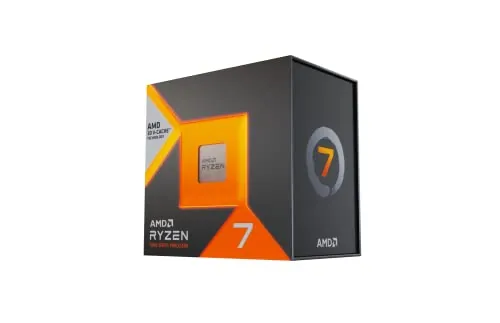
AMD
AMD Ryzen 7 7800X3D
8-core/16-thread AM5 desktop CPU with up to 5 GHz boost and 96 MB L3 cache in AMD’s specifications. These are specifications, not a performance result.
Model Ryzen 7 7800X3D
Amazon ASIN B0BTZB7F88
Differences that matter
What matters most to you?
Choose a priority to see what it changes.
Sources for Published gaming comparison
Sources for Named multithreaded result
Sources for What the review setup can and cannot tell you
The workload decides which benchmark matters
Tom’s Hardware’s faceoff reports the Ryzen 7 7800X3D 10.4% ahead on a 17-game geometric mean at 1080p with an RTX 5090. That describes its selected high-end, CPU-sensitive test suite, not all games or a guaranteed result on another GPU or resolution. The same article reports ties and some Intel leads among individual titles.
For multithreaded work, the same faceoff reports the Core Ultra 7 270K Plus 122% ahead in Cinebench 2026 multi-core. Use this as evidence for that named benchmark only. If your work is Blender, video encoding, compiling or another app, check a test of that application and settings rather than converting the Cinebench percentage into an expected project-time saving.
Make the motherboard check before buying
Intel’s exact 270K Plus specification lists FCLGA1851. Intel’s Series 2 compatibility page says these desktop processors require the new LGA1851 socket and Intel 800-series chipsets, and are not backward-compatible with older Intel desktop platforms.
AMD lists the 7800X3D as an AM5 Ryzen 7000 processor. AMD’s AM5 page lists Ryzen 7000, 8000 and 9000 support on 600/800-series AM5 boards; it notes a BIOS update may be required for 8000/9000 on 600-series boards. Verify your exact board’s CPU support page and BIOS; do not infer future processor support from the current list.
Translate the published test setup to your own PC
Tom’s Hardware’s hierarchy page lists different Intel and AMD motherboard and DDR5 memory configurations for its CPU comparisons; the faceoff says the gaming suite used an RTX 5090 at 1080p to reduce GPU-imposed bottlenecks. Those details help explain what the published numbers represent, but they do not make the systems identical except for CPU.
For a gaming build, compare the game list, resolution and GPU. For a creator build, find a matched result in the app and project type you actually run. If you already own a compatible system that meets those needs, consider keeping it rather than changing CPU platforms without a demonstrated workload reason. No hands-on testing or complete-basket cost analysis is included here.
A pre-order checklist
1. Name the game or production app that is driving the upgrade. 2. Find a test of that workload at settings close to yours; treat the cited 17-game and Cinebench results separately. 3. Check your exact motherboard, socket and BIOS support. 4. For a new build, compare the required board, memory and cooler together; for an existing build, first ask whether the current compatible CPU already meets the job.
Product details
Intel Core Ultra 7 270K Plus
Before you buy
Community discussions
A builder asks when to check BIOS support for a 270K Plus
Intel Core Ultra 7 270K Plus
The original poster has an Intel Core Ultra 7 270K Plus and Gigabyte Z890 Aorus Elite bundle. Seeing a November 2024 manufacture date on the board, they ask whether to check or update the BIOS before assembling the system. The post does not establish the installed BIOS version or the bundle’s CPU support.
What to check
Before building, identify the exact board revision and confirm its CPU-support entry and required BIOS version for the 270K Plus with Gigabyte. The post raises the timing question but does not establish that a BIOS update is necessary or give an update procedure.
Common questions
Does the 7800X3D win every game?
No. Tom’s Hardware reports a 10.4% lead in its 17-game 1080p/RTX 5090 average and describes variation among individual games, including titles where the 270K Plus tied or led. Your games and setup may differ.Intel Core Ultra 7 270K Plus vs AMD Ryzen 7 7800X3D faceoff
Does the 270K Plus make every creator app faster?
No. The cited 122% difference is Tom’s result for Cinebench 2026 multi-core. Check a relevant test for the application you use; this article does not establish a universal production-app margin.Intel Core Ultra 7 270K Plus vs AMD Ryzen 7 7800X3D faceoff
Can I reuse the same motherboard for either CPU?
No: Intel specifies FCLGA1851 for the 270K Plus, while AMD specifies AM5 for the 7800X3D. Check the exact board CPU-support list and BIOS; the sockets are distinct.Intel Core Ultra 7 processor 270K Plus specificationsCompatibility of Intel Core Ultra Desktop Processors (Series 2)AMD Ryzen 7 7800X3D Desktop Processor specifications
Sources and scope
Published benchmark reports are workload- and test-setup-specific. The gaming and Cinebench figures answer different questions; no current CPU-plus-board basket cost, package contents, matched application suite, or hands-on result is established here. Verify exact motherboard, BIOS, memory and cooler needs for your build.
- Intel Core Ultra 7 processor 270K Plus specifications
- AMD Ryzen 7 7800X3D Desktop Processor specifications
- Compatibility of Intel Core Ultra Desktop Processors (Series 2)
- AMD Socket AM5 Chipsets
- Intel Core Ultra 7 270K Plus vs AMD Ryzen 7 7800X3D faceoff
- Tom’s Hardware CPU Benchmarks and Hierarchy 2026: test system and configuration
Related comparisons
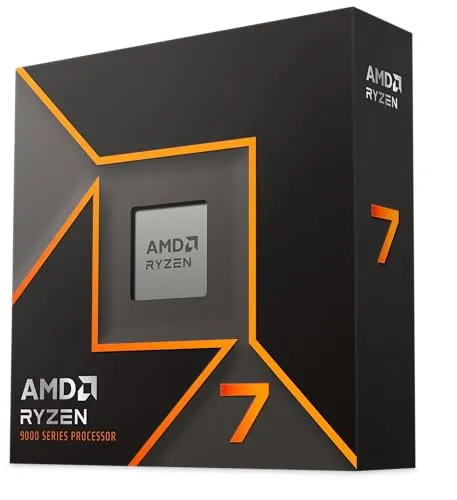
Ryzen 7 9700X vs Core Ultra 7 270K Plus: Match the Workload to the Build
Tom’s Hardware measured a 2.4% lead for the Core Ultra 7 270K Plus in its 17-game 1080p average, with results varying by title. It measured a larger Intel lead in the Blender Junkshop CPU render test. For an upgrade, start with your existing board’s CPU support list. For a fresh build, check the workload, motherboard and cooling before choosing.
Read comparison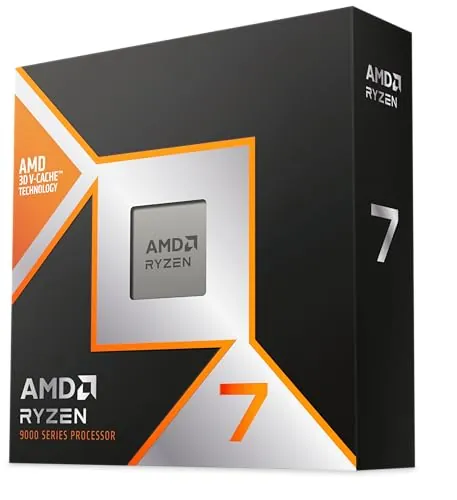
Ryzen 7 9800X3D vs 7800X3D: Choose by Your Games, Not the Generation Label
TechSpot’s September 2025 retest put the Ryzen 7 9800X3D 8% ahead on average across 12 games at both medium and ultra settings, but its title results ranged from about 1% in Marvel Rivals to 20–23% in Baldur’s Gate 3. Three separate game shader-compilation tests also favored the 9800X3D by 4–14%. Those are review results, not a prediction for every PC. Both chips are AM5 8-core/16-thread X3D processors, so an existing board’s exact CPU list and BIOS may matter more to an upgrade decision than the generation name.
Read comparison