
Products compared

Intel
Intel Core Ultra 7 processor 270K Plus
Intel Core Ultra 7 270K Plus desktop processor. Intel lists 24 cores (8 Performance + 16 Efficient), 24 threads, 36 MB Smart Cache, FCLGA1851 and DDR5. Its specification lists Intel Graphics, Quick Sync Video, and hardware encode and decode for H.264, H.265/HEVC and AV1.
Model BX80768270K
Amazon ASIN B0GMLJCBBM
AMD
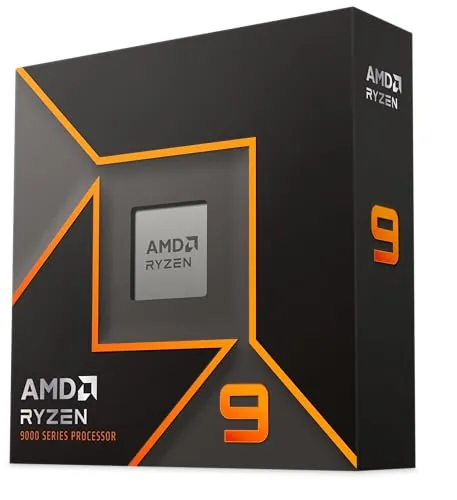
AMD Ryzen 9 9900X 12-Core, 24-Thread Desktop Processor
AMD Ryzen 9 9900X desktop processor. AMD lists 12 cores, 24 threads, AM5, DDR5 and integrated two-core Radeon Graphics. AMD identifies 600- and 800-series chipset families, but board support and BIOS readiness depend on the specific motherboard.
Model 100-100000662WOF
Amazon ASIN B0D6NN87T8
Differences that matter
What matters most to you?
Choose a priority to see what it changes.
Sources for Named Photoshop edits task
Sources for Named video tasks and test setup
Sources for Motherboard reuse and memory configuration
What the editing timings establish
Tweakers' review reports average times for three named tasks: Adobe Photoshop edits (47 seconds for the 270K Plus, 1:29 for the 9900X), its 4K Premiere Pro task (2:02 and 3:05), and DaVinci Resolve 20 (1:21 and 1:38). Lower time means the task completed sooner in that review. The measurements give a concrete reason to favor the Intel CPU when the tasks and setup resemble your own work, but they do not predict every edit or export.
The test method lists Windows 11 Pro 25H2, 32GB mainstream memory and maximum manufacturer-supported memory speeds for each platform: DDR5-7200 for Core Ultra 200 Plus and DDR5-5600 for Ryzen 9000. The Resolve test used an RTX 5090. The article does not expose sufficient project, codec, effect and application-version detail in its method/tables to reproduce the exact editing tasks. Treat the times as one editorial lab comparison with different platform configurations, not an isolated CPU-only result.
Check the media path before counting Quick Sync
Intel's exact 270K Plus specification lists Intel Graphics, Quick Sync Video and hardware encode/decode for H.264, HEVC and AV1. Adobe's Premiere guidance says Quick Sync can be used for supported H.264/H.265 media when the relevant hardware acceleration is enabled. Adobe also describes acceleration support as depending on the GPU manufacturer, including Intel and AMD.
This makes Quick Sync a workflow check, not a blanket reason that Intel edits faster. Confirm your actual codec, bit depth, discrete or integrated GPU, driver and Premiere setting. AMD's exact 9900X page lists integrated Radeon Graphics, but does not give the same codec details there; that documentation gap cannot establish that AMD lacks an acceleration path.
Make the platform choice with the exact board in hand
The CPUs are on different sockets: Intel specifies FCLGA1851 and lists 800-series desktop chipsets, while AMD specifies AM5 and lists selected 600- and 800-series chipset families. If reusing a board is valuable, the 9900X is worth considering only after that board's own CPU list and required BIOS confirm support. Intel likewise provides a compatibility tool for the exact 270K Plus. A chipset-family page alone does not establish a board revision's readiness.
For a new workstation, compare the complete parts list, including motherboard, memory configuration, GPU and cooler plan. The benchmark's Intel and AMD memory settings differ, and the test did not compare full-system prices. Choose from the named-task result only when it matches the apps and media you actually use; otherwise seek evidence for your specific workload.
Product details
Intel Core Ultra 7 processor 270K Plus
- Core configuration
- 24 cores (8 Performance + 16 Efficient) / 24 threads; 36 MB Intel Smart Cache Source
- Media feature listed by Intel
- Intel Graphics with Quick Sync Video; listed hardware encode/decode for H.264, H.265/HEVC and AV1 Source
- Socket and memory
- FCLGA1851; DDR5, with memory speed depending on the system and configuration Source
Before you buy
Community discussions
A proposed Lightroom and Photoshop build with the 270K Plus
Intel Core Ultra 7 processor 270K Plus
The original poster is planning a PC for Lightroom and Photoshop, mentions working with roughly 500–1,000 photos, and includes the Core Ultra 7 270K Plus, ASUS PRIME B860-PLUS WIFI-CSM, 32 GB of DDR5-6000 memory and an RTX 5060 in a proposed parts list. This is a planned configuration, not a tested result or endorsement of those parts.
What to check
Start with the photo apps and project sizes you use, then check the exact motherboard’s CPU support and BIOS, memory capacity, graphics-card plan and cooler fit. The post does not establish performance for another editor or configuration.
A 270K Plus build has a four-module memory question
Intel Core Ultra 7 processor 270K Plus
A shopper planning a 270K Plus build asked whether their ASUS Z890 board would support the four DDR5 modules they wanted to use.
What to check
Before choosing a platform for a large photo library, check your expected memory capacity and whether it is listed for the module count you plan to use.
Common questions
Does the 270K Plus guarantee faster editing for every project?
No. Tweakers measured shorter times for the 270K Plus in three named tasks, but projects, codecs, effects, GPU use, memory and application settings vary. Its article does not provide enough project and version detail to predict your own files.Intel Core Ultra 5 250K Plus and Core Ultra 7 270K Plus review
Is Quick Sync a reason to select the Intel CPU?
It can be if your exact Premiere media path uses supported Intel Quick Sync acceleration. Intel lists Quick Sync and codec capabilities for the 270K Plus; Adobe's guidance makes the feature conditional on supported media and enabled hardware acceleration. Confirm your GPU, codec, driver and settings. The AMD page's lack of codec detail is not proof of incapability.Intel Core Ultra 7 processor 270K Plus SpecificationsOptimize H.264 and H.265 playback in PremiereHardware-accelerated encoding and decoding in PremiereAMD Ryzen 9 9900X
Can I move either CPU into the other's motherboard?
No: Intel lists FCLGA1851 for the 270K Plus, while AMD lists AM5 for the 9900X. Before buying for an existing build, confirm the exact motherboard model and BIOS support with its manufacturer.Intel Core Ultra 7 processor 270K Plus SpecificationsIntel Core Ultra 7 processor 270K Plus Compatible ProductsAMD Ryzen 9 9900X
Sources and scope
Tweakers’ Photoshop edits, 4K Premiere Pro and DaVinci Resolve 20 measurements are specific to its review setup, memory settings and named tasks. The review used Windows 11 Pro 25H2, 32 GB memory, DDR5-7200 for Core Ultra 200 Plus and DDR5-5600 for Ryzen 9000; its Resolve test used an RTX 5090. The published tables do not provide enough project, codec, software-version or effects detail to predict another editor’s results. Intel specifies Quick Sync and codec support; AMD’s exact 9900X page identifies Radeon Graphics but does not describe codec support, which is not evidence that support is absent. Check the motherboard, BIOS, GPU, memory and app path for your build. No hands-on or long-term reliability comparison was performed.
Related comparisons
AMD Ryzen 9 7900X vs 9900X: Board, Memory and Cooler Checks
The Ryzen 9 7900X (Ryzen 7000, Zen 4) and Ryzen 9 9900X (Ryzen 9000, Zen 5) both list AM5 and the same broad chipset families, but socket overlap alone does not confirm a particular board’s CPU support or BIOS readiness. AMD lists DDR5-5200 for two DIMMs on the 7900X and DDR5-5600 for two on the 9900X; with four DIMMs both pages list DDR5-3600. AMD also lists default TDP labels of 170W and 120W, and no boxed thermal solution for either. Check your exact board, RAM layout and separate cooler before choosing; these specifications do not establish benchmark performance or actual power draw.
Read comparison
Ryzen 7 9700X vs Core Ultra 7 270K Plus: Match the Workload to the Build
Tom’s Hardware measured a 2.4% lead for the Core Ultra 7 270K Plus in its 17-game 1080p average, with results varying by title. It measured a larger Intel lead in the Blender Junkshop CPU render test. For an upgrade, start with your existing board’s CPU support list. For a fresh build, check the workload, motherboard and cooling before choosing.
Read comparison