
Products compared
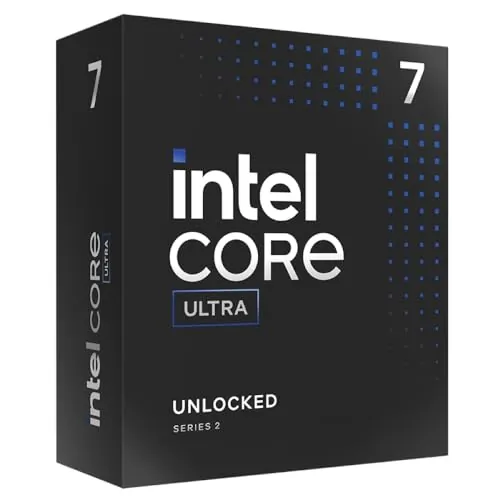
Intel
Intel Core Ultra 7 265K Desktop Processor
Intel identifies boxed code BX80768265K for the Core Ultra 7 265K. Intel ARK lists Series 2, FCLGA1851, DDR5-only memory support, Intel Graphics and Quick Sync Video. The K-series box does not include an Intel fan heatsink.
Model Core Ultra 7 265K; boxed code BX80768265K
Amazon ASIN B0DFK2MH2D
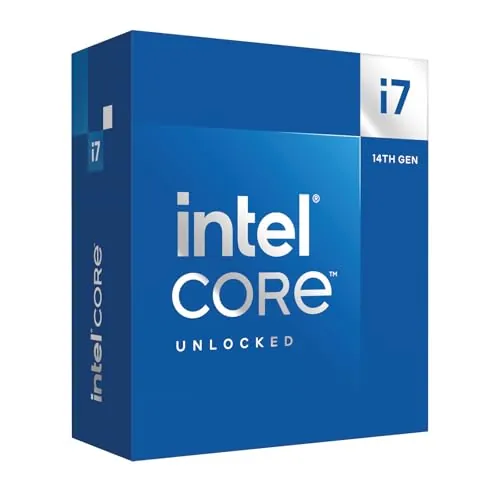
Intel
Intel Core i7-14700K Desktop Processor
Intel identifies boxed code BX8071514700K for the 14th-generation Core i7-14700K. Intel ARK lists FCLGA1700 and processor-level support for DDR4 or DDR5; the exact motherboard determines the memory type. The K-series box does not include an Intel fan heatsink.
Model Core i7-14700K; boxed code BX8071514700K
Amazon ASIN B0CGJ41C9W
Differences that matter
What matters most to you?
Choose a priority to see what it changes.
Sources for Socket and board reuse
Sources for Memory generation and listed limits
Sources for Core and thread labels
Sources for Boxed cooling and integrated graphics
Sources for Current 14th-gen BIOS guidance
Start with the motherboard you actually own
Intel lists the 265K for FCLGA1851 and the i7-14700K for FCLGA1700. That is the first build fork: an existing LGA1700 board is not a home for the 265K, while the 14700K remains only a candidate if the exact LGA1700 board manufacturer lists it and supplies a suitable BIOS. A socket-family match by itself does not verify the board revision or firmware.
The 265K is a Core Ultra desktop Series 2 model with boxed code BX80768265K. The compared Core i7 is the standard 14700K with boxed code BX8071514700K, not a KF model or tray part. Check the exact listing carton label against these codes before ordering.
Match the memory generation before choosing a processor
Intel lists the 265K with DDR5 up to 6400 MT/s and up to 256 GB. The 14700K lists either DDR4 up to 3200 MT/s or DDR5 up to 5600 MT/s and up to 192 GB. Those are processor-level specifications. The chosen motherboard is built for one memory generation and can impose lower limits, so check its manual and memory support list for your exact RAM kit and number of DIMMs.
Both pages list 20 total cores arranged as 8 P-cores and 12 E-cores. The 265K lists 20 threads; the 14700K lists 28. Use these as labels for the components, not as an application-speed or gaming verdict.
Plan for a cooler and the actual display path
Intel states that desktop boxed processors with K in the model number do not ship with Intel’s fan heatsink; that includes the 265K and 14700K. Choose a separate cooler only after checking its mounting support, case clearance and the motherboard/processor instructions. The figures on a CPU specification page do not establish a particular cooler’s capacity or system temperature.
Intel lists Intel Graphics and Quick Sync Video for the 265K, and UHD Graphics 770 and Quick Sync Video for the 14700K. If you expect to connect a monitor without a discrete GPU, also verify that the exact motherboard has the needed display output; processor graphics do not guarantee that the board exposes a port.
Add the current BIOS check for the 14th-generation model
Intel’s current Vmin Shift support article, last reviewed July 21, 2026, says some 13th- and 14th-generation desktop processors are affected and recommends relevant Intel Default Settings plus a BIOS containing microcode 0x12F or later. Its related-products list includes 14th-generation Core i7. If you select the i7-14700K, check the exact motherboard BIOS notes for that guidance before purchase or setup.
The advisory does not establish that every 14700K is affected, does not test the particular boxed unit, and does not compare reliability with the 265K. Use it as a current board/firmware check, not as a reason to claim either CPU is categorically safer.
Product details
Intel Core Ultra 7 265K Desktop Processor
- Socket and memory type
- FCLGA1851; DDR5 up to 6400 MT/s listed by Intel. Check the exact board’s CPU list, BIOS and memory support. Source
- Cores and threads
- 20 cores (8 P-cores + 12 E-cores), 20 threads. Source
- Boxed model and cooler
- Intel lists boxed ordering code BX80768265K. K-series desktop boxes ship without Intel fan heatsinks. Source
- Integrated graphics/media
- Intel Graphics and Intel Quick Sync Video are listed; confirm the motherboard exposes a usable display output for the planned build. Source
Intel Core i7-14700K Desktop Processor
- Socket and memory type
- FCLGA1700; Intel lists up to DDR4-3200 or DDR5-5600 at the processor level. A particular board is built for one memory type and has its own CPU/BIOS list. Source
- Cores and threads
- 20 cores (8 P-cores + 12 E-cores), 28 threads. Source
- Boxed model and cooler
- Intel lists boxed ordering code BX8071514700K. K-series desktop boxes ship without Intel fan heatsinks. Source
- Integrated graphics/media
- Intel UHD Graphics 770 and Intel Quick Sync Video are listed; confirm the motherboard exposes a usable display output for the planned build. Source
Before you buy
Community discussions
Building a desktop around your editing workload
Intel Core Ultra 7 265K Desktop Processor
A video editor moving from a laptop compares a 14700K build with a 265K package and asks which motherboard to use.
What to check
List the editing applications, likely memory needs, and storage devices before choosing the motherboard and processor together.
Comparing a memory-reuse upgrade with a new platform
Intel Core Ultra 7 265K Desktop Processor
A shopper comparing the 14700K and 265K proposes reusing DDR4 in one build and shopping for DDR5 in the other. Both plans need room for the same drives.
What to check
Check the socket, memory type, drive connections, and cooler fit on each exact board. Add any parts you cannot reuse to the total.
Common questions
Can I put the Core Ultra 7 265K in an LGA1700 motherboard?
No. Intel lists FCLGA1851 for the 265K and FCLGA1700 for the i7-14700K. Check the exact board support list before ordering a processor.Intel Core Ultra 7 Processor 265K SpecificationsIntel Core i7 Processor 14700K Specifications
Can the i7-14700K use my DDR4 memory?
Only with an LGA1700 motherboard designed for DDR4 that also lists the exact 14700K as supported with the required BIOS. Intel’s processor page lists DDR4 and DDR5 support, but one motherboard does not take both memory generations.Intel Core i7 Processor 14700K Specifications
Do both boxed processors include a cooler?
No. Intel says desktop K-series boxed processors do not ship with Intel’s fan heatsink. Plan for a separate compatible thermal solution and check the exact package.Intel Core Ultra 7 Processor 265K Ordering and ComplianceIntel Core i7 Processor 14700K Ordering and ComplianceIntel Core and Core Ultra Boxed Desktop Processors Shipped without Fan Heatsink
What does Intel currently recommend for the 14th-gen i7?
Intel’s current Vmin Shift support page says to use relevant Intel Default Settings in BIOS and a BIOS containing microcode 0x12F or later for applicable 13th/14th-generation desktop processors. It discusses some processors, not every unit; check the motherboard maker’s exact BIOS notes.Intel Core i7 Processor 14700K SpecificationsIntel Core 13th and 14th Gen Desktop Processor Vmin Shift Instability Issue — Latest Information
Is one processor faster based on the core/thread labels?
The Intel pages list 20 cores on both, with 20 threads on the 265K and 28 on the 14700K. Those specification counts do not establish an application or gaming winner; this guide focuses on board, memory and box-fit decisions.Intel Core Ultra 7 Processor 265K SpecificationsIntel Core i7 Processor 14700K Specifications
Sources and scope
This is a platform and parts-planning guide based on the exact Intel boxed 265K and i7-14700K models. It does not rank gaming, application speed, efficiency, power draw, heat, stability or value. Shared socket-family wording or processor-level memory specifications do not verify an exact motherboard, BIOS, RAM kit, cooler mounting or case fit. Intel’s current Vmin Shift guidance applies to some 13th- and 14th-generation desktop processors and lists 14th-gen Core i7; it is a board/BIOS check for the i7-14700K, not evidence that every unit is affected or that the 265K is comparatively more reliable. Neither boxed K processor includes Intel’s fan heatsink.
- Intel Core Ultra 7 Processor 265K Specifications
- Intel Core Ultra 7 Processor 265K Ordering and Compliance
- Intel Core i7 Processor 14700K Specifications
- Intel Core i7 Processor 14700K Ordering and Compliance
- Intel Core and Core Ultra Boxed Desktop Processors Shipped without Fan Heatsink
- Intel Core 13th and 14th Gen Desktop Processor Vmin Shift Instability Issue — Latest Information
Related comparisons
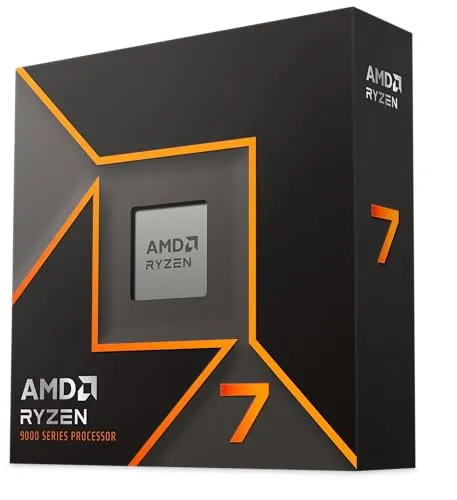
Ryzen 7 9700X vs Core Ultra 7 265K: Check the Platform Before You Buy
The Ryzen 7 9700X is an AM5 processor; the Core Ultra 7 265K is FCLGA1851. Both list DDR5 and integrated graphics, but their supported configurations and media features differ. Check your board, BIOS, memory kit, display outputs and exact cooler package. These specifications do not establish which CPU is faster.
Read comparison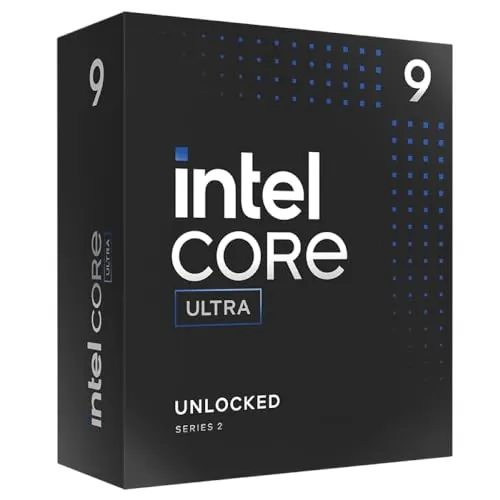
Intel Core Ultra 7 265K vs Core Ultra 9 285K: Choose by Workload
Intel’s Core Ultra 7 265K and Core Ultra 9 285K share LGA1851, DDR5-6400 support, a 125 W Processor Base Power label, a 250 W Maximum Turbo Power label, and the same listed integrated graphics/media features. The 285K has four additional E-cores and higher maximum turbo frequency. In Tom’s Hardware’s August 2025 exact-pair test, its 16-game 1080p average was about 4.4% higher, while its named multithreaded suite geomean was 18.2% higher. Use those results only if the tested workloads resemble yours; check board BIOS, memory configuration, and cooling before choosing either.
Read comparison