
Products compared

Intel
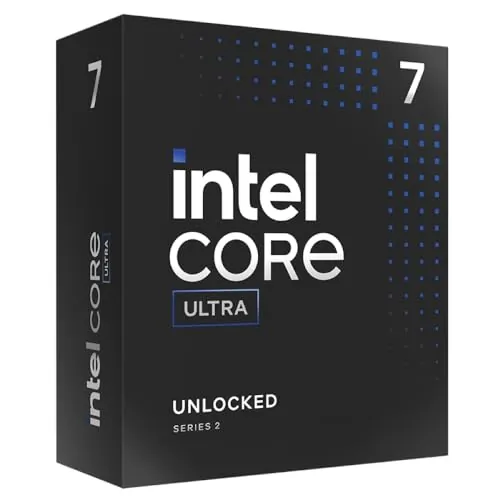
Intel Core Ultra 7 270K Plus Desktop Processor
Intel’s exact product specification page identifies the Core Ultra 7 270K Plus as an LGA1851 desktop processor with 24 cores (8 P-cores + 16 E-cores), 24 threads and memory support up to DDR5-7200.
Model Core Ultra 7 270K Plus
Amazon ASIN B0GMLJCBBM
Intel
Intel Core Ultra 7 265K Desktop Processor
Intel’s exact product specification page identifies the Core Ultra 7 265K as an LGA1851 desktop processor with 20 cores (8 P-cores + 12 E-cores), 20 threads and memory support up to DDR5-6400.
Model Core Ultra 7 265K
Amazon ASIN B0DFK2MH2D
Differences that matter
I do work that uses many CPU cores
Intel Core Ultra 7 270K Plus Desktop Processor · TechSpot measured a 23% Cinebench 2026 multi-core lead for the 270K Plus over the 265K on its stated system. Check an exact test of your application and the support list for your board.
View Core Ultra 7 270K Plus on Amazon (paid link)Sources for Core capacity and cache
Sources for Official memory ceiling
Sources for Listed power classes and cooling check
Sources for One exact-pair review, under its stated setup
The short answer depends on whether this is a new build or a CPU swap
For a new LGA1851 build, the 270K Plus has the larger documented core layout: 8 P-cores plus 16 E-cores, 24 threads, and 36 MB of Intel Smart Cache. The 265K lists 8 P-cores plus 12 E-cores, 20 threads, and 30 MB. That gives parallel workloads more listed E-core capacity to use, but it does not tell you how a particular application scales.
For an existing 265K owner, the case is narrower. TechSpot’s direct test reported a 23% Cinebench 2026 multi-core lead and 13% / 12% leads in its 14-game average at medium / ultra settings. The review’s Core Ultra test system used an MSI Z890 Tomahawk WiFi II, DDR5-8200 CUDIMM and RTX 5090; the result is a reference point, not an upgrade guarantee for a different board, GPU, game, memory profile or application. If those results do not resemble your work, the sources here cannot assign your personal upgrade payoff.
The practical first question is therefore: are you planning a compatible new build, or are you keeping a 265K platform? In the second case, verify the exact board’s CPU-support entry and required BIOS before comparing any test percentages.
Check motherboard and BIOS by exact model before an upgrade
Intel lists FCLGA1851 for both processors and describes its Series 2 desktop CPUs as using Intel 800-series desktop chipsets. That makes a 265K owner’s existing board a plausible starting point only if it is an LGA1851/800-series model. It is not proof that every such board will support the newer 270K Plus at its current BIOS.
Intel explicitly says Series 2 LGA1851 CPUs are not backward compatible with LGA1700 or Intel 600/700-series chipset motherboards. Before buying, match the full board name and revision to the board maker’s CPU-support list and the exact 270K Plus entry, including its required BIOS. No motherboard was specified for this guide, so compatibility for an individual build remains unverified.
Memory speed is an ‘up to’ specification, not a kit guarantee
Intel lists up to DDR5-7200 for the 270K Plus and up to DDR5-6400 for the 265K. Both specifications list up to 256 GB, with maximum capacity dependent on memory type. These top-line figures distinguish the processor specifications, but they do not confirm that a particular DIMM kit, number of populated slots or motherboard can run at the listed maximum.
For a build or reuse plan, check the motherboard’s memory QVL for the exact kit and population, then use the board and memory maker’s supported settings. The TechSpot result above used DDR5-8200 CUDIMM in its test system, which is not the same thing as Intel’s official up-to rating or a recommendation that every buyer should use that kit.
Treat the power labels as a planning check, not a cooler verdict
Intel lists 125 W Processor Base Power and 250 W Maximum Turbo Power for both parts. The labels are the same, but they do not establish that the processors draw the same power in every workload or that an installed cooler is adequate. Intel’s boxed Series 2 guidance says a thermal solution is required for a 125 W Processor Base Power CPU and instructs users to check the processor’s power requirements when ensuring heatsink compatibility.
For the 270K Plus, confirm the exact cooler’s LGA1851 support and the cooler maker’s guidance alongside your motherboard’s power settings. A fan or water cooler’s socket fit by itself does not establish the cooling behavior of your system. No head-to-head cooling or noise test is claimed here.
Product details
Intel Core Ultra 7 270K Plus Desktop Processor
- Core layout and cache
- 24 total cores: 8 P-cores + 16 E-cores; 24 threads; 36 MB Intel Smart Cache; 40 MB L2 cache. Source
- Platform, memory and power labels
- FCLGA1851; Intel lists up to DDR5-7200 and 256 GB maximum memory (dependent on memory type); 125 W Processor Base Power and 250 W Maximum Turbo Power. Source
Intel Core Ultra 7 265K Desktop Processor
- Core layout and cache
- 20 total cores: 8 P-cores + 12 E-cores; 20 threads; 30 MB Intel Smart Cache; 36 MB L2 cache. Source
- Platform, memory and power labels
- FCLGA1851; Intel lists up to DDR5-6400 and 256 GB maximum memory (dependent on memory type); 125 W Processor Base Power and 250 W Maximum Turbo Power. Source
Before you buy
Community discussions
A Z890 owner checks CPU support before a 270K Plus upgrade
Intel Core Ultra 7 270K Plus Desktop Processor
The original poster has a Biostar Z890 motherboard and asks whether its existing BIOS supports the Core Ultra 7 270K Plus before buying. The post records a compatibility question, not a verified support result for that or other boards.
What to check
For a CPU-only change, check the exact motherboard model and hardware revision on its maker’s CPU-support page, then confirm the minimum BIOS version for the 270K Plus. A chipset label or another owner’s board report does not confirm your board’s support.
A four-DIMM memory question for the 270K Plus
Intel Core Ultra 7 270K Plus Desktop Processor
The original poster lists a Core Ultra 7 270K Plus, ASUS ROG Strix Z890-E Gaming WiFi and a 4×24 GB DDR5-6000 CL36 kit, and asks whether that combination is suitable. The post does not report a tested or stable configuration.
What to check
Before reusing or buying a four-module kit, check the exact board’s memory support list for the CPU, module part number, number of DIMMs and supported speed. Do not treat the processor’s maximum-memory specification as confirmation that this kit will run at its rated speed.
Common questions
How much does the 270K Plus change the core count versus the 265K?
Intel lists 24 cores (8 P-cores + 16 E-cores) and 24 threads for the 270K Plus, versus 20 (8 + 12) and 20 threads for the 265K. That is a four-E-core difference, not a guaranteed application-speed percentage.Intel Core Ultra 7 Processor 270K Plus SpecificationsIntel Core Ultra 7 Processor 265K Specifications
Can I install the 270K Plus in a motherboard that currently runs a 265K?
The CPUs share FCLGA1851, but that alone cannot confirm support. Check the exact motherboard maker’s CPU list and minimum BIOS for the 270K Plus. Intel states Series 2 LGA1851 CPUs are not backward compatible with LGA1700 or Intel 600/700-series chipset motherboards.Intel Core Ultra 7 Processor 270K Plus SpecificationsLGA1851 and LGA1700 Socket Incompatibility
What did the exact-pair benchmark show?
TechSpot reported the 270K Plus 23% ahead in Cinebench 2026 multi-core and 13% / 12% ahead in its 14-game average at medium / ultra settings. The review tested the 200S CPUs on an MSI Z890 Tomahawk WiFi II with DDR5-8200 CUDIMM and an RTX 5090; these figures describe that review, not your guaranteed result.Intel Core Ultra 7 270K Plus Review: AMD Needs to Respond
Does the 270K Plus require a different power class or automatically need a new cooler?
Intel lists both processors at 125 W Processor Base Power and 250 W Maximum Turbo Power, but that does not certify an installed cooler. Check the exact cooler maker’s LGA1851 support and Intel’s power guidance for your board settings and intended workload.Intel Core Ultra 7 Processor 270K Plus SpecificationsIntel Core Ultra 7 Processor 265K SpecificationsInformation About Intel Core Ultra Boxed Desktop Processors (Series 2)
Sources and scope
This guide compares manufacturer specifications and one independent review that tested the exact 270K Plus / 265K pair; this guide did not test either CPU. TechSpot’s Cinebench and game-suite results apply only to that review’s software, MSI Z890 test board, DDR5-8200 CUDIMM, RTX 5090 and stated settings. They do not predict another workload, game, resolution, GPU limit, BIOS or memory configuration. Intel lists the same base and maximum turbo power classes for both CPUs, but those labels are not a measurement of equal draw or cooler needs in every workload. No specific motherboard, BIOS version, memory kit, cooler, workload or current offer was provided, so check those exact parts before a CPU-only upgrade.
Related comparisons

Ryzen 7 9700X vs Core Ultra 7 265K: Check the Platform Before You Buy
The Ryzen 7 9700X is an AM5 processor; the Core Ultra 7 265K is FCLGA1851. Both list DDR5 and integrated graphics, but their supported configurations and media features differ. Check your board, BIOS, memory kit, display outputs and exact cooler package. These specifications do not establish which CPU is faster.
Read comparisonRyzen 7 9700X vs Core Ultra 7 270K Plus: Match the Workload to the Build
Tom’s Hardware measured a 2.4% lead for the Core Ultra 7 270K Plus in its 17-game 1080p average, with results varying by title. It measured a larger Intel lead in the Blender Junkshop CPU render test. For an upgrade, start with your existing board’s CPU support list. For a fresh build, check the workload, motherboard and cooling before choosing.
Read comparison