
Products compared
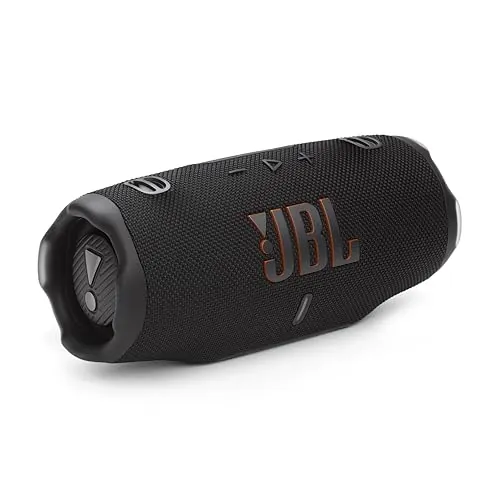
JBL
JBL Charge 6 Portable Bluetooth Speaker (Black)
Black U.S. JBL Charge 6, item JBLCHARGE6BLKAM; no sound or battery result is inferred from its marketing labels.
Model JBLCHARGE6BLKAM
Amazon ASIN B0DN2ZCZX6
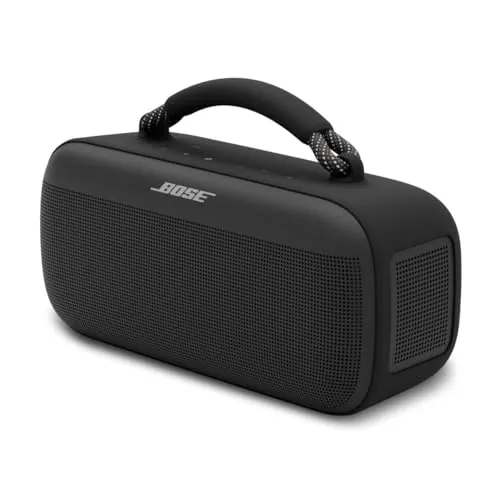
Bose
Bose SoundLink Max Portable Speaker (Black)
Black Bose SoundLink Max portable speaker; exact listing data part 883848-0100.
Model 883848-0100
Amazon ASIN B0CVL1K7DX
Differences that matter
What matters most to you?
Choose a priority to see what it changes.
Sources for Phone charging and power role
Sources for Carry setup and physical controls
Sources for Bose Shortcut setting before you pair
Start with the audio output on your source
Charge 6’s documented lossless USB route is for compatible laptops or tablets and compatible audio content. JBL’s U.S. FAQ gives a model-specific setup: hold Play while attaching USB-C to enter audio mode, then disconnect to return to Bluetooth; USB flash-drive playback is unsupported. The quick-start guide marks the USB cable not included.
SoundLink Max takes a conventional 3.5 mm AUX source, and Bose says the cable is sold separately. Its Shortcut can be assigned to switch between Bluetooth and wired input, so check the app setting rather than assuming the button’s current assignment. Neither input path says which speaker sounds better.
Choose around speakers already in your home
Charge 6’s Auracast path is for compatible JBL speakers: JBL documents stereo pairing two Charge 6 units and sharing a playlist across multiple Auracast-enabled JBL speakers. Bose documents two separate ecosystems for SoundLink Max. It can link to a Bose Bluetooth speaker with a Shortcut button, or use SimpleSync with a Bose Smart speaker/soundbar.
For Bose Bluetooth-speaker linking, plan both placement conditions: keep the two Bose speakers within 30 feet of each other, and keep each within 30 feet of the streaming device. SimpleSync has a separate 30-foot range between SoundLink Max and the Bose Smart speaker or soundbar. The maker material reviewed here does not establish mixed JBL/Bose grouping.
Compare the practical carry and power features
JBL lists a removable carrying strap and built-in powerbank for Charge 6. Bose lists a removable rope handle and a USB-C port for charging a connected device while the speaker has power. These are product-feature descriptions, not charge-rate, battery-duration, durability or comfort tests.
If you expect the speaker to charge a phone, check which cable your phone needs and whether the intended charging routine fits your plans. If carrying matters more, compare the removable strap with the removable rope handle on the exact black model listing.
Resolve two setup details before checkout
JBL’s older U.S. USB-audio FAQ points users to JBL Portable for updates. A later JBL U.S. notice lists Charge 6 among products migrating from Portable to JBL ONE and says to follow the notification when prompted. The two documents describe different points in the app transition; follow the current prompt presented by your product/account, and do not assume migration is already complete.
Bose’s U.S. product page FAQ and its owner guide differ on the factory-default action for Shortcut. Bose says the assignment can be changed in the app, so inspect the current assignment before depending on it for wired-source switching or pairing.
Product details
JBL Charge 6 Portable Bluetooth Speaker (Black)
- USB-C audio input
- JBL documents lossless USB-C playback from a compatible laptop or tablet with compatible content; hold Play while connecting the cable to enter audio mode, and disconnect to return to Bluetooth. USB-thumb-drive playback is not supported. Source
- Speaker grouping
- JBL says Auracast can stereo-pair two Charge 6 units and connect multiple Auracast-enabled JBL speakers for one playlist. Source
- Carry and device power
- The JBL U.S. product page lists a removable carrying strap and built-in powerbank. These are stated product features, not comparative handling or battery tests. Source
Bose SoundLink Max Portable Speaker (Black)
- Wired audio input
- AUX input for a cabled source; Bose says the audio cable is not included. Shortcut can be configured to switch between Bluetooth and a wired source. Source
- Speaker grouping
- Bose documents linking to a compatible Bose Bluetooth speaker with a Shortcut button, or SimpleSync to a Bose Smart speaker or soundbar within 30 ft of the Max. Source
- Carry and device power
- The Bose product page lists a removable rope handle and says its USB-C port can charge a connected device while the speaker has power. These are maker-listed features, not comparative battery or carry tests. Source
Before you buy
Community discussions
Checking playback with the phone settings you usually use
JBL Charge 6 Portable Bluetooth Speaker (Black)
A new Charge 6 owner reported distorted audio with stereo enabled on their phone, and was dissatisfied with the sound after switching to mono. They asked whether a firmware update or a return would make sense.
What to check
Listen using your usual phone settings, then test the separate cable path from a computer or another wired source. Pairing and USB or analog playback are separate checks.
Common questions
Can JBL Charge 6 play lossless audio over USB-C?
JBL’s U.S. support FAQ lists Charge 6 for USB audio from laptops and tablets with compatible content. It gives a Charge 6 setup: hold Play while connecting USB-C until the mode confirmation, then unplug to return to Bluetooth. It also says USB-thumb-drive playback is unsupported.JBL U.S. Support — USB lossless audio and laptop/tablet playbackJBL Charge 6 Black — product pageJBL Charge 6 Quick Start Guide
Can Charge 6 group with Bose SoundLink Max?
The JBL sources describe Auracast grouping with compatible JBL speakers, and Bose describes links with compatible Bose Bluetooth speakers or Bose Smart speakers/soundbars. Neither source establishes a JBL-to-Bose group, so treat cross-brand grouping as unsupported by the cited evidence and verify before buying if that is essential.JBL Charge 6 Black — product pageBose SoundLink Max Portable Speaker — U.S. Black product pageBose SoundLink Max Portable Speaker Owner’s Guide
What range does Bose speaker linking require?
For SoundLink Max Bluetooth-speaker linking, Bose says the two speakers must be within 30 ft of each other and each must be within 30 ft of the streaming device. SimpleSync is a separate connection with a 30 ft range from SoundLink Max to the Bose Smart speaker or soundbar.Bose SoundLink Max Portable Speaker Owner’s Guide
Is the Bose Shortcut’s factory action speaker linking or AUX switching?
Bose’s current U.S. product FAQ and the SoundLink Max owner guide report different factory-default Shortcut actions. Bose documents that the action is configurable in the Bose app; check the active assignment on the speaker before relying on it.Bose SoundLink Max Portable Speaker — U.S. Black product pageBose SoundLink Max Portable Speaker Owner’s Guide
Are the audio cables included?
JBL’s Charge 6 quick-start guide marks the USB cable not included. Bose states its audio cable for SoundLink Max is not included. Verify the exact current seller bundle if you need either cable immediately.JBL Charge 6 Quick Start GuideBose SoundLink Max Portable Speaker — U.S. Black product page
Sources and scope
This guide compares documented connection, grouping, carry and device-power options; it does not report listening tests, sound-quality results, battery-life testing, drop tests or cross-brand pairing. JBL’s USB-audio FAQ still references JBL Portable for a software update, while a later U.S. migration notice lists Charge 6 for JBL ONE; follow the prompt displayed for your current app/account. Bose’s U.S. product FAQ and owner guide differ on the factory-default Bose Shortcut action; check the active assignment in the Bose app. JBL and Bose sources do not establish cross-brand grouping.
- JBL Charge 6 Black — product page
- JBL Charge 6 Quick Start Guide
- JBL U.S. Support — USB lossless audio and laptop/tablet playback
- JBL U.S. Support — Portable App and Partybox App migration to JBL ONE
- Bose SoundLink Max Portable Speaker — U.S. Black product page
- Bose SoundLink Max Portable Speaker Owner’s Guide
Related comparisons
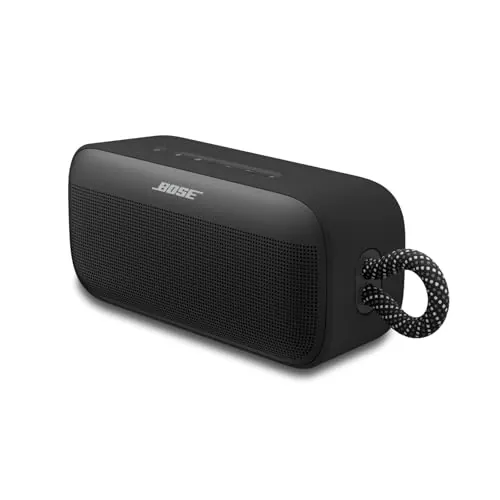
Bose SoundLink Max vs SoundLink Plus: AUX, Charging and Carry Fit
The SoundLink Max adds a 3.5 mm AUX input, a removable rope handle and, for the US package, a USB-C power supply. SoundLink Plus has a carrying loop and includes a USB-C cable but no wall adapter. Both support USB-C charging and device charge-out; check your wired sources and existing charger before choosing.
Read comparison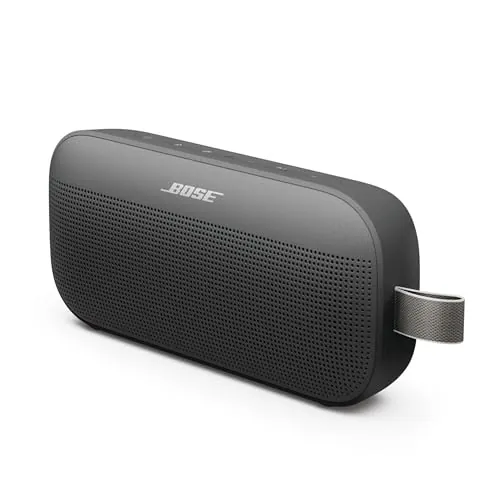
Bose SoundLink Flex (2nd Gen) vs SoundLink Max: Carry, Calls and Connections
For the assigned US Black models, Flex (2nd Gen) is the smaller speaker and has a built-in microphone for calls. SoundLink Max is much larger, has stereo playback from one speaker, a 3.5 mm AUX input and USB-C phone charging out. Both support multipoint connections to two source devices and Bose speaker-link features, but stereo pairing is model-specific. Measure your bag space and check the included charger before ordering.
Read comparison