
Products compared
JBL
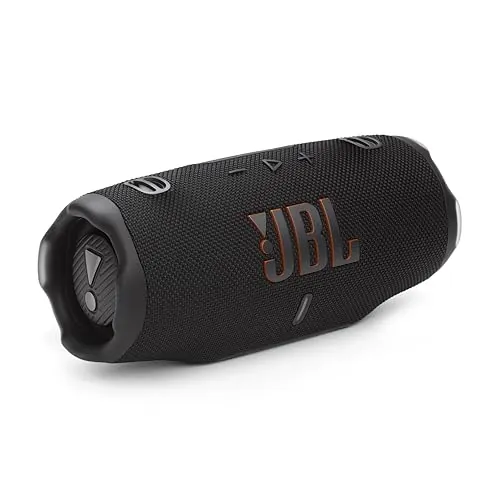
JBL Charge 6 (Black)
Black US edition; removable handle strap; USB-C in/out. JBL lists the strap in the box and no USB cable.
Model JBLCHARGE6BLKAM
Amazon ASIN B0DN2ZCZX6
JBL
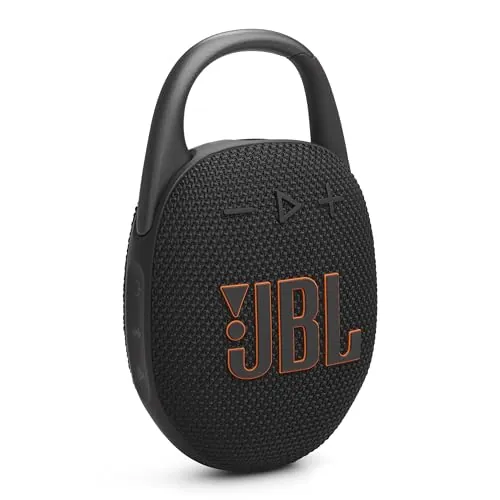
JBL Clip 5 (Black)
Black US edition; integrated carabiner; JBL lists a Type-C USB cable in the box. JBL Support describes audio as Bluetooth-only.
Model JBLCLIP5BLKAM
Amazon ASIN B0CTP56C5R
Differences that matter
What matters most to you?
Choose a priority to see what it changes.
Sources for Carry format and packed size
Sources for What arrives in the maker-listed box
Sources for Adding another JBL speaker
Match the shape to the way you carry it
Clip 5 puts an integrated carabiner on a much smaller, lighter published body. Charge 6 uses a removable handle strap and has the larger listed footprint. Before choosing the Clip, test the real bag or belt loop: JBL does not publish a carabiner-opening measurement, so the word “carabiner” does not guarantee a fit on every strap or rail.
For packing, compare your actual space with the model dimensions rather than relying on a product name or a height-only comparison. JBL lists Charge 6 net weight as 0.99 kg with its strap and 0.96 kg without it; Clip 5 is listed at 0.285 kg. Those figures are maker specifications, not a carry test.
Read the box list before buying a cable
JBL’s Charge 6 Black page lists the speaker and detachable strap, with its quick-start and safety documents; the charging cable is not included. The same missing cable is noted for USB audio. If Charge 6’s wired mode is the reason you are comparing, add a compatible USB cable to your setup and check your source before relying on it.
JBL’s Clip 5 Black page lists a Type-C USB cable. That is a charging cable in the product bundle; JBL’s support response describes Clip 5 audio as Bluetooth-only. Confirm the exact seller bundle on the Amazon ASIN because a marketplace offer can add or change package items.
Separate Charge 6 USB audio from USB charging
Charge 6’s USB-C port can receive audio from a compatible laptop, tablet or other source after the speaker has current software. JBL’s setup is specific: turn on the speaker, hold Play while connecting the USB-C cable, and disconnect the cable to return to Bluetooth. JBL recommends a short cable, says the cable is not included, and does not support USB thumb-drive playback.
That USB audio feature does not mean Charge 6 can charge a laptop: JBL says its powerbank is for mobile devices and does not support laptop charging. Clip 5 is documented for Bluetooth audio. If your only available source is wired, Charge 6 is the documented option in this pair; verify your host and software rather than assuming universal compatibility.
Check the exact pairing goal before adding a second speaker
JBL describes two Charge 6 speakers as a stereo pair and two Clip 5 speakers as a stereo pair. Both pages also mention connecting multiple compatible Auracast-enabled JBL speakers. Those statements do not establish every cross-model combination as a stereo pair.
If your plan is specifically one Charge 6 plus one Clip 5, confirm the exact mode with JBL before purchase. If you already own one model and want the documented stereo pairing path, the maker names a second unit of that same model.
Product details
JBL Charge 6 (Black)
- Exact US model
- JBL identifies the Black US product as Item JBLCHARGE6BLKAM. Source
- Size and net weight
- 228.8 × 98.5 × 94 mm (W × H × D); 0.99 kg with handle strap, 0.96 kg without it. Source
- Cable and box contents
- JBL lists the Charge 6 and strap in the box; a USB cable is not included. Source
- Documented audio route
- Bluetooth and USB-C audio from a compatible source after the required software update; USB-C cable not included. Source
JBL Clip 5 (Black)
- Exact US model
- JBL identifies the Black US product as Item JBLCLIP5BLKAM. Source
- Size and net weight
- 86.3 × 134.5 × 46.0 mm (W × H × D); 0.285 kg. Source
- Cable and box contents
- JBL lists a Type-C USB cable in the Clip 5 box. Source
- Documented carry and audio
- Integrated carabiner; JBL Support describes Clip 5 audio as exclusively Bluetooth. The USB cable is documented for charging, not as a wired audio route. Source
Before you buy
Community discussions
Balancing carry size against a larger speaker
JBL Charge 6 (Black)
A shopper who had briefly used a larger Sony speaker liked it but was weighing its size and weight against a Charge 6. They had heard the related Charge 5 at work and wanted to compare the Charge 6 for themselves.
What to check
Check where the speaker will attach or fit before comparing features. If you need the Charge 6’s cable input on a trip, count the cable and the strap in your packing space.
Common questions
Does the Charge 6 include the USB-C cable for charging or audio?
No. JBL’s Black US Charge 6 page lists the speaker and strap but says no charging cable is included; its quick-start guide also marks the cable as not included for USB audio. Bring a compatible cable for either use.JBL Charge 6 Black US model page (JBLCHARGE6BLKAM)JBL Charge 6 Quick Start Guide
Can I play a laptop’s audio over USB-C on both speakers?
JBL documents USB audio for Charge 6 after installing current speaker software; JBL says Clip 5 audio works exclusively over Bluetooth. JBL also says Charge 6 USB audio does not play files directly from a thumb drive.JBL USB audio playback setup and source requirementsJBL Support answer on Clip 5 audio input (hosted by Target)
Can Charge 6 and Clip 5 form a stereo pair?
JBL’s product pages explicitly describe stereo pairing two Charge 6 speakers and two Clip 5 speakers. They do not identify the exact mixed Charge 6 + Clip 5 combination as a stereo pair. Confirm the intended mode with JBL before buying for that setup.JBL Charge 6 Black US model page (JBLCHARGE6BLKAM)JBL Clip 5 Black US model page (JBLCLIP5BLKAM)
Sources and scope
Manufacturer specifications and support instructions for the Black US Charge 6 (JBLCHARGE6BLKAM) and Clip 5 (JBLCLIP5BLKAM). This is not a sound, runtime, durability or fit test. Confirm that the Amazon offer you select matches the exact Black model and package contents.
Related comparisons
JBL Go 4 JBLGO4BLKAM vs JBL Clip 5 JBLCLIP5BLKAM
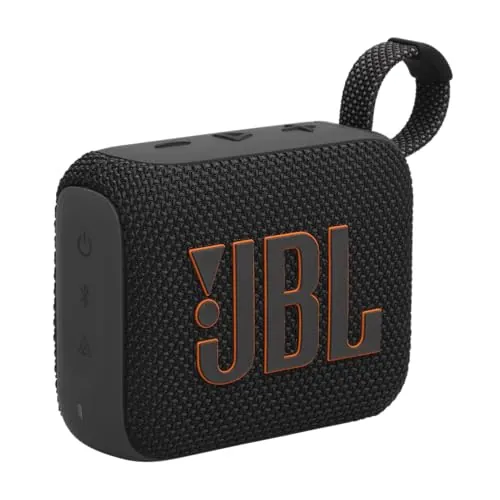
This guide covers the exact black US listings: JBL Go 4 (JBLGO4BLKAM, ASIN B0CTNWBT1Z) and JBL Clip 5 (JBLCLIP5BLKAM, ASIN B0CTP56C5R). JBL lists the Go 4 at 190 g and 3.7 × 3.0 × 1.7 in, with an integrated carrying loop; Clip 5 is 285 g and 3.4 × 5.3 × 1.8 in, with a wider integrated carabiner. Advertised playback is up to 7 hours plus 2 hours with Playtime Boost on Go 4 and up to 12 plus 3 hours on Clip 5; JBL says actual playtime varies with volume and audio content. Both list a three-hour charge at 5 V/1 A and support stereo pairing with two matching speakers plus multi-speaker Auracast connections. Pick by how you carry it and whether you need the additional advertised runtime, not by an unsupported sound or water-safety ranking.
Read comparison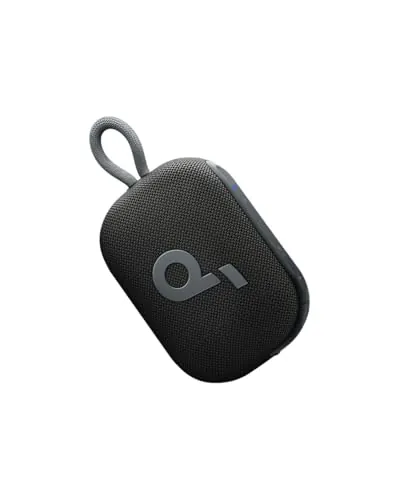
JBL Clip 5 vs Soundcore Select 4 Go: Carrying, Water, and Charging
The exact black US listings are JBL Clip 5 (JBLCLIP5BLKAM, B0CTP56C5R) and soundcore Select 4 Go (A31X1, B0DB1753RZ). Clip 5 has an integrated carabiner and supports stereo with a second Clip 5 plus multi-speaker Auracast connections. Select 4 Go has a built-in strap, is documented to float, and is rated for up to 20 hours at 40% volume in Balanced EQ. Both are IP67-rated, but follow the stated depth/time and port-cover instructions. Select 4 Go's older and newer hardware revisions do not TWS-pair with each other, and the selected ASIN does not reveal its revision.
Read comparison