
Products compared
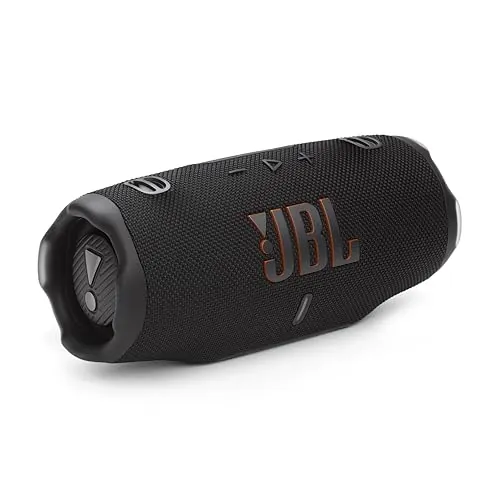
JBL
JBL Charge 6 Portable Bluetooth Speaker - Black
Black U.S. JBL Charge 6 portable speaker, product item number JBLCHARGE6BLKAM.
Model JBLCHARGE6BLKAM
Amazon ASIN B0DN2ZCZX6
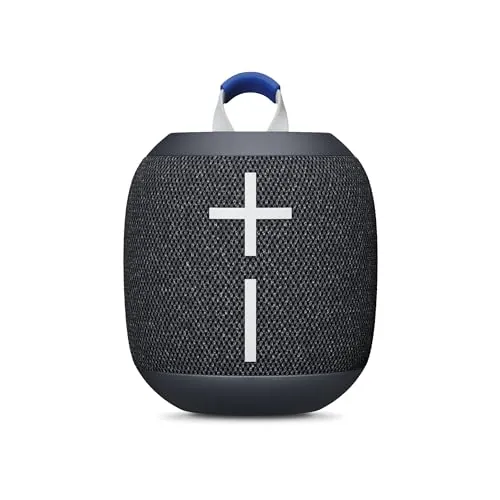
Ultimate Ears
Ultimate Ears WONDERBOOM 4 Portable Speaker - Black
Black U.S. UE WONDERBOOM 4, manufacturer model 984-001876; not a WONDERBOOM 3 or a different WONDERBOOM generation.
Model 984-001876
Amazon ASIN B0BRXJ9WTD
Differences that matter
What matters most to you?
Choose a priority to see what it changes.
Sources for Audio from a laptop or tablet over USB
Sources for Compatible companion-speaker family
Sources for Pairing controls and mode change
Sources for Pre-buy cable and software check
Decide whether USB-C is an audio input or only a charging port
JBL documents Charge 6 audio playback from a laptop or tablet through USB-C, with current software and a compatible source as prerequisites. The quick-start guide marks the audio cable as not included, so add a compatible cable to your setup plan.
Logitech's WONDERBOOM 4 specification identifies Bluetooth as the playback connection and USB-C as charging only. If you need a physical audio connection to a computer, the reviewed WONDERBOOM 4 documents do not provide one.
Match your planned second speaker to the documented group
Charge 6 can form a stereo pair with another Charge 6, and JBL documents linking multiple Auracast-enabled JBL speakers. WONDERBOOM 4 Double Up is documented with another WONDERBOOM 4 or a WONDERBOOM 3. These are separate vendor-defined speaker families; the documents reviewed here do not confirm a JBL-to-Ultimate-Ears group.
Before buying a second speaker, check its exact model against the supported family rather than relying on the fact that both products use Bluetooth.
Know the pairing controls and update check before a trip
The WONDERBOOM 4 guide gives a concrete Double Up routine: long-press the center button on both compatible speakers to pair; long-press either center button to toggle mono Double Up and two-channel stereo. For Charge 6, follow the Auracast control sequence in its quick-start guide and check JBL's currently supported software-update route before relying on the USB audio feature.
That quick check helps avoid arriving with the wrong companion speaker, a missing cable, or a Charge 6 that needs a software update before its wired audio mode is ready.
Product details
JBL Charge 6 Portable Bluetooth Speaker - Black
Charge 6 is the only one in this pair whose official materials describe wired USB-C audio input from a laptop or tablet. That feature depends on current software and a compatible source, and the audio cable is not listed in the box.
- USB-C audio
- JBL documents laptop/tablet audio over USB-C after the speaker software is current; a compatible USB audio source is required. Source
- Speaker grouping
- JBL documents stereo pairing with another Charge 6 and multi-speaker connection with Auracast-enabled JBL speakers. Source
- USB cable
- Charge 6 quick-start guide marks the USB audio cable as not included; plan for a compatible cable from the audio host. Source
Ultimate Ears WONDERBOOM 4 Portable Speaker - Black
WONDERBOOM 4 fits a wireless Bluetooth setup and a planned Double Up pairing with a WONDERBOOM 3 or 4. Its USB-C connector is documented for charging, not wired music playback.
- Playback and charge port
- Bluetooth wireless playback; Logitech's WONDERBOOM 4 specification states USB-C is for charging only. Source
- Double Up compatibility and controls
- WONDERBOOM 4 Double Up pairs with another WONDERBOOM 4 or WONDERBOOM 3; long-press the center button on each to pair, then long-press either to switch between mono and two-channel stereo. Source
Before you buy
Community discussions
JBL Charge 6: USB-C lossless + stereo pair?
JBL Charge 6 Portable Bluetooth Speaker - Black
A prospective buyer asks whether one Galaxy S26 can send USB-C audio to two Charge 6 speakers as a left/right stereo pair; the poster asks about hubs or splitters but reports no test.
What to check
The guide documents Charge 6 USB-C audio from compatible laptop or tablet sources. Verify that the specific phone is supported and whether the stereo workflow you want is documented; the post does not confirm phone support, a splitter, or a working setup.
Charge 6 opinions?
JBL Charge 6 Portable Bluetooth Speaker - Black
A prospective buyer considering Charge 6 as a main portable speaker says USB-C charging and JBL app support are among the reasons for refreshing older speakers. They ask whether the upgrade would be worthwhile, but do not report using the Charge 6.
What to check
Separate the charging feature this buyer wants from the comparison’s wired-audio question: USB-C charging does not by itself mean a speaker accepts USB audio. Check whether your priority is charging, wired playback, or both; the thread does not establish a listening or battery-life result.
Common questions
Can Charge 6 play laptop audio over USB-C?
JBL documents audio playback from a laptop or tablet over USB-C after the Charge 6 software is current and when the source is compatible. Its support instructions describe holding Play while connecting the cable until the confirmation tone; USB thumb-drive playback is not supported.JBL Support: USB audio playback from laptops and tablets
Can WONDERBOOM 4 play wired music through USB-C?
No wired playback path is documented in Logitech's specification: the speaker uses Bluetooth for playback, and USB-C is specified for charging only.Logitech Support: Specification - WONDERBOOM 4
What speakers can WONDERBOOM 4 Double Up with?
Logitech's setup guide documents Double Up between WONDERBOOM 4 and another WONDERBOOM 4 or WONDERBOOM 3. Long-press the center button on each speaker to pair, then long-press either center button to switch between mono Double Up and two-channel stereo.Logitech Support: Getting Started - UE WONDERBOOM 4
Can I group a JBL Charge 6 with a WONDERBOOM 4?
The reviewed JBL and Ultimate Ears documents describe separate compatible-speaker families and do not confirm that cross-brand combination. Verify the exact pair with the manufacturers before buying for it.JBL Charge 6 Black product pageLogitech Support: Getting Started - UE WONDERBOOM 4
Sources and scope
This guide covers JBL Charge 6 Black model JBLCHARGE6BLKAM and Ultimate Ears WONDERBOOM 4 Black model 984-001876. It follows manufacturer instructions for connection and pairing; no listening or controlled acoustic comparison was performed. Charge 6 USB audio requires current software and compatible source content; JBL's supporting materials reference software-update steps and JBL's app lineup can change, so check the currently supported update route before relying on USB audio. The cited documents do not establish cross-brand grouping between Charge 6 and WONDERBOOM 4, nor comparative loudness, sound quality, battery runtime, or durability.
Related comparisons
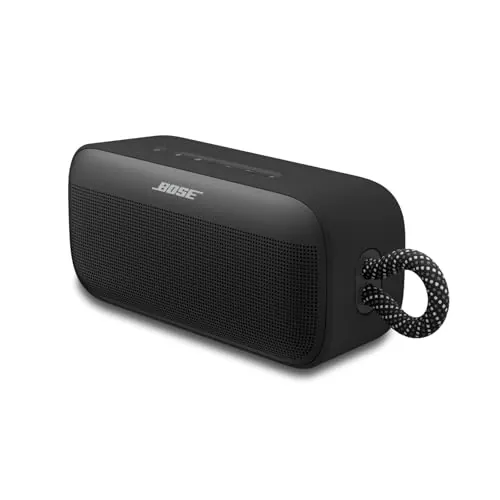
Bose SoundLink Plus vs Ultimate Ears WONDERBOOM 4
Bose SoundLink Plus suits buyers who will use its USB-C phone charge-out, app EQ and larger battery rating. WONDERBOOM 4 is much lighter by listed weight and offers 360-degree coverage with physical Outdoor Boost and Podcast controls. Both are IP67 and float; Bose warns against using it in water.
Read comparison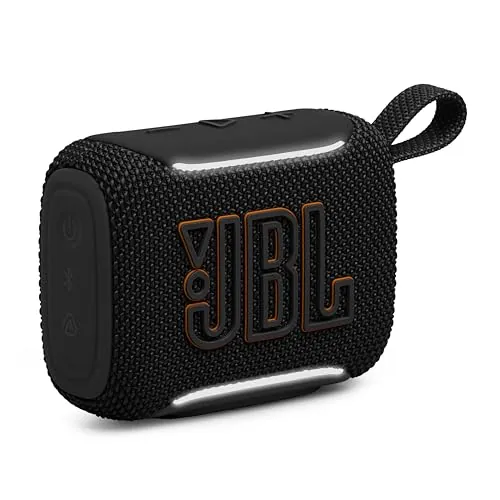
JBL Go 5 vs Ultimate Ears WONDERBOOM 4: Carry Size, Pairing, and Water Use
For these exact black U.S. listings, Go 5 is the compact option at 101 × 77.4 × 43 mm and 231 g; WONDERBOOM 4 is a rounded speaker measuring 95.3 × 95.3 × 104 mm and weighing 420 g. Their multi-speaker systems are brand-specific: Go 5 documents AirTouch stereo with another Go 5 and Auracast connections, while WONDERBOOM 4 documents Double Up with a compatible WONDERBOOM. Go 5 lists no USB cable in the box; WONDERBOOM 4's included USB-C cable is for charging only. Their published water limits and care steps differ, so choose by the water feature you need and follow the dry-port instructions before charging.
Read comparison