
Products compared
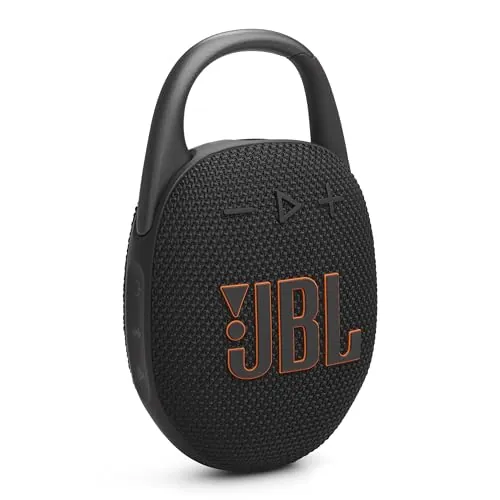
JBL
JBL Clip 5 Ultra-Portable Bluetooth Speaker — Black
Black U.S. variant with integrated carabiner
Model JBLCLIP5BLKAM
Amazon ASIN B0CTP56C5R
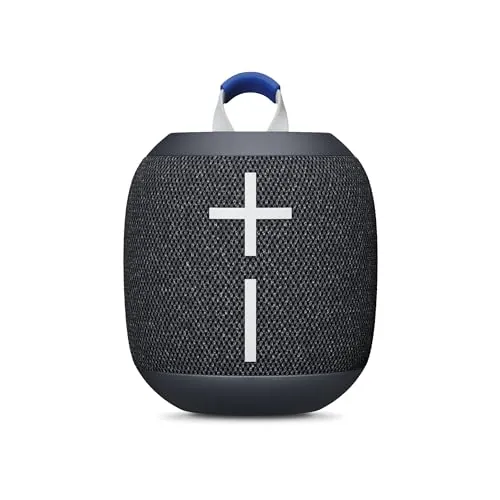
Ultimate Ears
Ultimate Ears WONDERBOOM 4 Portable Bluetooth Speaker — Active Black
Active Black U.S. model; top carry loop shown in official product imagery
Model 984-001876
Amazon ASIN B0BRXJ9WTD
Differences that matter
Sources for How it attaches to your bag or strap
Sources for Which existing speakers it can join
Sources for Where the setup controls live
Start with the attachment point you will actually use
JBL describes Clip 5’s fully integrated carabiner as having a wider opening and names backpacks and belt loops as attachment examples. That gives you a practical first check: compare the thickness and shape of your own strap with the opening, rather than relying on “portable” as a fit guarantee.
The WONDERBOOM 4 Active Black product image shows a loop at the top. The cited page does not list its opening size, material, strength or compatible strap dimensions. If the speaker must attach to a specific bag, inspect the actual loop or verify it before checkout; do not assume it fits merely because the image shows a loop.
Match the speaker group to models you already own
JBL documents two Clip 5 units paired for stereo and multi-speaker connections with compatible JBL Auracast-enabled speakers. Its quick-start guide points to JBL Portable for configuration and software upgrades. If you already own JBL Auracast speakers, check that the exact models are compatible with the Clip 5 workflow.
UE’s WONDERBOOM 4 guide names another WONDERBOOM 4 or WONDERBOOM 3 as Double Up partners. It describes long-pressing the center button on both speakers, then long-pressing either center button to switch between mono and two-channel stereo. JBL’s grouping instructions do not establish UE compatibility, and UE’s instructions do not establish JBL compatibility; a mixed Clip 5–WONDERBOOM 4 pair remains unverified.
Compare the setup controls you will use
The Clip 5 quick-start guide shows Bluetooth pairing and multi-speaker connection and directs users to JBL Portable for configuration. The WONDERBOOM 4 guide documents its physical center-button Double Up routine, plus direct playback/track and volume controls. It also says the bottom Outdoor Boost button cycles to Podcast Mode.
Choose by the routine you expect to repeat: app-assisted configuration on Clip 5 or button-based Double Up on WONDERBOOM 4. This comparison covers documented controls, not measured sound, loudness or connection performance.
Product details
JBL Clip 5 Ultra-Portable Bluetooth Speaker — Black
- Carry attachment
- Integrated carabiner with a wider opening; JBL describes attaching it to a backpack or belt loop. Source
- Documented speaker groups
- Pair two Clip 5 speakers for stereo or connect multiple compatible JBL Auracast-enabled speakers. Source
- Setup app
- JBL Portable is used for speaker configuration and software upgrades. Source
Ultimate Ears WONDERBOOM 4 Portable Bluetooth Speaker — Active Black
- Carry attachment
- UE’s official Active Black product image shows a carry loop at the top; the cited product page does not specify its opening or load limit. Source
- Documented Double Up partners
- Another WONDERBOOM 4 or WONDERBOOM 3; the support guide describes long-press center-button pairing and mono/stereo switching. Source
- On-speaker controls
- The support guide documents center-button playback, +/- volume controls and a bottom Outdoor Boost button that also cycles to Podcast Mode. Source
Before you buy
Community discussions
Checking whether the clip closes around a handle
JBL Clip 5 Ultra-Portable Bluetooth Speaker — Black
A Clip 5 owner using a portable speaker at work described attaching it to a handle and choosing where to keep it close by.
What to check
Check the opening on a handle or strap you use. Consider whether you prefer a clip or using a separate fastener.
Common questions
Can a JBL Clip 5 pair with a WONDERBOOM 4 for shared playback?
The reviewed JBL and UE sources document their own grouping workflows but do not establish a Clip 5–WONDERBOOM 4 pair. Treat the combination as unverified and confirm with the manufacturers before buying for that use.JBL Clip 5 Black U.S. product pageGetting Started — UE WONDERBOOM 4
Which other speakers can WONDERBOOM 4 Double Up with?
UE’s WONDERBOOM 4 setup guide names another WONDERBOOM 4 or a WONDERBOOM 3. It describes long-pressing the center button on both speakers, then long-pressing either one to switch between mono and two-channel stereo.Getting Started — UE WONDERBOOM 4
Can Clip 5 attach to a backpack or belt loop?
JBL describes the integrated carabiner as having a wider opening and says it can attach to a backpack or belt loop. Check your actual strap’s thickness and shape; the source does not give a fit measurement.JBL Clip 5 Black U.S. product page
Does the WONDERBOOM 4 loop fit a specific strap?
UE’s official product imagery shows a top carry loop, but the cited page gives no opening dimension, strength rating or strap-fit measurement. Check the actual loop against your strap before relying on it.WONDERBOOM 4 Active Black U.S. product page
Sources and scope
This guide compares documented attachment and pairing workflows, not hands-on sound, loudness, battery, durability, carry strength or fit testing. The WONDERBOOM 4 loop is visible in official product imagery, but its opening, strength and compatibility with a particular strap are not specified here. Neither manufacturer source establishes pairing between JBL Clip 5 and WONDERBOOM 4; that is unknown, not proof of incompatibility.
Related comparisons
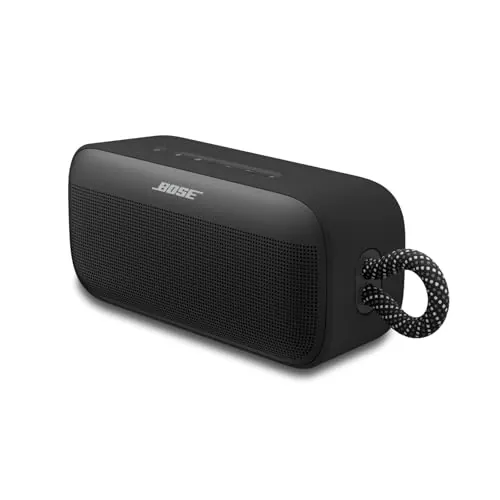
Bose SoundLink Plus vs Ultimate Ears WONDERBOOM 4
Bose SoundLink Plus suits buyers who will use its USB-C phone charge-out, app EQ and larger battery rating. WONDERBOOM 4 is much lighter by listed weight and offers 360-degree coverage with physical Outdoor Boost and Podcast controls. Both are IP67 and float; Bose warns against using it in water.
Read comparison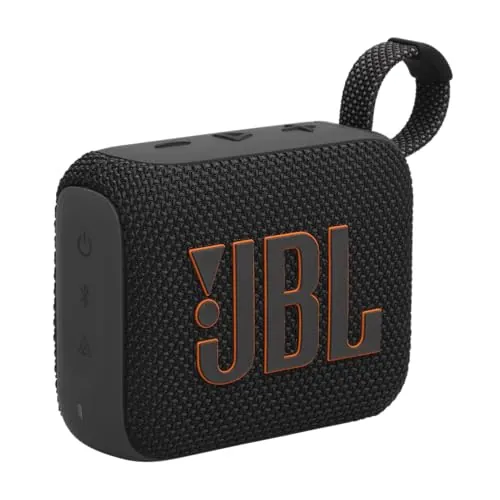
JBL Go 4 JBLGO4BLKAM vs JBL Clip 5 JBLCLIP5BLKAM
This guide covers the exact black US listings: JBL Go 4 (JBLGO4BLKAM, ASIN B0CTNWBT1Z) and JBL Clip 5 (JBLCLIP5BLKAM, ASIN B0CTP56C5R). JBL lists the Go 4 at 190 g and 3.7 × 3.0 × 1.7 in, with an integrated carrying loop; Clip 5 is 285 g and 3.4 × 5.3 × 1.8 in, with a wider integrated carabiner. Advertised playback is up to 7 hours plus 2 hours with Playtime Boost on Go 4 and up to 12 plus 3 hours on Clip 5; JBL says actual playtime varies with volume and audio content. Both list a three-hour charge at 5 V/1 A and support stereo pairing with two matching speakers plus multi-speaker Auracast connections. Pick by how you carry it and whether you need the additional advertised runtime, not by an unsupported sound or water-safety ranking.
Read comparison