
Products compared
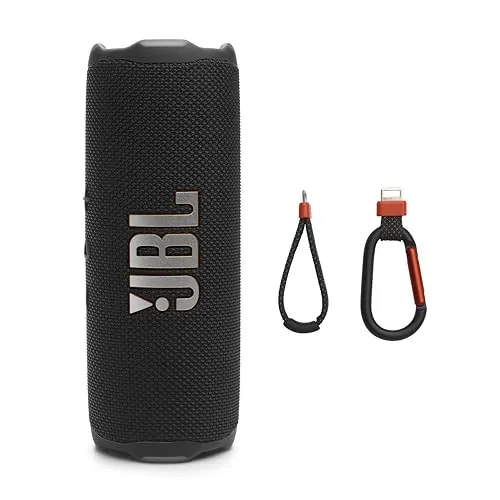
JBL
JBL Flip 7 Portable Bluetooth Speaker, Black
U.S. black Flip 7 listing, JBL item number JBLFLIP7BLKAM.
Model JBLFLIP7BLKAM
Amazon ASIN B0DMV3BMGP
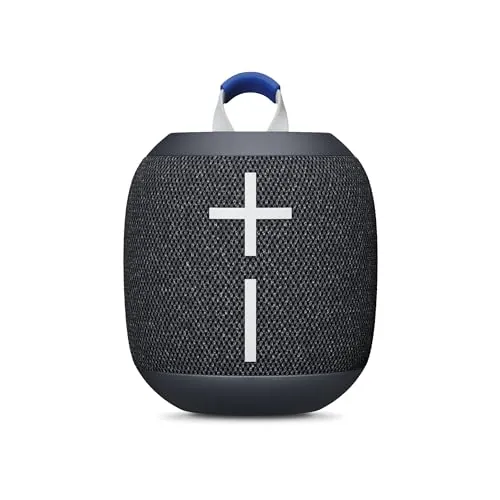
Ultimate Ears
Ultimate Ears WONDERBOOM 4 Portable Bluetooth Speaker, Active Black
U.S. Active Black WONDERBOOM 4; hardware model M/N SR0192.
Model 984-001876
Amazon ASIN B0BRXJ9WTD
Differences that matter
What matters most to you?
Choose a priority to see what it changes.
Sources for Laptop or tablet audio input
Sources for Adding a second speaker
Sources for Carrying attachment and body size
Sources for Physical playback controls
Choose by the actual audio source and setup app
For a laptop or tablet wired into the speaker, the Flip 7 has the documented extra route: connect by USB-C, use the button sequence in JBL’s guide, and provide compatible lossless content. JBL says to keep speaker software current. Its USB support FAQ names JBL Portable, while a separate migration notice lists Flip 7 for JBL ONE and says the current in-app prompt is the point to migrate; check the supported app path for your unit before treating USB audio as ready to go.
WONDERBOOM 4 is a Bluetooth-first source setup in its getting-started instructions. Logitech’s exact-model specification says USB-C is for charging only, not a computer audio input. If your intended source is a phone over Bluetooth, both document that kind of setup; if the computer must send wired audio, only Flip 7 has that documented path.
Pair from the speakers you already own and check the carry hardware
The grouping feature is not interchangeable across these two brands. JBL describes Auracast stereo pairing for two Flip 7s and shared playlists across multiple Auracast-enabled JBL speakers. UE documents Double Up between a WONDERBOOM 4 and another WONDERBOOM 4 or WONDERBOOM 3; hold the center button on both speakers to pair, then long-press to toggle mono/stereo. The checked sources do not establish a Flip 7-to-WONDERBOOM stereo group.
For carrying, Flip 7’s black listing describes the PushLock accessory system and lists a carabiner in the box. Its long body measures about 182.5 × 69.5 × 71.5 mm in JBL’s guide. WONDERBOOM 4 is listed at 95.3 × 95.3 × 104 mm. Measure your bag or shelf and check the exact WONDERBOOM box contents if a particular clip or strap is required; the sources checked do not confirm a matching included attachment.
Product details
JBL Flip 7 Portable Bluetooth Speaker, Black
- Audio inputs
- Bluetooth plus USB-C audio playback from a laptop, tablet or other supported audio device; compatible lossless content is required. USB thumb-drive playback is not supported. Source
- Multi-speaker grouping
- JBL says Auracast can stereo-pair two Flip 7 speakers and connect multiple Auracast-enabled JBL speakers to share a playlist. Source
- Carry hardware
- JBL describes an interchangeable PushLock accessory system; the exact black product page lists a carabiner in the box. Source
Ultimate Ears WONDERBOOM 4 Portable Bluetooth Speaker, Active Black
- Audio input and charging
- The exact-model support specification identifies a built-in Bluetooth speaker and USB-C cable for charging only. Source
- Double Up pairing
- The getting-started guide documents Double Up with another WONDERBOOM 4 or WONDERBOOM 3, with long presses on each center button and a long press to toggle mono/stereo. Source
- Body dimensions
- Manufacturer support lists 95.3 × 95.3 × 104 mm and 420 g for the speaker. Source
Before you buy
Community discussions
A laptop-to-TV buyer asks about keeping movie audio in sync
JBL Flip 7 Portable Bluetooth Speaker, Black
A prospective Flip 7 buyer wants to play laptop video on a TV and asks whether audio would stay in sync over Bluetooth. The post is a question; it reports no latency result for the Flip 7.
What to check
If video sync matters, check the audio path you intend to use on your laptop and TV and whether you require a wired USB-C route. Compare that exact need with each speaker's documented connection modes; do not treat this post as a test result.
A two-speaker Flip 7 owner considers adding a Charge 6 for travel
JBL Flip 7 Portable Bluetooth Speaker, Black
An owner with two Flip 7 speakers asks about adding a Charge 6 to a stereo setup through Auracast and wants a group that can fit in a suitcase for travel. The post asks whether the setup would work; it does not report a confirmed result.
What to check
If you plan to mix speakers, check the exact app grouping modes and supported model combinations before buying. The owner's question is about Flip 7 plus Charge 6; it does not establish compatibility with WONDERBOOM 4 or other JBL models.
A Flip 7 owner reports that the carabiner was absent from their package
JBL Flip 7 Portable Bluetooth Speaker, Black
Someone who recently got a JBL Flip 7 says the carabiner was not included in what they received and asks about obtaining one. The post does not identify the retailer, color, or exact package.
What to check
If hanging or clipping the speaker is part of your carry plan, confirm the carabiner or other intended hardware in the exact listing's included-items list before checkout.
Common questions
Can both speakers play audio from a laptop over USB-C?
JBL documents USB-C lossless audio playback for Flip 7 from a laptop or tablet, subject to current software and compatible content. WONDERBOOM 4’s support specification says USB-C is charging only; its getting-started guide describes Bluetooth music streaming.JBL USB playback support: laptop/tablet lossless audioSpecification — WONDERBOOM 4Getting Started — UE WONDERBOOM 4
Can JBL Flip 7 and WONDERBOOM 4 pair together for stereo?
The checked manufacturer sources describe JBL Flip 7 grouping with Auracast-enabled JBL speakers and WONDERBOOM 4 Double Up with WONDERBOOM 4 or WONDERBOOM 3 speakers. They do not document pairing between the JBL and UE systems, so confirm directly if cross-brand grouping is required.JBL Flip 7 — Black U.S. product page, item JBLFLIP7BLKAMWONDERBOOM 4 — U.S. Active Black product pageGetting Started — UE WONDERBOOM 4
What carrying hardware comes with the black Flip 7?
JBL’s exact black page describes its PushLock accessory system and lists one carabiner in the box. Confirm the exact product page contents for any other needed accessory.JBL Flip 7 — Black U.S. product page, item JBLFLIP7BLKAM
Sources and scope
This guide compares documented connections, speaker grouping and physical setup. It is not a listening test and does not rank sound quality, loudness, battery life, range or reliability. Do not assume JBL Auracast and UE Double Up pair across brands; the manufacturer sources checked describe separate ecosystems.
- JBL Flip 7 — Black U.S. product page, item JBLFLIP7BLKAM
- JBL Flip 7 Quick Start Guide
- JBL USB playback support: laptop/tablet lossless audio
- Portable App & Partybox App Migration To JBL ONE App
- WONDERBOOM 4 — U.S. Active Black product page
- Specification — WONDERBOOM 4
- Getting Started — UE WONDERBOOM 4
Related comparisons
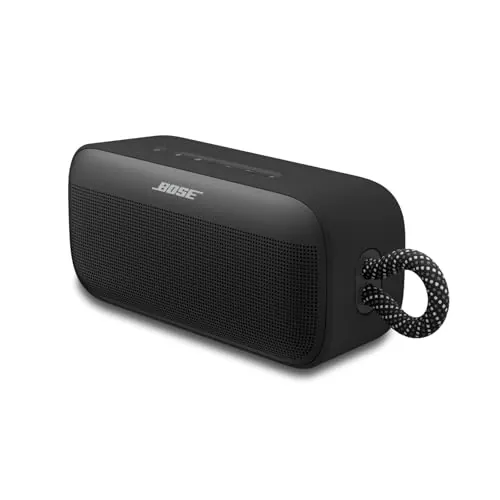
Bose SoundLink Plus vs Ultimate Ears WONDERBOOM 4
Bose SoundLink Plus suits buyers who will use its USB-C phone charge-out, app EQ and larger battery rating. WONDERBOOM 4 is much lighter by listed weight and offers 360-degree coverage with physical Outdoor Boost and Podcast controls. Both are IP67 and float; Bose warns against using it in water.
Read comparison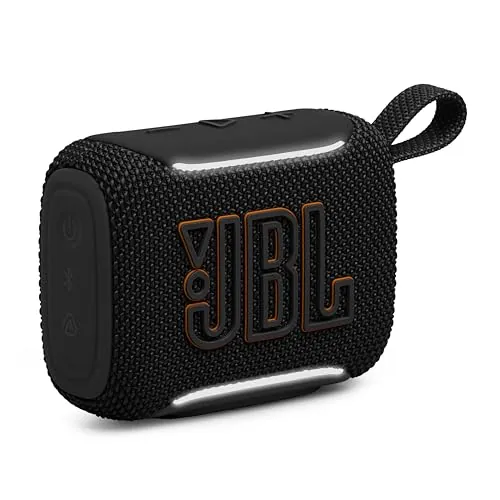
JBL Go 5 vs Ultimate Ears WONDERBOOM 4: Carry Size, Pairing, and Water Use
For these exact black U.S. listings, Go 5 is the compact option at 101 × 77.4 × 43 mm and 231 g; WONDERBOOM 4 is a rounded speaker measuring 95.3 × 95.3 × 104 mm and weighing 420 g. Their multi-speaker systems are brand-specific: Go 5 documents AirTouch stereo with another Go 5 and Auracast connections, while WONDERBOOM 4 documents Double Up with a compatible WONDERBOOM. Go 5 lists no USB cable in the box; WONDERBOOM 4's included USB-C cable is for charging only. Their published water limits and care steps differ, so choose by the water feature you need and follow the dry-port instructions before charging.
Read comparison