
Products compared
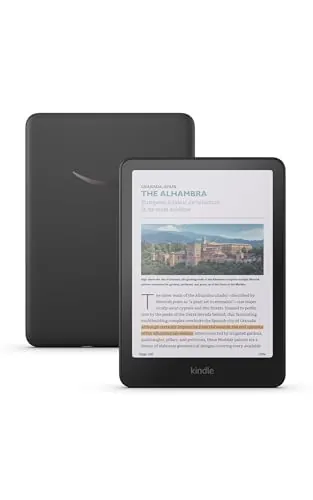
Amazon
Kindle Colorsoft 16 GB (2025)
The black 2025 Colorsoft is the first-generation standard Kindle with 16 GB of storage. It can receive eligible U.S. library loans sent through Libby.
Model Colorsoft 16 GB, 1st Gen
Amazon ASIN B0CGVSKR1G
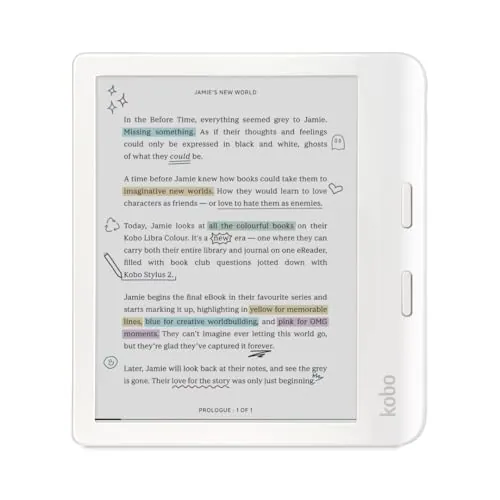
Kobo
Kobo Libra Colour eReader, White
This is the white Kobo Libra Colour, model N428. Kobo documents physical page-turn buttons and compatibility with Kobo Stylus 2, sold separately. Its U.S. support page describes borrowing through OverDrive or Libby on the eReader, subject to library support and internet access.
Model N428-TP-WH-S-CK
Amazon ASIN B0D1KV86N4
Differences that matter
What matters most to you?
Choose a priority to see what it changes.
Sources for Where you start a library loan
Sources for Page controls and marking up reading
Sources for Storage and exact device identity
Sources for A practical pre-buy library check
Start with the library route you use
The assigned black Kindle Colorsoft is the standard 16GB listing. If your routine begins in Libby, its U.S. help page documents choosing Read With… Kindle and finishing the send-to-Kindle step for eligible loans. The route is not universal: check whether your library and the particular title offer Kindle delivery.
Kobo documents a different path for the white Libra Colour (model N428): link a public-library card, then browse OverDrive or Libby from the eReader and borrow there. That requires a participating library and internet access to borrow and sync. If you mostly read library books, check your own listing data first; the names of the devices alone do not guarantee a title is available through either path.
Decide whether buttons or handwriting change your routine
Kobo explicitly documents physical page-turn buttons and Stylus 2 compatibility for the Libra Colour. The pen is sold separately, and Kobo lists handwriting support for ePub, Kobo ePub and non-protected PDF files. If you mark up documents, check your formats and protection status before counting on the pen workflow.
Amazon's personal-document help table lists highlights and text notes for Other Kindle E-readers and handwriting tools for Kindle Scribe in a separate row. This supports a practical distinction between the documented note workflows, not a screen or writing-quality ranking. If highlighting and typed notes are sufficient, the separate pen may not be a reason to choose Kobo.
Confirm the exact storage variant before checkout
Confirm that the Kindle listing says 16 GB and matches B0CGVSKR1G. Amazon describes the standard first-generation 16 GB model as a 2025 release, and Best Buy identifies the black 2025 16 GB model with the same product ID.
Kobo's U.S. listing and support identify the Libra Colour model family and the separate stylus purchase. Check that your order says white Libra Colour, rather than relying on a similar name or an accessory image.
Product details
Kindle Colorsoft 16 GB (2025)
- Library borrowing route
- For eligible U.S. library loans, Libby offers Read With… Kindle; the reader then finishes sending the loan to Kindle. Source
- Personal-document notes
- Amazon's help table lists highlights and text notes for Other Kindle E-readers; it lists direct handwriting tools in the Kindle Scribe row. Source
Kobo Libra Colour eReader, White
- On-device library borrowing
- Kobo documents browsing and borrowing through OverDrive or Libby from the eReader; a valid card, participating library, supported device and internet connection are required. Source
- Page controls and handwriting
- Model N428 has physical page-turn buttons and a stylus-compatible screen; Kobo Stylus 2 works with Libra Colour and is sold separately. Source
Before you buy
Community discussions
Checking where you get the books you read most often
Kindle Colorsoft 16 GB (2025)
A reader who had used a Kobo Libra Colour switched to the 2025 Kindle Colorsoft 16 GB and said the books they wanted influenced their decision.
What to check
Look up a few titles you plan to read. Check what store and library options serve your area and how you would get those books onto each reader.
Common questions
Can I send a U.S. Libby book to the Kindle Colorsoft?
Libby documents a Read With… Kindle choice and a finish-sending step for U.S. library loans. It applies only to eligible titles and participating libraries, so check the specific book in your library's listing data.Where are my loans and magazines?
Can I borrow Libby books directly on the Kobo Libra Colour?
Kobo documents browsing OverDrive or Libby and borrowing on the eReader after linking a public-library card. You need a participating library and internet connection; availability depends on the library and title.About the Libby app
Does the Kobo Libra Colour include the stylus?
No. Kobo's U.S. page lists Stylus 2 as a separate purchase. Kobo support confirms compatibility with Libra Colour and lists ePub, Kobo ePub and non-protected PDF for handwritten notes.Kobo Libra Colour — U.S. eReader storeAbout Kobo Stylus 2
Which Kindle Colorsoft does this guide compare?
The black first-generation 16 GB model with product ID B0CGVSKR1G is the 2025 standard Colorsoft. Amazon identifies the first-generation 32 GB Signature Edition as a separate 2024 release and lists separate 2026 models.Identify Your Kindle E-ReaderBest Buy — black 2025 Kindle Colorsoft 16 GB, model B0CGVSKR1G
Sources and scope
This comparison uses manufacturer and library-support documentation; it is not a hands-on test. Amazon identifies the first-generation 16 GB standard Colorsoft as a 2025 model and the 32 GB Signature Edition as a separate 2024 model. This guide covers the standard first-generation 16 GB ASIN B0CGVSKR1G; separate 2026 Colorsoft models are outside scope. Retail listings may label releases differently, so confirm the model and storage before ordering. Library listing data and title eligibility vary; verify the books you actually borrow. No display-quality, reading-comfort, speed or battery-life winner is established.
Related comparisons
Kindle Paperwhite 2024 vs Signature Edition: Is 32GB and Wireless Charging Worth It?
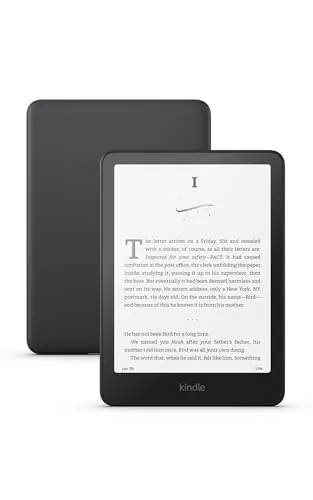
This comparison covers the U.S. Kindle Paperwhite SA568B (Black, 16GB; ASIN B0CFPJYX7P) and Paperwhite Signature Edition SA569P (Metallic Black, 32GB; ASIN B0C8RR4WN3). Signature adds more storage, a light sensor that adjusts brightness automatically and Qi charging with a separately purchased compatible charger. If you mostly read text ebooks, set the light manually and use USB-C, the standard Paperwhite keeps the same 2024 generation basics without extras you may not use.
Read comparison
Kindle Paperwhite (2024) vs Paperwhite Kids: Bundle, Ads and VoiceView
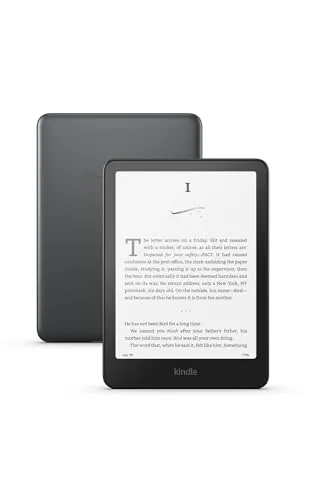
This compares two exact US 2024 12th-generation, 16GB listings: the black, ad-supported Kindle Paperwhite (B0CFPJYX7P) and the Starfish Kindle Paperwhite Kids bundle (B0CFPS7ZY9). Both share the Paperwhite platform, while the Kids listing adds a child-friendly cover, six months of Kids+ and a two-year limited warranty. A child profile and parental controls can also be set up on a compatible standard Paperwhite, so the Kids bundle is mainly a convenience and included-content choice. Check the Kids+ renewal, adult-profile ads and VoiceView support before checkout.
Read comparison