
Products compared
Amazon
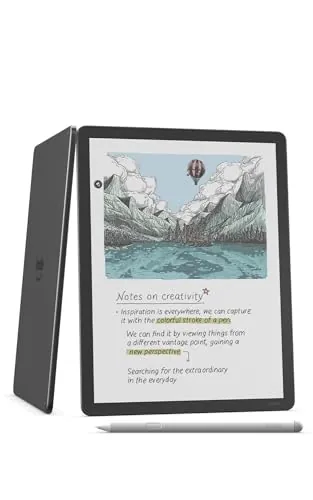
Kindle Scribe Colorsoft (1st Generation), 32GB, Graphite
U.S. Graphite listing, 32GB. Amazon names an included pen; check the seller’s current box contents.
Model PA2MA5
Amazon ASIN B0DWRBVDN6
reMarkable
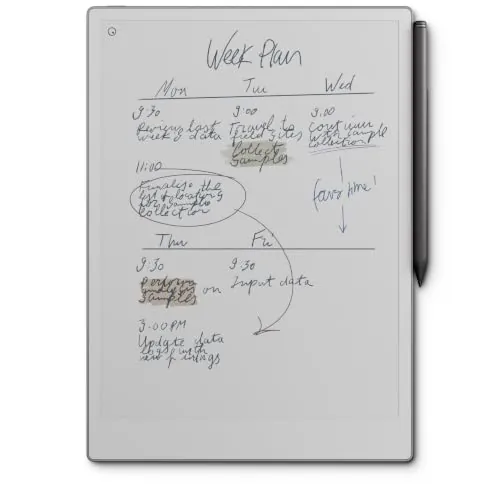
reMarkable Paper Pro with Marker Plus
This is the Paper Pro with Marker Plus bundle. The product listing names six spare tips; confirm included items with the seller before checkout.
Model RM81C-1000NW
Amazon ASIN B0DG9ZXWMK
Differences that matter
What matters most to you?
Choose a priority to see what it changes.
Sources for Main reading and search entry point
Sources for Returning a marked-up cloud document
Sources for Included pen and replacement tips
Start with where your books and files live
The Colorsoft guide documents search across its Kindle library and Kindle Store, so it is the more direct fit when your reading life is already tied to that account and on-device store. It also supports personal documents: Send to Kindle and connected cloud drives are listed in the exact first-generation guide. Paper Pro takes a document-library approach, with PDF and EPUB import and its own apps and transfer routes. Neither device’s document support proves that Kindle Store books can move between them.
If a specific Kindle Store purchase is the deciding factor, check its supported reading options first. This guide does not establish a transfer route from Kindle Store to Paper Pro.
Check the markup route, not just the file extension
The route is the key distinction for PDF markup. Amazon says direct handwriting is available for certain PDFs imported with Send to Kindle, while the exact Colorsoft guide excludes PDFs loaded over USB-C. Paper Pro documents PDF import by USB and supports PDF annotation, giving it the clearer documented route when local USB transfer is non-negotiable.
For Google Drive or OneDrive files on Colorsoft, Amazon says annotations do not sync back to the original cloud file; upload an annotated PDF copy to return it. On Paper Pro, PDF export is documented. Its optional Connect subscription is required for converting supported PDFs into editable notebooks in the web app, not for ordinary PDF import.
Verify the pen bundle and one sample document before switching
The Kindle Scribe Colorsoft Graphite listing names an included pen, and its guide describes the Premium Pen shortcut button and eraser. The Paper Pro offer is the Marker Plus bundle; reMarkable documents compatibility, a built-in eraser and replacement tips. Check the seller’s exact box list if pen model or spare tips affect your choice.
Before moving a real workflow, import one representative book or document the intended way, mark it up, then confirm how to retrieve or export the annotated copy. This catches route-specific limits without assuming that all PDFs, cloud documents, or protected Kindle purchases behave alike.
Product details
Kindle Scribe Colorsoft (1st Generation), 32GB, Graphite
The exact Colorsoft guide documents on-device Kindle-library and Kindle Store search, plus personal-document routes. The separate writing limitation matters: a USB-loaded PDF is not the same path as an eligible Send-to-Kindle file.
- Personal-document routes
- Send to Kindle and connected Google Drive or OneDrive; listed in the exact-generation guide. Source
- On-page handwriting boundary
- Certain Send-to-Kindle PDFs support writing; PDFs loaded by USB-C do not. Source
- Pen controls
- The guide describes the Premium Pen side shortcut button and eraser. Source
reMarkable Paper Pro with Marker Plus
reMarkable describes Paper Pro’s document formats and hardware. This offer is the Marker Plus bundle; the company documents Marker Plus compatibility and its built-in eraser.
Before you buy
Community discussions
Trying notes, color pages and PDF textbooks
Kindle Scribe Colorsoft (1st Generation), 32GB, Graphite
A shopper comparing the 2025 Kindle Scribe Colorsoft with the reMarkable Paper Pro wanted one device for notes, color comics and PDF textbooks.
What to check
Try a page from the kinds of books you read. Check how each device handles opening, annotating and finding documents you use often.
Deciding how the tablet fits into a writing-first workflow
reMarkable Paper Pro with Marker Plus
A shopper considering the 32 GB Kindle Scribe Colorsoft and reMarkable Paper Pro mainly wanted to write notes because they already read most PDFs on a computer.
What to check
Try writing a page, organizing it and exporting it to your computer. Decide whether you also need a separate reading workflow on the same device.
Common questions
Can the Kindle Scribe Colorsoft write on any PDF?
No. Amazon says direct handwriting works on certain PDFs imported through Send to Kindle, but not PDFs loaded by USB-C. Check the exact file and import route before relying on page writing.Kindle Scribe Colorsoft (1st Generation) User Guide — American EnglishKindle Personal Document File Types That Support Notes
Do Kindle cloud-drive annotations sync back to Google Drive or OneDrive?
Amazon says they do not sync back to the original cloud file. You can upload an annotated PDF copy back to the drive.Import Files from Google Drive or Microsoft OneDrive to Kindle Scribe
Does Paper Pro require Connect to import a PDF?
No. reMarkable documents ordinary PDF/EPUB import; Connect is required for the separate web-app “Convert to Notebook” workflow for supported PDFs.Importing and exporting filesAbout the reMarkable web app
Can a Kindle Store purchase be moved to Paper Pro?
This comparison does not establish a transfer route for Kindle Store purchases to Paper Pro. Check the specific title’s supported reading options before buying for that purpose.Kindle Scribe Colorsoft (1st Generation) User Guide — American EnglishreMarkable Paper Pro — Features and specificationsImporting and exporting files
Sources and scope
This is a documented workflow comparison, not a hands-on screen, writing-feel, speed, comfort or battery test. Amazon limits handwriting on the Colorsoft to certain Send-to-Kindle files and excludes PDFs loaded by USB-C. This guide does not identify a transfer method for Kindle Store purchases to Paper Pro; check any specific title you need before buying. Confirm the exact seller bundle and included pen.
- Kindle Scribe Colorsoft (1st Generation) User Guide — American English
- Kindle Personal Document File Types That Support Notes
- Import Files from Google Drive or Microsoft OneDrive to Kindle Scribe
- reMarkable Paper Pro — Features and specifications
- About reMarkable Paper Pro
- Importing and exporting files
- About the reMarkable web app
- Markers for reMarkable
Related comparisons
Kindle Paperwhite 2024 vs Signature Edition: Is 32GB and Wireless Charging Worth It?
This comparison covers the U.S. Kindle Paperwhite SA568B (Black, 16GB; ASIN B0CFPJYX7P) and Paperwhite Signature Edition SA569P (Metallic Black, 32GB; ASIN B0C8RR4WN3). Signature adds more storage, a light sensor that adjusts brightness automatically and Qi charging with a separately purchased compatible charger. If you mostly read text ebooks, set the light manually and use USB-C, the standard Paperwhite keeps the same 2024 generation basics without extras you may not use.
Read comparison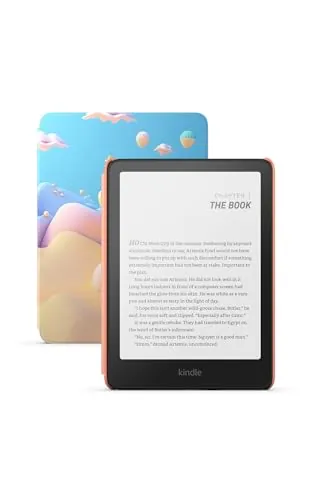
Kindle Paperwhite (2024) vs Paperwhite Kids: Bundle, Ads and VoiceView
This compares two exact US 2024 12th-generation, 16GB listings: the black, ad-supported Kindle Paperwhite (B0CFPJYX7P) and the Starfish Kindle Paperwhite Kids bundle (B0CFPS7ZY9). Both share the Paperwhite platform, while the Kids listing adds a child-friendly cover, six months of Kids+ and a two-year limited warranty. A child profile and parental controls can also be set up on a compatible standard Paperwhite, so the Kids bundle is mainly a convenience and included-content choice. Check the Kids+ renewal, adult-profile ads and VoiceView support before checkout.
Read comparison