
Products compared
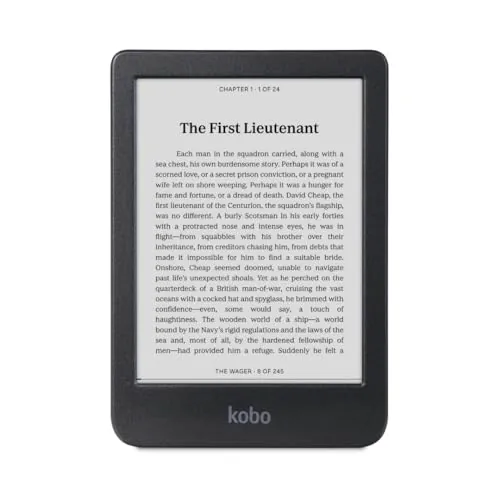
Kobo
Kobo Clara BW eReader (Black, 16GB)
current listing details: black-and-white Clara BW, 16GB; not the Clara Colour.
Model N365-TP-BK-S-EP
Amazon ASIN B0D1KV8J76
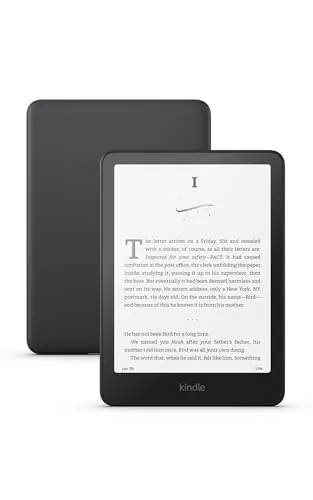
Amazon
Amazon Kindle Paperwhite (12th Generation, 2024, Black, 16GB)
Standard 2024 12th-generation Paperwhite, black, 16GB; separate from the 32GB Signature Edition.
Model SA568B
Amazon ASIN B0CFPJYX7P
Differences that matter
What matters most to you?
Choose a priority to see what it changes.
Sources for Public-library borrowing route
Start with your library account and a specific title
If most of your reading comes from the public library, test the route before selecting a device. Kobo describes borrowing on a supported Kobo eReader after linking a participating library card. Libby says most U.S. loans can be sent to Kindle through Amazon, but an individual book must offer Read With Kindle. Keep your library card, the library name and a title you want handy when checking eligibility.
The borrowing route is not a blanket compatibility promise: libraries choose their collections and licenses, and Kobo notes that some material is available only through Libby. Confirm the specific title rather than assuming a shared listing data.
Match the transfer steps to your personal files
For files stored on a computer, Kobo’s instructions cover direct copying of non-protected EPUB and PDF. Kobo explicitly excludes DRM-protected files from that method. For Kindle, Amazon’s supported-type list includes EPUB and PDF for the wireless Send to Kindle service; keep that separate from USB file handling.
For a USB connection from a Mac to a 2024 Kindle, Amazon requires a compatible separate app and lists USB Manager support for Intel or M1–M3 Macs running macOS 12 or later. Amazon says Windows computers do not need a separate app for USB transfer. Before buying, identify your computer, transfer method and file rights; do not assume that one format list means the same transfer behavior on both devices.
Choose the screen size you want
The assigned Clara BW is the monochrome 6-inch model with 16GB. The standard black Paperwhite introduced in 2024 has a 7-inch display and 16GB; Amazon lists the 32GB Signature Edition separately. This gives a clear screen-diagonal choice while leaving reading comfort and whole-device portability as personal checks, not measured winners.
Product details
Kobo Clara BW eReader (Black, 16GB)
- Screen and storage
- 6-inch E Ink Carta 1300 HD touchscreen; 16GB internal storage. Source
- Library route
- Kobo documents borrowing eligible public-library eBooks on supported Kobo eReaders through Libby/OverDrive. Source
- Personal-file transfer
- Kobo documents computer copying for non-protected EPUB and PDF files. Source
Amazon Kindle Paperwhite (12th Generation, 2024, Black, 16GB)
- Screen and storage
- 7-inch display and 16GB storage on the standard Paperwhite introduced in 2024; the Signature Edition is 32GB. Source
- Generation identity
- Amazon identifies the standard Kindle Paperwhite (12th Generation) as released in 2024 with 16GB. Source
- Personal-file options
- Amazon lists EPUB and PDF for wireless Send to Kindle. For 2024 Kindle devices connected over USB to a Mac, a compatible application is required; Amazon USB Manager support is stated for Intel/M1–M3 Macs running macOS 12 or later. Source
Before you buy
Community discussions
Trying a larger reader before deciding
Amazon Kindle Paperwhite (12th Generation, 2024, Black, 16GB)
A reader moving from a 6-inch 10th-generation Paperwhite worried the 7-inch model would feel bulky. They handled it in a store before deciding to buy it.
What to check
Try the different screen sizes using the font and margin settings you normally read with. Compare how each fits in your usual bag or hand.
Common questions
Can both readers use my public-library books?
Potentially, but check the exact title and your library. Kobo documents an on-reader Libby/OverDrive route for supported Kobo readers and notes that availability varies. In the U.S., Libby says most books can be read on a Kindle using Read With Kindle and Amazon, but not every loan is eligible.About the Libby app | Rakuten Kobo HelpReading Kindle Books on a Kindle ereader | Libby Help
Can I transfer my own EPUB or PDF files?
The routes differ. Kobo documents direct computer copying for non-protected EPUB/PDF files. Amazon lists EPUB/PDF for wireless Send to Kindle; this does not promise the same native USB handling. A 2024 Kindle connected to a Mac by USB requires a compatible app, while Amazon says Windows USB transfer needs no separate app. Check file rights and the exact computer workflow before relying on it.Add non-protected PDF and ePub files to your Kobo eReader using your computer | Rakuten Kobo HelpConnect, Browse, and Transfer Files on E-Reader | Amazon Kindle Support
Is the Kindle model here the Signature Edition?
No. This comparison is the black standard 2024 12th-generation Paperwhite with 16GB. Amazon lists the 2024 Signature Edition separately with 32GB and wireless charging.Meet the all-new Kindle family, including the first color Kindle | About AmazonIdentify Your Kindle E-Reader | Amazon Kindle Support
Which has the larger screen?
Amazon lists the standard 2024 Paperwhite at 7 inches; Kobo lists Clara BW at 6 inches. Both listed variants have 16GB. Screen diagonal alone does not show which device will feel more comfortable or portable to you.Meet the all-new Kindle family, including the first color Kindle | About AmazonKobo Clara BW | Rakuten Kobo eReader Store United States
Sources and scope
This is a source-based U.S. workflow comparison, not a reading-quality, speed, comfort or battery test. Libby and library access depend on participating libraries and individual title eligibility. Kobo’s direct computer-copy instructions cover non-protected EPUB/PDF files. Amazon’s supported EPUB/PDF list is for wireless Send to Kindle and does not establish identical native USB handling or DRM support. The standard 2024 Kindle Paperwhite is distinct from its 32GB Signature Edition.
- Kobo Clara BW | Rakuten Kobo eReader Store United States
- About the Libby app | Rakuten Kobo Help
- Add non-protected PDF and ePub files to your Kobo eReader using your computer | Rakuten Kobo Help
- Meet the all-new Kindle family, including the first color Kindle | About Amazon
- Identify Your Kindle E-Reader | Amazon Kindle Support
- Reading Kindle Books on a Kindle ereader | Libby Help
- Connect, Browse, and Transfer Files on E-Reader | Amazon Kindle Support
Related comparisons
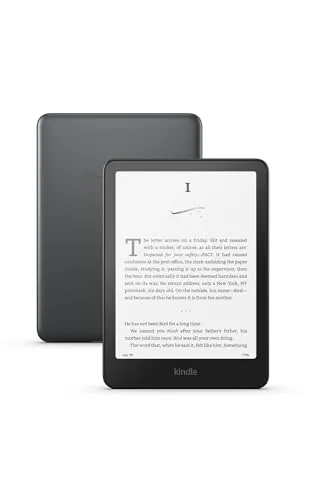
Kindle Paperwhite 2024 vs Signature Edition: Is 32GB and Wireless Charging Worth It?
This comparison covers the U.S. Kindle Paperwhite SA568B (Black, 16GB; ASIN B0CFPJYX7P) and Paperwhite Signature Edition SA569P (Metallic Black, 32GB; ASIN B0C8RR4WN3). Signature adds more storage, a light sensor that adjusts brightness automatically and Qi charging with a separately purchased compatible charger. If you mostly read text ebooks, set the light manually and use USB-C, the standard Paperwhite keeps the same 2024 generation basics without extras you may not use.
Read comparison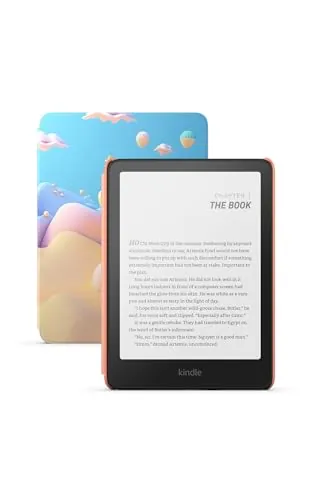
Kindle Paperwhite (2024) vs Paperwhite Kids: Bundle, Ads and VoiceView
This compares two exact US 2024 12th-generation, 16GB listings: the black, ad-supported Kindle Paperwhite (B0CFPJYX7P) and the Starfish Kindle Paperwhite Kids bundle (B0CFPS7ZY9). Both share the Paperwhite platform, while the Kids listing adds a child-friendly cover, six months of Kids+ and a two-year limited warranty. A child profile and parental controls can also be set up on a compatible standard Paperwhite, so the Kids bundle is mainly a convenience and included-content choice. Check the Kids+ renewal, adult-profile ads and VoiceView support before checkout.
Read comparison