
Products compared
NELKO
NELKO P21 Portable Bluetooth Label Printer
White U.S. P21 listing; label roll included in the selected listing title
Model P21
Amazon ASIN B0C3L93F2Q
Brother
Brother P-touch PT-D220 Home and Office Everyday Label Maker
White U.S. PT-D220; model page specifies TZe tape and separately supplied power
Model PT-D220
Amazon ASIN B0B1L3BL1G
Differences that matter
What matters most to you?
Choose a priority to see what it changes.
Sources for Where labels are composed
Sources for Starter items and setup check
Start with how you want to create a label
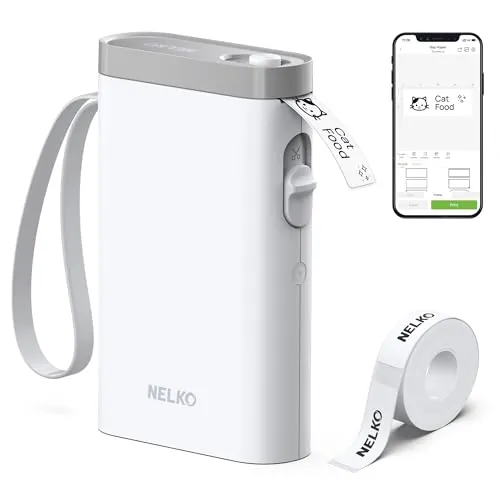
The P21 is built around a phone-first routine: NELKO says to create and customize labels in its app, then connect the printer by Bluetooth. Its product page says it is for mobile printing and directs computer-printing buyers to another NELKO model. Confirm your own phone and current app support before ordering; a general iOS/Android statement does not confirm every device or OS version.
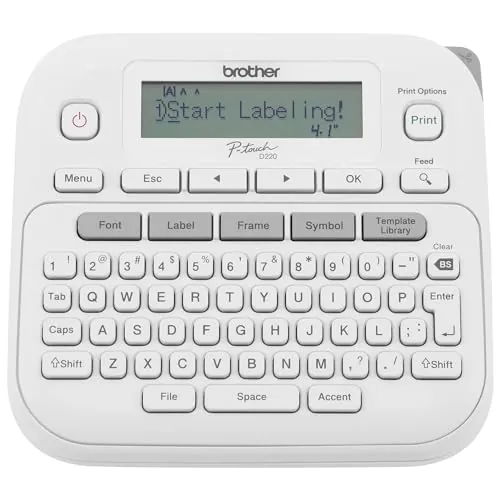
PT-D220 moves text entry onto the device. Brother lists a full QWERTY keyboard, one-touch formatting controls, and a 15-character preview display, with no mobile-device printing app. That can suit a shared desk or supply drawer where the label maker should not depend on a user's phone. The model page does not establish PC printing, so do not treat it as a computer-connected printer either.
Compare power before putting either one on a desk or in a drawer
NELKO describes a built-in rechargeable battery and Type-C charging for P21. The manufacturer's box list includes a Type-C cable and does not list a wall adapter. Check the exact marketplace bundle and decide how you will provide USB power for charging; the cable listing alone does not tell you which wall supply is included.
Brother specifies six AAA batteries or an optional AC adapter for PT-D220 and says neither is included. A portable setup therefore needs cells supplied separately; a fixed desk can use the adapter if you buy it. Neither choice implies a runtime advantage because no matched battery-life test is used here.
Check tape family, width, and the exact bundle
For PT-D220, Brother identifies the TZe tape family and lists 3.5, 6, 9, and 12 mm widths. The carton includes one 12 mm black-on-white laminated sample. Pick a compatible type and width for your project before buying extra tape; these specifications do not establish adhesive performance on every material or environment.
NELKO tells P21 buyers to choose P21-series rolls, and its box list shows a 14 × 40 mm sample roll. Its support page describes gap and custom-length continuous labels. Verify the roll and printer revision with NELKO before choosing a specific refill format. Also recheck the selected ASIN's bundle: the manufacturer page displays package options, so its included-items list may not match every marketplace pack.
A useful pre-buy check is to write down three things: the input device you will use, the tape family/width or format you need, and the power accessory missing from the selected box. That makes the total setup clear before checkout without guessing about label quality or ongoing consumable cost.
Product details
NELKO P21 Portable Bluetooth Label Printer
- Label creation and connection
- Create labels in the NELKO phone app and connect to the printer over Bluetooth; manufacturer describes P21 as mobile printing rather than computer printing Source
- Power and listed in-box items
- Rechargeable 1200 mAh battery, Type-C charging, one 14 × 40 mm label roll, and one Type-C charging cable; the manufacturer page does not list a wall adapter Source
- Consumables
- Manufacturer directs buyers to label rolls made for the P21 series; confirm the roll format for the exact printer before restocking Source
Brother P-touch PT-D220 Home and Office Everyday Label Maker
- Label creation and controls
- Built-in QWERTY keyboard and 15-character display; no mobile-device printing app listed Source
- Power
- Six AAA batteries or optional AC adapter; neither is included Source
- Tape family, widths, and sample
- Brother TZe family; supported widths listed as 3.5, 6, 9, and 12 mm. Box includes one 12 mm black-on-white laminated TZe sample tape Source
Before you buy
Community discussions
A P21 owner labels smaller containers and reports initial pairing friction
NELKO P21 Portable Bluetooth Label Printer
The owner says they use a small Nelko P21 to label smaller daily pots. Bluetooth setup was initially finicky, then straightforward once paired; this is one setup report, not evidence of a recurring connection problem.
What to check
Before relying on phone-led printing for a batch, pair the P21 with the phone you plan to use and print a sample for the container surface. The post gives no label-size measurement; the PT-D220 lets you type on the device instead of entering every label through a phone.
Trying a photo in the label editor
NELKO P21 Portable Bluetooth Label Printer
A Nelko P21 owner described using its phone app to put a photo in the label and edit the layout.
What to check
If you need an image or custom layout, print it at the label size you would buy. Check the editor steps as well as the physical media.
Common questions
Does the NELKO P21 work without a phone?
NELKO describes the P21 as a mobile printer that creates labels in its phone app and connects over Bluetooth. The manufacturer directs buyers needing computer printing to other models. Check support for your exact phone and app version before buying.NELKO P21 Portable Bluetooth Label Printer (White variant)NELKO Support-P21
What power accessories come with each printer?
NELKO lists a rechargeable P21 battery and a Type-C charging cable in the box; the page does not list a wall adapter. Brother says PT-D220 runs on six AAA batteries or an optional AC adapter and that neither power option is included.NELKO P21 Portable Bluetooth Label Printer (White variant)Brother PT-D220 Home and Office Everyday Label Maker
Which replacement tapes fit the PT-D220?
Brother lists genuine TZe tape compatibility and widths of 3.5, 6, 9, and 12 mm. Choose the tape type and width that matches your labeling task and check Brother's current supplies listing before ordering.Brother PT-D220 Home and Office Everyday Label Maker
Can I buy continuous rolls for the P21?
NELKO's support page says P21 supports gap labels and continuous labels, and directs buyers to P21-series rolls. Confirm the exact roll and printer revision with NELKO before buying supplies for a particular format.NELKO Support-P21NELKO P21 Portable Bluetooth Label Printer (White variant)
Sources and scope
This comparison uses current manufacturer product and support information. It does not rank print quality, adhesion, label durability, speed, battery runtime, or reliability. The manufacturers document consumables differently, so verify that a replacement roll is listed for the exact printer before buying. The NELKO product page's package options and box list should not be assumed to describe every marketplace bundle; confirm the selected ASIN's included items.
Related comparisons
Brother PTD220 vs PT-N20: Tape Fit, Saved Labels and Power Setup
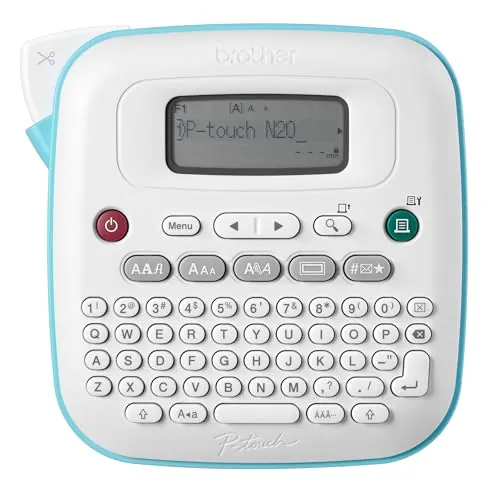
The shared 12 mm maximum does not mean these tape families interchange. Brother lists the PTD220 for TZe tape from 3.5 to 12 mm; PT-N20 is documented for Btag 12 mm tape exclusively. PTD220 also lists up to 30 saved labels and 25 preset templates; PT-N20 lists 10 saved labels, while its current page does not specify template availability. Both models use six AAA batteries or an optional AC adapter, neither included.
Read comparison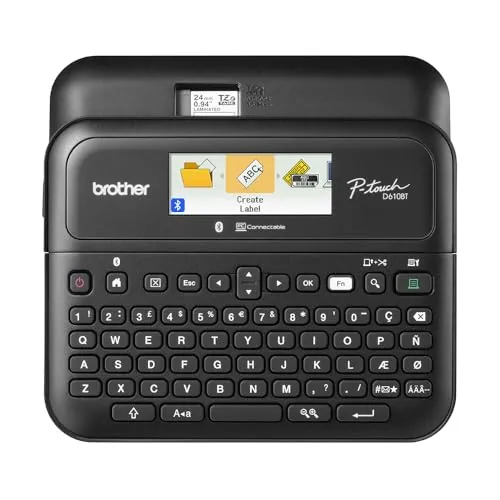
Brother PT-D220 vs PT-D610BT: Tape Width, Typing and Power Setup
Brother lists the PT-D220 for TZe tape up to 12 mm, with a QWERTY keyboard and up to nine copies. The PT-D610BT supports TZe tapes up to 24 mm, PC or phone label design, an automatic cutter and up to 99 copies. Brother's PT-D610BT product page conflicts about its keyboard: the description says built-in QWERTY, while its spec table says keyboard layout none. If typing directly on the machine matters, verify the exact unit before buying. Power differs too: D220 batteries and AC adapter are sold separately; the D610BT's standard box lists its AC adapter and USB cable.
Read comparison